

Add new row in Google Sheet on WPForm submission after validating email with MailRefine
Check the email address in every WPForms submission with MailRefine, then let a Filter decide which entries are written to Google Sheets, so the sheet only collects the addresses that pass your rule.
 WPForms
 MailRefine
 Filters
 Google Sheets
4 steps 12 downloads Setup ~8 min Used on 3.5k sites Free to import
What this workflow does
A spreadsheet of form leads is only as useful as the addresses in it. Mistyped domains and made-up emails slip through any web form, and you usually find them when a message bounces. This workflow puts a check between the form and the sheet, so a bad address can be stopped before it gets a row.
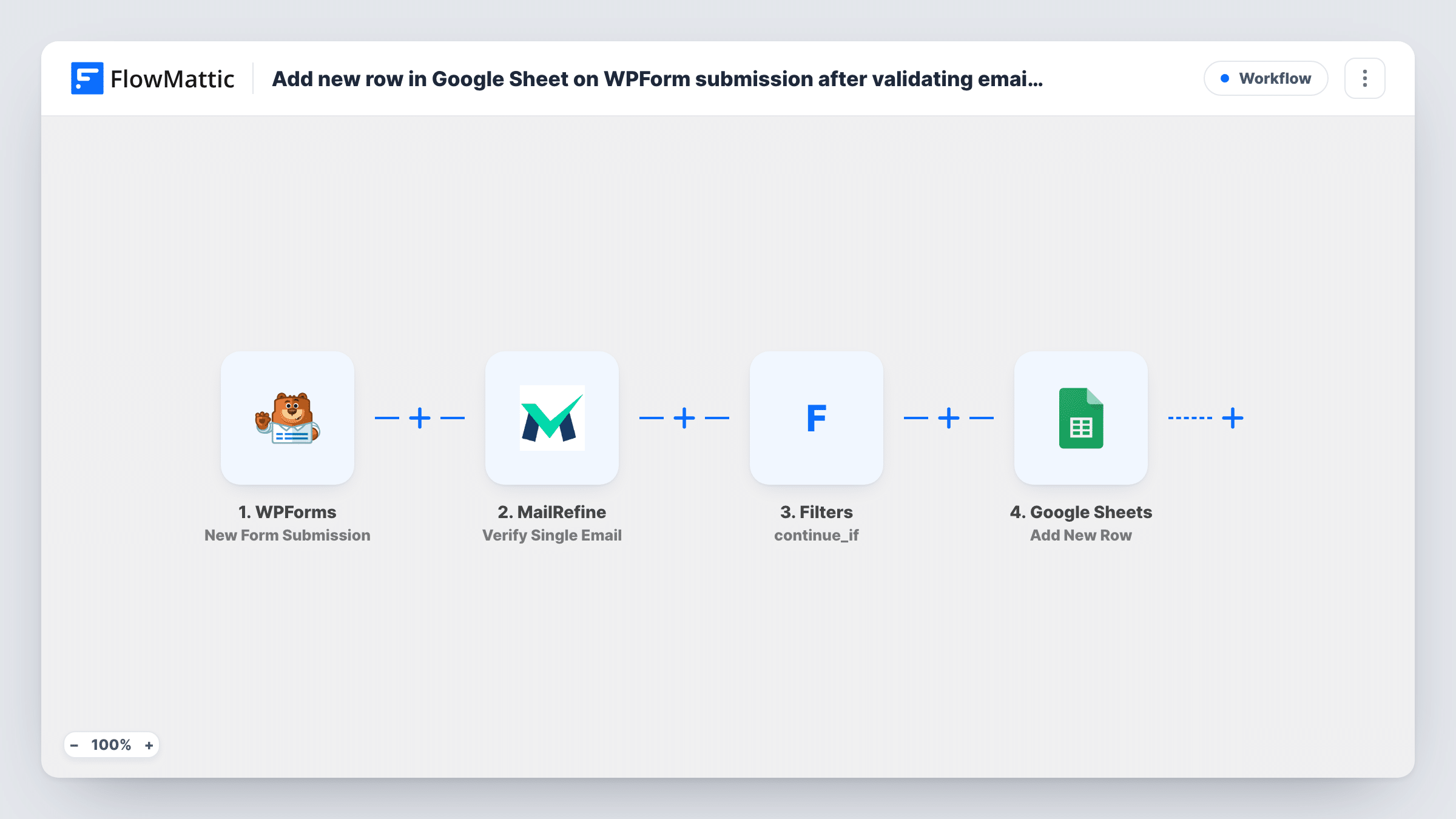
It starts when a visitor submits a WPForms form on your WordPress site. FlowMattic takes the email field from that entry and passes it to MailRefine through the Verify Single Email action. MailRefine replies with its verdict on the address, and that reply becomes data the later steps can read.
Next comes a Filter set to Continue If. You give it the condition after import, typically that the MailRefine result equals the value it returns for a good address. Entries that meet the condition move on to Google Sheets, where a new row is added with the form answers you map. Entries that don't meet it end at the Filter, and no row is written for them.
Nothing here changes the form itself. Visitors see the same confirmation as before, and every run is listed in Task History so you can see which entries stopped at the Filter.
Webinar sign-ups you plan to email
Registrations from a WPForms form are verified first, so the sheet you use to send joining links holds addresses that MailRefine accepted.
Contact lists handed to a sales rep
A rep who works from a shared Google Sheet only sees enquiries with addresses that passed the check, which saves calls chasing leads that can't be reached.
Free download requests
People who enter a fake address to get a checklist or template are kept out of the sheet you later import into your mailing tool.
How this workflow runs
What happens at each step once the workflow is on, and what you need before you import it.
 WPForms New Form Submission
Fires when someone submits a WPForms form on your site. The email field and the other answers from that entry are handed to the steps that follow.
- MailRefine Verify Single Email
Sends the submitted email address to MailRefine for verification. Point this step at the WPForms email field and link the MailRefine account you want to use. The verification response can then be used by the Filter and the sheet.
- Filters Continue If
Compares the MailRefine response with the condition you set after import. When it matches, the run carries on to Google Sheets. When it doesn't, the run stops and nothing is added to the sheet.
- Google Sheets Add New Row
Writes a new row to the Google Sheets spreadsheet you pick for each entry that got past the Filter. Connect your Google account and map each column to a WPForms field.
What you need
- FlowMatticCore
- WPForms PluginPlugin
- MailRefine AccountAccount
- Google Sheets AccountAccount
After importing, map your own data. To keep the template universal, not every step is pre-filled. Open each step in the builder and connect your accounts and fields (channels, lists, sheets, recipients) before you switch the workflow on.
Make it yours
Changes worth making after you import it.
- Submit one entry with your real address and one with an invented address after import. Then open Task History to see what MailRefine returned for each and build the Filter condition from that value.
- Map the MailRefine result into its own column as well as the form answers, so anyone reading the sheet can see that each row was checked.
- If you want a record of rejected addresses too, swap the Filter for a Router and give the failing route its own Add New Row step pointing at a second sheet.
Questions about this workflow
Do the Filter conditions come set up?
No. The Filter step is in place but you add its condition yourself after import. Until you do, the empty Filter stops every run and no lead reaches the sheet.
What happens to a submission whose email fails the check?
The workflow ends at the Filter for that entry, so it never reaches Google Sheets. WPForms still processes the submission the way your form settings say.
Which accounts does this workflow need?
Yes. The verification runs through MailRefine, so you connect your own account in that step. You also need a Google account that can edit the target spreadsheet.
Can I verify more than the email field?
This template checks one address per submission. If your form has a second email field, add another Verify Single Email step and map that field to it.
More Forms to Sheets & CRM workflows
Other ready-to-import templates from the same category.






Import this workflow into your WordPress site
Download the JSON, import it from the Workflows screen and connect your accounts. Every run stays on your server, with no per-task fees.
30-day money-back guarantee Unlimited workflows and runs Self-hosted