

Send Photo to Telegram when a New Alert is Triggered on Tradingview
When one of your TradingView alerts fires, this workflow sends a photo to a Telegram chat with the alert details alongside it, so the signal reaches your phone in a form you can read at a glance.
 Tradingview
 Telegram
2 steps 8 downloads Setup ~5 min Used on 849 sites Free to import
What this workflow does
TradingView alerts tell you a price or indicator condition has been met, but you only see them if you are watching TradingView or its notifications. Many traders and signal groups already live in Telegram. This workflow forwards each alert there as a photo with the alert details.
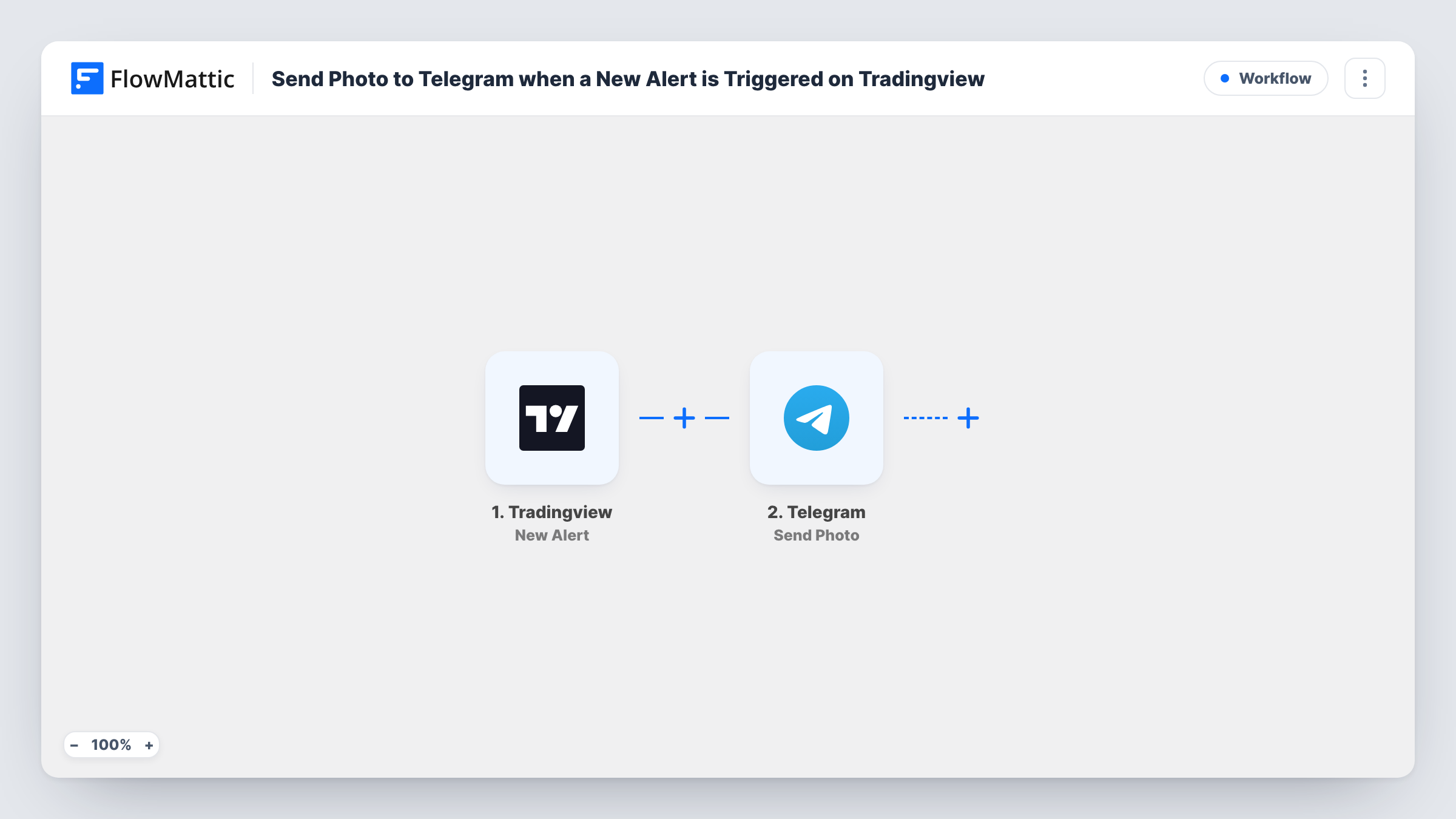
The TradingView New Alert trigger gives you a webhook URL. Add it to the webhook setting of the alerts you want forwarded, and whatever the alert message contains, plain text or JSON, arrives in FlowMattic as data. The Telegram Send Photo step then posts an image to a Telegram chat, with alert data you map into it.
Run a test alert after import to see how the step takes its image. You can use the same picture every time, such as a logo, or include a link in each alert message and map it in. Task History records each alert that came in, which helps when you test the setup.
Signals for a Telegram group
A trader who runs a signals channel forwards each TradingView alert with a branded image and the ticker, price and direction alongside it.
Personal price alerts on your phone
You set alerts on a few symbols and get each one in a private Telegram chat, where the photo makes it stand out from other messages.
Different images for buy and sell
Include an image link in each alert's message, a green banner for buy alerts and a red one for sell, and map that link into the Send Photo step.
How this workflow runs
What happens at each step once the workflow is on, and what you need before you import it.
 Tradingview New Alert
Receives an alert from TradingView each time it fires. Paste the workflow's webhook URL into the alert's webhook setting; the text or JSON in the alert message becomes data you can use in Telegram.
- Telegram Send Photo
Sends a photo to a Telegram chat. Map the image and alert values such as symbol and price into the step, then send a test alert to confirm how the photo and its text appear.
What you need
- FlowMatticCore
- TradingView AccountAccount
- Telegram AccountAccount
After importing, map your own data. To keep the template universal, not every step is pre-filled. Open each step in the builder and connect your accounts and fields (channels, lists, sheets, recipients) before you switch the workflow on.
Make it yours
Changes worth making after you import it.
- Write the TradingView alert message as JSON, with keys such as ticker, price and action. Each key then becomes a separate value you can map into the Telegram step.
- Add a Filter after the trigger so only alerts with a certain value, for example action equal to buy, are sent to the chat.
- Use a Router to send alerts for different symbols to different Telegram chats, each with its own Send Photo step.
Questions about this workflow
Where does the photo come from?
From whatever image you give the Send Photo step: the same picture each time, or a link sent inside the TradingView alert message and mapped in. Check with one test alert that it displays.
Can one workflow handle alerts from several TradingView charts?
Yes. Add the same webhook URL to each alert you want forwarded. Put the symbol in the alert message so the Telegram post shows which one fired.
What text goes with the photo?
Whatever alert data you map into the step, such as the symbol, price or a note you wrote in the alert message.
Do I need anything besides TradingView and Telegram?
No other apps. You need TradingView alerts that can call a webhook, and a Telegram connection in FlowMattic that can post to your chat.
More Team Notifications workflows
Other ready-to-import templates from the same category.






Import this workflow into your WordPress site
Download the JSON, import it from the Workflows screen and connect your accounts. Every run stays on your server, with no per-task fees.
30-day money-back guarantee Unlimited workflows and runs Self-hosted