

Create WooCommerce products on Iteration when Webhook data received
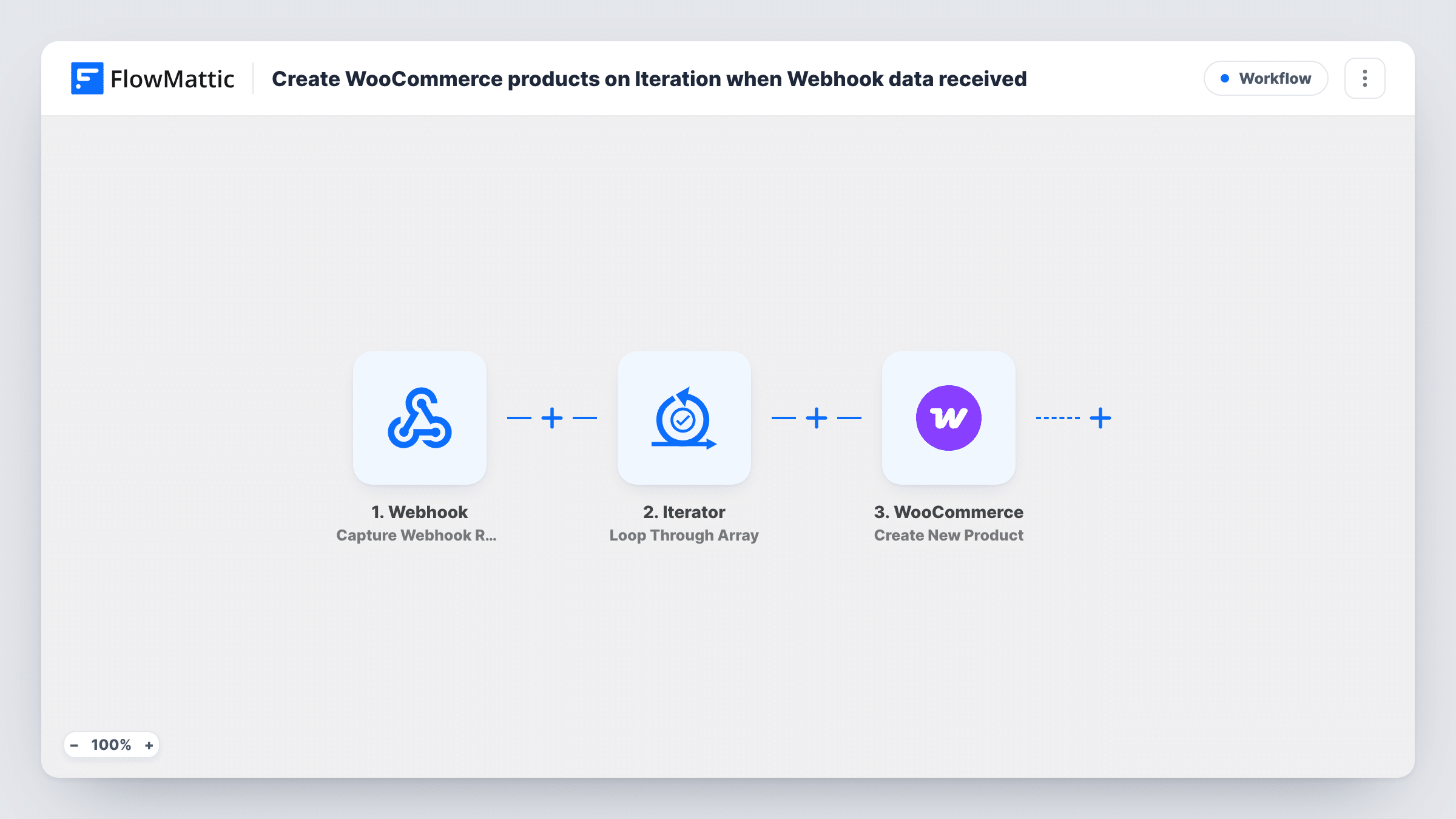
Post a list of products to a FlowMattic webhook and this workflow loops through the list with an Iterator, creating one WooCommerce product for each item it receives.
 Webhook
 Iterator
 WooCommerce
3 steps 50 downloads Setup ~5 min Used on 2.8k sites Free to import
What this workflow does
Adding products to a WooCommerce store one at a time is slow when the data already exists somewhere else: a second store, a supplier feed, or a script you run. This workflow accepts a batch of products in one webhook call and turns each item into a product in your store.
It starts with a Webhook trigger. FlowMattic gives you a unique URL, and any app or script that can send an HTTP request can post product data to it. The request should carry the products as a JSON array. The Iterator then loops through that array, and for each item it runs the next step once.
That step is WooCommerce Create New Product. You map the fields from the current item, such as name, price and description, to the product fields. Ten items in the array mean ten new products. Each run is listed in Task History, so you can check which items came through and spot one that failed.
Copy products from one store to another
A script or workflow on your first store posts its new products to this webhook, and the second WooCommerce store creates matching products without anyone retyping them.
Load a supplier's product list
Your supplier's system can push its catalogue as JSON. Point it at the webhook URL and each listed item becomes a WooCommerce product you can review before selling.
Bulk add products from a custom tool
An internal app or spreadsheet export sends a batch of product records in one request, instead of you filling in the product editor for every item.
How this workflow runs
What happens at each step once the workflow is on, and what you need before you import it.
 Webhook Capture Webhook Response
Waits for data posted to the workflow's unique webhook URL. Send the products as a JSON array so the next step has a list to work through.
- Iterator Loop Through Array
Takes the products array from the webhook data and runs the following step once for every item in it, passing that item's values along for mapping.
- WooCommerce Create New Product
Creates a product in your WooCommerce store from the current item. Map the item's fields, such as product name, price and description, to the matching product fields.
What you need
- FlowMatticCore
- WooCommerce PluginPlugin
After importing, map your own data. To keep the template universal, not every step is pre-filled. Open each step in the builder and connect your accounts and fields (channels, lists, sheets, recipients) before you switch the workflow on.
Make it yours
Changes worth making after you import it.
- Send one sample request to the webhook URL after import so FlowMattic captures the structure. You then pick the products array in the Iterator and map its fields in the WooCommerce step.
- Add a Filter after the Iterator that continues only when the item has a name and a price, so an incomplete record does not become an empty product.
- If the sender posts one product per request instead of a list, remove the Iterator and map the webhook fields straight to the WooCommerce step.
Questions about this workflow
What format should the webhook data be in?
Send the products as a JSON array inside the request. The Iterator loops through an array, so each element of that array becomes one product.
Does it update a product that already exists?
No. The WooCommerce step creates a new product for every item. Sending the same item twice creates two products, so make sure the sender only posts new ones.
Can the sender be a non-WordPress app?
Yes. Anything that can send an HTTP request to the webhook URL can start the workflow, whether that is another site, a script or a third-party service.
Which plugins does this template need?
WooCommerce installed on the same WordPress site as FlowMattic, and a source that can post product data to the webhook URL.
More E-commerce & Orders workflows
Other ready-to-import templates from the same category.





Import this workflow into your WordPress site
Download the JSON, import it from the Workflows screen and connect your accounts. Every run stays on your server, with no per-task fees.
30-day money-back guarantee Unlimited workflows and runs Self-hosted