

Create user in WordPress on Contact Form 7 submission after validating email with EmailListVerify
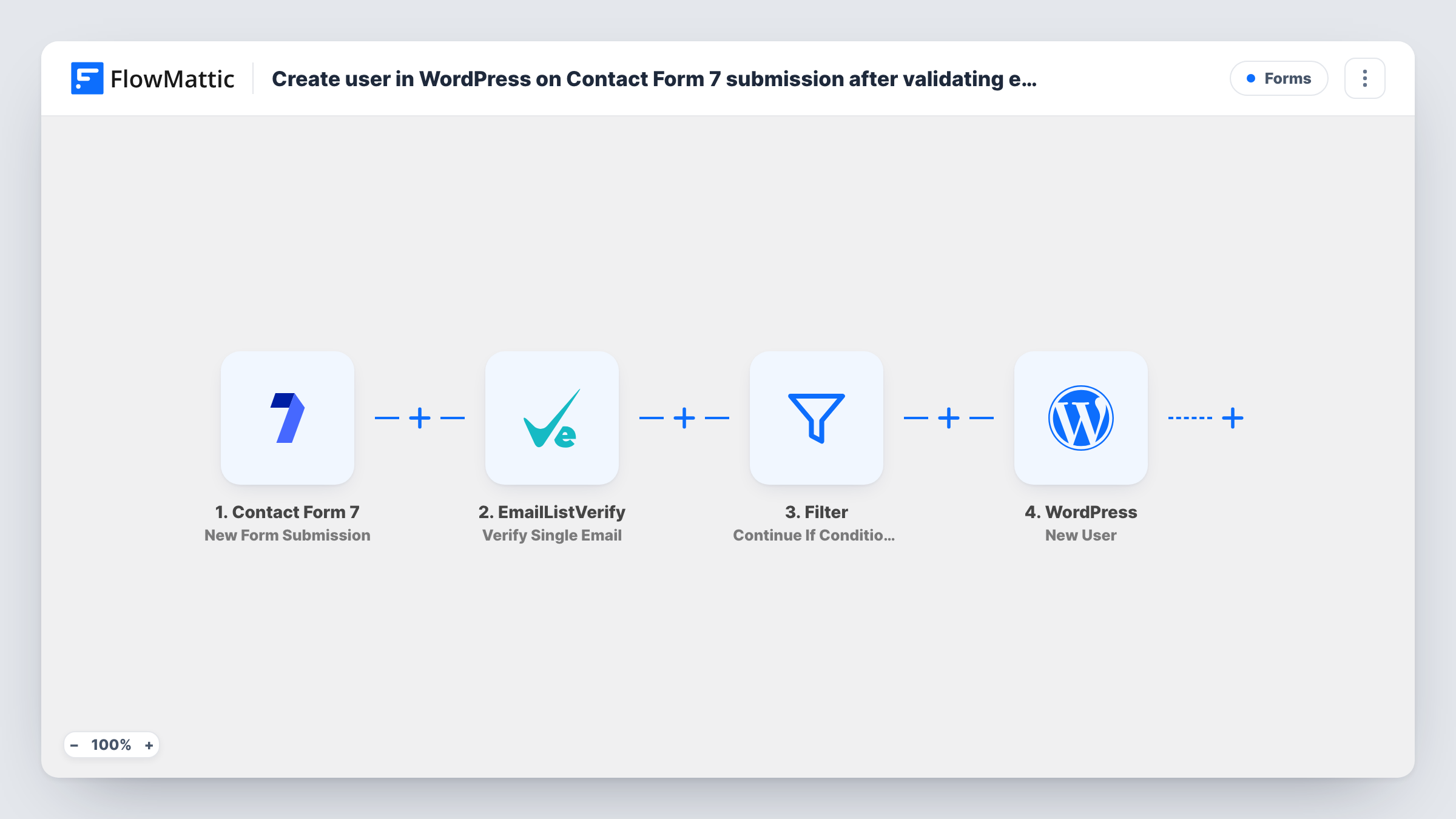
Each Contact Form 7 submission has its email address checked by EmailListVerify, and FlowMattic creates a WordPress user for the person only when the check comes back “ok”.
 Contact Form 7
 EmailListVerify
 Filter
 WordPress
4 steps 15 downloads Setup ~8 min Used on 3.2k sites Free to import
What this workflow does
Contact Form 7 makes a flexible sign-up form when you want full control over how a registration page looks. The catch is accounts made with mistyped or throwaway addresses. This workflow checks each address with EmailListVerify first and creates the WordPress account only when that check passes.
The Contact Form 7 trigger starts a run on each form submission and passes the entered values on. The EmailListVerify step then verifies the address. It ships unmapped, so after import you connect your account and map the form's email field into it.
A Filter reads the verification response and continues only when it is exactly "ok". Any other answer ends the run at the Filter, and no account is made. The final step creates a new WordPress user. It is unmapped too, so you map the submitter's details from the form into the new account.
Send a test submission with your own address and one with a made-up address before you rely on it. Task History shows the response EmailListVerify gave for each one, which helps when a real person reports that no account was created.
Custom registration page
A community site designs its sign-up page with Contact Form 7 and its theme's styles, and new members get a WordPress account only after their address checks out.
Fewer junk accounts
A site that keeps seeing registrations from fake addresses stops creating users for them, because the Filter turns away any address EmailListVerify doesn't mark as ok.
Accounts for event attendees
A training company collects attendee details on a Contact Form 7 form and gives each verified attendee a WordPress login for the course materials.
How this workflow runs
What happens at each step once the workflow is on, and what you need before you import it.
 Contact Form 7 New Form Submission
Starts the workflow each time a Contact Form 7 form is submitted. The values the person entered, including their email address, are passed to the next steps.
- EmailListVerify Verify Single Email
Checks a single email address with EmailListVerify. The step ships unmapped: connect your EmailListVerify account and map the email field from the form into it.
- Filter Continue If Condition Meet
Continues only when EmailListVerify's response is exactly "ok". Any other response stops the run here, so the account step doesn't run for that submission.
- WordPress New User
Creates a new WordPress user. The template leaves this step unmapped, so map the submitter's details from the form into the account, then send a test submission and look for the new user under Users.
What you need
- FlowMatticCore
- Contact Form 7 PluginPlugin
- EmailListVerify AccountAccount
After importing, map your own data. To keep the template universal, not every step is pre-filled. Open each step in the builder and connect your accounts and fields (channels, lists, sheets, recipients) before you switch the workflow on.
Make it yours
Changes worth making after you import it.
- Mark the email field as required in Contact Form 7 with email*, so no submission reaches EmailListVerify without an address.
- Add a Google Sheets step between the EmailListVerify step and the Filter to log every address with its result, so you can review the ones the Filter stopped.
- Use this with a form built only for registration. On a general contact form, everyone who writes in with a valid address would get a WordPress account.
- Add an Email step after the WordPress step to send the new member a welcome note with a link to your login page.
Questions about this workflow
What happens when EmailListVerify doesn't return "ok" for an address?
The Filter stops the run, so no WordPress user is created for that submission. The Filter accepts only an exact match, so every other response stops it as well. You can read each run's response in Task History.
What if the email from Contact Form 7 already belongs to a WordPress user?
No second account is made. The New User step finds the user who already has that address and reports success with their user ID, which you can read in Task History. If you set a role in the step, that existing user gets it as well.
Does the new WordPress user get a welcome email from this workflow?
Not from the template. It verifies the address and creates the account, nothing more. Add an Email step after the WordPress step if you want to greet new members or point them to your login page.
Can I change the Filter to also accept other EmailListVerify results?
Yes. Open the Filter and add an OR condition for each extra response you want to let through. Check a few test runs first so you match the exact text EmailListVerify returns.
More Lead Capture & CRM workflows
Other ready-to-import templates from the same category.








Import this workflow into your WordPress site
Download the JSON, import it from the Workflows screen and connect your accounts. Every run stays on your server, with no per-task fees.
30-day money-back guarantee Unlimited workflows and runs Self-hosted