

Update a Cloudflare DNS record and alert Slack on a Better Uptime incident
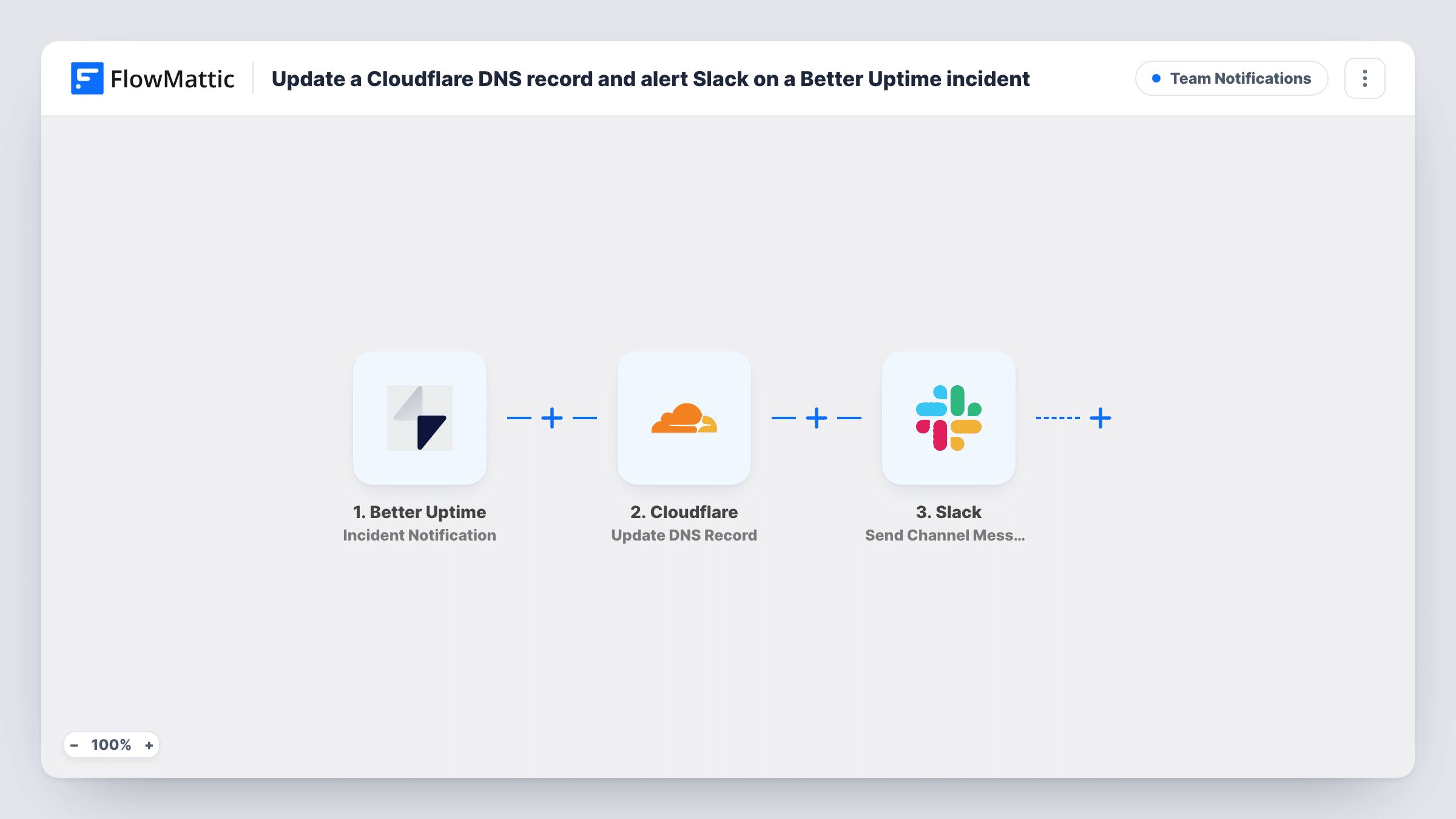
When Better Uptime sends an incident notification, FlowMattic updates a DNS record in Cloudflare and posts an alert to a Slack channel, so a switch to a standby server and the team message come from the same event.
 Better Uptime
 Cloudflare
 Slack
Slack3 steps 25 downloads Setup ~5 min Used on 2.7k sites Ops Free to import
What this workflow does
When a site goes down, the manual fix usually means logging in to Cloudflare, pointing the domain at a standby server and then telling the team what changed. This workflow ties both jobs to Better Uptime's incident alerts, so the DNS change and the Slack message start from one event instead of from whoever notices first.
The Better Uptime trigger receives an incident notification. FlowMattic describes this event as firing when an incident is created, acknowledged or resolved, so a single outage can start up to three runs. Next, the Cloudflare step updates an existing DNS record. It ships unmapped: after import you connect Cloudflare and set which record changes and what it should point to, for example the address of a backup server.
The last step posts to a channel in Slack. It ships empty as well, so you pick the channel, write the alert and map in the incident details your team needs. A test run shows what Better Uptime actually sends.
Because acknowledged and resolved notifications run every step too, decide before going live whether the DNS change should happen only when an incident starts. A Filter right after the trigger handles that. Check Task History after a test incident to see what Cloudflare and Slack returned.
Fail over to a standby server
A shop keeps a static copy of its site on a second server. When Better Uptime opens an incident, the Cloudflare record for the shop's domain is pointed at that copy and the team sees a Slack alert.
Outage channel for an agency
An agency that hosts client sites sends every Better Uptime incident to a shared #outages channel, with the Cloudflare change noted in the message so nobody repeats it by hand.
Maintenance page during downtime
A membership site points a subdomain at a simple maintenance page while the main server is down, so visitors see a notice instead of a browser error.
How this workflow runs
What happens at each step once the workflow is on, and what you need before you import it.
 Better Uptime Incident Notification
Fires when Better Uptime sends an incident notification, which happens when an incident is created, acknowledged or resolved. The incident data it sends is available to the Cloudflare and Slack steps.
- Cloudflare Update DNS Record
Updates an existing DNS record in Cloudflare. The step ships unmapped: after import, connect your Cloudflare account, set which record to change and what it should point to, then confirm the change with a test incident.
- Slack Send Channel Message
Sends the alert to a channel in Slack. The template leaves it empty, so choose the channel, write the alert text and map the incident details from the trigger. If the outage channel is private, swap in Slack's Send Private Channel Message action for this step.
What you need
- FlowMatticCore
- Better Uptime AccountAccount
- Cloudflare AccountAccount
- Slack AccountAccount
After importing, map your own data. To keep the template universal, not every step is pre-filled. Open each step in the builder and connect your accounts and fields (channels, lists, sheets, recipients) before you switch the workflow on.
Make it yours
Changes worth making after you import it.
- Put a Filter between the Better Uptime trigger and the Cloudflare step that continues only for newly created incidents. It stops both later steps, so acknowledged and resolved notices change no DNS and post nothing. A test run shows which field holds the incident state.
- Make a second copy of this workflow with a Filter for resolved incidents, and set its Cloudflare step to point the record back at your main server once the outage is over.
- Try the Cloudflare step on a spare subdomain before you aim it at your live domain, so a wrong value can't take the real site offline.
- Mention in the Slack message which record changed and its new value, so whoever picks up the incident knows the site is on the backup.
Questions about this workflow
Does the Cloudflare change also run when a Better Uptime incident is resolved?
Yes, as imported. The trigger fires for created, acknowledged and resolved incidents, and each run updates the record and posts to Slack. Add a Filter between the trigger and the Cloudflare step to limit the workflow to the incident state you want.
Which Cloudflare DNS record does this workflow change?
The one you set after import. The Update DNS Record step ships empty, and it changes an existing record rather than adding a new one, so the record must already exist in your Cloudflare zone.
Can the Better Uptime alert go to one person in Slack instead of a channel?
Yes. Replace the Send Channel Message step with Slack's Send Direct Message action and pick the person who is on call.
Do I need a backup server before I turn this on?
The DNS step only helps if the record can point somewhere that works. Set up the standby server or maintenance page first, then enter its address in the Cloudflare step.
More Team Notifications workflows
Other ready-to-import templates from the same category.




Import this workflow into your WordPress site
Download the JSON, import it from the Workflows screen and connect your accounts. Every run stays on your server, with no per-task fees.
30-day money-back guarantee Unlimited workflows and runs Self-hosted