

Send a WhatsApp Template Message via Cloud API When a New Lead is Captured through Facebook Lead Ads
Reply to new Facebook Lead Ads leads on WhatsApp with an approved template message sent through the WhatsApp Cloud API, so each person hears from you on their phone soon after they submit your form.
 Facebook Lead Ads
 WhatsApp Cloud API
2 steps 14 downloads Setup ~5 min Used on 1.4k sites Free to import
What this workflow does
A lead who has just filled in your Facebook form still remembers your ad. Reaching them on WhatsApp at that moment puts you in the app they already use to chat. This workflow sends that first message for you.
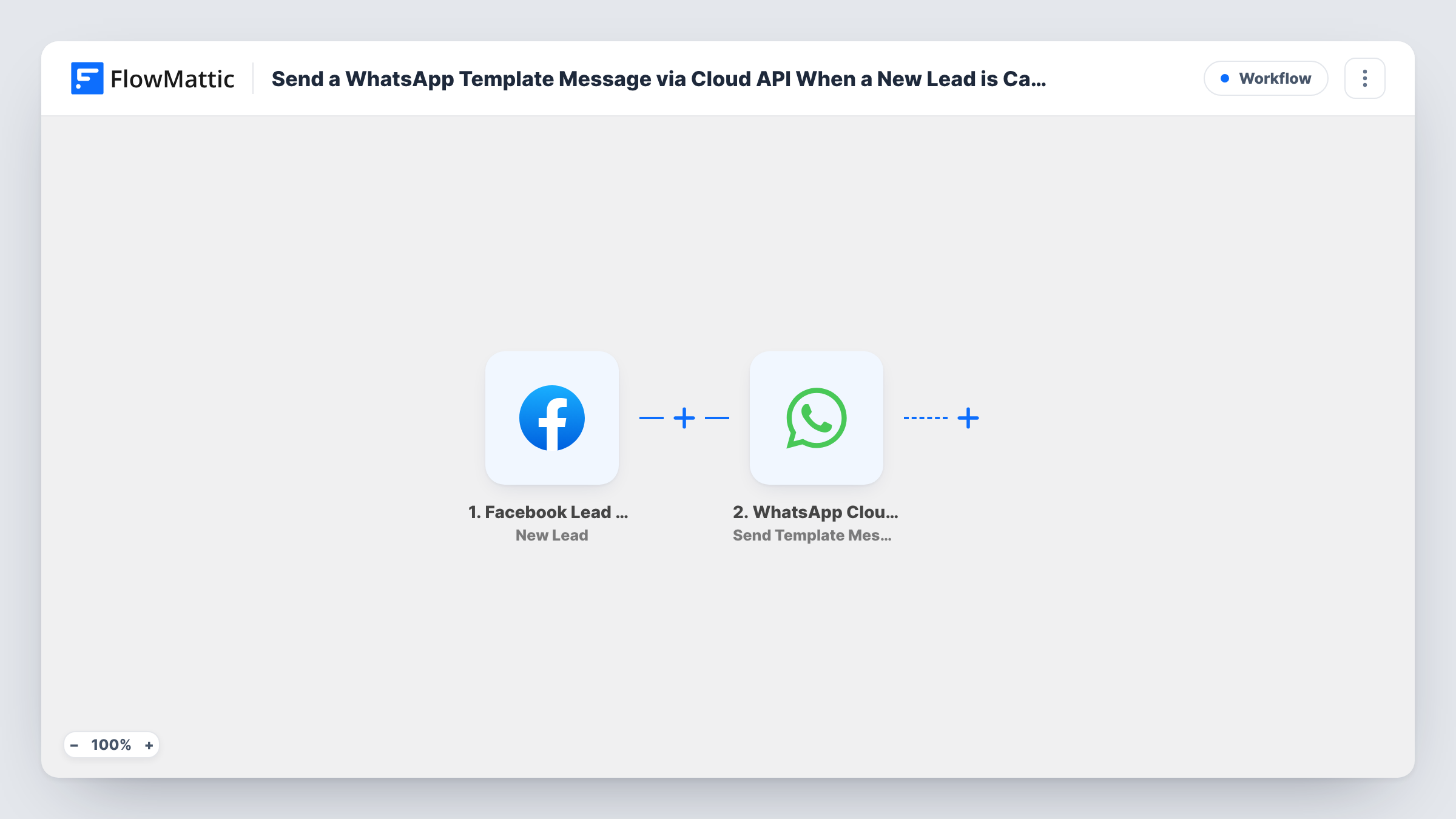
Each new submission on a Facebook Lead Ads form starts a run, and the phone number and other answers become data to map. The second step uses Send Template Message in WhatsApp Cloud API. It sends one of your approved templates, and you map the lead's phone number into the step. Run a test lead to confirm the message arrives as expected.
WhatsApp only lets businesses open a conversation with a template that Meta has approved, which is why this flow uses one. Create and get the template approved in your WhatsApp Business account before you switch the workflow on. Task History shows each run, including any error WhatsApp returns.
Instant welcome for course enquiries
Someone asks about your course in a Facebook form and gets a WhatsApp template thanking them and saying when an adviser will call.
Appointment-based businesses
A clinic or salon sends new leads a template message with a booking link, so they can choose a slot without waiting for a call.
Property enquiries
Leads asking about a listing receive a WhatsApp template about the listing, and can reply in the same chat to arrange a viewing.
How this workflow runs
What happens at each step once the workflow is on, and what you need before you import it.
 Facebook Lead Ads New Lead
Triggers on every new lead from your Facebook Lead Ads forms. The phone number the lead entered, along with their name and answers, can be mapped into the WhatsApp step.
- WhatsApp Cloud API Send Template Message
Sends an approved WhatsApp template to the lead through WhatsApp Cloud API. Connect your WhatsApp Cloud API account and map the lead's phone number into the step. A test lead shows whether the template reaches their phone.
What you need
- FlowMatticCore
- Facebook Lead Ads AccountAccount
- WhatsApp Cloud API AccountAccount
After importing, map your own data. To keep the template universal, not every step is pre-filled. Open each step in the builder and connect your accounts and fields (channels, lists, sheets, recipients) before you switch the workflow on.
Make it yours
Changes worth making after you import it.
- Make phone number a required question on your Facebook lead form. Without a number, the WhatsApp step has no one to send to.
- Add a Filter after the trigger that only continues when the lead ticked a box agreeing to be contacted on WhatsApp.
- Put a Delay of a few minutes before the WhatsApp step if an instant message feels too abrupt for your audience.
Questions about this workflow
Why does it send a template instead of a normal text?
WhatsApp requires businesses to start conversations with an approved template. Once the lead replies, you can carry on the chat with ordinary messages.
Do I need a template ready before importing?
Yes. Create the template in your WhatsApp Business account and wait for Meta to approve it. Only approved templates can be sent.
What happens if the phone number is wrong or missing?
The message can't be delivered to that lead. Task History shows what was sent to WhatsApp for the run, which helps you spot a bad number. The rest of your leads are not affected.
Does the lead's number need a country code?
WhatsApp expects numbers in international format. Send a test lead and look at the phone value in Task History to see what your form collects.
More Team Notifications workflows
Other ready-to-import templates from the same category.




Import this workflow into your WordPress site
Download the JSON, import it from the Workflows screen and connect your accounts. Every run stays on your server, with no per-task fees.
30-day money-back guarantee Unlimited workflows and runs Self-hosted