

Create WordPress posts with OpenAI responses to new items in multiple RSS feeds
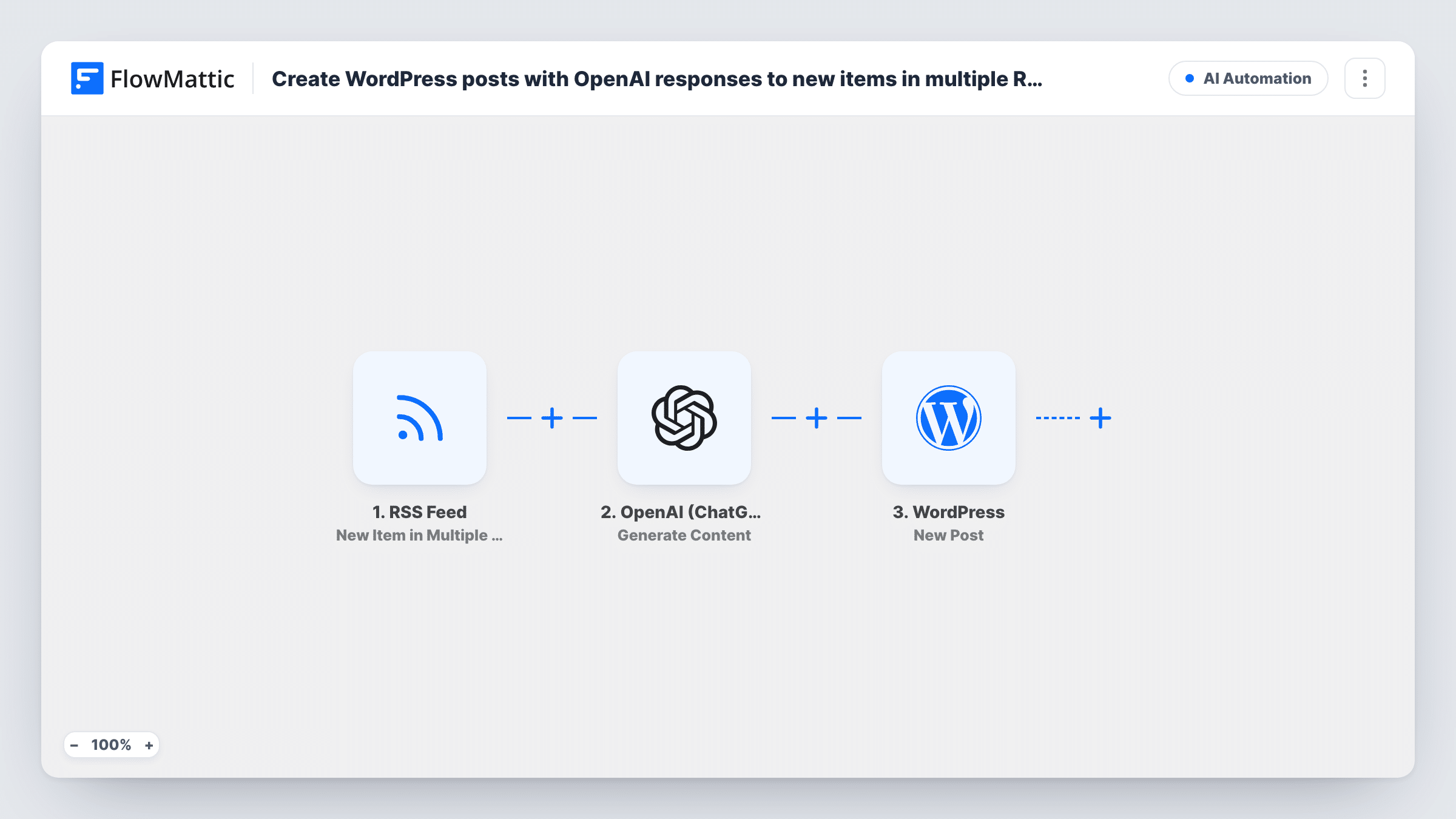
When any of the RSS feeds you follow publishes a new item, OpenAI writes content from it using your prompt, and FlowMattic saves the result as a draft post in WordPress for you to review.
 RSS Feed
 OpenAI (ChatGPT)
 WordPress
3 steps 49 downloads Setup ~5 min Used on 1.2k sites Free to import
What this workflow does
Running a news roundup or a niche blog means reading several sources and turning the useful items into posts. This workflow watches a set of feeds for you and hands each new item to an AI writer, so a first draft is waiting in WordPress instead of a tab you meant to come back to.
The RSS Feed trigger fires on new items from multiple feeds. After import you set which feeds it watches. Each new item passes its details, such as the title, summary and link, to the next step.
The OpenAI (ChatGPT) Generate Content step ships empty. You write the prompt yourself and map the item's fields into it, for example asking for a short commentary on the headline with a credit line to the source. OpenAI only sees what your prompt contains, so it works from the feed's text, not the full article.
The final WordPress step creates a new post with the status set to draft. Map the post title and the content OpenAI returned. Because posts land as drafts, nothing goes live until you edit and publish it. Every new item from every watched feed starts its own run, so busy feeds can fill your drafts list quickly.
Industry news digest for a niche blog
A blogger follows five trade publications and gets a draft post for each new headline, with an AI summary they trim and publish when it fits the site.
Commentary drafts from competitor blogs
A marketing team watches the feeds of a few industry blogs and gets drafts that react to each new article, ready for an editor to add their own view.
Release notes roundup
A developer site tracks the release feeds of the tools it covers and turns every new release item into a draft explaining what changed for readers.
How this workflow runs
What happens at each step once the workflow is on, and what you need before you import it.
 RSS Feed New Item in Multiple RSS Feeds
Fires when a new item appears in any of the RSS feeds you add to the trigger. The item's title, description, link and other feed fields become available to map.
- OpenAI (ChatGPT) Generate Content
Passes the prompt you write to OpenAI and hands back the text it generates. The step ships unmapped: write the prompt after import and map the feed item's title, summary or link into it.
- WordPress New Post
Creates a WordPress post with the status set to draft. Map the title and the OpenAI response into the post, then review and publish the draft yourself.
What you need
- FlowMatticCore
- OpenAI (ChatGPT) AccountAccount
After importing, map your own data. To keep the template universal, not every step is pre-filled. Open each step in the builder and connect your accounts and fields (channels, lists, sheets, recipients) before you switch the workflow on.
Make it yours
Changes worth making after you import it.
- Put a Filter between the RSS Feed trigger and the OpenAI step that continues only when the item title contains a keyword you cover. Items it stops never reach OpenAI or WordPress, which keeps off-topic drafts out.
- Ask OpenAI in the prompt to end with a line linking to the original item, and map the feed link into that spot, so every draft credits its source.
- Add a second Generate Content step between the first OpenAI step and the WordPress step that writes a headline, then map that into the post title instead of the feed's own title.
- Change the WordPress step's status from draft to publish only after a few weeks of drafts that need no editing.
Questions about this workflow
Do the AI-written posts go live on my WordPress site right away?
No. The New Post step is set to draft in the template, so each post waits in your drafts for you to read and publish. You can change that status in the step if you want posts to go live directly.
Does OpenAI read the full article behind each RSS item?
No. The Generate Content step only receives the prompt you write, filled with the feed fields you map. If the feed carries only a short summary, that is all OpenAI has to work from.
How many RSS feeds can one workflow watch?
The trigger is built for several feeds at once. Add each feed you want to follow in the trigger after import, and every new item from any of them starts a run.
Which OpenAI connection does the RSS feed workflow need?
Yes. The Generate Content step runs on your own OpenAI connection, so connect your OpenAI API account in FlowMattic before you test the workflow.
More AI Content & Productivity workflows
Other ready-to-import templates from the same category.





Import this workflow into your WordPress site
Download the JSON, import it from the Workflows screen and connect your accounts. Every run stays on your server, with no per-task fees.
30-day money-back guarantee Unlimited workflows and runs Self-hosted