

FlowMattic 5.4.0: Supercharge Your Workflows with Sub-Workflows, IMAP Integration, and Advanced Automation Tools
FlowMattic 5.4.0 – Supercharge Your Workflows with Sub-Workflows, IMAP Integration, and Advanced Automation Tools
We’re thrilled to announce the release of FlowMattic 5.4.0, our most powerful update yet! This release introduces game-changing features that will transform how you build, manage, and scale your WordPress automation workflows. From modular sub-workflows to advanced email monitoring and intelligent image compression, version 5.4.0 is packed with tools designed to save you time and amplify your productivity.
Let’s dive into what’s new and how these features can revolutionize your automation strategy.
🚀 Major New Features in FlowMattic 5.4.0
1. Sub-Workflows: Build Modular, Reusable Automation
One of the most requested features is finally here! Sub-Workflows allow you to create modular, reusable workflow components that can be called from other workflows with full parameter passing support.
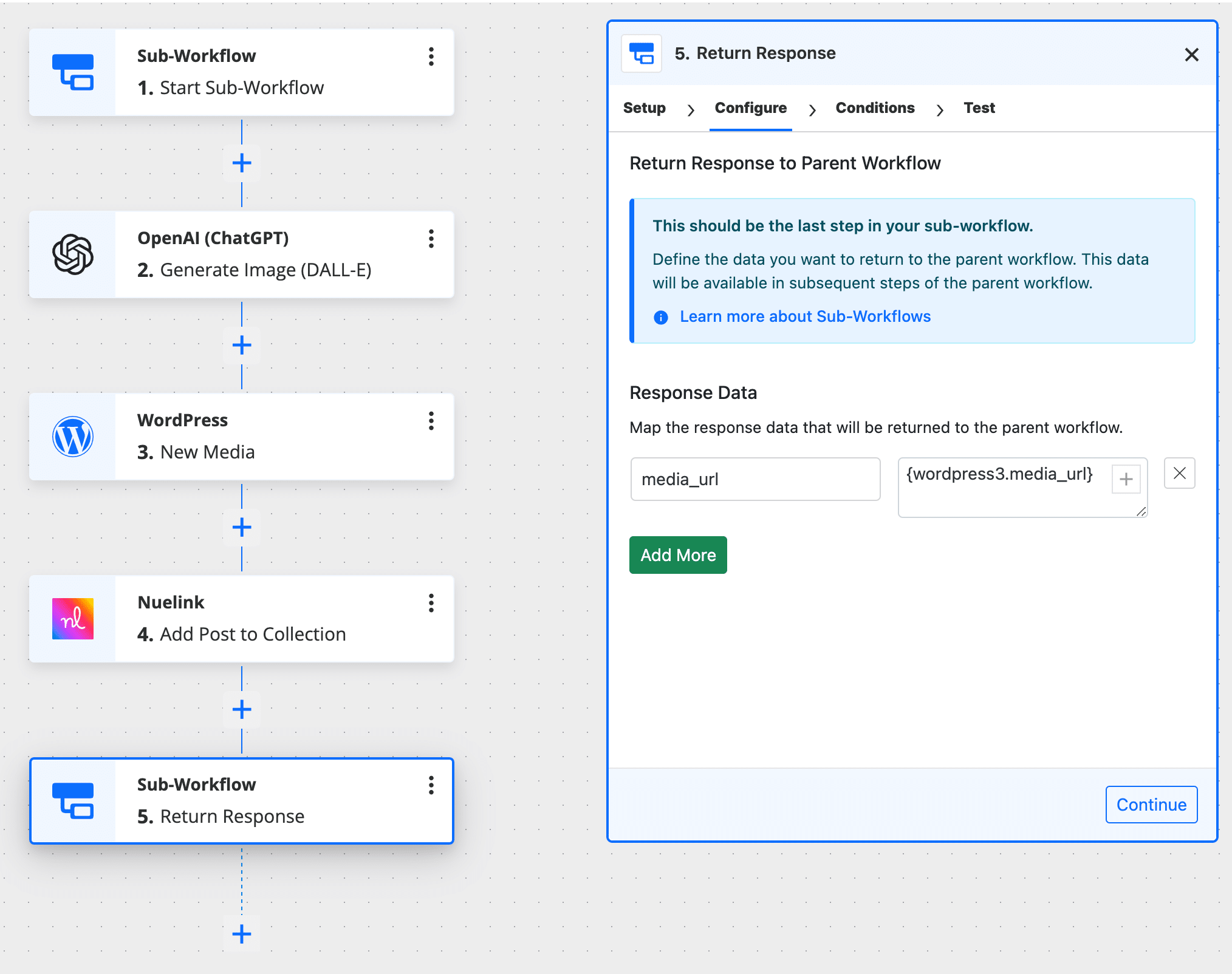
Why this matters:
- DRY Principle: Don’t repeat yourself. Create a workflow once, use it everywhere
- Easier Maintenance: Update logic in one place and it automatically reflects across all parent workflows
- Complex Logic Simplified: Break down complicated automations into manageable, testable pieces
- Circular Dependency Detection: Built-in safeguards prevent infinite loops and workflow conflicts
Use Case Example: Create a “Send Welcome Email” sub-workflow that can be triggered from multiple parent workflows (new user registration, course enrollment, membership upgrade) with customized parameters for each scenario.
2. IMAP Email Parser: Monitor Email Accounts Like Never Before
Move beyond simple email forwarding! The new IMAP Email Parser gives you direct access to monitor any IMAP-compatible email account with powerful filtering capabilities.
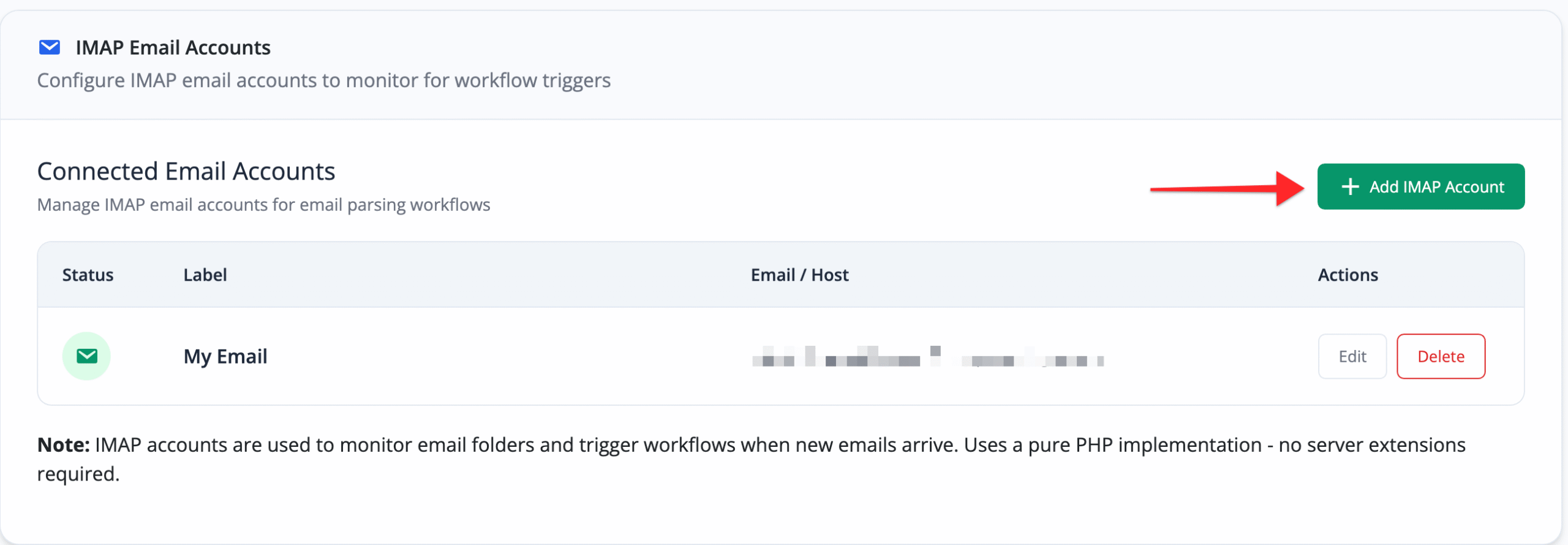
Key Features:
- Connect to Gmail, Outlook, Yahoo Mail, or any IMAP server
- Advanced filtering by sender, subject, date, and content
- Automatic attachment import to WordPress media library
- Parse email content with full HTML support
- Real-time monitoring without third-party services
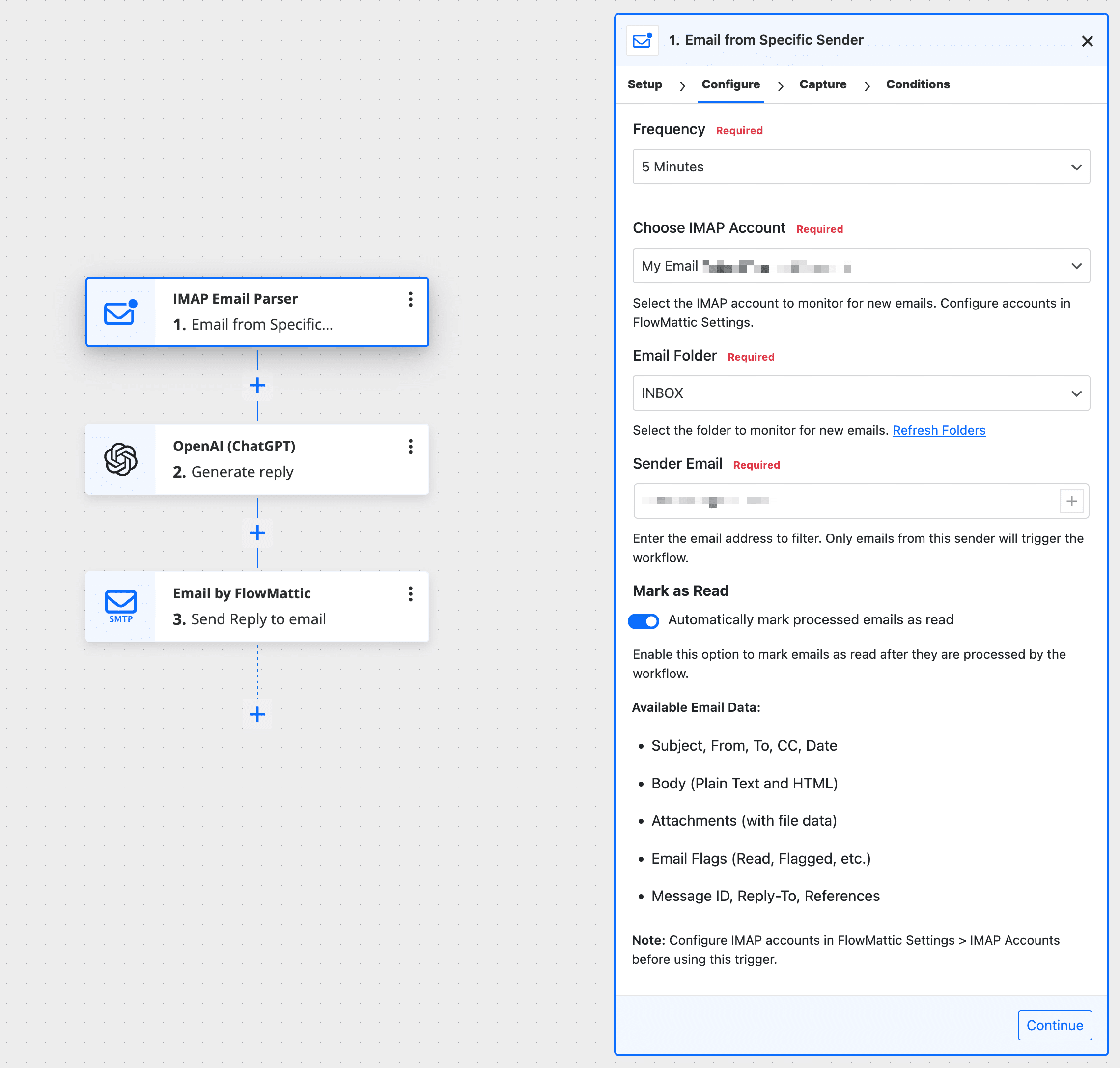
Use Case Example: Automatically create support tickets from customer emails, import invoice PDFs from supplier emails, or trigger order fulfillment workflows when shipping notifications arrive.
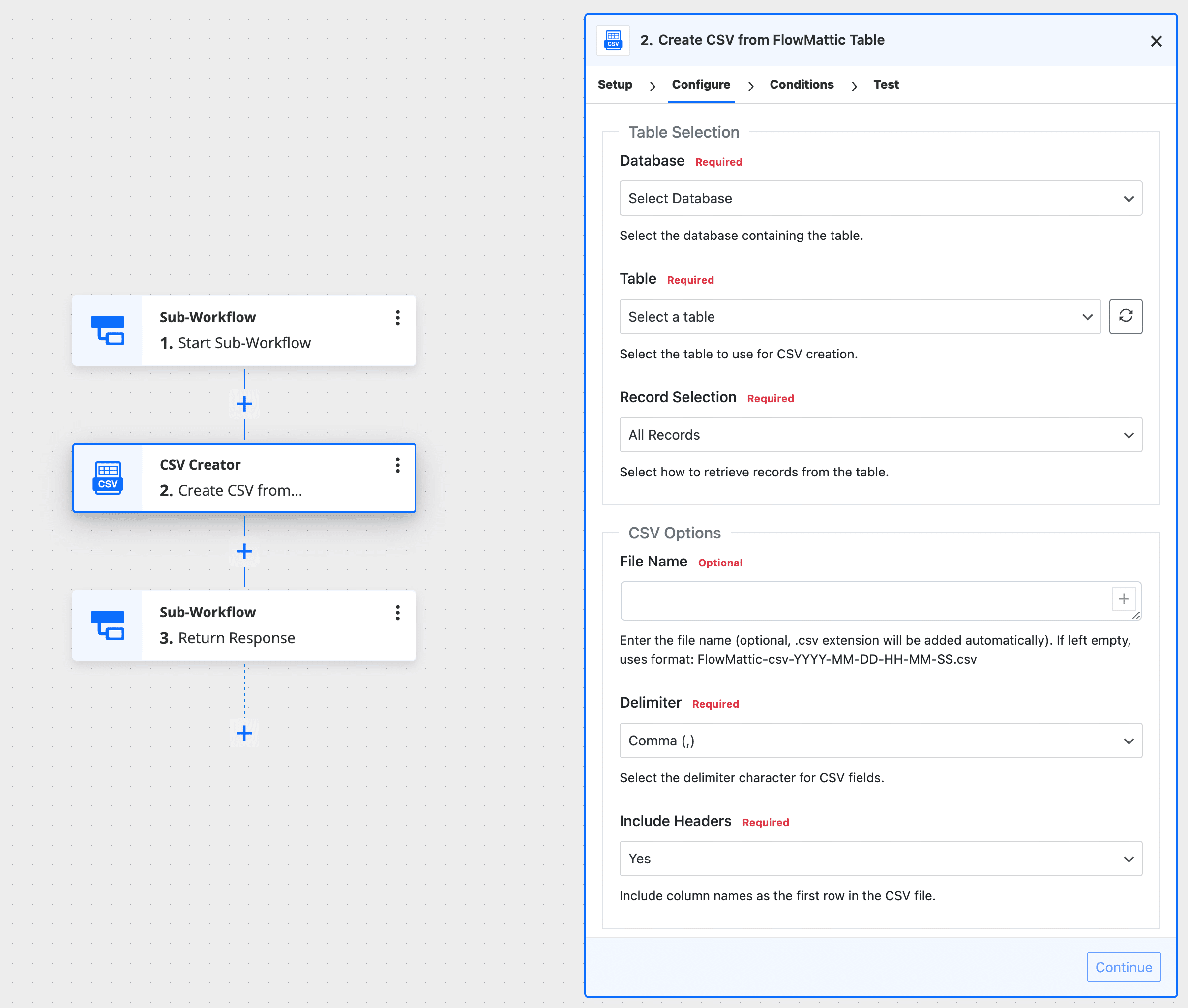
3. CSV Creator: Export Data Your Way
Transform your FlowMattic tables, JSON data, or arrays into professional CSV files with the new CSV Creator module.
Features:
- Create CSV files from FlowMattic tables with custom WHERE queries
- Convert JSON data or arrays to CSV format
- Auto-save to WordPress media library for easy access
- Perfect for reports, exports, and data migration
Use Case Example: Generate daily sales reports, export customer lists for email campaigns, or create inventory snapshots for accounting purposes.
4. Image Compressor: Optimize Images Automatically
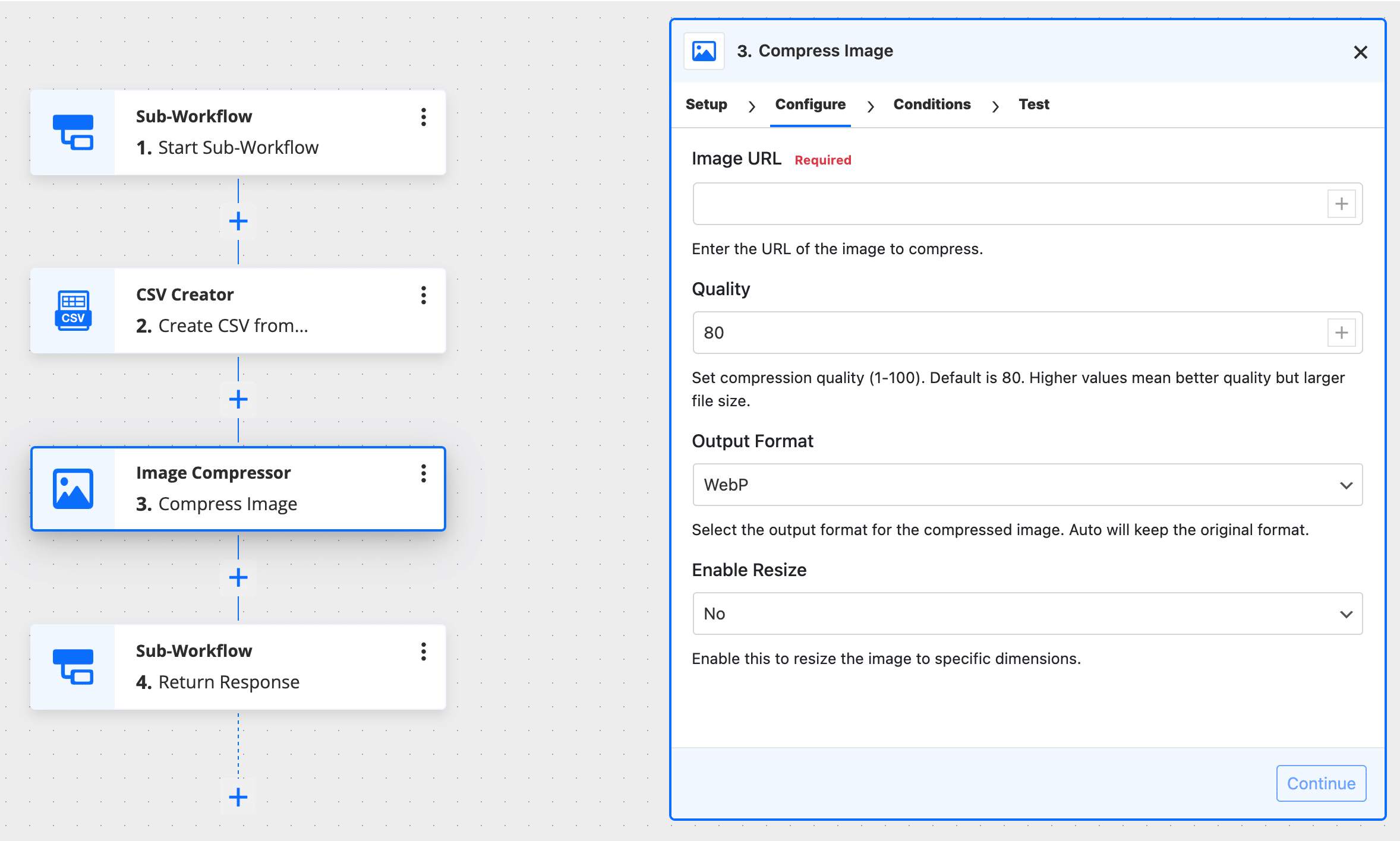
Speed up your site and save storage space with intelligent Image Compression built right into your workflows.
Benefits:
- Configurable quality settings for perfect balance between size and clarity
- Support for multiple image formats (JPEG, PNG, WebP)
- Auto-save compressed images to media library
- Powered by FlowMattic API for reliable compression
Use Case Example: Automatically compress user-uploaded images, optimize product photos from suppliers, or batch process media library images during off-peak hours.
5. Link Shortener: Branded Short URLs Made Easy
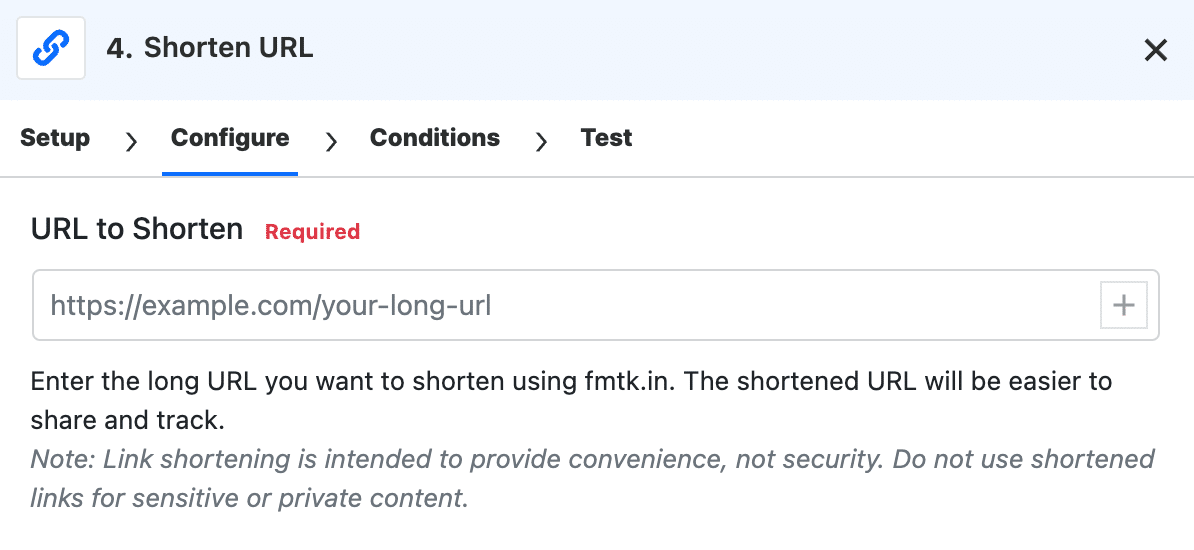
Create short, trackable links automatically using FlowMattic’s fmtk.in domain. No third-party service required!
Perfect for:
- Social media automation
- Email marketing campaigns
- Affiliate link management
- QR code generation with cleaner URLs
⚡ Enhanced Features and Improvements
MCP Server Authentication Upgrades
The Model Context Protocol (MCP) Server now supports multiple authentication methods:
- OAuth integration for Claude and ChatGPT
- X-FLOWMATTIC-MCP-TOKEN header authentication for non-OAuth services like ElevenLabs and custom clients
- Improved Claude Web compatibility with SSE transport and session persistence
- Full compatibility with PHP 8.4.x
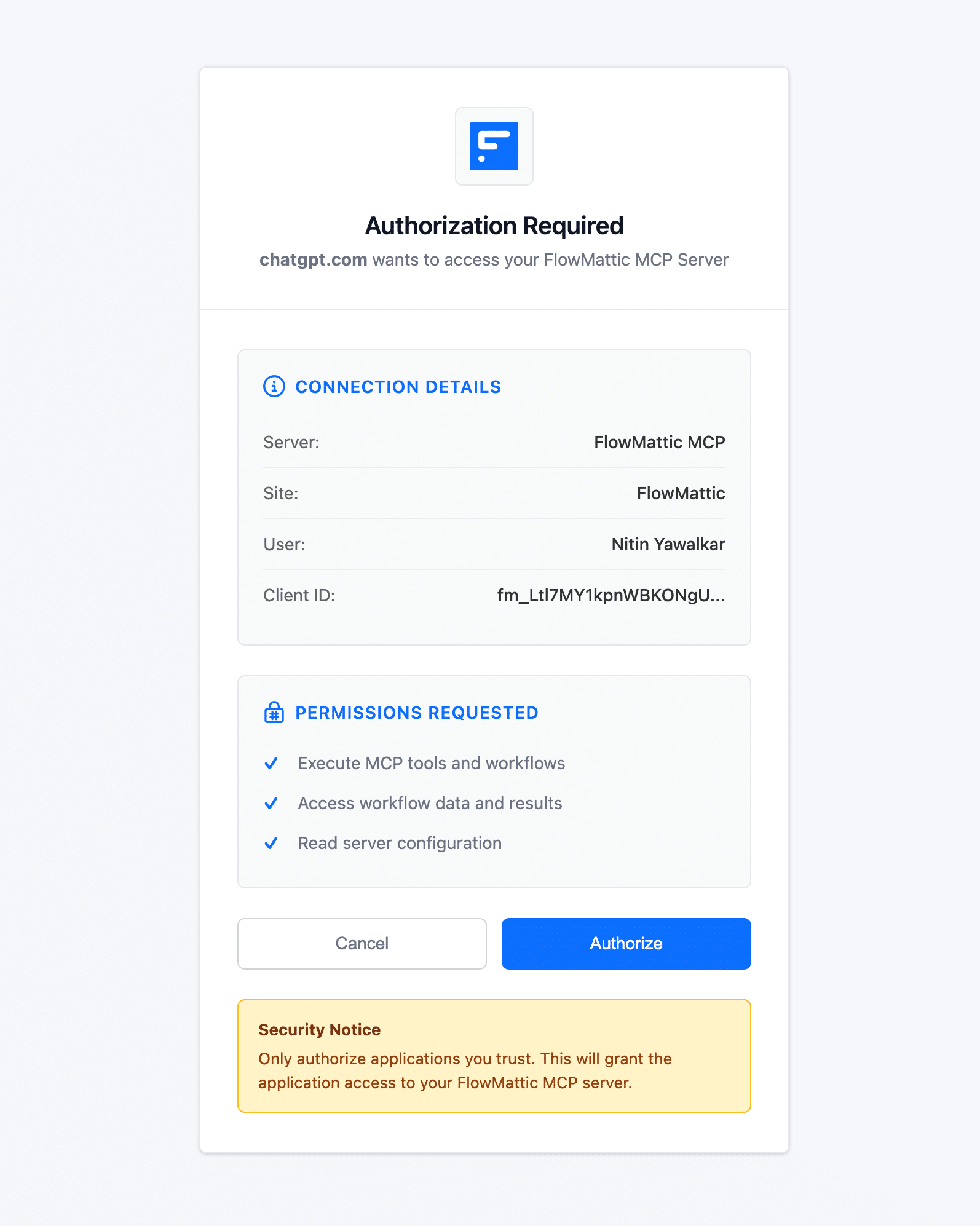
This makes FlowMattic even more powerful for AI-driven automation workflows!
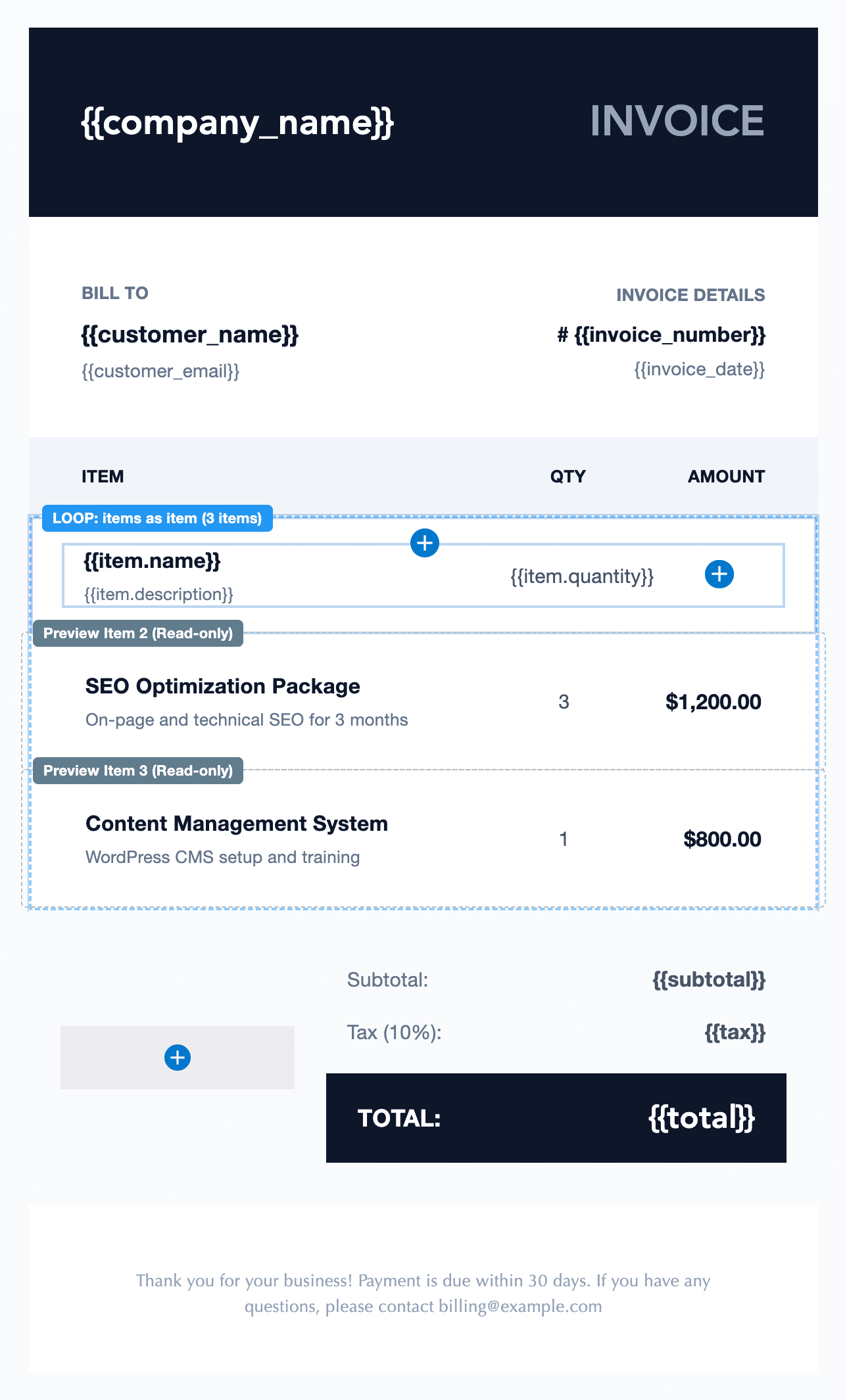
Email Template Builder: Dynamic Content with Loop Block
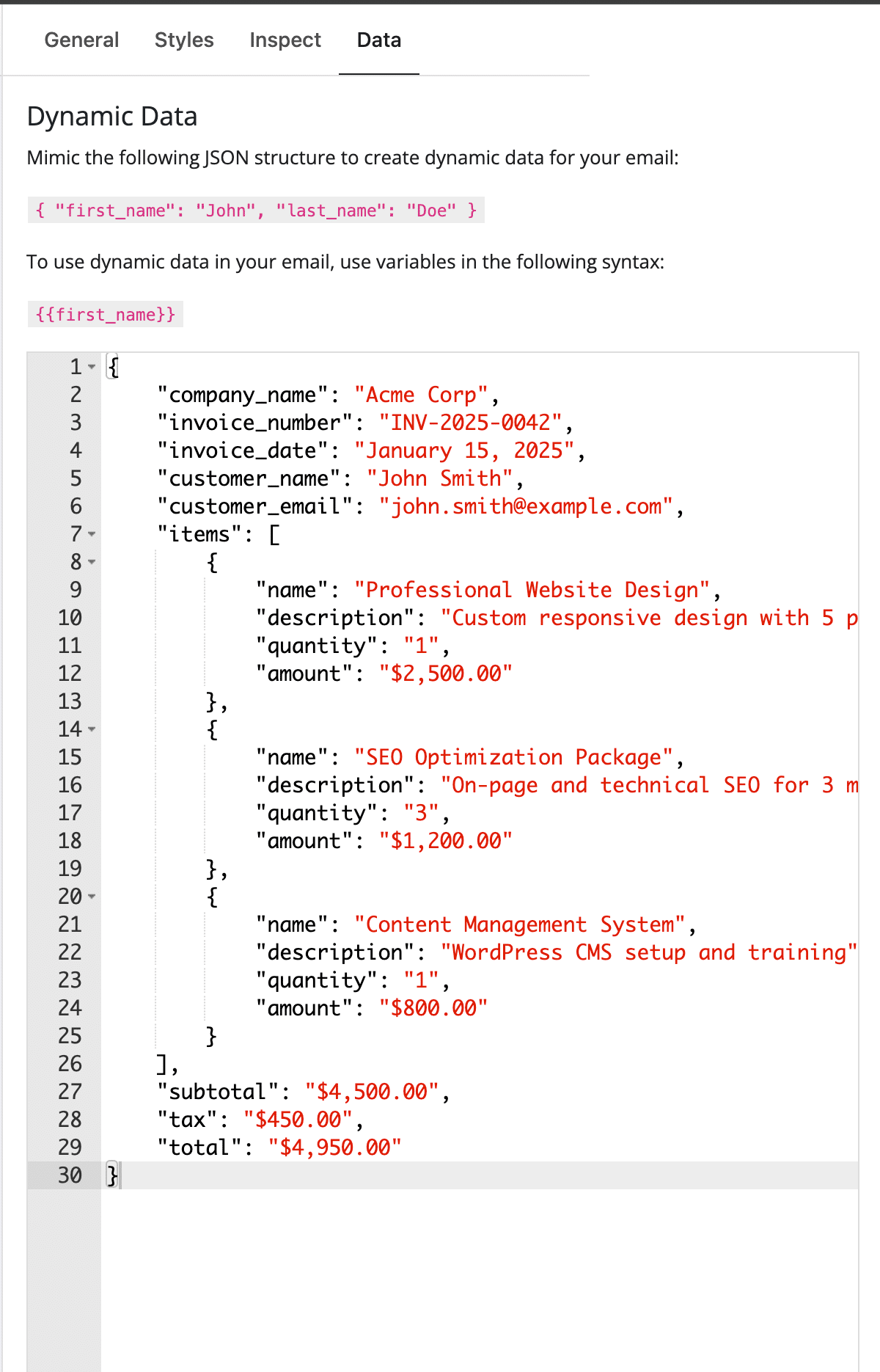
Create professional, data-driven emails with the new Loop Block in the Email Template Builder. This powerful feature lets you iterate over dynamic data arrays to generate repetitive content automatically—perfect for invoices, product catalogs, order confirmations, and blog digests.
Key Features:
- Create child blocks within loops for flexible layouts
- Configurable data source paths to connect to any array data
- LiquidJS-style syntax processing for both editor preview and live emails
- 12 pre-built email templates to get started quickly with Loop examples
- Real-time preview of looped content in the editor
Use Case Examples:
- E-commerce: Generate order confirmation emails with product lists, shipping details, and itemized pricing
- Content Marketing: Create weekly blog digest emails that automatically pull your latest posts
- Course Platforms: Send enrollment emails listing all course modules and lessons
- Inventory Management: Generate product catalog emails with dynamic pricing and availability
The Loop block seamlessly integrates with FlowMattic’s data processing capabilities, allowing you to transform API responses, database queries, and CSV data into beautifully formatted email content.
Webhook Response: XML Support for VoIP and API Integrations
Integrate FlowMattic with VoIP services, telephony APIs, and other XML-based systems using the new XML Response feature in the Webhook Response module.
Two Response Modes:
- Parameters as XML: Automatically converts key-value pairs to properly formatted, valid XML with nested structure support
- Custom XML: Write your own XML code with dynamic tag support for complete control
Technical Features:
- Automatic
Content-Type: application/xmlheader setting - Proper XML character escaping and validation
- Support for nested arrays and complex XML structures
- Dynamic tag replacement within XML values
Perfect for:
- VoIP call routing and forwarding (Twilio, Plivo, custom PBX systems)
- Legacy API integrations requiring XML payloads
- Payment gateway responses and transaction confirmations
- Supply chain and logistics systems (EDI, shipping APIs)
This feature opens up FlowMattic to a whole new category of enterprise integrations that require XML-formatted webhook responses.
WordPress Posts List: Quick Testing with Manual Trigger Links
Speed up your workflow development with Manual Trigger Links directly in the WordPress posts list. Test “New Post” and “Update Post” workflows instantly from any post in your posts table—no need to actually create or update posts.
Benefits:
- Faster Testing: Click and test workflows directly from the posts table
- Works with All Post Types: Custom post types, pages, WooCommerce products—everything
- No Data Changes: Test workflows without modifying actual post data
- Real Context: Use actual post data for accurate workflow testing
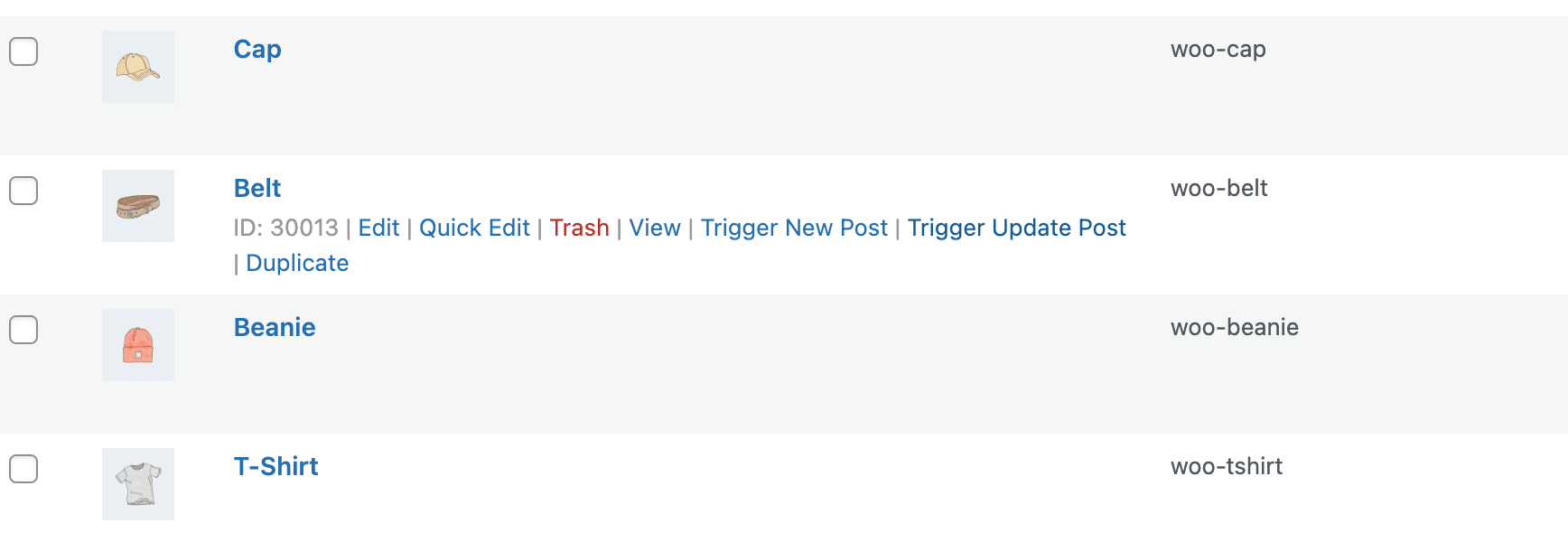
How It Works:
Look for the “Test New Post Workflow” and “Test Update Post Workflow” links in the row actions of each post. Click to trigger your workflows with that specific post’s data—perfect for debugging and validation without cluttering your workflow task history with dummy test data.
This feature significantly reduces the time spent on workflow development and testing, especially when working with content-heavy sites or complex post types.
Date Time Formatter: Now More Powerful Than Ever
The Date Time Formatter module receives a massive upgrade with seven new actions:
- WordPress Default and Custom Formats: 4 new time format presets
- Parse Date Action: Extract year, month, day, hour, week number, quarter, and more
- Check Date Condition: Validate dates (is past/future/today/weekend/weekday/before/after/in range)
- Get Relative Date: Convert to human-readable format (“2 days ago”, “in 3 hours”)
- Unix Timestamp Conversions: Convert dates to/from Unix timestamps
- Get Holiday Date: Calculate dates for 12 major holidays (New Year, Easter, Thanksgiving, Christmas, etc.)
- Get Recurring Date: Calculate recurring dates like “first Monday of March” or “next second Tuesday”
Use Case Example: Create automated reminder workflows that send notifications “2 days before” subscription renewals, or schedule recurring tasks based on business rules like “first Friday of each month.”
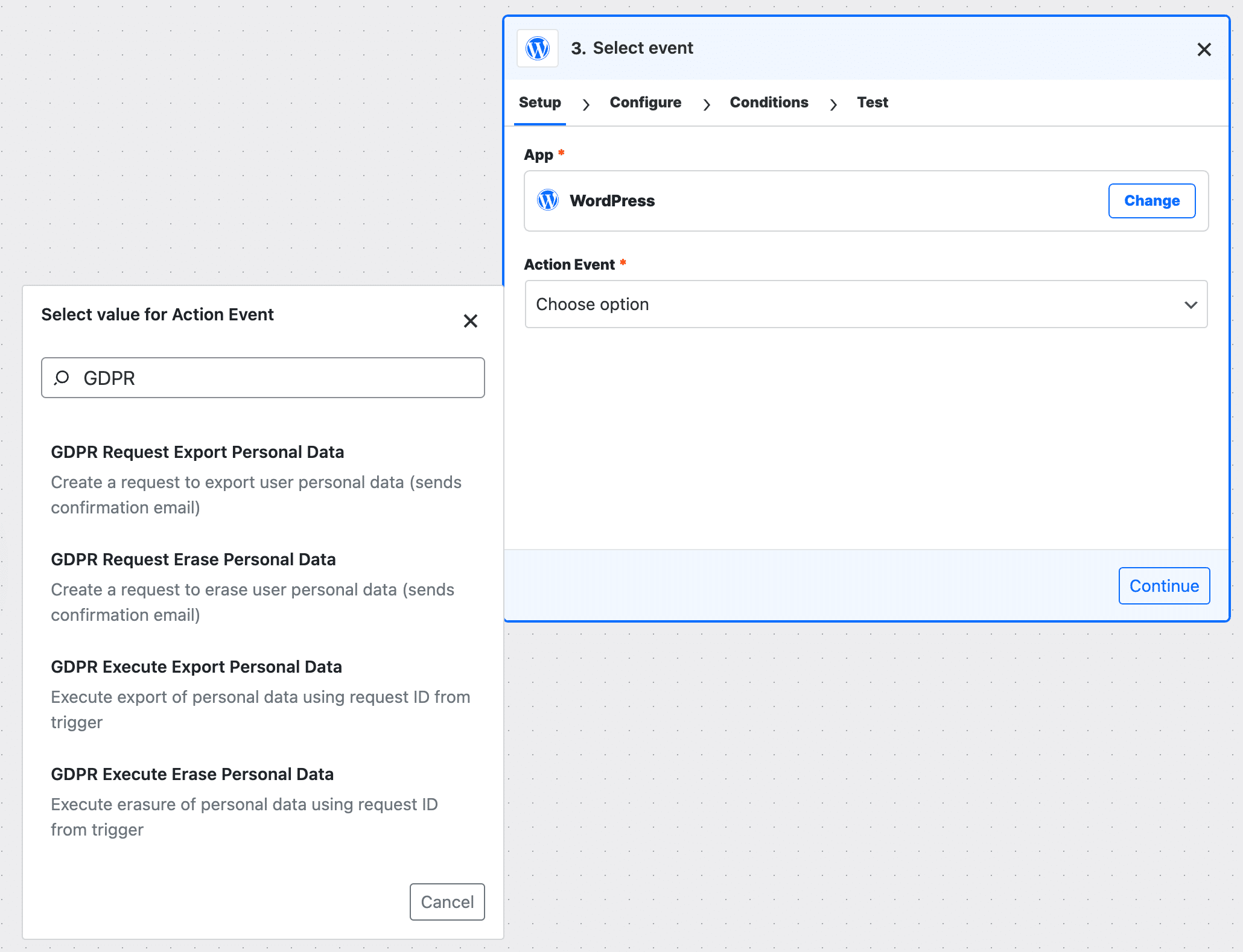
WordPress GDPR Compliance Features
Stay compliant with data protection regulations using new GDPR-focused features:
Triggers:
- Export/Erase Data Request Confirmed
Actions:
- Request Export/Erase Personal Data
- Execute Export/Erase Personal Data with complete data processing
These features enable automated GDPR workflows that handle user data requests professionally and efficiently.
AI Assistants Get Smarter
AI Assistants now support markdown (.md) file uploads, making it easier to provide context and documentation to your AI-powered chatbots. Plus, real-time streaming support with OpenAI Assistants API using Server-Sent Events (SSE) means instant response display without polling delays.
🎨 User Experience Improvements
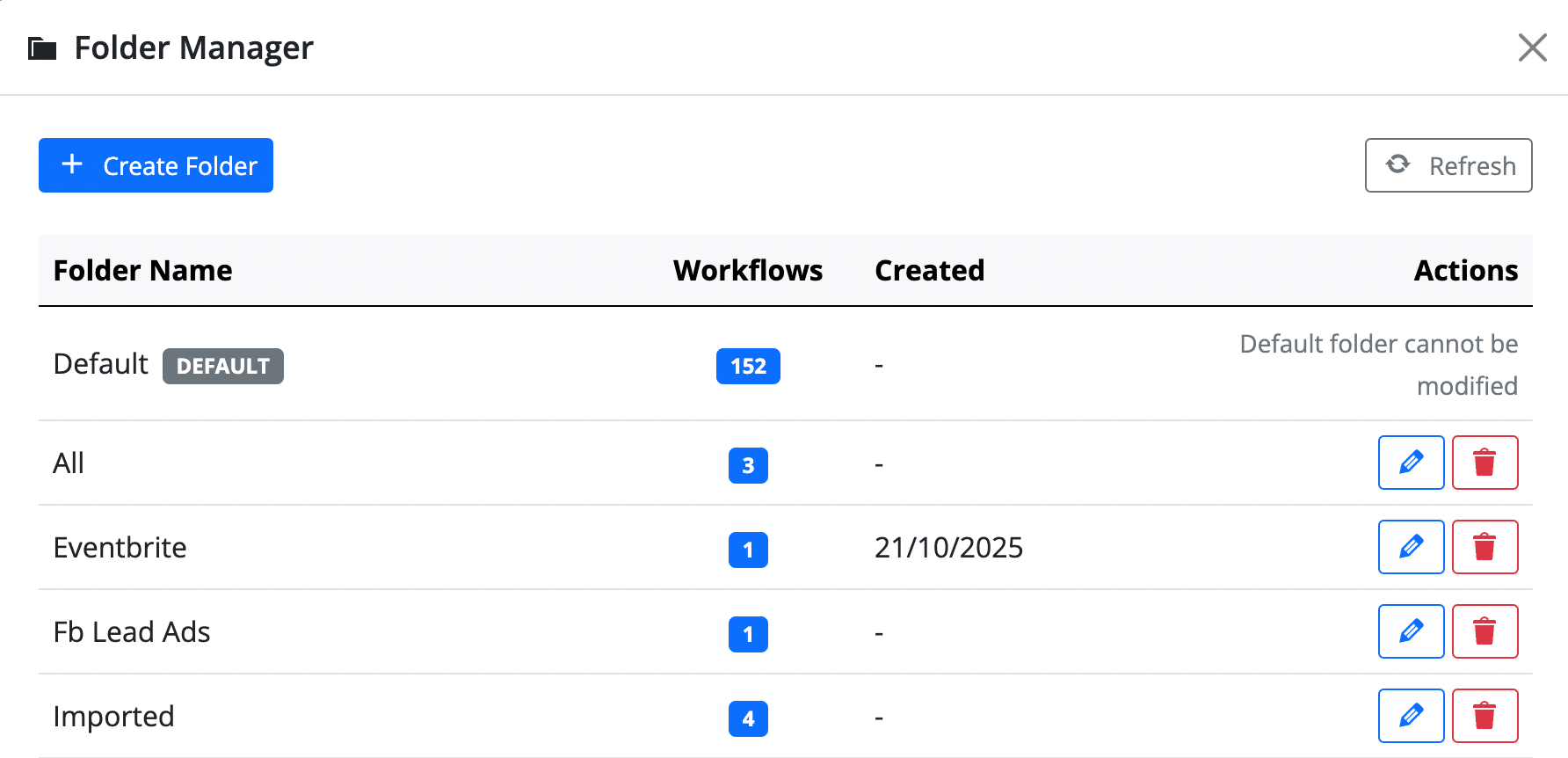
Folder Management Overhaul
Organize your workflows like a pro with the new centralized Folder Management dashboard:
- Create, rename, and delete folders from one location
- Merge folders to consolidate workflows
- Bulk assign workflows to folders
- Improved navigation and workflow organization
Bulk Clear Task History
Clean up your task history efficiently! Now you can clear task history for multiple workflows at once with progress tracking, helping you maintain a lean database and improve performance.
Enhanced QR Code Customization
Make your QR codes stand out with:
- Custom logo embedding
- Multiple color customization options
- Brand-aligned QR code generation
Improved Task History Filtering
The Task History Status Filter now properly distinguishes between Success, Failed, and Partial Failed statuses with enhanced pagination and visual filter indicators. Finding and troubleshooting workflow executions has never been easier.
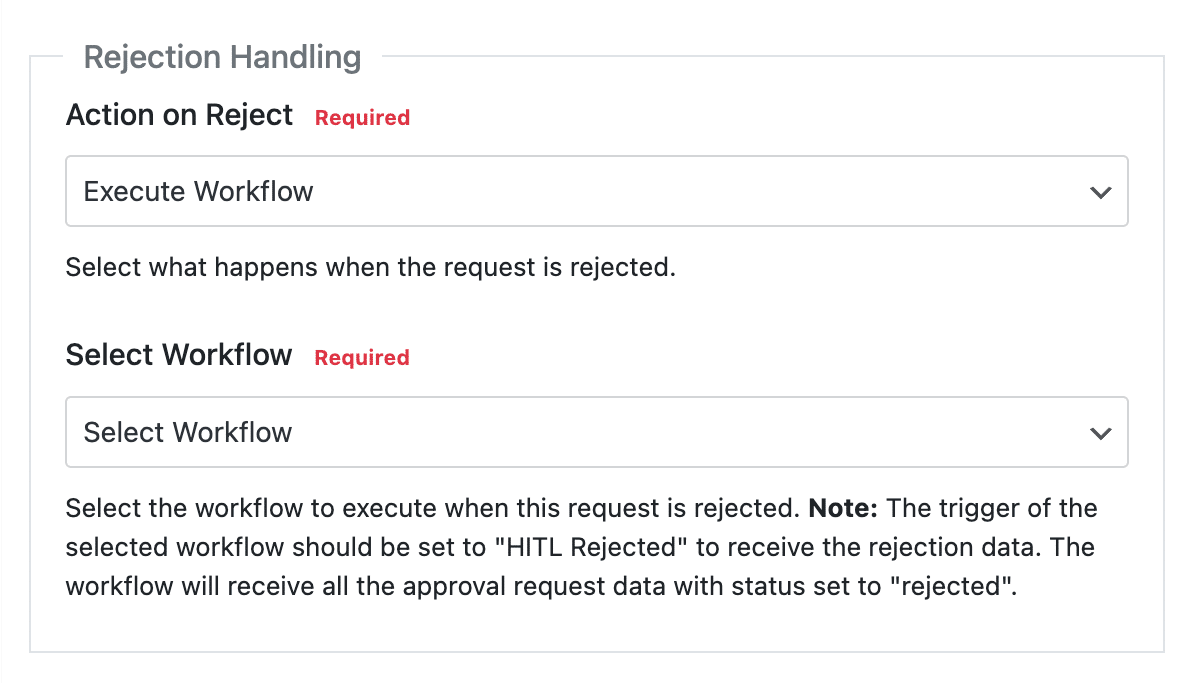
Human in the Loop Enhancement
The Human in the Loop feature now includes a rejection workflow execution option with a configurable “Action on Reject” field, giving you complete control over approval workflows.
🔧 Technical Improvements
Iterator Enhancements
- Use Iterator within Router: Execute Iterator within Router or Path modules without executing the entire workflow from the trigger
- Clean Data Generation: Iterator Storage now generates clean data for each workflow execution
- Fixed Batch Processing: Iterator now respects dynamic tags from previous steps when using batch processing
Database Compatibility
Fixed MySQL version compatibility issues with information_schema_stats_expiry on remote databases using MySQL versions older than 8.0, ensuring FlowMattic works seamlessly across different server configurations.
Better Error Handling
- Chatbot run status polling now has a max retry limit (10 retries) to prevent server resource exhaustion
- Improved webhook authentication validation that only applies when trigger is Webhook app
- Fixed PHP warnings across multiple modules
🐛 Bug Fixes
Version 5.4.0 includes numerous bug fixes to improve stability and reliability:
- Date/Time Formatter “Modify Date Format” now returns the provided date instead of today’s date
- Fixed PHP warnings on empty Branch execution
- Resolved “Add Database” button issue on Settings page
- Fixed webhook authentication errors when changing from Webhook to other triggers
- Corrected Custom Apps trigger execution issues when no data is passed to webhook
🎯 Who Benefits from FlowMattic 5.4.0?
- Agencies & Developers: Sub-workflows and modular automation make managing multiple client sites exponentially easier.
- E-commerce Store Owners: IMAP email parsing, image compression, and CSV exports streamline order management and inventory tracking.
- Content Creators: Automatic image optimization and link shortening save time on content production and distribution.
- SaaS Businesses: GDPR features and AI assistant improvements help you stay compliant and provide better customer support.
- Membership Site Owners: Advanced date handling and recurring date calculations make subscription management seamless.
🚀 Start Using FlowMattic 5.4.0 Now
FlowMattic 5.4.0 is available to all FlowMattic users at no additional cost. Whether you’re managing one site or a hundred, these powerful automation tools are ready to transform your workflows.
For Existing Users
Update in 3 simple steps:
- Go to Dashboard → Updates in your WordPress admin
- Click Update Now next to FlowMattic
- Clear your browser cache and start exploring!
💡 Pro Tip: Back up your site before updating (as always with major releases).
What to try first:
- Create your first Sub-Workflow to consolidate repetitive automation logic
- Set up IMAP monitoring for your support or orders email inbox
- Automate date-based tasks with the enhanced Date/Time Formatter
New to FlowMattic?
Experience unlimited WordPress automation for one flat annual fee—no monthly charges, no usage limits.
Try For Free Now → | View Pricing →
💬 We Want to Hear From You
What features are you most excited about in FlowMattic 5.4.0? Have suggestions for future updates? Join our community or reach out to our support team. Your feedback drives our development roadmap!
Happy Automating! 🎉
Related Resources
- Understanding Sub-Workflows in FlowMattic
- IMAP Email Parser Setup Guide
- Workflow Folder Management
- CSV Creator by FlowMattic
- Link Shortener
Tags: FlowMattic Update, WordPress Automation, Sub-Workflows, IMAP Integration, Image Compression, CSV Export, Link Shortener, GDPR Compliance, Workflow Automation, Date Formatter, MCP Server
Published: November 1, 2025 | Version: 5.4.0