FlowMattic 7.3: On-Time Schedules, Cloud Webhooks and More
FlowMattic 7.3 runs schedules on time with FlowMattic Cloud, keeps webhooks from getting lost, and adds Tables views and templates, booking questions,…


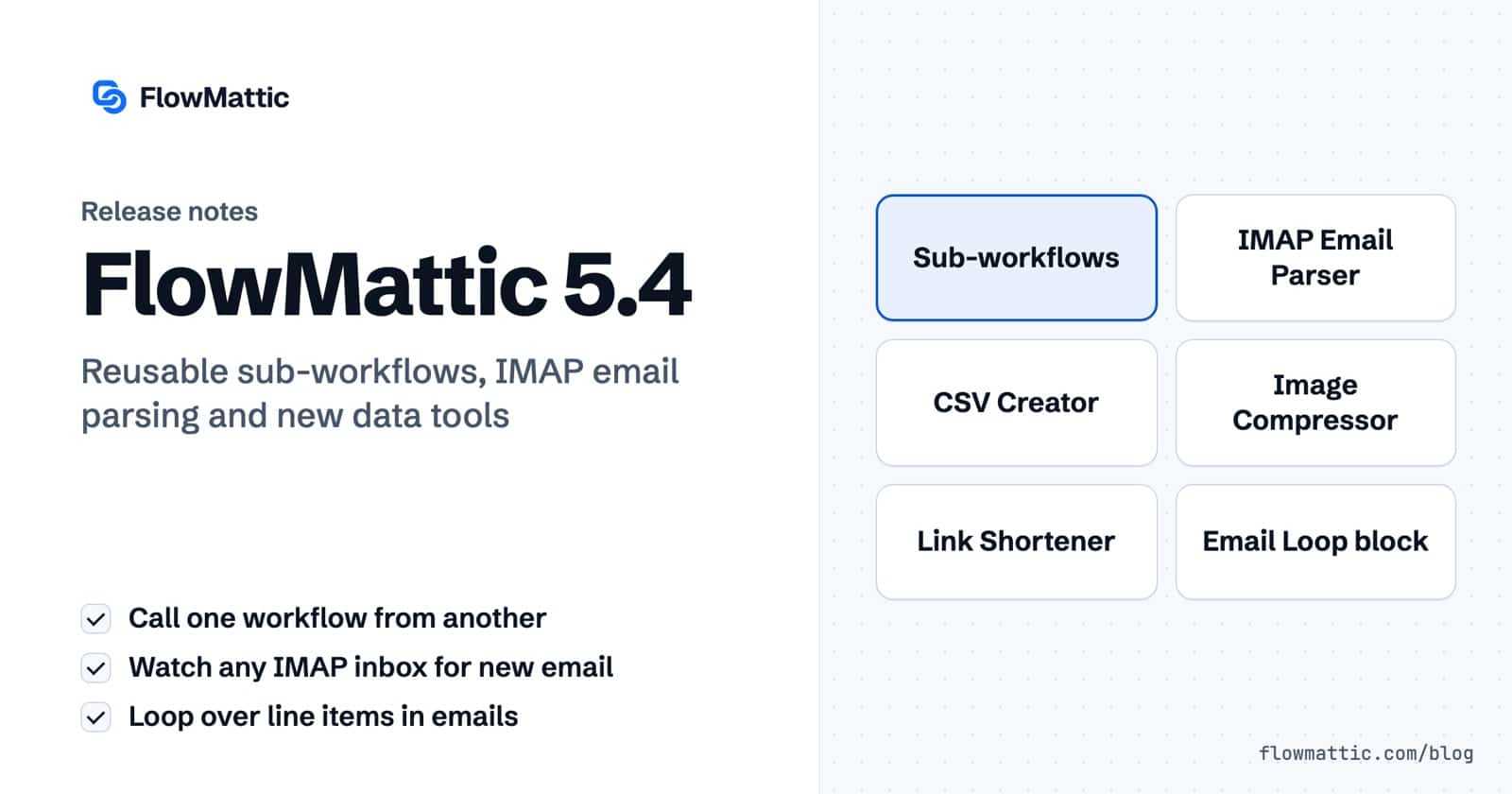
We’re thrilled to announce the release of FlowMattic 5.4.0, our most powerful update yet! This release introduces game-changing features that will transform how you build, manage, and scale your WordPress automation workflows. From modular sub-workflows to advanced email monitoring and intelligent image compression, version 5.4.0 is packed with tools designed to save you time and amplify your productivity.
Let’s dive into what’s new and how these features can revolutionize your automation strategy.
One of the most requested features is finally here! Sub-Workflows allow you to create modular, reusable workflow components that can be called from other workflows with full parameter passing support.
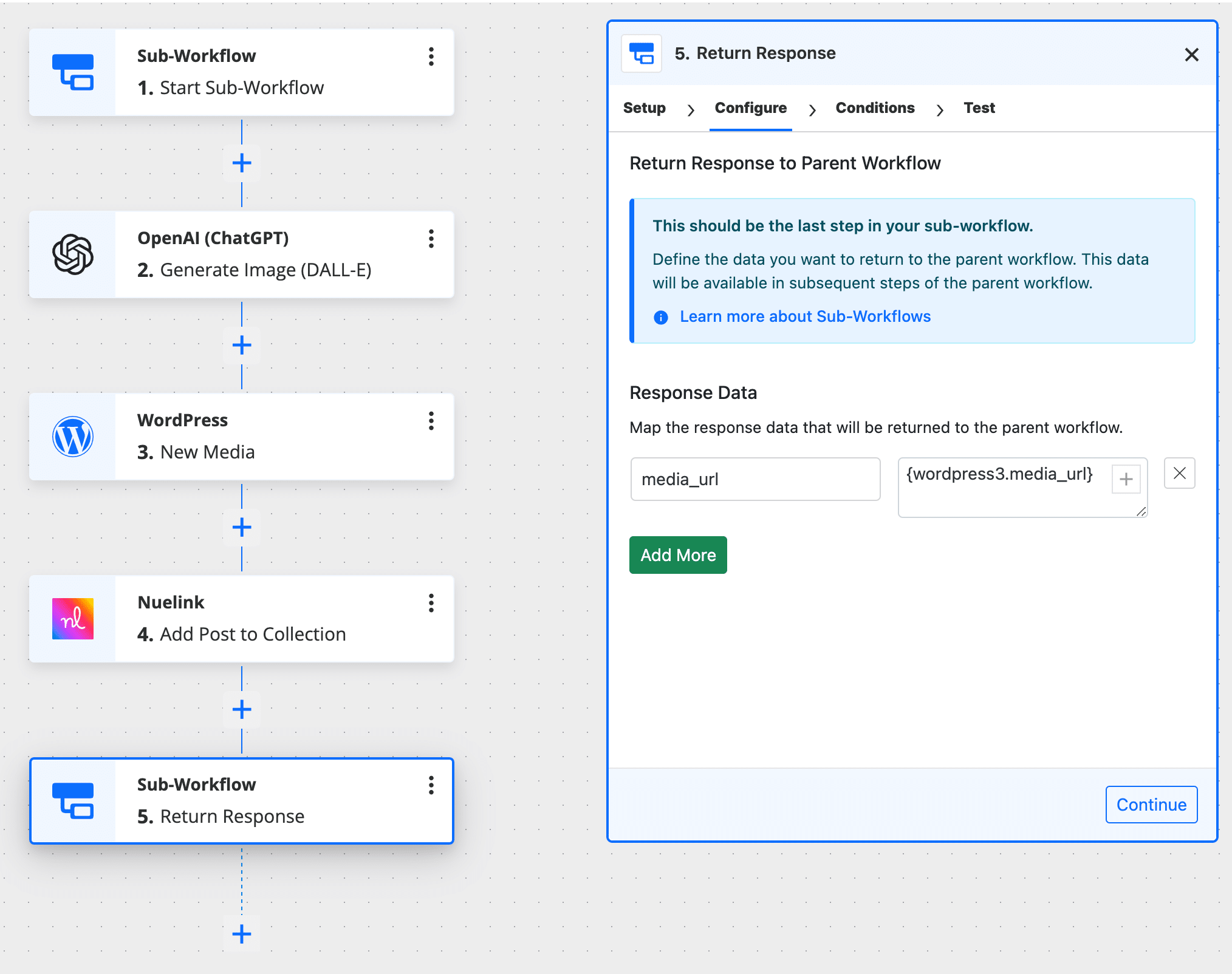
Why this matters:
Use Case Example: Create a “Send Welcome Email” sub-workflow that can be triggered from multiple parent workflows (new user registration, course enrollment, membership upgrade) with customized parameters for each scenario.
Move beyond simple email forwarding! The new IMAP Email Parser gives you direct access to monitor any IMAP-compatible email account with powerful filtering capabilities.
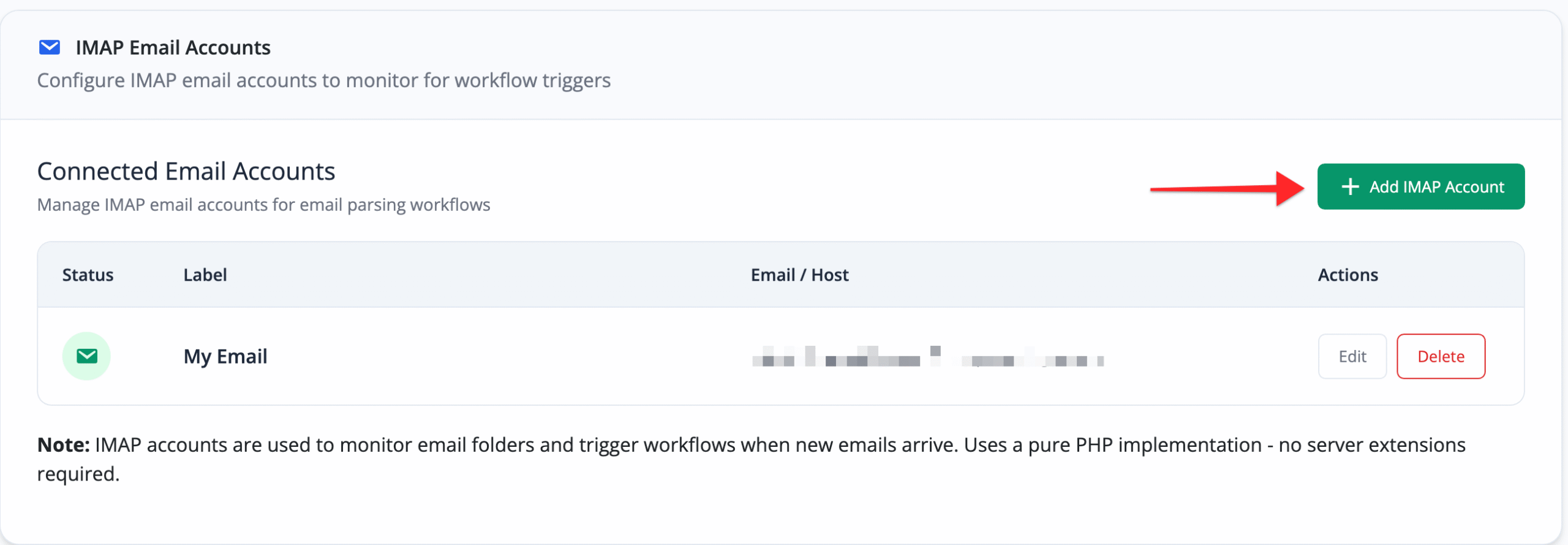
Key Features:
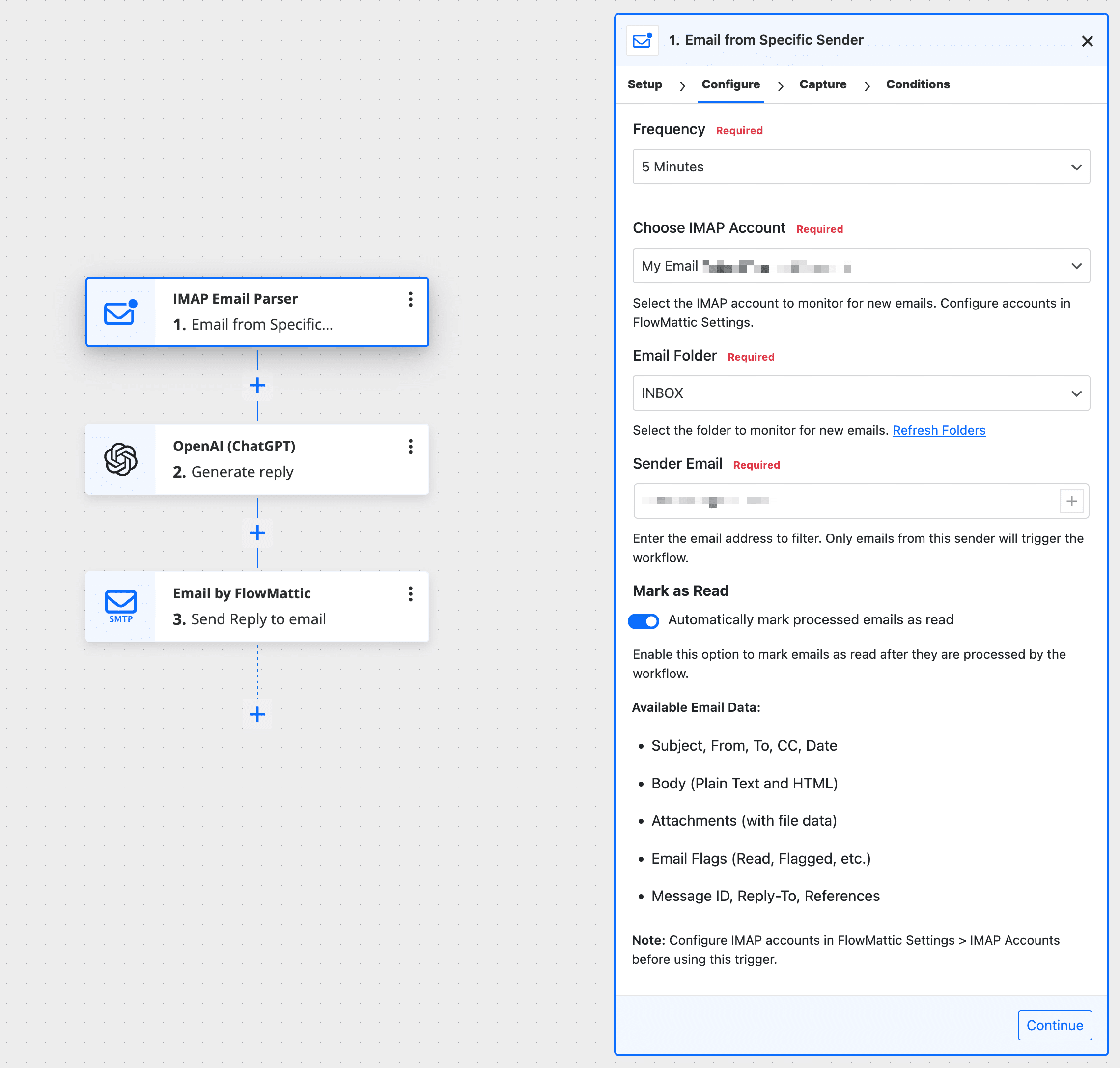
Use Case Example: Automatically create support tickets from customer emails, import invoice PDFs from supplier emails, or trigger order fulfillment workflows when shipping notifications arrive.
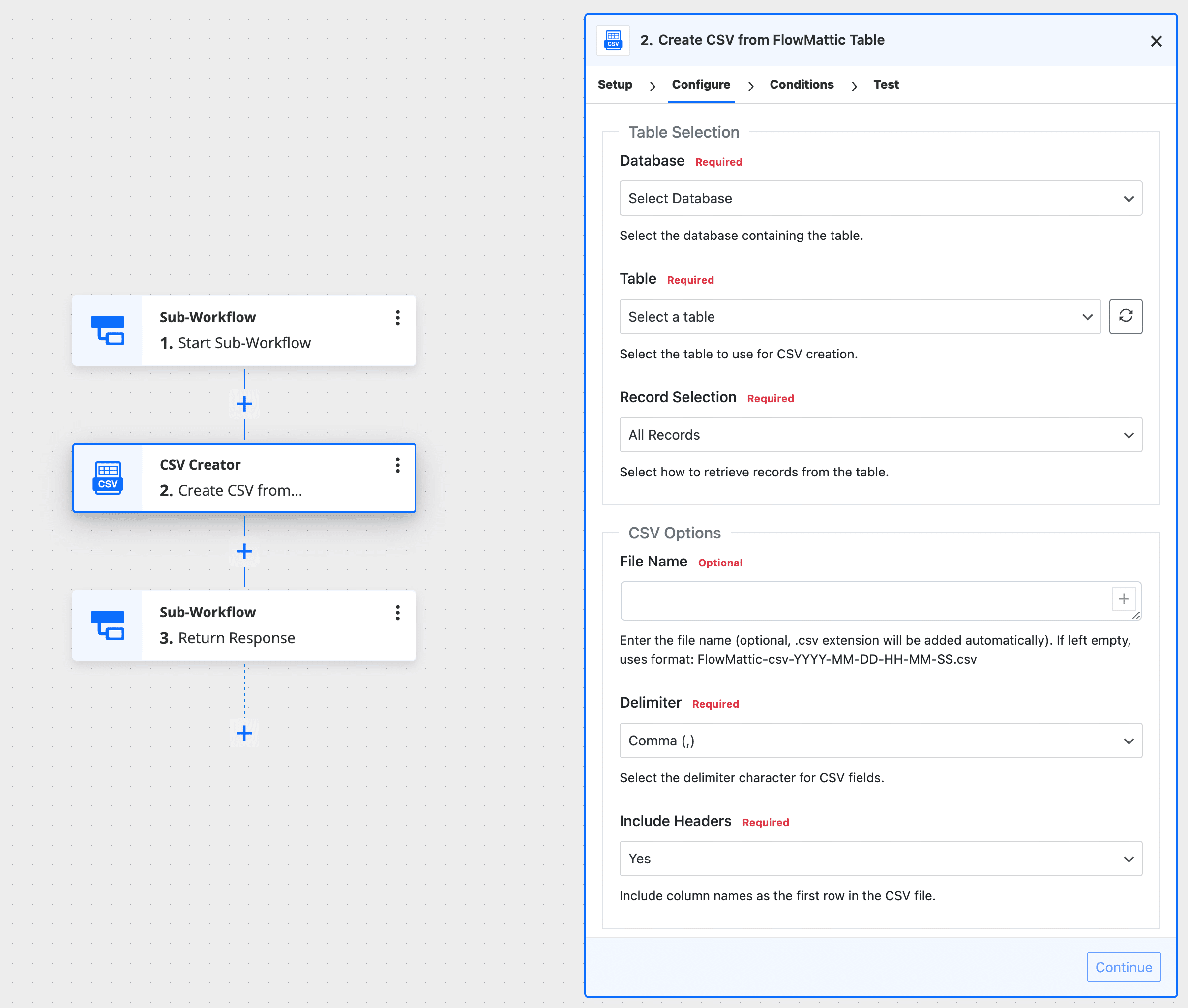
Transform your FlowMattic tables, JSON data, or arrays into professional CSV files with the new CSV Creator module.
Features:
Use Case Example: Generate daily sales reports, export customer lists for email campaigns, or create inventory snapshots for accounting purposes.
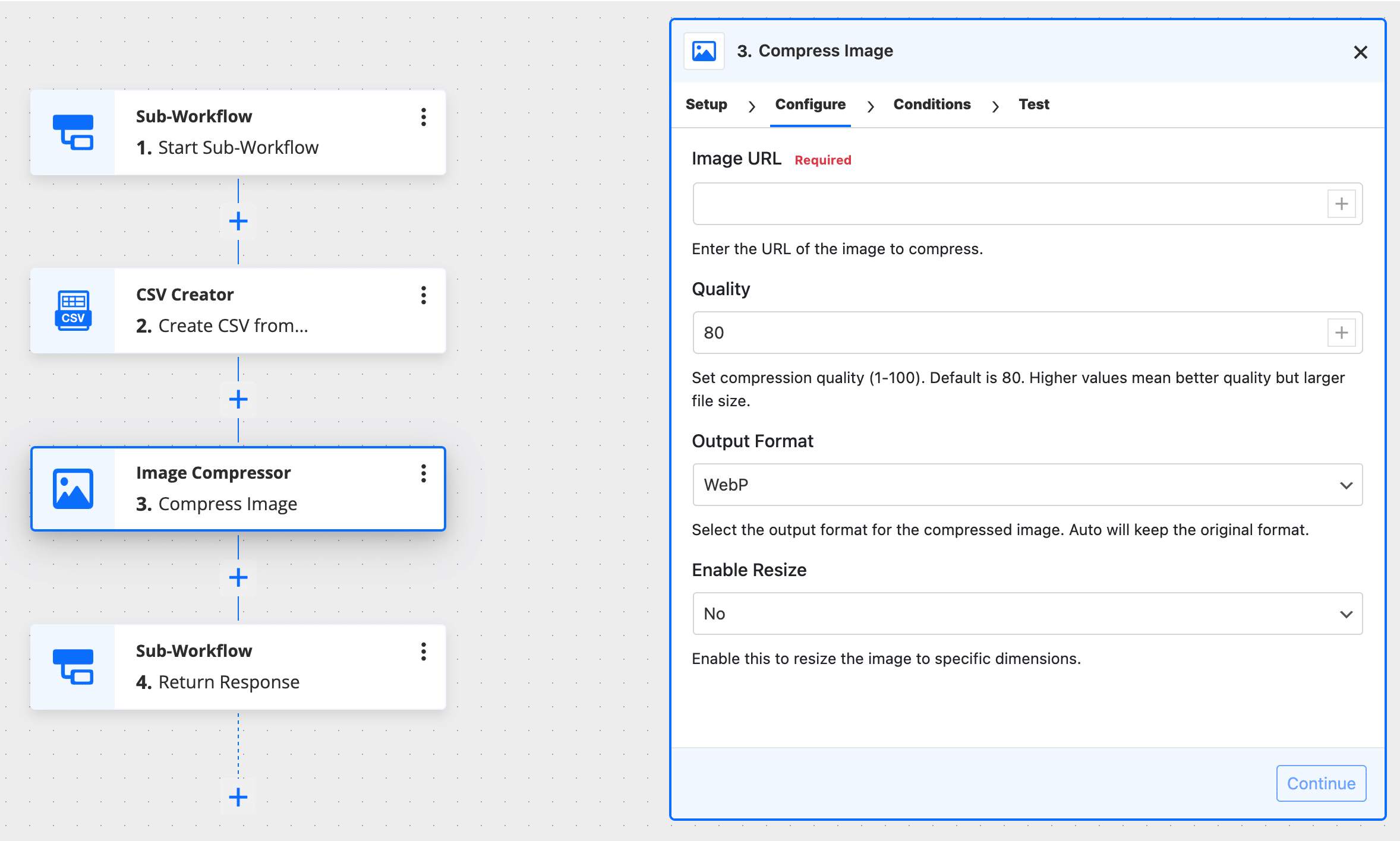
Speed up your site and save storage space with intelligent Image Compression built right into your workflows.
Benefits:
Use Case Example: Automatically compress user-uploaded images, optimize product photos from suppliers, or batch process media library images during off-peak hours.
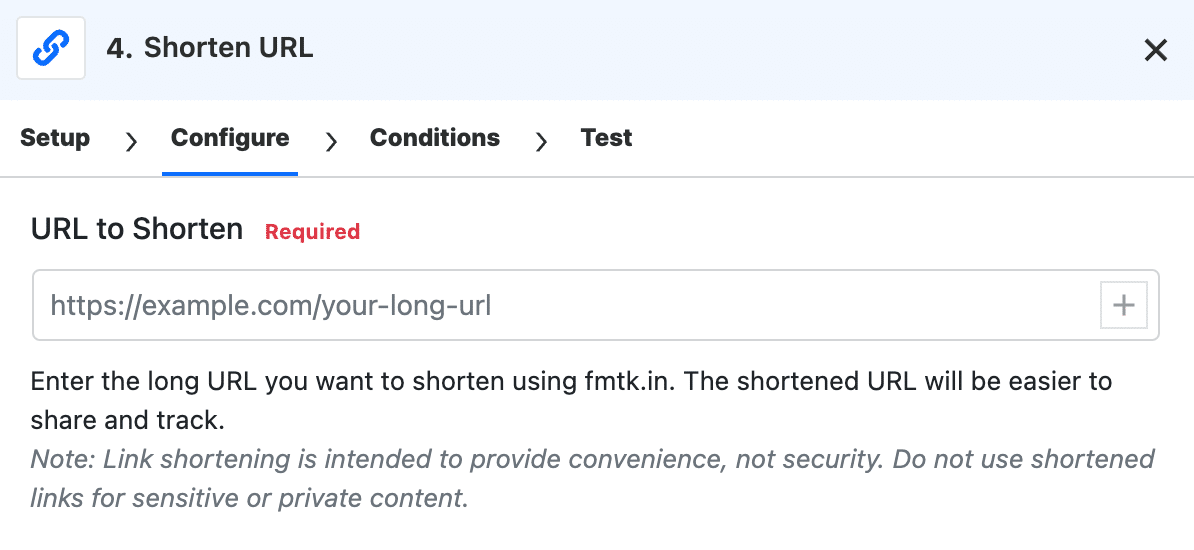
Create short, trackable links automatically using FlowMattic’s fmtk.in domain. No third-party service required!
Perfect for:
The Model Context Protocol (MCP) Server now supports multiple authentication methods:
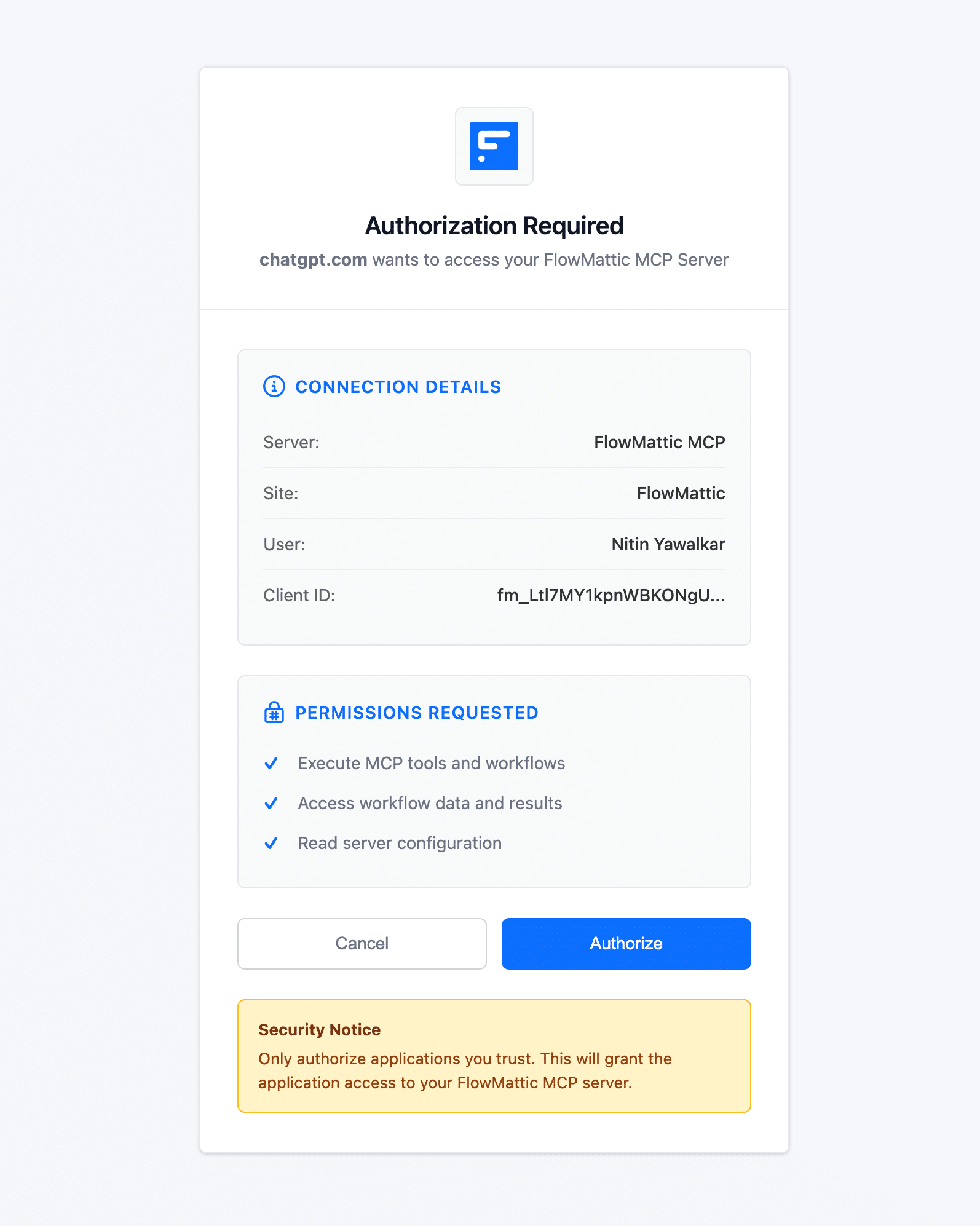
This makes FlowMattic even more powerful for AI-driven automation workflows!
Create professional, data-driven emails with the new Loop Block in the Email Template Builder. This powerful feature lets you iterate over dynamic data arrays to generate repetitive content automatically—perfect for invoices, product catalogs, order confirmations, and blog digests.
Key Features:
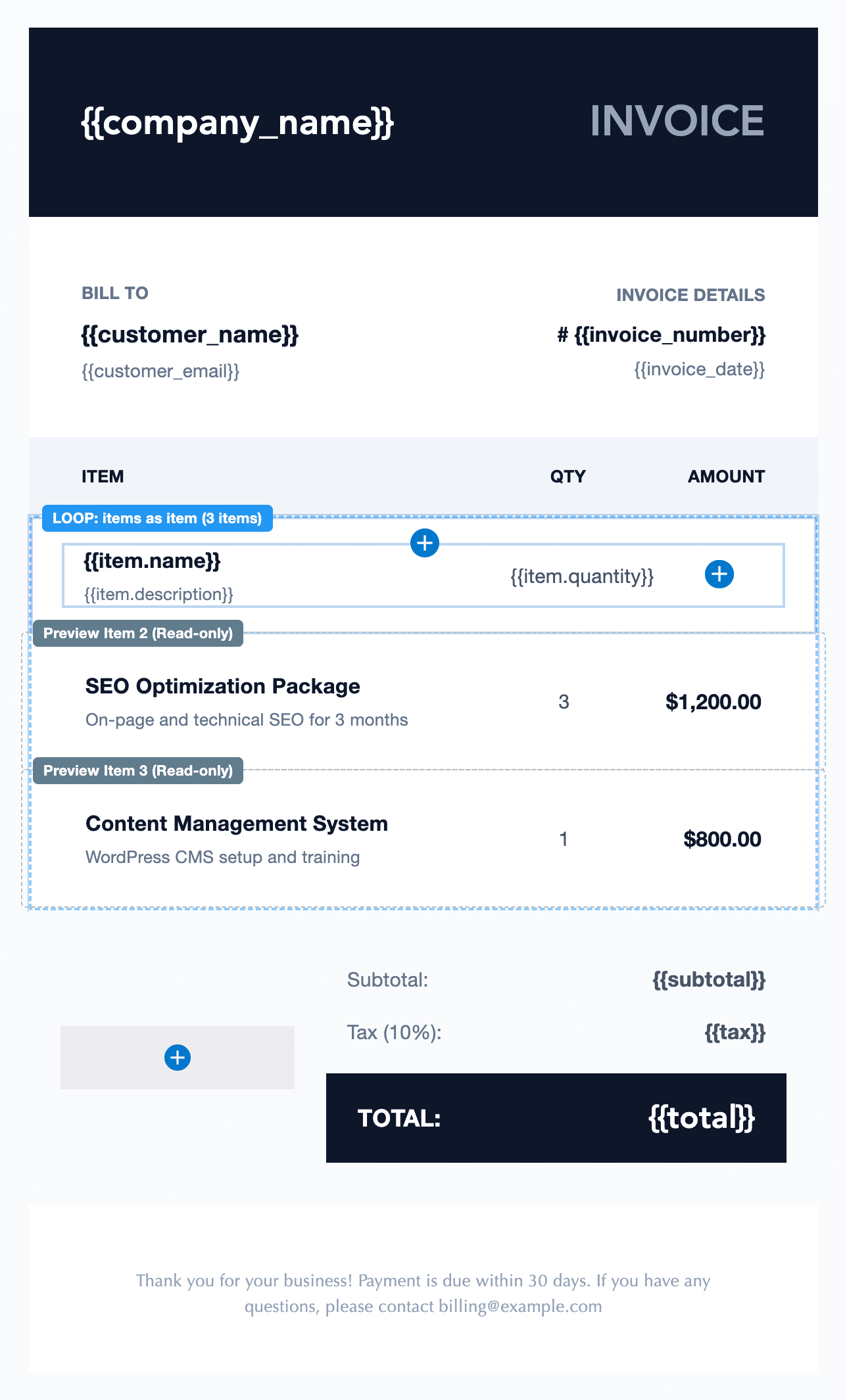
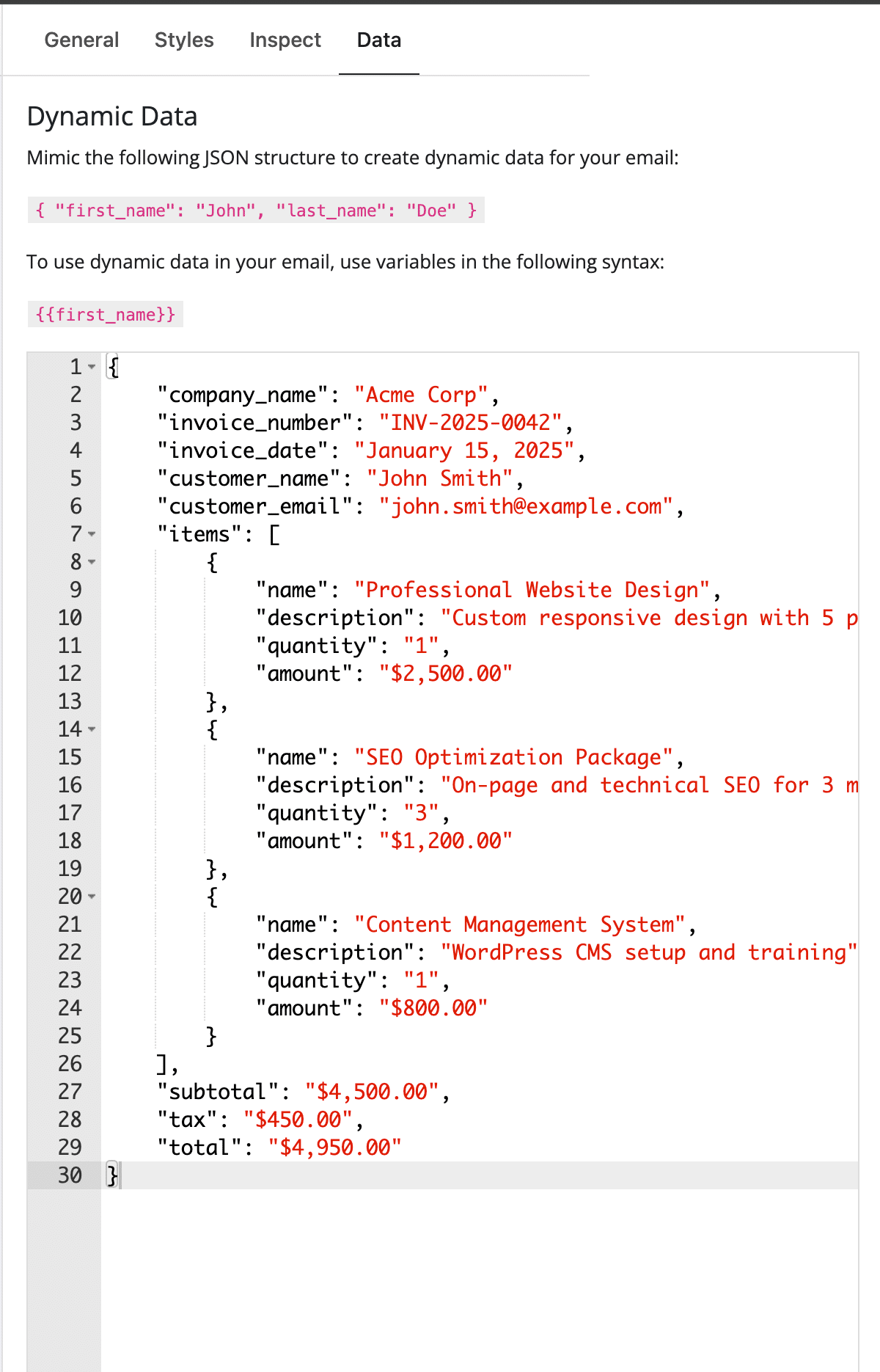
Use Case Examples:
The Loop block seamlessly integrates with FlowMattic’s data processing capabilities, allowing you to transform API responses, database queries, and CSV data into beautifully formatted email content.
Integrate FlowMattic with VoIP services, telephony APIs, and other XML-based systems using the new XML Response feature in the Webhook Response module.
Two Response Modes:
Technical Features:
Content-Type: application/xml header settingPerfect for:
This feature opens up FlowMattic to a whole new category of enterprise integrations that require XML-formatted webhook responses.
Speed up your workflow development with Manual Trigger Links directly in the WordPress posts list. Test “New Post” and “Update Post” workflows instantly from any post in your posts table—no need to actually create or update posts.
Benefits:
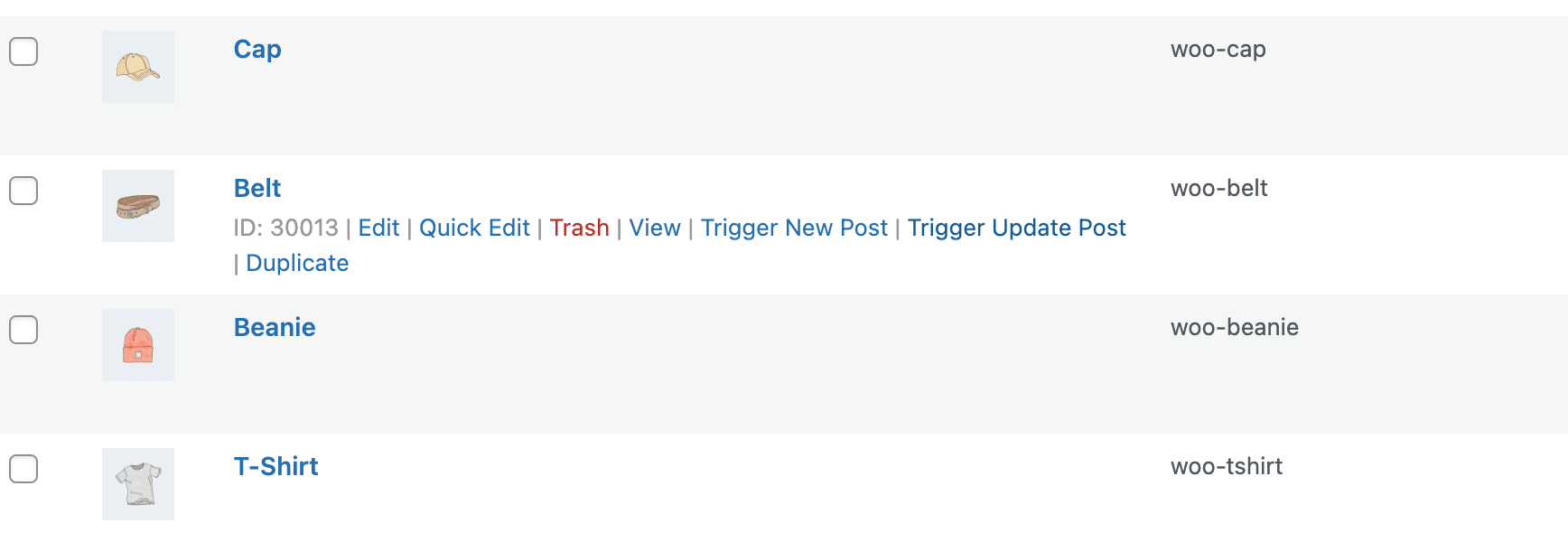
How It Works:
Look for the “Test New Post Workflow” and “Test Update Post Workflow” links in the row actions of each post. Click to trigger your workflows with that specific post’s data—perfect for debugging and validation without cluttering your workflow task history with dummy test data.
This feature significantly reduces the time spent on workflow development and testing, especially when working with content-heavy sites or complex post types.
The Date Time Formatter module receives a massive upgrade with seven new actions:
Use Case Example: Create automated reminder workflows that send notifications “2 days before” subscription renewals, or schedule recurring tasks based on business rules like “first Friday of each month.”
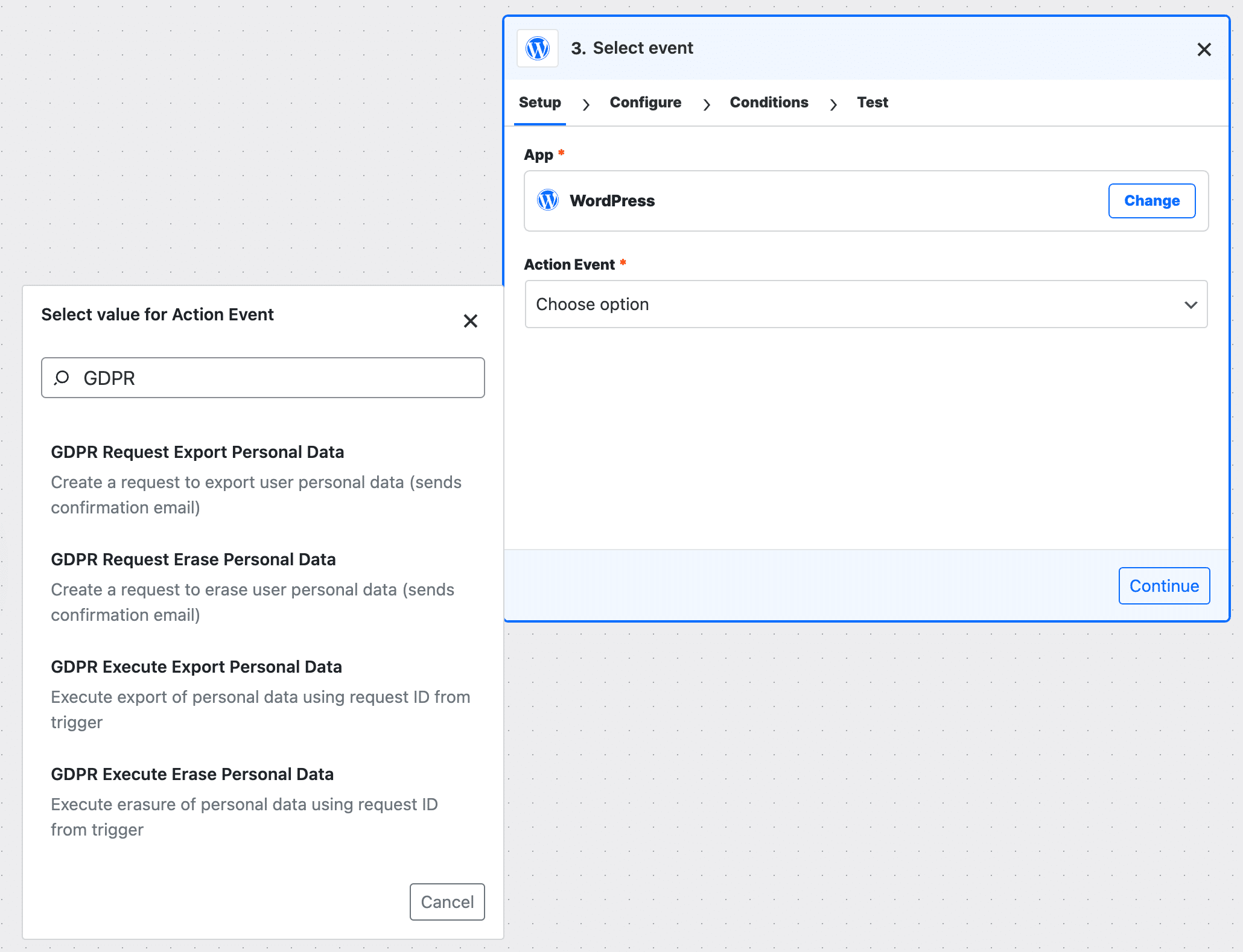
Stay compliant with data protection regulations using new GDPR-focused features:
Triggers:
Actions:
These features enable automated GDPR workflows that handle user data requests professionally and efficiently.
AI Assistants now support markdown (.md) file uploads, making it easier to provide context and documentation to your AI-powered chatbots. Plus, real-time streaming support with OpenAI Assistants API using Server-Sent Events (SSE) means instant response display without polling delays.
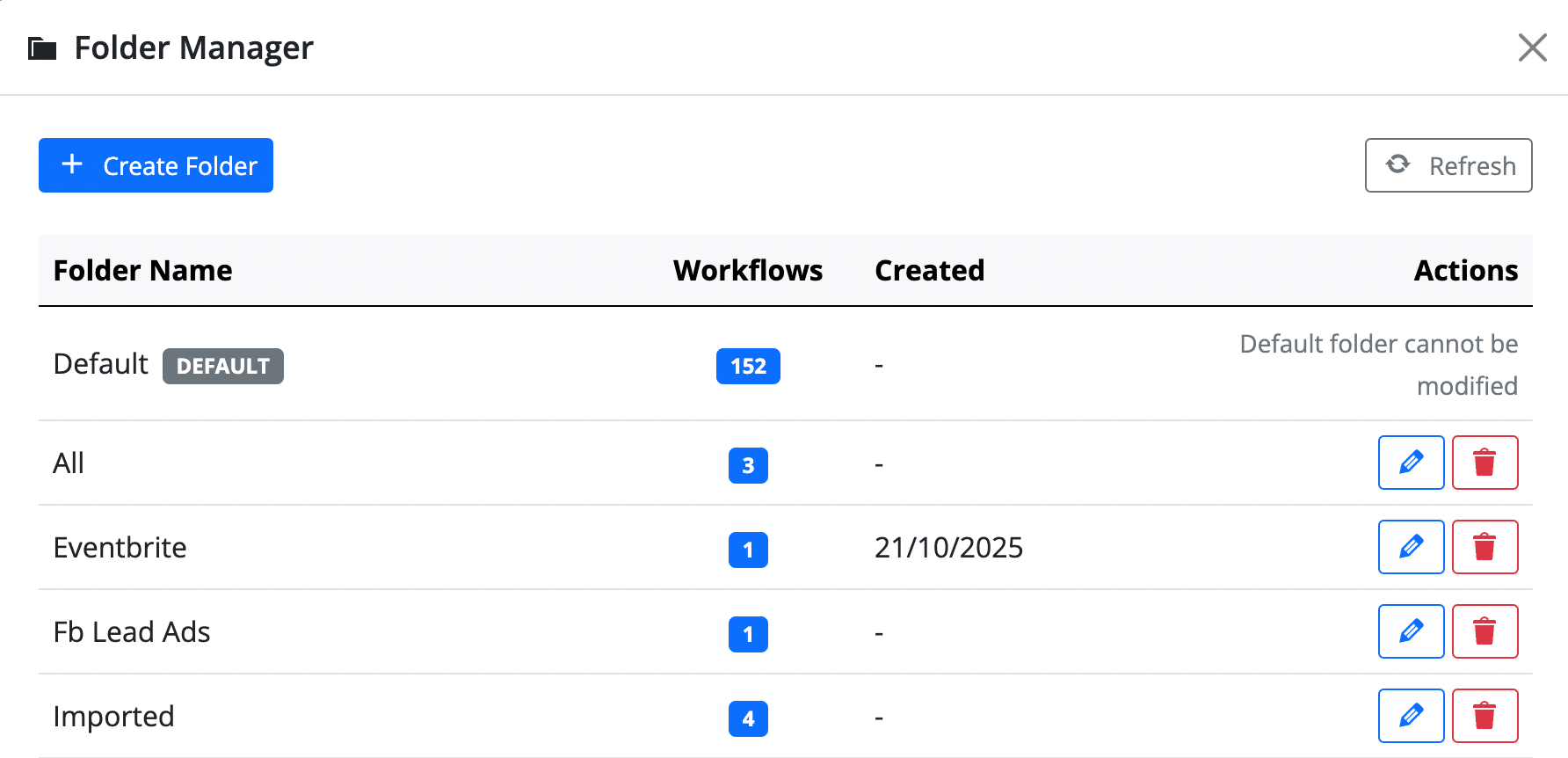
Organize your workflows like a pro with the new centralized Folder Management dashboard:
Clean up your task history efficiently! Now you can clear task history for multiple workflows at once with progress tracking, helping you maintain a lean database and improve performance.
Make your QR codes stand out with:
The Task History Status Filter now properly distinguishes between Success, Failed, and Partial Failed statuses with enhanced pagination and visual filter indicators. Finding and troubleshooting workflow executions has never been easier.
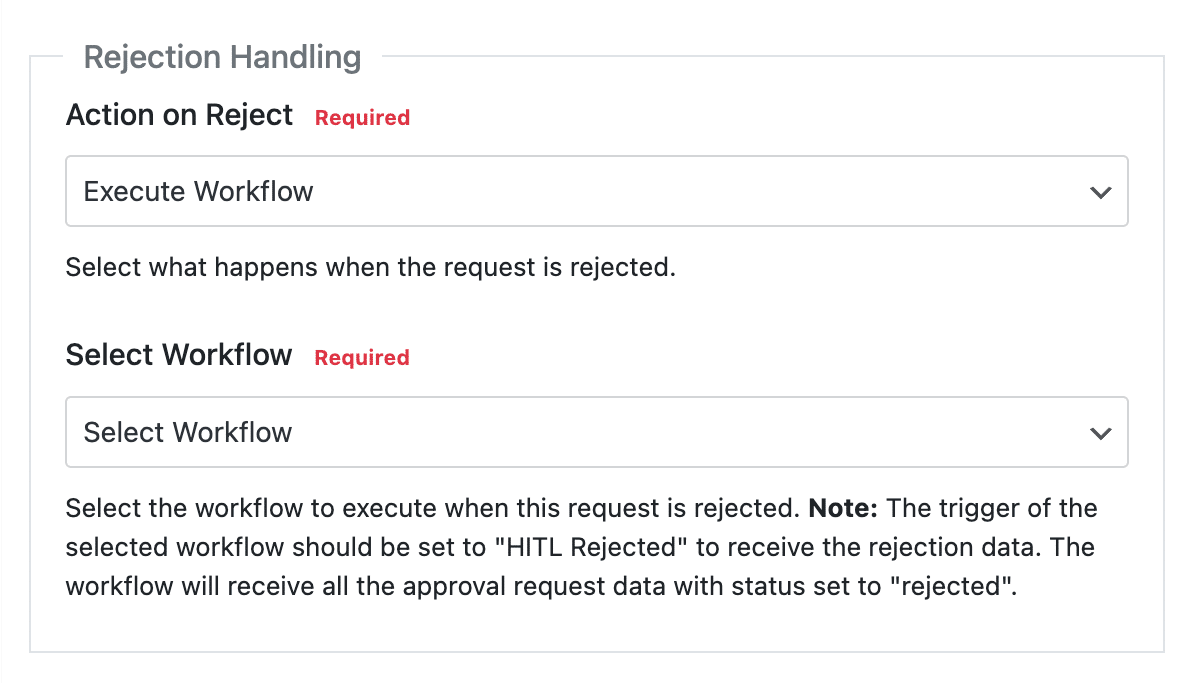
The Human in the Loop feature now includes a rejection workflow execution option with a configurable “Action on Reject” field, giving you complete control over approval workflows.
Fixed MySQL version compatibility issues with information_schema_stats_expiry on remote databases using MySQL versions older than 8.0, ensuring FlowMattic works seamlessly across different server configurations.
Version 5.4.0 includes numerous bug fixes to improve stability and reliability:
FlowMattic 5.4.0 is available to all FlowMattic users at no additional cost. Whether you’re managing one site or a hundred, these powerful automation tools are ready to transform your workflows.
Update in 3 simple steps:
💡 Pro Tip: Back up your site before updating (as always with major releases).
What to try first:
Experience unlimited WordPress automation for one flat annual fee—no monthly charges, no usage limits.
Try For Free Now → | View Pricing →
What features are you most excited about in FlowMattic 5.4.0? Have suggestions for future updates? Join our community or reach out to our support team. Your feedback drives our development roadmap!
Happy Automating! 🎉
Tags: FlowMattic Update, WordPress Automation, Sub-Workflows, IMAP Integration, Image Compression, CSV Export, Link Shortener, GDPR Compliance, Workflow Automation, Date Formatter, MCP Server
Published: November 1, 2025 | Version: 5.4.0
FlowMattic 7.3 runs schedules on time with FlowMattic Cloud, keeps webhooks from getting lost, and adds Tables views and templates, booking questions,…
Live run status in Task History — Ongoing, Waiting, Interrupted — plus MCP clients that can read run results and manage WP…
Multi-trigger workflows, the new Join step, AI that builds workflows over MCP — plus PDF Parser, webhook signature verification, barcodes and HTML-to-PDF,…