

Jaadu: the AI workflow builder for WordPress
Jaadu is the AI copilot inside the FlowMattic builder. Describe the automation you want in plain language and it builds it on the canvas: picks the apps, adds the steps, wires the fields and fixes what breaks, while you watch and edit alongside it.
Builds on the canvas, not in a previewClaude or OpenAI on your key918+ apps it can choose fromAsks before it deletes

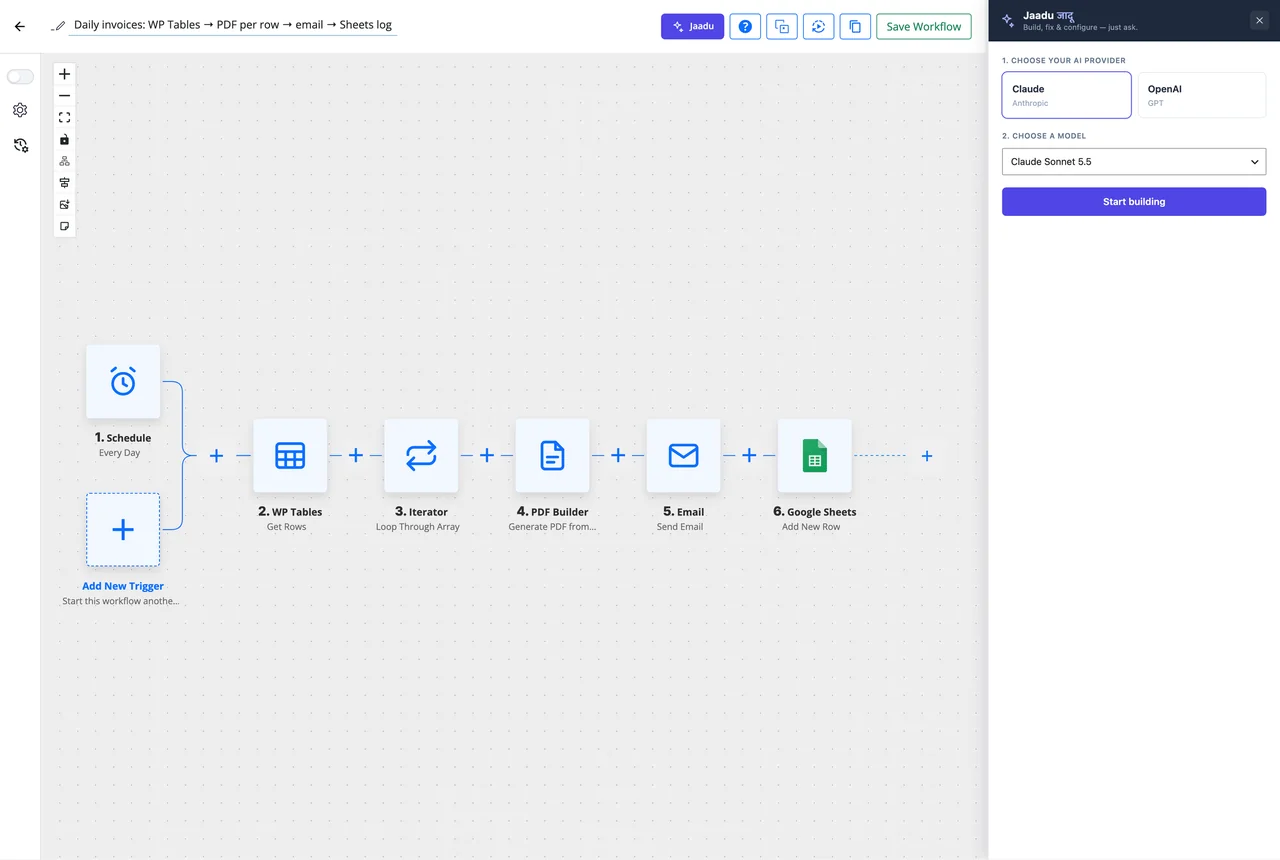
From a sentence to a saved workflow
Jaadu works in the builder you already have open, so there is nothing to import or convert.
-
Describe
Say what should happen
Open Jaadu in the builder, pick Claude or OpenAI, and type the automation the way you would explain it to a colleague: what starts it, what should happen, and any condition.
-
Build
It picks apps and wires steps
Jaadu searches the live app catalogue for the trigger and events that fit, adds the steps, configures their fields from earlier data and lays out routers, routes and branches where you asked for a condition.
-
Refine
Keep talking, then test and save
Ask for a change and it edits the same canvas. Open any step yourself, run a test against captured data and save, exactly as with a workflow you built by hand.
What Jaadu builds is an ordinary workflow
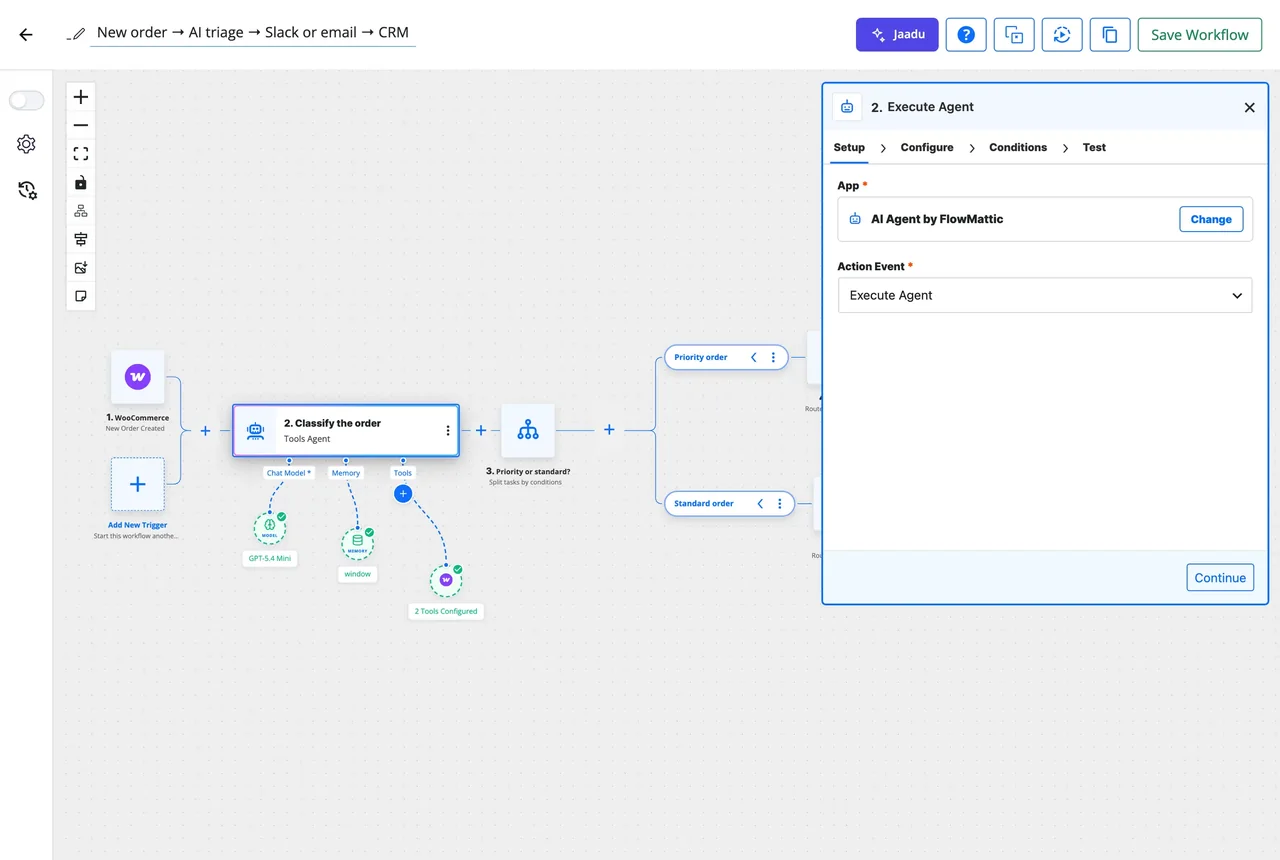
There is no separate AI mode. The steps Jaadu adds are the same steps you would drag in: each opens in the step panel with Setup, Configure, Conditions and Test, every field shows the dynamic tag it mapped, and Task History records the runs like any other workflow.
- Trigger, actions, Router, Branch and Filter placed on the canvas
- Fields filled from the trigger and earlier steps, visible in the panel
- Edit by hand at any point; Jaadu reads the current state before its next change
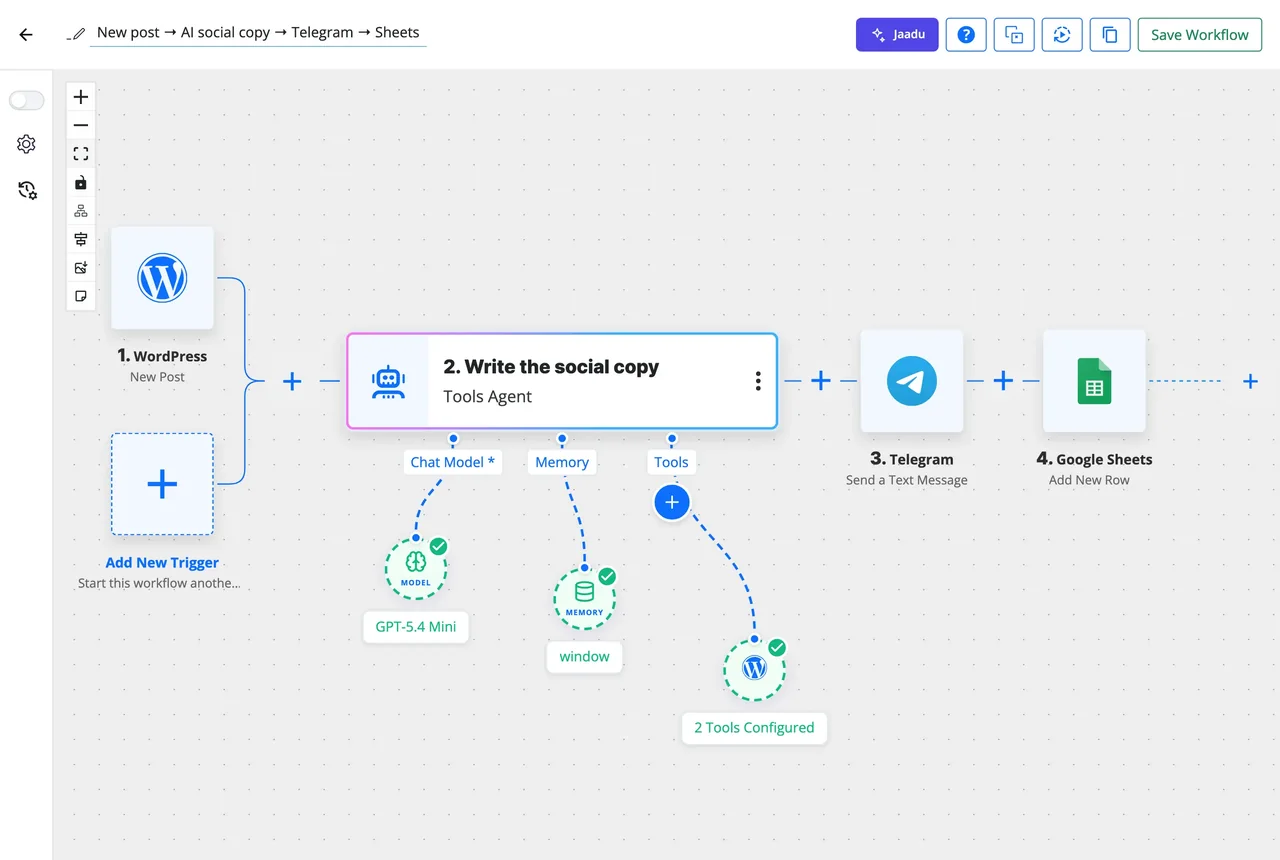
It finds the right app and event, even when you do not know the name
Ask for "a message to the sales channel when a big order comes in" and Jaadu searches the integration catalogue semantically, surfacing the handful of events that fit: the WooCommerce order trigger, the Slack message action, a Filter on the order total. You confirm, it configures.
- Semantic search across all 918+ integrations and the built-in modules
- Picks the trigger and the action events, not just the app
- Can add an AI Agent step with a goal and tools when the task needs reasoning
Your key, talking straight to the provider
Jaadu runs on an Anthropic or OpenAI connection you saved in Connects. The conversation streams from your browser directly to that provider and the result is written to the canvas on your site. FlowMattic runs no proxy in between and adds nothing to the bill.
- Claude or OpenAI, chosen in the panel
- Removing a step always needs your confirmation
- The same panel in the email, PDF and image template builders and in Forms
What you can ask it to do
Each of these is an edit Jaadu makes on your build, not a suggestion you then carry out.
Build a whole workflow
Trigger, steps and logic from one description, saved as a draft you switch on when it is right.
Choose the app and event
Semantic search over the live catalogue finds the matching trigger or action without knowing its exact name.
Wire the fields
Maps the customer email, the order total or the post title from earlier steps into the fields that need them.
Add a condition
Ask for "only when the total is over 500" and it adds the Router or Filter and fills in the condition.
Fix what failed
Tell it which step broke and what the error said; it changes that step and leaves the rest alone.
Edit a template or form
In the email, PDF and image builders and in Forms it adds blocks, sets copy and fields, and adjusts layout from the same chat.
Prompts that produce a working workflow
Say it the way you would say it out loud. Jaadu asks when something is missing.
"When a WooCommerce order is paid, add the customer to FluentCRM with the tag buyer and post the order summary to Slack."
Jaadu adds the WooCommerce order paid trigger, a FluentCRM create-or-update contact step with the tag, and a Slack message mapped from the order fields.
"Every Monday at 9, read unpaid rows from my Invoices table and email each customer a reminder."
A weekly Schedule trigger, a WP Tables Get Rows step with the unpaid filter, an Iterator and an email step inside it using the row's fields.
"When a form is submitted, ask a manager to approve by email; if approved, create the user, otherwise Slack me."
Form trigger, Human in the Loop step, a Router with Approved and Rejected routes, a WordPress create user step on one and a Slack step on the other.
"Add a step after the AI Agent that writes its answer to a Google Sheet."
On an existing workflow, Jaadu inserts a Google Sheets add row step after the agent and maps the agent's output into a column.
Questions about Jaadu
Is Jaadu the same thing as an AI Agent?
No. Jaadu is the copilot that builds and edits workflows with you in the builder. An AI Agent is a step inside a workflow that reasons and calls tools each time the workflow runs. You can ask Jaadu to add an AI Agent step, and it will.
Which AI provider does Jaadu use?
Anthropic Claude or OpenAI, chosen in the Jaadu panel before you start. The key comes from a connection you saved in FlowMattic Connects, and the conversation streams from your browser straight to that provider. There is no FlowMattic proxy in between.
Does Jaadu cost extra?
No. Jaadu is part of every FlowMattic licence. The only cost is what your chosen provider charges for the tokens a conversation uses, billed by them on your own key.
Can Jaadu change a workflow I already built?
Yes. Open the workflow, open Jaadu, and describe the change: add a step after the second one, swap the email for Slack, add a condition. Jaadu reads what is on the canvas and edits it in place, and you can keep adjusting by hand.
Will it delete steps without asking?
No. Removing a step, block or element is treated as destructive, and Jaadu asks you to confirm before it goes ahead. Everything else it builds is an ordinary step you can open, edit or remove yourself.
Does Jaadu work outside the workflow builder?
Yes. The same panel sits in the email, PDF and image template builders and in Forms, where it reads the template or form you have open and makes the edit you describe.
Did not find your answer? You can browse the help center or ask us directly.
Describe your first workflow and watch it appear
Jaadu ships with every FlowMattic licence. Connect a Claude or OpenAI key, open the builder and tell it what you need; the docs show the setup step by step.
Included in every licence Your key, no markup Running on 12,912+ sites