

A WordPress form builder with workflow automation built in
Build multi-step and conversational forms in the same WordPress plugin that runs your automations. Every submission is a workflow trigger with every answer attached, so there is no connector plugin to install and no per-entry fee to watch.
22 field typesConditional logic and calculationsEvery submission is a trigger918+ apps to send it to

From a blank form to a running workflow in three steps
The form, its embed and the automation behind it live in one place, so nothing has to be wired together afterwards.
-
Build
Add fields and logic
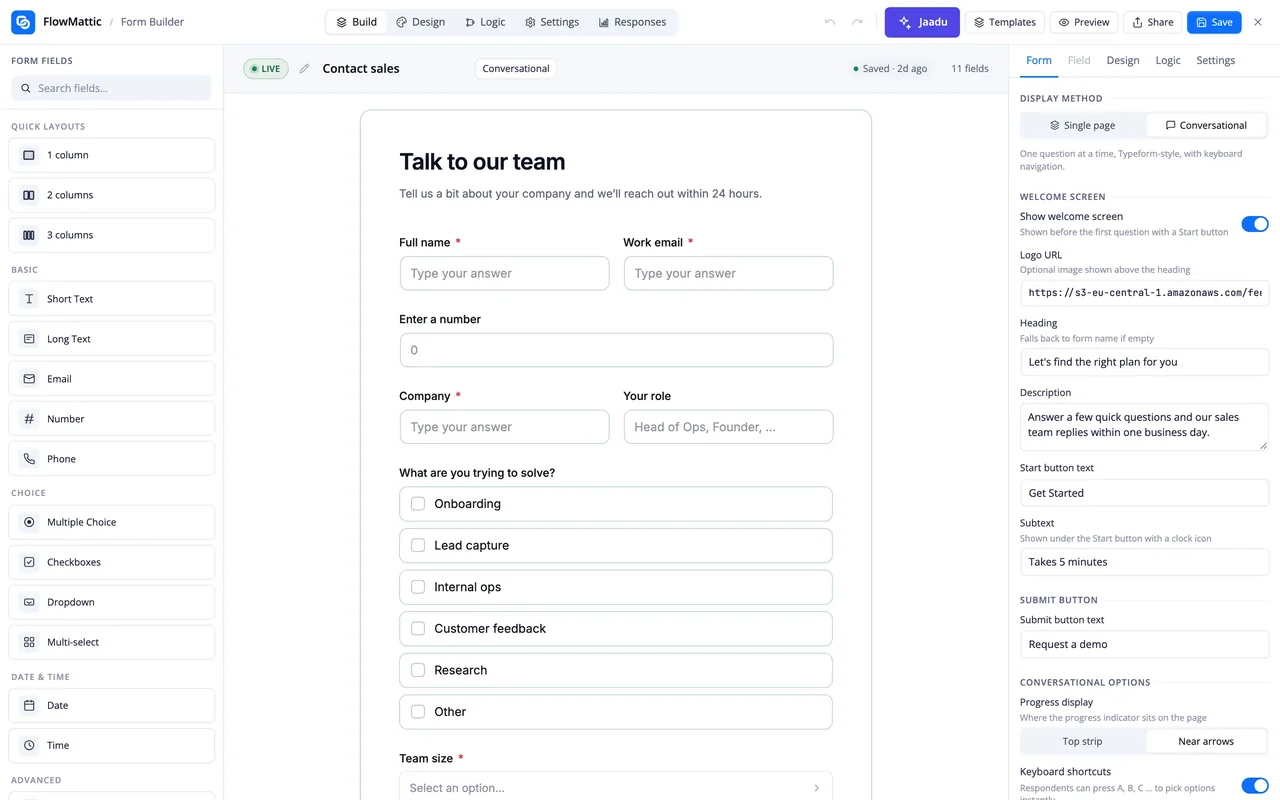
Drag fields from the palette, insert page breaks for a multi-step form, or switch the display mode to conversational for one question per screen. Logic rules, calculations and answer piping are set in the same settings panel.
-
Publish
Put it where people are
Add the form to any page with the shortcode or block, share its own page under /forms/, or embed it on another site inline, as a popup, a slide-in or a floating bubble.
-
Automate
Pick the form as a trigger
Choose Form Builder and New Form Submission as the workflow trigger, select the form, and every field is ready to map into the next step: an email, a table row, a CRM contact or an approval.
The submission is the trigger, not a notification
Pick Form Builder as the trigger and the workflow starts the moment a visitor submits, with every answer, upload and signature as fields in the trigger data. The form can hear back, too: three actions in the same app let a later step change what the visitor sees.
- New Form Submission trigger, scoped to the form you choose
- Set Custom Response replaces the on-screen message, as text or HTML
- Set Custom Redirect URL sends this visitor to a specific page
- Add Note to Submission stores a note, such as an AI lead score, on the entry
- Works with Human in the Loop, Router, Iterator and every other module
Logic the visitor never has to think about
Rules read like sentences: if a field is, is not, contains, is empty or compares above or below a value, then show, hide, require or jump to another field. A Calculation field runs a formula over other answers, and any label, help text or redirect URL can quote an earlier answer with its field key.
- Ten operators, four actions, as many rules as the form needs
- Calculation fields, for example {{qty}} * {{unit}} for an order total
- Answer piping with {{field_key}} in labels, descriptions and the redirect URL
- Page breaks and sections for multi-step forms, headings to group questions
Responses stay on your site
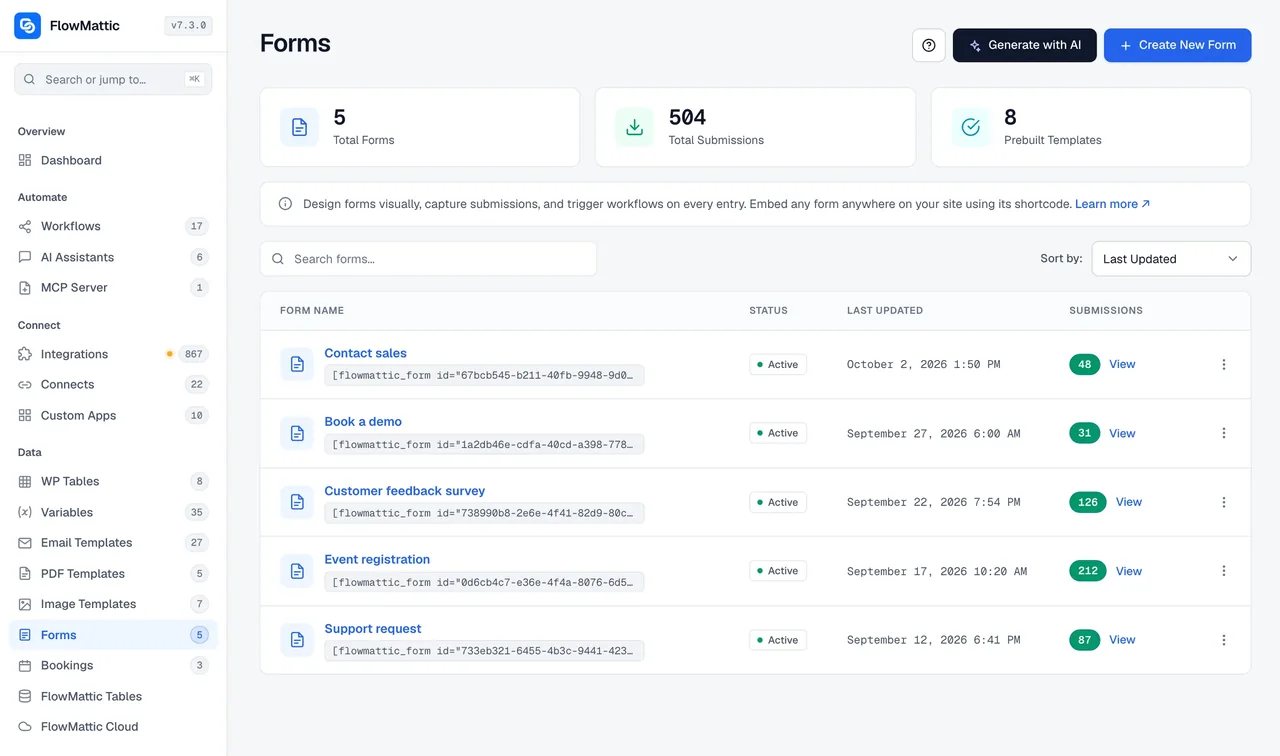
Every entry is stored in your WordPress database and listed in a searchable Responses view for the form. Visitors who leave halfway can come back and finish, because partial responses are saved as they go. Each form decides on its own what else happens to an entry.
- Searchable entries, opened or deleted one at a time
- Partial responses saved so a visitor can resume
- Email a notification, save the entry to a WP Table, or POST it to a webhook URL
- reCAPTCHA to keep bots out, and a switch for repeat submissions
What the Form Builder includes
Everything a WordPress form builder is expected to do, inside the plugin that runs the rest of the process.
22 field types
Short and long text, email, number and phone; multiple choice, checkboxes, dropdown and multi-select; date and time; file upload, rating, opinion scale, NPS, signature and address; heading, section, page break, hidden field and calculation.
Multi-step forms
A page break splits a long form into steps; sections and headings group related questions, and quick layouts place fields in columns.
Conversational mode
One question per screen with a welcome screen, progress indicator and keyboard shortcuts. It is a display mode on the same form, not a second form.
Conditional logic
Show, hide, require or jump to a field when another answer is, is not, contains, is empty, or is above or below a value.
Calculations and piping
A Calculation field runs a formula over other answers, and any label, help text or redirect URL can quote an earlier answer.
Generate with AI
Describe the form in a sentence and a complete draft appears, fields, labels and options included. Jaadu rides along in the editor for changes, using your own AI provider.
Embed anywhere
Shortcode, Gutenberg block, a page of its own under /forms/, or the embed script for inline, popup, slide-in and floating bubble placements on any site, plus a QR code.
Styling without CSS
Accent colour presets or your own, dark mode, inline, cover or hero headers, and gradient backgrounds, all from the Styles panel.
Starter templates
Contact us, product feedback, job application, event RSVP, lead generation, order form and course registration, each editable from the first click.
Workflows that start with a form
Each of these uses the Form Builder trigger and modules that ship with FlowMattic.
Refund request with a manager's approval
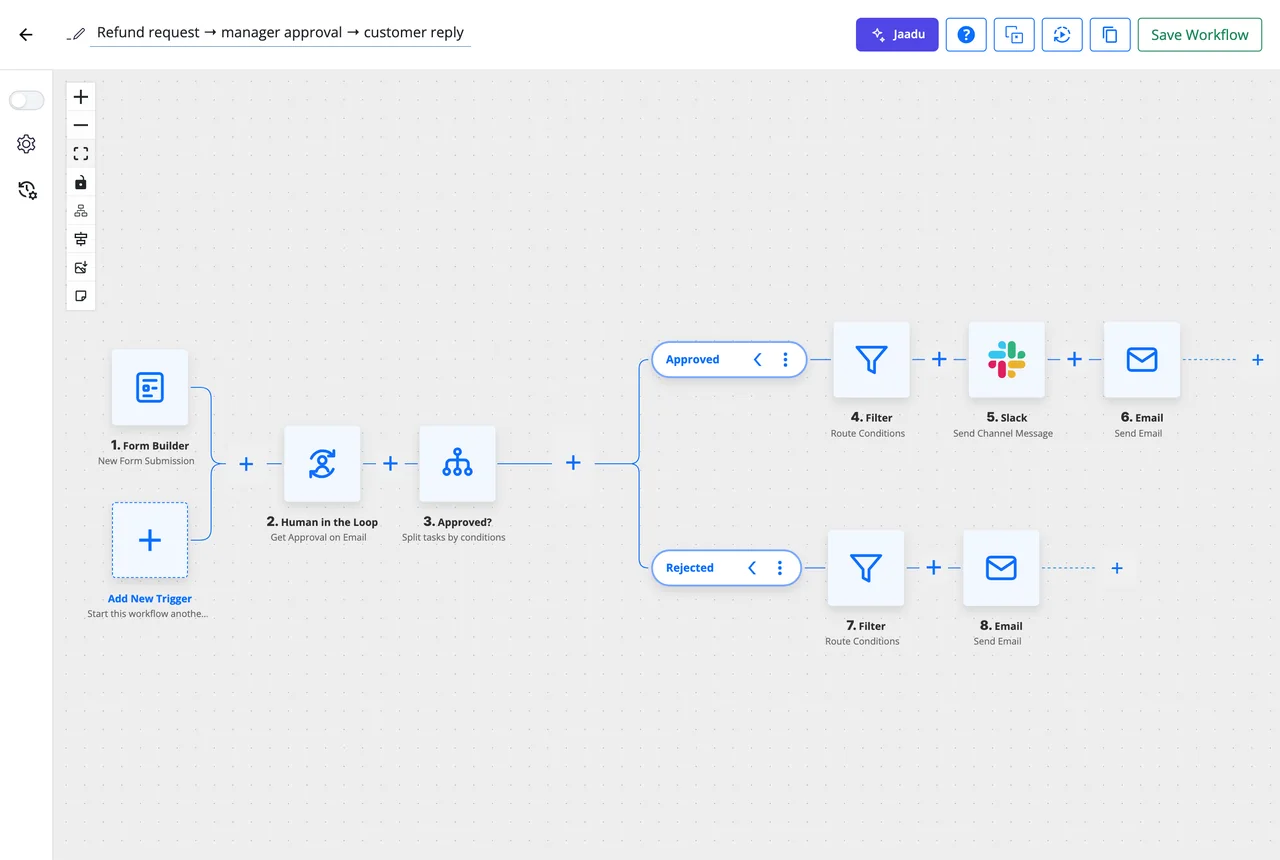
A submission waits on a Human in the Loop email. Approved requests notify finance in Slack and confirm to the customer; rejected ones send the manager's note. This is the workflow shown above.
Lead form, scored by AI, filed in the CRM
An AI Agent reads the answers and scores the lead, Add Note to Submission records the score on the entry, and the contact lands in FluentCRM with the right tag.
Event registration with a PDF ticket
The submission fills a PDF template with the attendee's name and seats, and Send Template Email delivers the ticket as an attachment within seconds.
Support request into a table and a channel
Each entry is saved as a row in a WP Table, a Router picks the team by category, and the right Slack channel gets the summary with a link back to the entry.
Questions about the Form Builder
Do I need a separate form plugin?
No. The Form Builder is part of FlowMattic, and a form you build here is already a trigger: choose Form Builder and New Form Submission in a workflow and every field is available to the next step. If you already use Gravity Forms, WPForms, Fluent Forms, Ninja Forms, Formidable Forms or Contact Form 7, FlowMattic has triggers for those too, so you can keep them.
What is conversational mode?
A display mode on the same form that shows one question per screen, with a welcome screen, a progress indicator and keyboard shortcuts. Switch between the classic layout and conversational in the form settings; the fields, logic and workflow stay the same.
How does a form submission start a workflow?
Pick Form Builder as the trigger app, New Form Submission as the event and the form you want. Each submission runs the workflow with every answer, upload and signature as trigger data you can map into any step. Three actions in the same app let the workflow set a custom response message, a redirect URL or a note on the entry.
Can I add conditional logic and calculations without code?
Yes. A rule reads "if this field is, is not, contains, is empty or compares above or below a value, then show, hide, require or jump to another field". A Calculation field takes a formula over other answers, such as {{qty}} * {{unit}}, and updates as the visitor types.
Where are submissions stored?
In your WordPress database. Each form has a searchable Responses view where you can open or delete entries, partial responses are saved so visitors can resume, and per-form settings can also email a notification, save the entry to a WP Table or POST it to a webhook URL.
Where can I embed a form?
On any page with the [flowmattic_form] shortcode or the Gutenberg block, on its own page under /forms/your-form/, or on another site with the embed script as an inline form, a popup that opens on click, after a delay or on exit intent, a slide-in or a floating bubble. The share dialog also gives you a QR code.
Can AI draft the form for me?
Yes. Generate with AI drafts a complete form from a one-line description, including fields, labels and options, and Jaadu rides along in the editor to make changes in conversation. Both use your own AI provider connection, so there is no extra fee from FlowMattic.
Did not find your answer? You can browse the help center or ask us directly.
Build a form that does something
Start from a template, add the logic, and let the workflow take it from there. The WordPress form builder, its entries and the automations all run on your own server.
30-day money-back guarantee Unlimited forms and entries Self-hosted