

AI agents for WordPress that reason, call tools and finish the task
An AI Agent is a workflow step with a goal and a toolbelt: it decides which tools to call, reads each result and keeps going until the job is done, inside the WordPress site you already run. Bring your own key for any of 11 providers; FlowMattic adds no markup on tokens.
11 AI providers, your key918+ integrations as toolsMemory across runsNo markup on tokens

Three things an agent needs
Give it a goal, give it tools, and let it loop. You decide the limits.
-
Goal
Write the goal and pick a model
The Chat Model panel takes a provider, a model and a system prompt. Fields accept dynamic tags, so the goal can include the order, the ticket or the post that started the run.
-
Tools
Attach a toolbelt
Any workflow module or integration action becomes a tool, each describing its real fields to the model. Add an external MCP server's tools through the MCP Client, or use both in the same agent.
-
Loop
It calls, reads, decides, repeats
The agent calls a tool, reads the result and chooses the next step until the goal is met or Max Iterations is reached. Its output goes to the next step like any other response.
Eleven providers, one agent, your own key
Save a key once in Connects and choose the provider on the step. Temperature, Top P, Top K and the penalties reach every provider when you change them, and an Additional Parameters box takes JSON that is merged into the request for anything the form does not cover.
- OpenAI, Anthropic Claude, Google Gemini, Mistral and Groq
- DeepSeek, OpenRouter, Perplexity, xAI Grok and AWS Bedrock
- OpenAI-compatible with your own base URL: Ollama, LM Studio, vLLM, Azure OpenAI
- Models loaded from the server you point at, with an optional key
A toolbelt made of the workflow itself
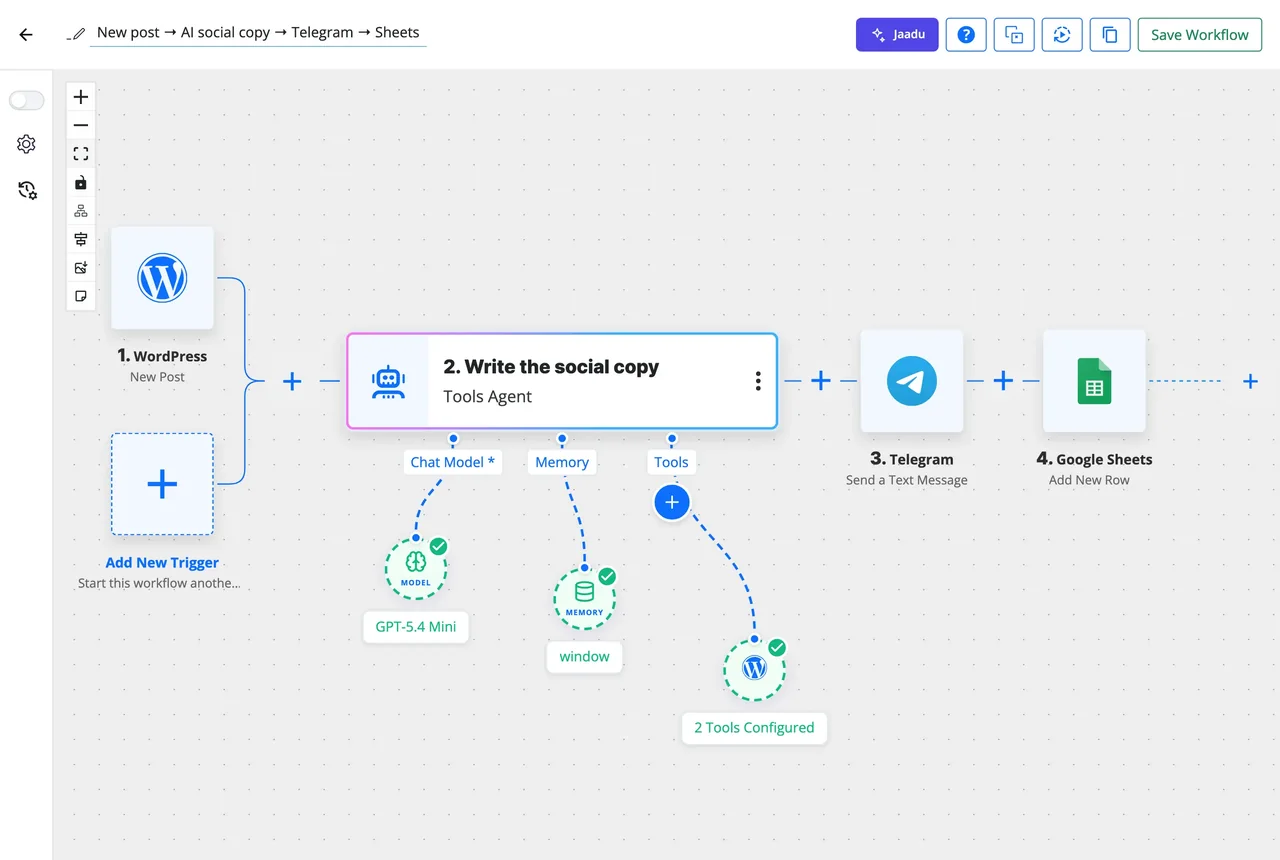
Every action FlowMattic can take, an agent can take: create a post, look up a customer, add a row, send a message, call an API. Integration tools describe their real fields to the model, and a field you leave blank is filled by the model, so required fields are complete on the first pass.
- Workflow modules and any of the 918+ integrations as tools
- Tools from any external MCP server, all, selected or all except
- A browse_url tool through FlowMattic Browser, so the agent can read a web page
- Typing @ in any field opens the dynamic tag picker
Limits you set, so a run cannot run away
Max Iterations caps the think-and-call rounds at anything from 1 to 100. A Tool Output Limit cuts long tool results before they go back to the model, so a 4,000-row API response does not fill the context window. Both sit on the Chat Model under Agent Limits.
- Max Iterations from 1 to 100 per run
- Tool Output Limit trims each result before the model sees it
- Memory off, Window Buffer, WP Tables or WordPress Options
- Every run in Task History with inputs recorded and secrets masked
Agents and MCP, in both directions
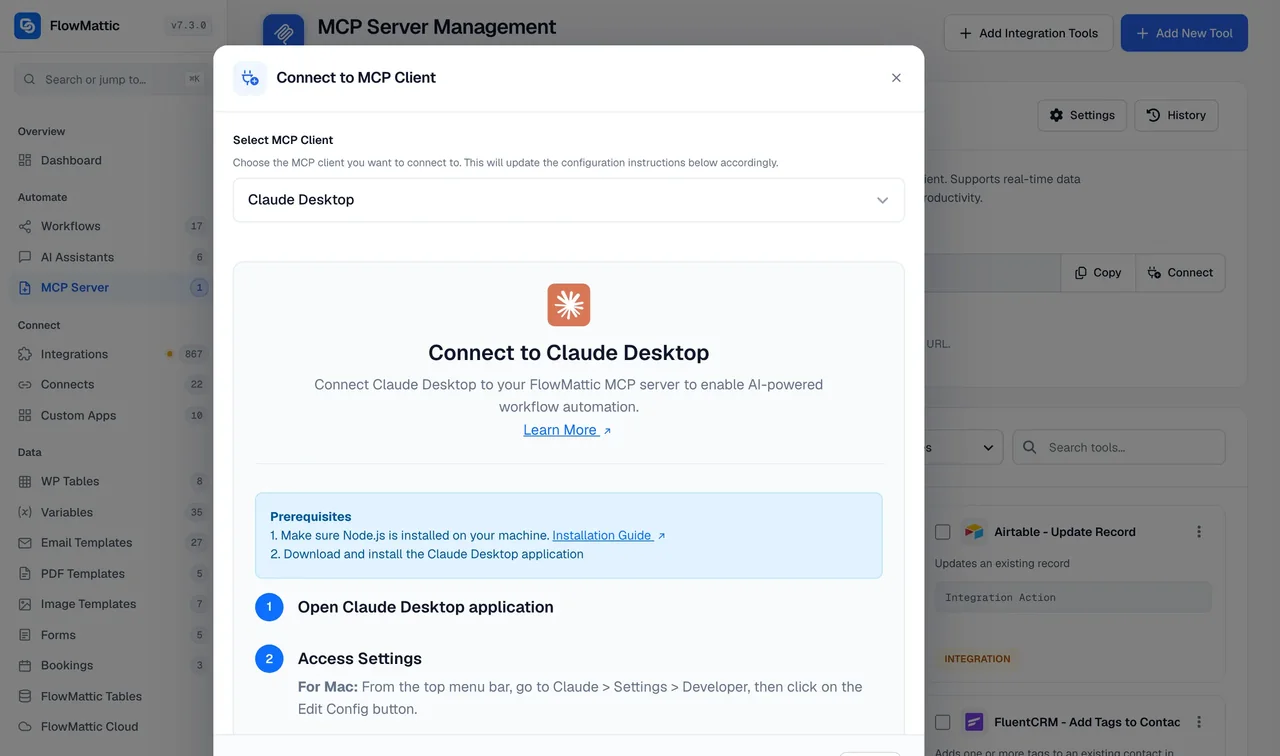
An agent on your site can call tools on any external MCP server through the MCP Client. The same site can be an MCP server: switch on Workflow Tools and Claude, ChatGPT or Cursor can build, test and inspect workflows here, including ones with AI Agent steps.
What is on the step
Everything an agent needs is configured in the step panel, the same way as any other action.
Chat Model
Provider, model, system prompt, Max Tokens, Temperature, Top P, Top K and penalties, with a model list loaded from the provider.
Tools
Workflow modules, integration actions, API calls and MCP servers, each with its own configured defaults the model can override.
Memory
Window Buffer keeps recent turns; WP Tables or WordPress Options persist a session across runs, keyed by a session ID you choose.
Agent Limits
Max Iterations from 1 to 100 and a Tool Output Limit, so cost and context stay predictable on every run.
Additional Parameters
A JSON box merged into the provider request, plus a flowmattic_ai_agent_request_body filter for developers who need more.
Web browsing
With Cloudflare Browser Rendering set up, the agent gets a browse_url tool to fetch and reason over a page.
Where an agent step earns its place
Use an agent when the next step depends on reading something, not on a fixed rule.
Support triage
A new ticket or form submission goes to an agent with tools to look up the customer in your CRM and search WP Tables. It classifies the request, drafts a reply and tags the record, and a Router sends urgent ones to Slack.
Order classification
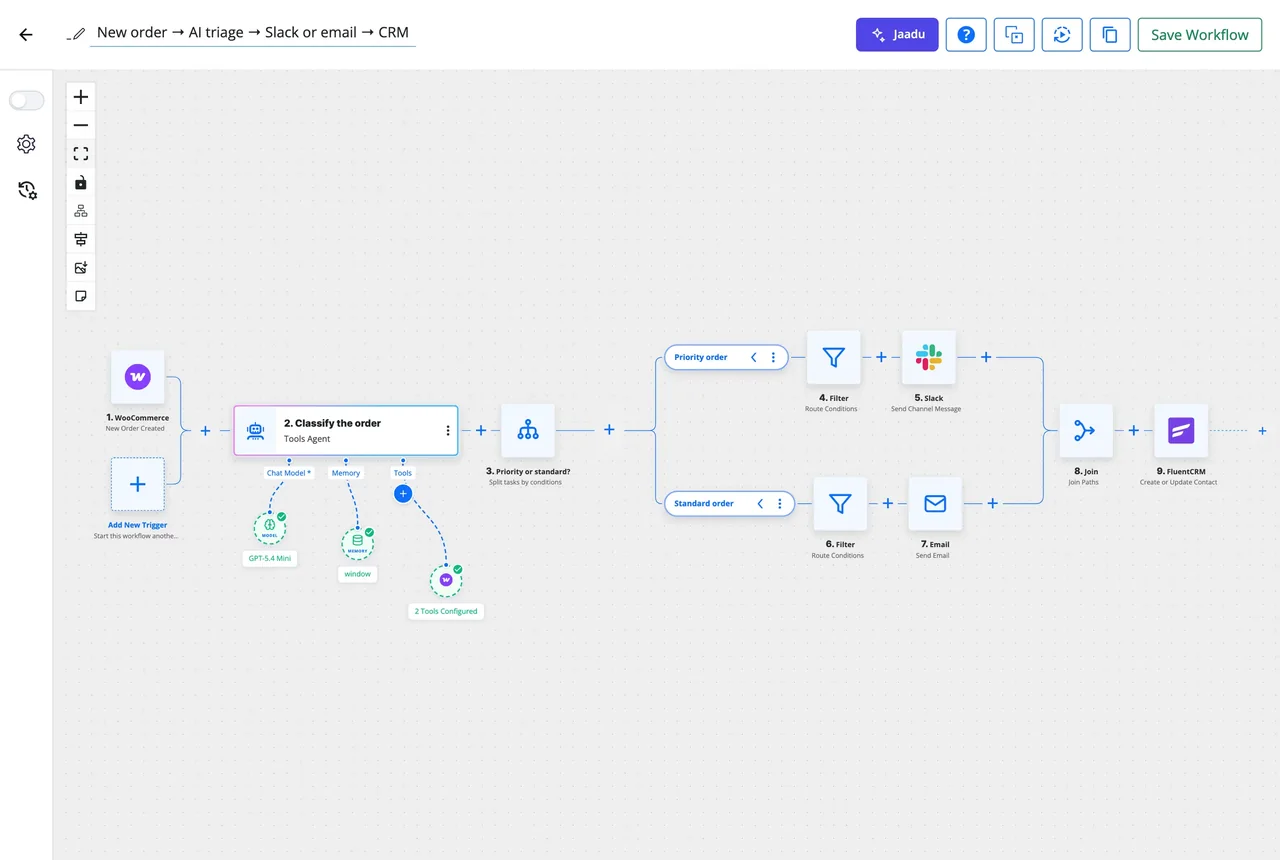
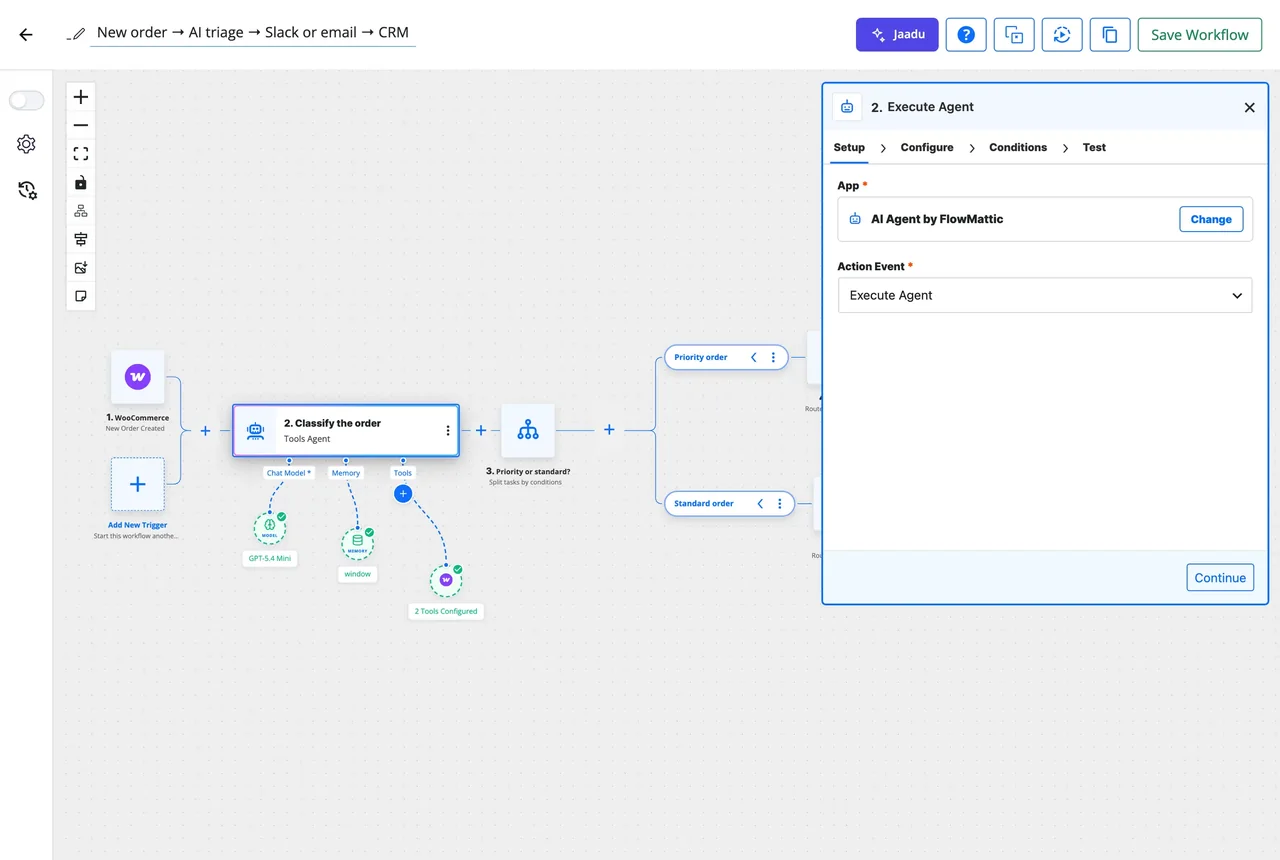
A WooCommerce order reaches an agent that reads the items, the value and the customer history, then returns a priority the Router branches on, as in the workflow at the top of this page.
Research and summarisation
A scheduled run hands an agent a list of URLs. It browses each page, pulls out what changed and writes a digest that lands in an email template or a Google Sheet.
Data enrichment
A new lead with only an email address is enriched: the agent calls the lookup tools you attached, fills the company, role and size fields in a table, and leaves a note on the contact.
Questions about AI agents in WordPress
Do I pay FlowMattic for tokens?
No. An AI Agent step runs on your own API key, saved once in Connects, and the request goes straight from your server to the provider. FlowMattic adds no markup and no monthly AI fee; you pay the provider at its own rates, or nothing at all with a local model.
Which AI providers can an agent use?
OpenAI, Anthropic Claude, Google Gemini, Mistral, Groq, DeepSeek, OpenRouter, Perplexity, xAI Grok and AWS Bedrock, plus an OpenAI-compatible provider that takes your own base URL. Switching provider is a dropdown on the Chat Model panel; the goal, tools and memory settings stay as they are.
Can I run an agent on a local model?
Yes. Choose the OpenAI-compatible provider, enter the base URL of Ollama, LM Studio, vLLM, Azure OpenAI or any compatible API, and FlowMattic loads the model list from that server. An API key connection is optional, so a local server on your network needs none.
What stops an agent from looping forever?
Max Iterations on the Chat Model, from 1 to 100, caps how many think-and-call rounds a run may take. A Tool Output Limit cuts long tool results before they go back to the model, so one large API response cannot blow through the context window.
How is an AI Agent different from Jaadu and from AI Assistants?
An AI Agent is a step inside a workflow: it runs when the workflow runs and hands its output to the next step. Jaadu is the copilot that builds workflows for you on the canvas. An AI Assistant is the chat widget visitors talk to on your site. All three use your own keys.
Can an agent call tools on an external MCP server?
Yes. Add an MCP Client tool to the toolbelt with the server endpoint and its authentication, then let the agent use all of that server's tools, only the ones you select, or all except a few. It can mix those with your own workflow modules in the same run.
What does Task History show for an agent run?
The inputs the step ran with, with secrets masked, and the output the agent returned, alongside every other step in the run. A failed run can be re-executed with the same data or an edited payload once you have fixed the cause.
Did not find your answer? You can browse the help center or ask us directly.
Give a step a goal and see what it does
Add an AI Agent to any workflow, attach the tools it may use, and run it against real data on your own server. The docs cover every provider's setup.
Your key, no markup Unlimited workflows and runs Running on 12,908+ sites