

FlowMattic Tables: a managed database for WordPress
A private database for your site, kept off the WordPress database and wired into every workflow. Saved views, card layouts, shortcodes and HTML templates publish the data; point-in-time restore puts it back when something goes wrong.
26 column typesOff the WordPress databaseFree Cloud account with every licenseReads never capped

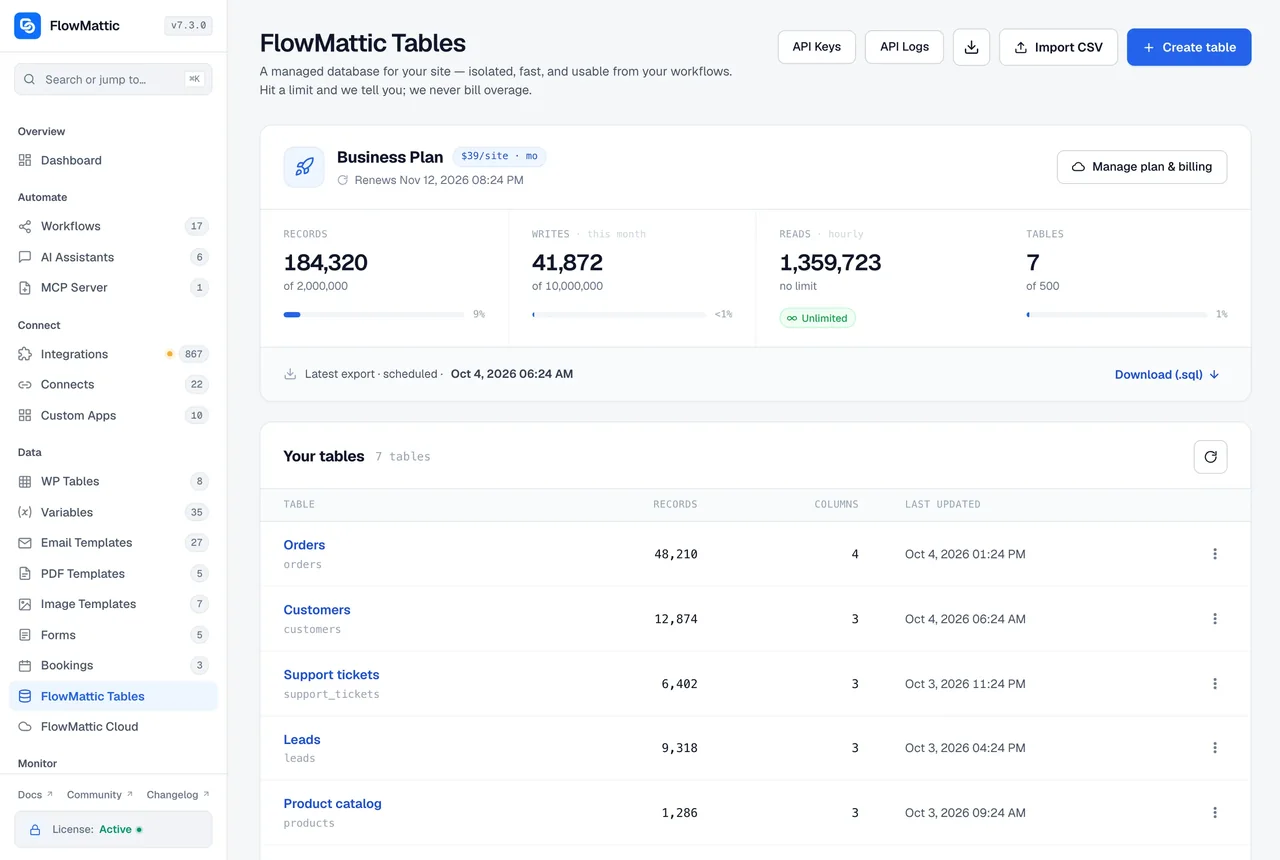
Connected in one click, designed in the grid, published from the table
The database is provisioned for your site; you never see a server.
-
Connect
Claim the Cloud account
Every license includes a Free Cloud account. Open FlowMattic Cloud in the admin, connect it in one click, and pick a Tables plan there when you need more capacity. Billing for Tables, Cloud Webhooks and the Scheduler lives on that one screen.
-
Design
Build the table
Create a table or import a CSV, then add columns from 26 types. The 13 managed-only types include Person, Tags, Currency, Calculate, Relation, AI Text, Attachment, Percent, Phone, URL, Color and the Created By and Modified By user fields.
-
Publish
Share it and automate it
Save views, design a card layout or an HTML template, and share the table at a secret link or with a shortcode. In the builder, five triggers and eleven actions read and write the same rows.
Saved views and card layouts for the people who read the data
A view saves the grid's filters, sorting and visible columns under a name. Set one as the default, and choose which views visitors can switch between on a shared table. A card layout shows each row as a card, with the fields and their order chosen per layout.
- Views keep filters, sorting and columns; one is the default
- Visitors switch between the views you allow on a shared table
- Card layouts pick which fields show and in what order
- Button columns can sit on a card for users allowed to run them
- Formatting rules tint a cell or a whole row when a value matches
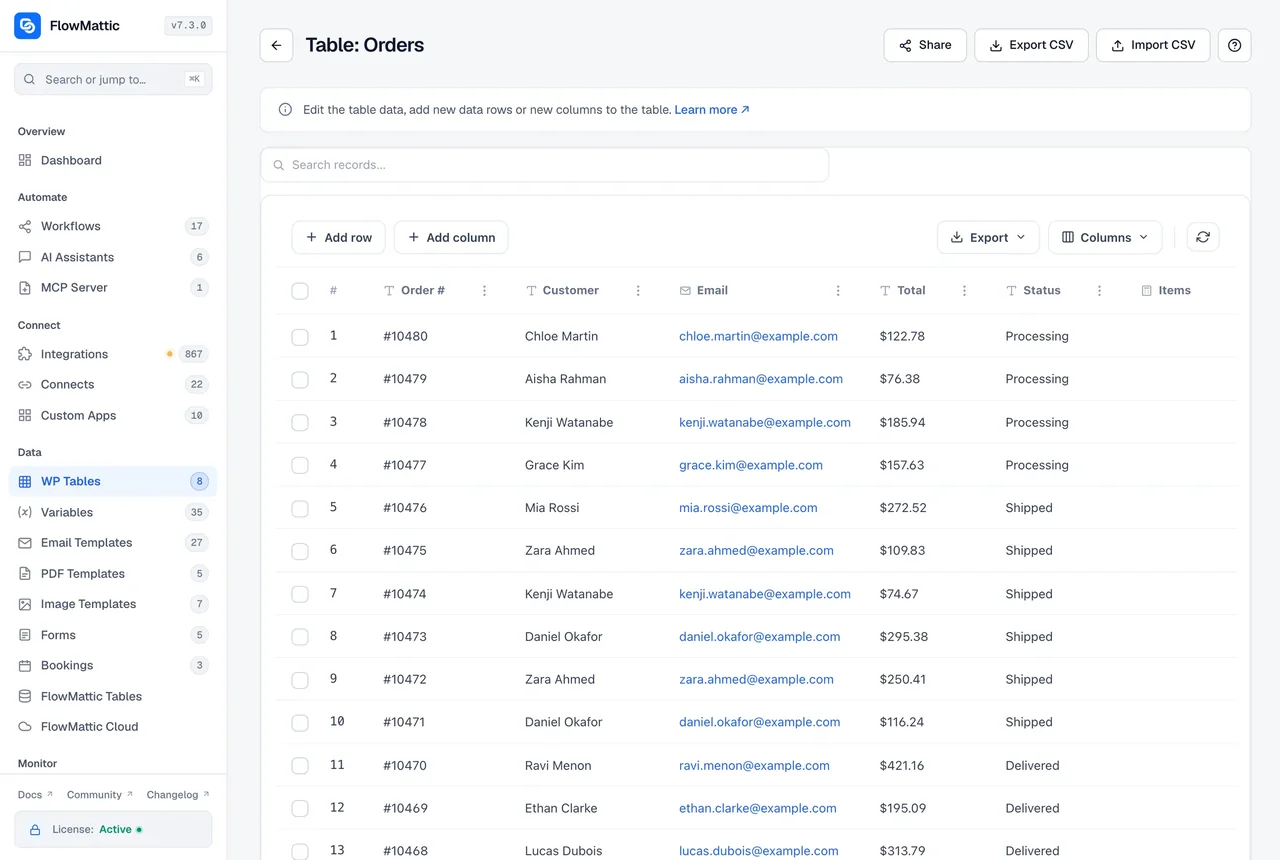
Shortcodes and HTML templates publish it anywhere
A Shortcode column runs a shortcode for each row of the published table, with {{field_name}} filled from that row. An HTML Template goes further: your own header, row, footer and empty-state HTML, rendered through one shortcode, with formats for dates, currency, percent, yes or no and tags, and CSS scoped to the template.
- [flowmattic_table_view id="N"] renders a template on any page
- Start from a card grid, a simple list or a data table preset
- Share a template at a secret link that opens without a login, and revoke it any time
- [flowmattic_table] embeds the grid itself, with inline editing and Add row for authorised users
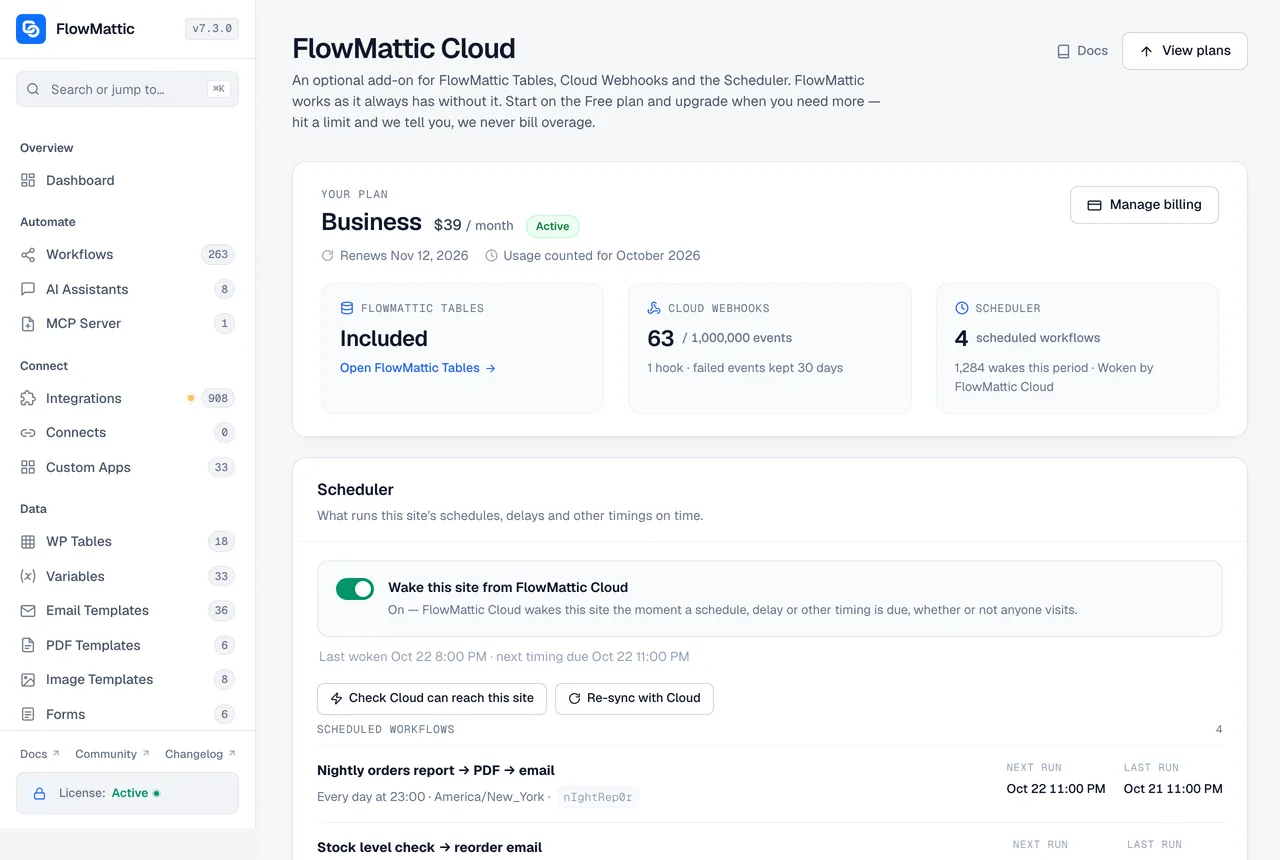
Plan, usage and billing on the FlowMattic Cloud screen
The Tables screen keeps the stats: records, writes, reads and tables against the plan. Picking a plan, upgrading and managing billing moved to the FlowMattic Cloud screen, where the same account covers Cloud Webhooks and the Scheduler. Usage is metered on logical row changes, so a workflow that reads a table all day costs nothing extra.
- Writes and records are the meters; reads are never throttled or capped
- Hit a limit and the dashboard tells you; nothing is billed as overage
- One Cloud account, connected in one click, for Tables, Cloud Webhooks and the Scheduler
Exports you own and a restore you control
Download a .sql export from the Tables screen whenever you like, import CSV into an existing table with the column-mapping wizard, and read or write the rows from outside WordPress through the developer REST API with scoped, revocable API keys and optional request logging. If an import or a workflow goes wrong, point-in-time restore puts the database back as it was.
- .sql exports on demand, plus the latest scheduled export on the dashboard
- Point-in-time restore, with a confirmation step
- API keys with scopes, revocable from the API Keys screen, with request logs
- Delete a field from the grid; the data goes with it, so export first
What the managed database adds
Workflows see a table with triggers and actions; the grid sees a data tool.
Five triggers
New Row, Updated Row, Deleted Row, Updated Cell and Button Clicked start a workflow the moment a row or a cell changes.
Eleven actions
Insert, Upsert, Update, Update Cell, Delete, Find Row, Find Rows, Get Row, Count Rows, a parameterised SQL Query, and Continue on Approve or Reject.
Thirteen managed-only column types
Currency, Person, Tags, Attachment, Calculate, Relation, AI Text, Percent, Phone, URL, Color, Created By and Modified By, on top of the 13 every table has.
AI Text in a column
Give the column a prompt that references other fields with {column_key}, then click Generate on a cell to fill it with your FlowMattic AI connection.
Relation columns
Point a column at another table and a display field. Cells store the related row's ID and show that field's value.
WP Tables stays free
Small datasets can stay in the WordPress database with WP Tables. Both apps share the same grid and the same kind of triggers and actions.
Which table to use
Use WP Tables for data that is happy in the site database. Move to FlowMattic Tables when the data is large, shared or needs the extra column types and publishing tools.
| Compare | WP TablesIncluded | FlowMattic TablesManaged |
|---|---|---|
| Where the rows live | Your WordPress database, or an external MySQL database | A per-site managed database |
| Column types | 13 | 26 |
| Views, card layouts, HTML templates | Yes | |
| Secret share links | Yes | |
| SQL Query action and REST API keys | Yes | |
| Point-in-time restore and .sql exports | Yes | |
| Cost | Free with every plan | Metered plan, chosen on the FlowMattic Cloud screen |
Questions about FlowMattic Tables
I already own FlowMattic. Why is FlowMattic Tables billed separately?
Your license pays for software that runs on your own hosting. FlowMattic Tables is a service: a database provisioned, run and backed up for your site on our managed infrastructure, every hour of every month. Every license includes a Free Cloud account, and you pick a Tables plan on the FlowMattic Cloud screen only when you need the capacity.
Where does the data live?
In a database that belongs to your site alone, on our managed infrastructure, separate from your WordPress database. Nothing is mixed with other customers’ data, and you can download a .sql export whenever you like.
What is metered?
Logical row changes, meaning writes, and the number of records you keep. Reads are never throttled or capped, so workflows that look rows up all day cost nothing extra. When you approach a limit the dashboard warns you, and when you hit one the write is refused and you are told; nothing is billed as overage.
Can I undo a bad import or a workflow that overwrote rows?
Yes. Point-in-time restore puts the database back as it was at a moment you choose, after a confirmation step, and the service takes a snapshot before it does. Exports are the belt to that brace: download one before any large change.
Can people see a table without logging in?
Yes, in two ways. The [flowmattic_table_view id="N"] shortcode renders an HTML template on any page, and a template can also be shared at a secret link that opens without a login and can be revoked at any time. Saved views let you decide which filters visitors can switch between.
How is this different from WP Tables?
WP Tables is free and stores rows in your WordPress database with 13 column types. FlowMattic Tables keeps the data off WordPress, adds 13 more column types such as Person, Tags, Currency, Relation and AI Text, and brings views, card layouts, HTML templates, secret links, a SQL Query action, REST API keys and point-in-time restore.
Did not find your answer? You can browse the help center or ask us directly.
A real database for your workflows, without a server to run
Connect the Free Cloud account that comes with your license, create a table, and keep the heavy data off WordPress. FlowMattic runs on 12,908+ sites.
30-day money-back guarantee Reads never capped Exports you own