

FlowMattic Cloud: webhooks, scheduler and tables
FlowMattic Cloud receives webhooks for your WordPress site with retries and replay, fires schedules at the exact time and hosts managed tables. Every license includes a Free Cloud account, connected in one click from the FlowMattic Cloud screen in your admin; your workflows keep running on your own server.
Free Cloud account with every licenseDeliveries retry for about 5 daysDowntime alert after 30 minutesOne screen for plan, usage and billing

Connected in three steps
Cloud is a service your site talks to, not a place your workflows move to. Nothing about how you build changes.
-
Connect
Open FlowMattic Cloud and connect
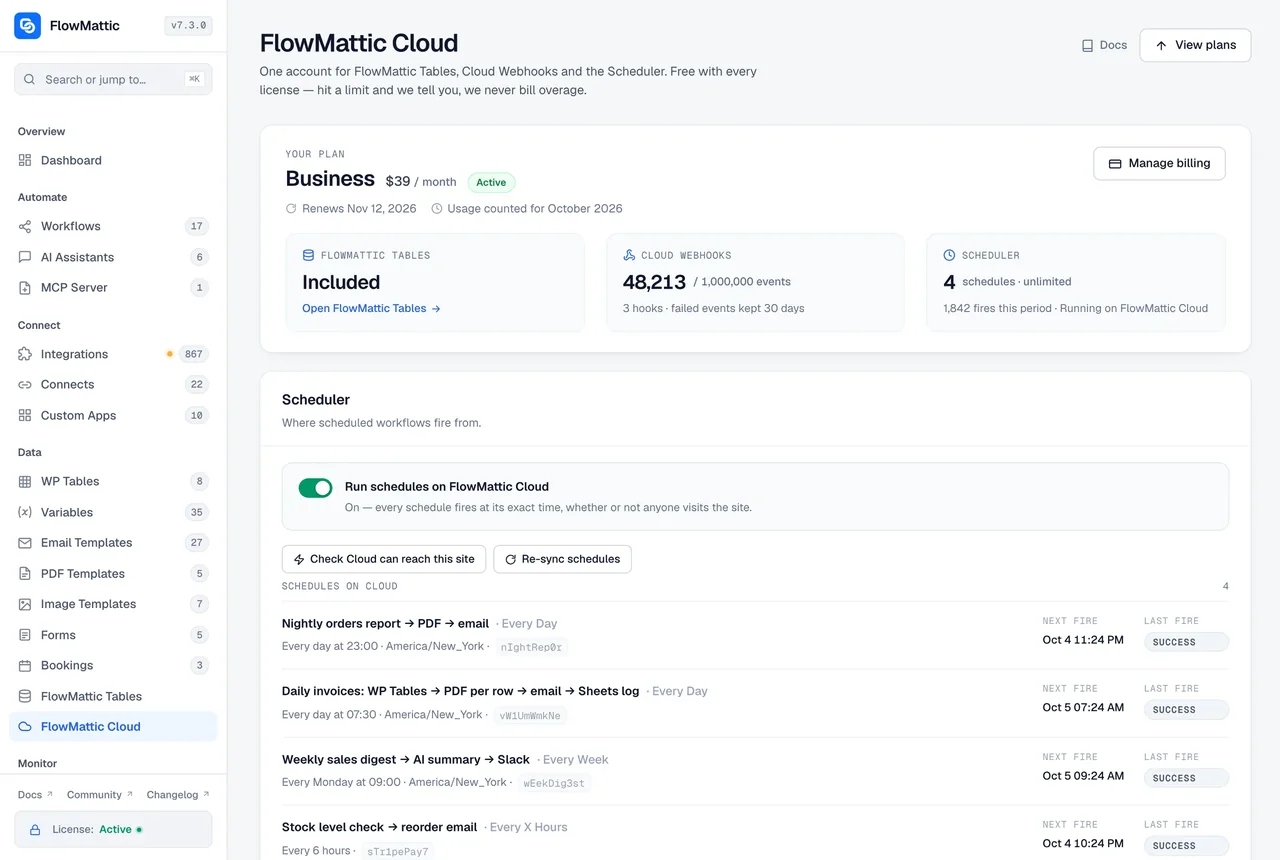
One click on the FlowMattic Cloud screen creates the Free account that comes with your license and links it to the site. The screen shows the plan and the usage of Cloud Webhooks, the Scheduler and FlowMattic Tables.
-
Switch on
Pick what Cloud should handle
Set a webhook trigger to Deliver via FlowMattic Cloud, turn on Run schedules on FlowMattic Cloud, or create a database in FlowMattic Tables. Each is independent.
-
Watch
See events, fires and usage in one place
Hook events, schedule fires and table usage appear on the same screen, with replay for a failed webhook and upgrade and billing when you need more.
Cloud Webhooks: an address that is always up
A webhook delivered via FlowMattic Cloud gives the sender a hooks.flowmattic.com address. Cloud forwards each event to your site's real webhook URL, custom slug included, and keeps trying for about five days if the site does not answer. When the site comes back after an outage, the events that waited are delivered straight away, and a failed event can be replayed from the Cloud screen for the plan's replay window.
- Deliveries signed by Cloud and verified by your site
- A retry of an event the site already ran is answered as a duplicate, not run again
- Delivered events are counted, not stored; failed and held events stay until replayed or expired
- Reconnecting updates the site address, so a moved site keeps receiving
Scheduler on Cloud: fires at the exact time
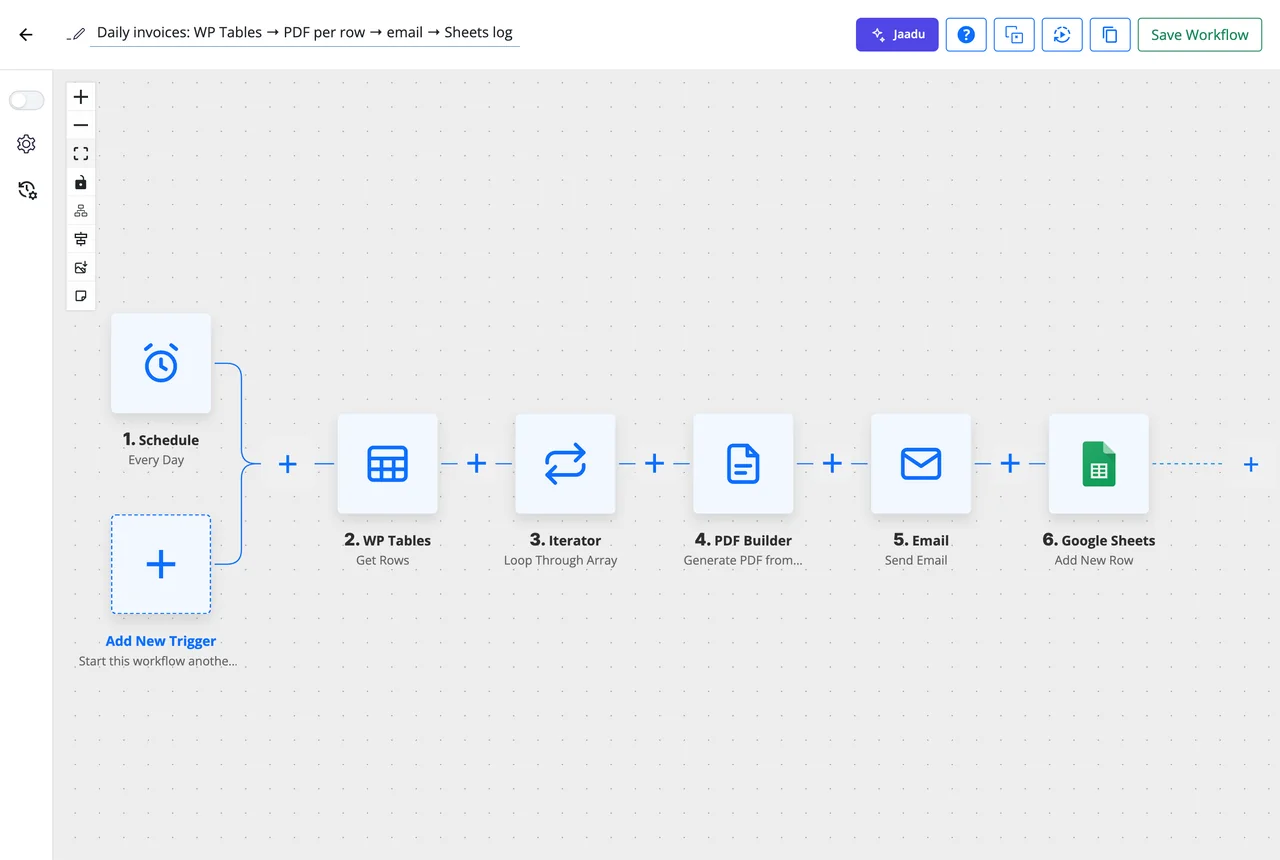
WordPress only checks its cron when someone visits, so a schedule on a quiet site fires late. Turn on Run schedules on FlowMattic Cloud and every existing schedule is registered with Cloud the moment it is saved. Each one fires at its exact time in the site time zone, weekly and monthly schedules on the chosen day only, and the fire is recorded in Task History with what fired it.
- One site-wide switch; switching back restores wp-cron the same way
- Correct across daylight saving changes
- fire_id, scheduled_for, fired_at and timezone in the trigger data
FlowMattic Tables: a managed database beside your site
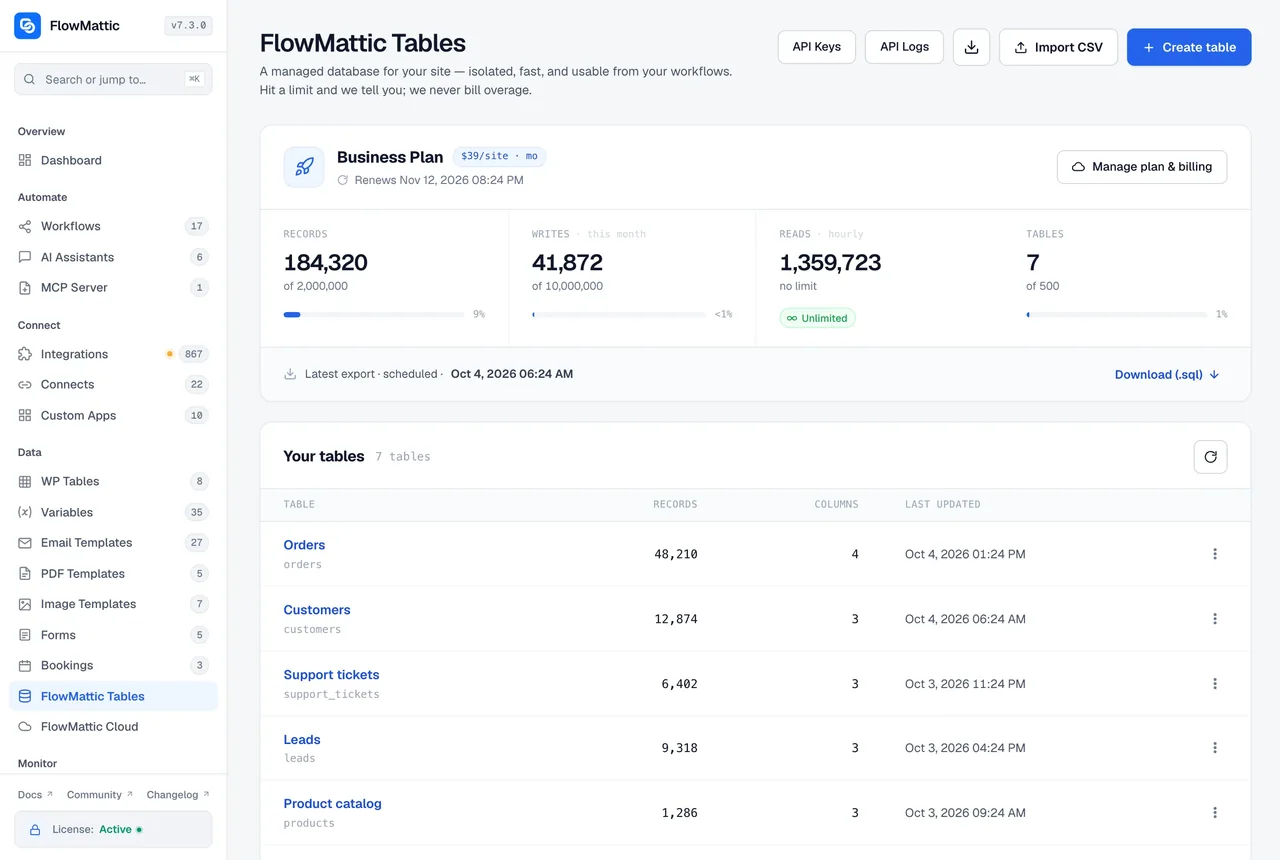
FlowMattic Tables keeps workflow data in a per-tenant database on Cloudflare D1, outside the WordPress database, with saved views, card layouts, shortcodes and HTML templates for publishing a table, exports and point-in-time restore. Usage shows on the Cloud screen next to webhooks and schedules, and the plan you pick there covers all three.
- Records, writes, reads and tables usage at a glance
- Upgrade and Manage billing on the Cloud screen; checkout returns you there
- Continue on Approve or Reject for approvals from a managed table
What FlowMattic Cloud takes care of
The parts of automation that need something to be awake when your site is not.
Cloud Webhooks
A hooks.flowmattic.com address per webhook trigger, forwarded to the site's real URL.
Retries and replay
Deliveries retry for about five days; a failed event can be replayed from the Cloud screen for the plan's replay window.
Queued while you are down
Events that waited during an outage are delivered as soon as the site is back, not at their next retry.
No double runs
A retry of an event the site already received is answered as a duplicate and does not run the workflow again.
Downtime alerts
An email when Cloud cannot deliver for 30 minutes, a reminder once a day for up to four days, and one more when deliveries go through again.
Scheduler on Cloud
Every schedule fired at its exact time, on the chosen day, in the site time zone.
FlowMattic Tables
A managed database with views, card layouts, shortcodes, HTML templates, exports and point-in-time restore.
One screen for the account
Plan, usage, upgrade and billing for webhooks, the Scheduler and Tables together, and the Send alerts to address.
Your real URL, or a tunnel
Cloud forwards to the site's own webhook URL; a filter registers another public address, such as a tunnel, for a local or staging site.
Questions about FlowMattic Cloud
Do my workflows run on FlowMattic Cloud?
No. Workflows, credentials and data stay on your WordPress server. Cloud only receives webhooks and forwards them to your site, fires schedule timings, and hosts FlowMattic Tables if you choose to use them. Switch any of the three off and the site carries on without it.
Is a Cloud account included with my license?
Yes. Every license includes a Free Cloud account. Open the FlowMattic Cloud screen in your WordPress admin and connect it in one click; the screen then shows your plan and the usage of Cloud Webhooks, the Scheduler and FlowMattic Tables, with upgrade and billing in the same place.
What happens to a webhook when my site is down?
Cloud keeps retrying the delivery for about five days and emails you after 30 minutes of failed deliveries, then once a day for up to four days, and again when deliveries go through. When the site comes back, the events that waited are delivered straight away, and any that still failed can be replayed from the Cloud screen.
Will a retry run my workflow twice?
No. If the site received an event and ran it but the reply was lost to a slow run or a dropped connection, the Cloud retry is answered as a duplicate and the workflow does not run again. Skip Duplicate Events on the trigger covers repeats from the sender itself.
Does Cloud change my webhook URL?
The sender gets a hooks.flowmattic.com address, but Cloud forwards each event to your site’s real webhook URL, custom slug included. If you move the site, reconnecting updates the address on Cloud. A local or staging site behind a tunnel can register that public address with the flowmattic_cloud_site_url filter.
Do I have to move every schedule to Cloud one by one?
No. Run schedules on FlowMattic Cloud is one site-wide switch. Every existing schedule is registered with Cloud the moment it is saved and fires at its exact time; switching back restores wp-cron the same way.
Where do I upgrade or manage billing?
On the FlowMattic Cloud screen. The plan picker, Upgrade and Manage billing live there and cover Cloud Webhooks, the Scheduler and FlowMattic Tables together, and the checkout returns you to that screen. Plan details are on the pricing page.
Did not find your answer? You can browse the help center or ask us directly.
Connect your Free Cloud account
Every FlowMattic license includes one. Install the plugin, open the FlowMattic Cloud screen and connect in one click.
30-day money-back guarantee Unlimited workflows and runs Workflows stay self-hosted