

A WordPress MCP server for Claude, ChatGPT and Cursor
FlowMattic ships a Model Context Protocol server inside your WordPress site. Connect Claude, ChatGPT, Codex CLI, Cursor or any MCP client, and it can list, build, test and inspect your workflows, read Task History and, when you allow it, work with your WP Tables.
Any MCP client over Streamable HTTPOAuth for Claude and ChatGPTOff by default tool switchesEvery reply names the site

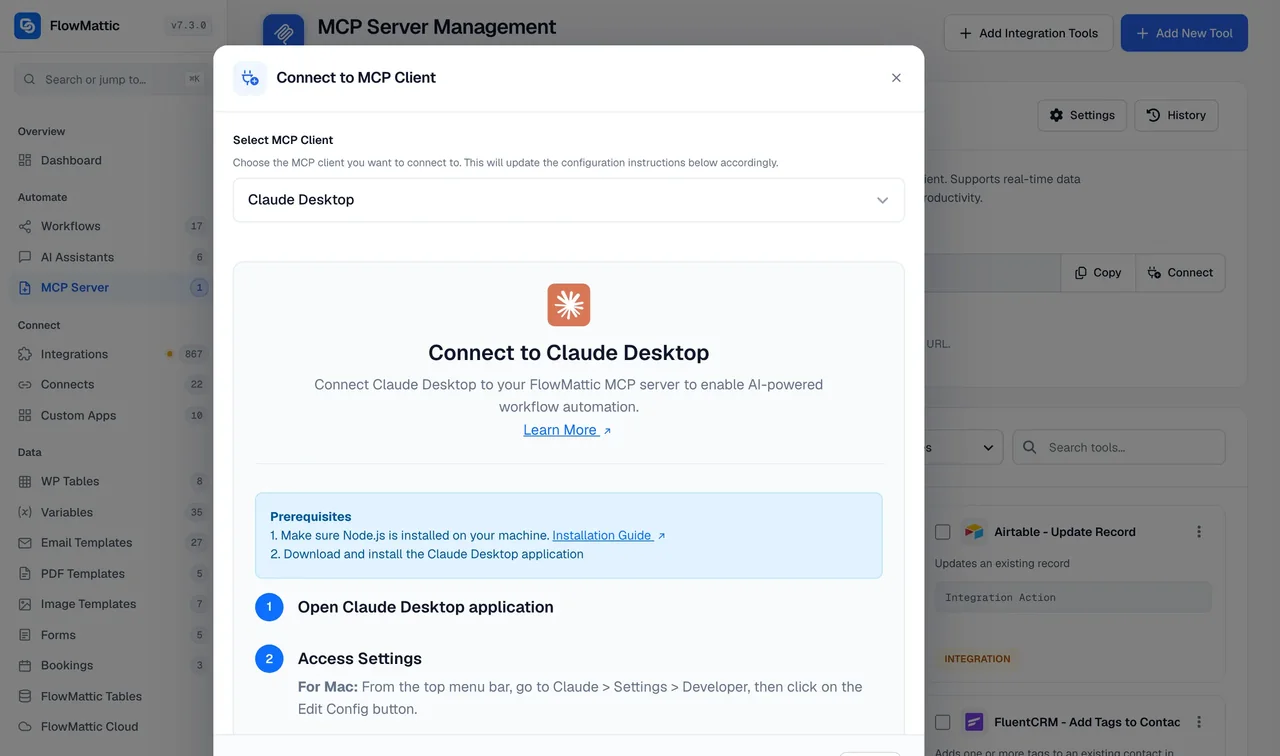
Connect, allow, ask
Three steps from an empty Connect dialog to a workflow built from chat.
-
Connect
Pick your client and follow its steps
Claude Desktop, Claude chat, ChatGPT, Codex CLI, Cursor, VS Code, Windsurf, Warp, n8n, Vapi, ElevenLabs and more each get their own instructions. Claude and ChatGPT authorise with OAuth; other clients use a header token.
-
Allow
Switch on the tools you want
Workflow Tools and WP Tables Tools are off until you turn them on. Add custom tools that run a workflow, a PHP function, a database query or an integration action, with parameters you define.
-
Ask
Describe the workflow in chat
The client lists your apps, reads each event's fields, validates a draft and saves it switched off. It can test-run the workflow with sample data and read what every step sent and received.
What a request looks like
A prompt to Claude with Workflow Tools switched on, and the tools it calls to answer it.
# You
When a WooCommerce order is paid, add the customer to FluentCRM with the tag "buyer" and post a one-line summary to #orders in Slack.

# Claude calls, in order
wf_list_trigger_apps                         # finds WooCommerce
wf_get_app_events    "woocommerce"           # picks Order Paid
wf_get_event_fields  "fluentcrm", "slack"    # learns each step's fields
wf_validate_workflow                         # no errors, no empty fields
wf_create_workflow                           # saved, switched off

# Claude replies
Created "Paid order to FluentCRM and Slack" on My Shop (https://my-shop.com) with 3 steps. It is switched off; say "test it" and I will run it with sample order data and show you what each step received.
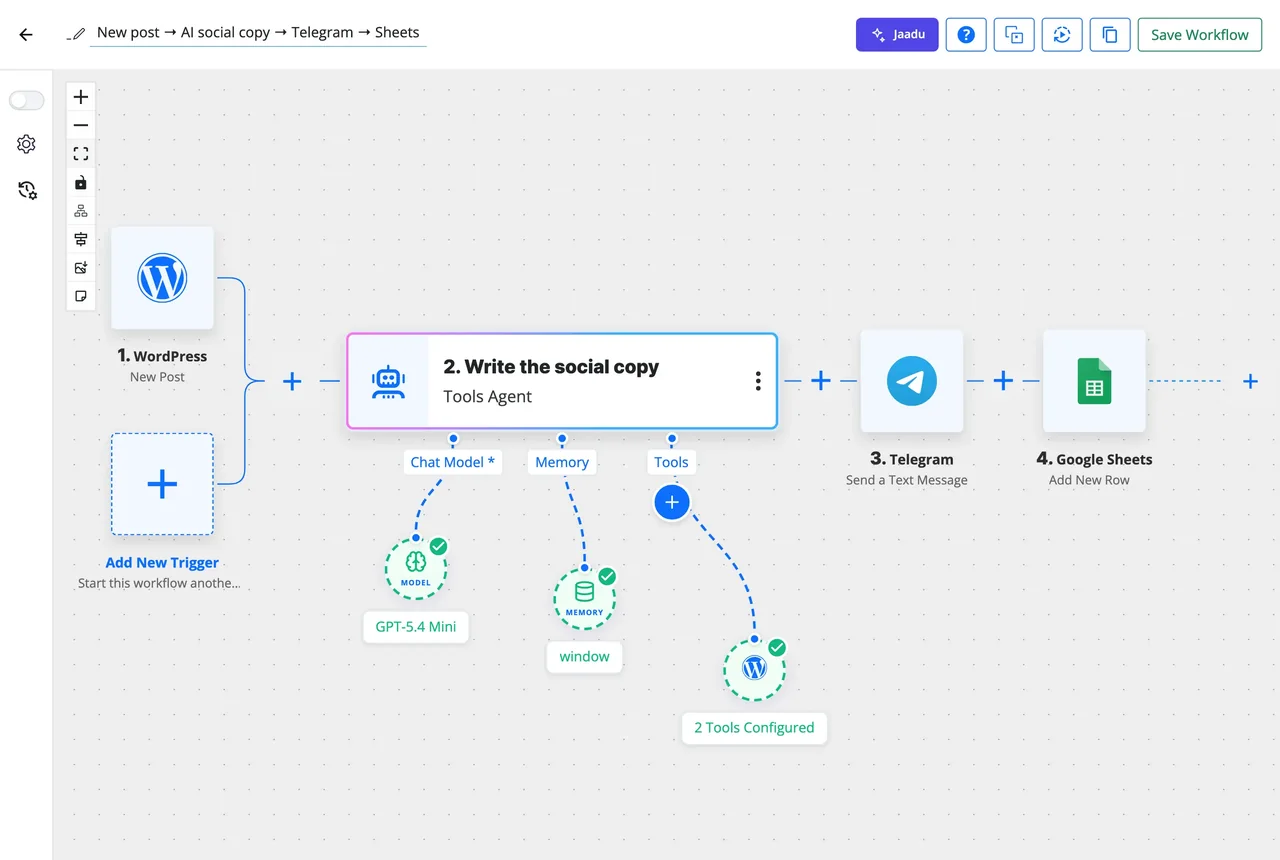
Build and change workflows from chat
With Workflow Tools on, a client designs and saves workflows without any AI key configured in FlowMattic: the reasoning happens in the client on its own account. A wf_get_event_fields tool lists the fields an action takes, so every step is filled in rather than left for you to finish, and the reply names any step still without values.
- New workflows are always saved switched off; a draft that fails validation saves nothing and returns the errors
- wf_update_workflow revises in place and keeps the status, webhook URL and authentication key
- Scheduled workflows can be built over MCP; an incomplete schedule is reported back, not stored
- Sub-workflows created over MCP appear in the Sub Workflow step's list straight away
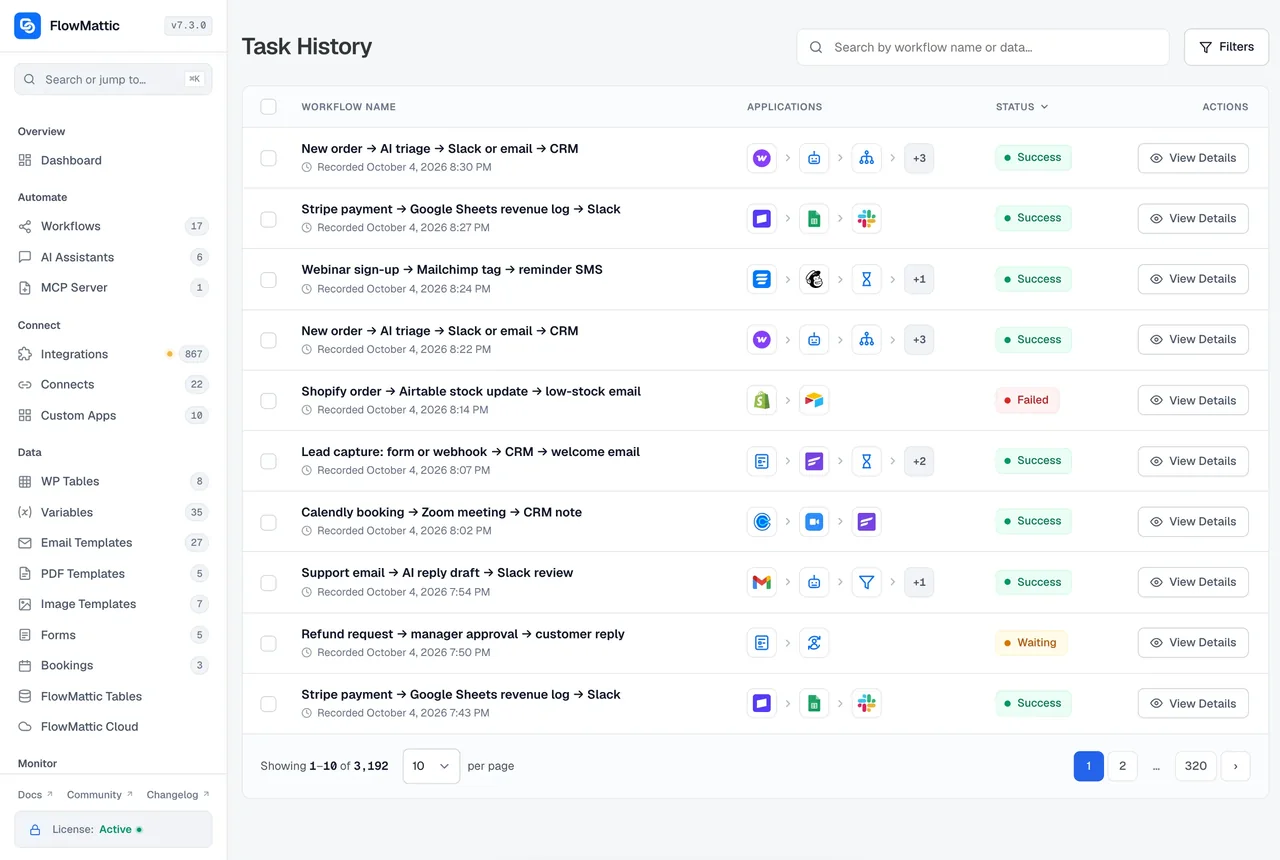
Read what every run did
Task History is part of the Workflow Tools. A connected client can list runs with wf_list_task_history, open one with wf_get_task_history and read what each step sent and received, which is how it finds the step that failed and fixes it. A test run reports the same detail straight back into the chat.
- Runs filtered by workflow and status, the same data the Task History screen shows
- Secrets masked in step inputs, in the screen and over MCP alike
- Test runs execute for real: emails send and APIs are called
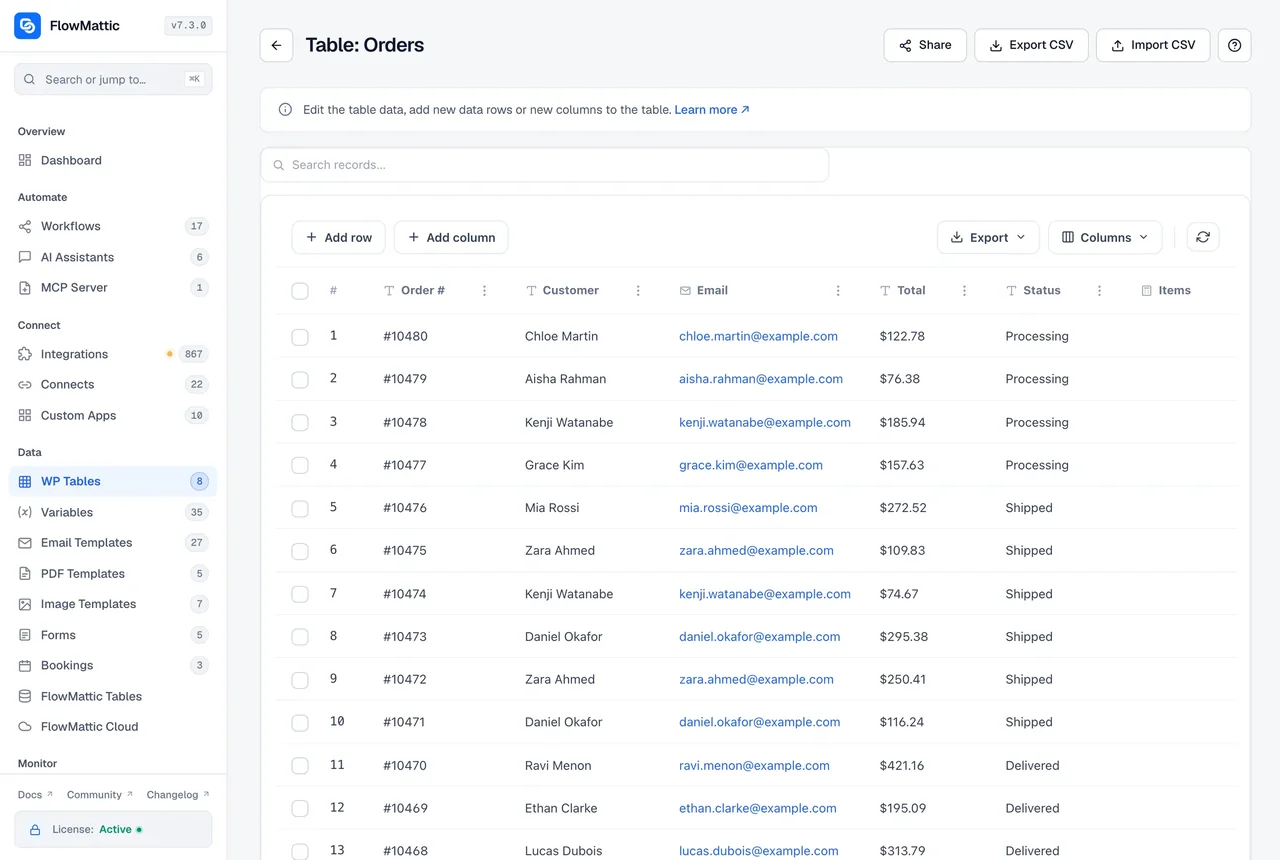
Tables too, when you allow it
A separate WP Tables Tools switch, off by default, lets a client list tables, create tables and columns, and add, update and delete rows. Each table's columns are exposed as named parameters with selectable choices, so a client fills the right fields instead of guessing at a schema.
- tables_list_tables, tables_create_table and tables_add_column
- tables_get_rows, tables_add_row, tables_update_row, tables_update_cell and tables_delete_row
- Columns and choices come from the table itself
What the server provides
A standard MCP server, with the switches and tools a WordPress site needs.
Connect dialog
Setup steps for each client, grouped as AI assistants, APIs, code editors and voice assistants, plus a plain endpoint for anything else.
OAuth 2.1 or a header token
Claude and ChatGPT authorise with OAuth and renew access automatically; other clients send X-FLOWMATTIC-MCP-TOKEN. Tool management stays admin-only.
Tool switches
Workflow Tools and WP Tables Tools are off until you turn them on, so a connected client starts with nothing it can change.
Custom tools
Run a workflow, a PHP function, a database query or an action from any of the 918+ integrations, with the parameters you define.
MCP trigger inside a workflow
A Workflow MCP Tool Triggered event starts the run and an MCP Tool Response step answers the client, so a tool can be a whole workflow.
Plays well with others
Speaks the 2025-06-18 protocol revision, runs stateless, idles between heartbeats, and shares the site-wide OAuth discovery URLs so another MCP plugin can coexist.
Things people ask a connected client to do
Each of these uses only the workflow and Task History tools, with the switches above turned on.
"Which of my workflows failed this week, and why?"
The client lists runs filtered by status, opens the failed ones and reads the step that errored and the response it got, then proposes a fix to the step.
"Clone the welcome email workflow for the new product and switch it to the French template."
wf_get_workflow reads the original as an editable draft, the client changes the template step and saves a new workflow, switched off, for you to review.
"Set up a daily 7am report of yesterday's orders to Google Sheets."
A Schedule trigger built over MCP; if the schedule is incomplete the server says so instead of storing it.
"On all three of my sites, which workflows post to Slack?"
Every reply names the site it came from, so a client connected to several servers can answer per site without mixing them up.
Questions about the MCP server
Which MCP clients work with it?
Any client that speaks the Model Context Protocol over Streamable HTTP. The Connect dialog has setup steps for Claude Desktop, Claude chat, ChatGPT, Codex CLI, Cursor, VS Code, Windsurf, Warp, n8n, Mindpal, the OpenAI API and Playground, Vapi and ElevenLabs; other clients use the endpoint URL and a header token.
What can a connected client actually do on my site?
Only what you switch on. Workflow Tools and WP Tables Tools are both off by default. With Workflow Tools on, a client can browse apps, read event fields, create, change, validate and test-run workflows and read Task History. Workflows a client creates are always saved switched off, and test runs execute for real.
How is the connection authenticated?
Claude and ChatGPT authorise with OAuth 2.1 against your site and renew their access automatically. Other clients send a secret token in the X-FLOWMATTIC-MCP-TOKEN header. Authentication is enforced on every transport once it is on, and tool management stays admin-only.
Does the MCP server need an AI API key?
No. The reasoning happens in the client, Claude or ChatGPT for example, on that client's own account. The server lists apps, validates drafts, saves workflows and runs tests without any AI provider or connect configured in FlowMattic.
I manage several sites. How do I tell replies apart?
Every FlowMattic tool reply names the site it came from, with its name and URL, so a client connected to three sites can say which one it created a workflow on. Each site has its own server, OAuth client and token.
Can I expose something other than workflows?
Yes. Custom tools can run a workflow, call a PHP function, run a database query or call an integration action, each with the parameters you define. An MCP Trigger inside a workflow lets that workflow receive a tool call and send a response back to the client.
What is the difference between the MCP Server and the MCP Client?
The server is your site offering tools to an AI client. The client is a workflow step or an AI Agent on your site calling tools on someone else's MCP server. FlowMattic ships both, and they can be used together.
Did not find your answer? You can browse the help center or ask us directly.
Connect your AI client to your site this afternoon
The server is a core module of FlowMattic: switch it on, open the Connect dialog and follow your client's steps. The docs cover each client and the tool switches.
No AI key needed on the server Self-hosted Running on 12,887+ sites