

Why FlowMattic: a self-hosted Zapier alternative that runs in WordPress
Zapier, Make and Pabbly Connect are good hosted automation services, and FlowMattic is a different shape of tool: a plugin that runs the same kind of workflows inside the WordPress site you already own. This page sets out where each one runs, how each one is priced and what is built in, so you can decide which shape fits your site.
Unlimited workflows and runsFlat price per site, yearly or lifetime918+ integrationsRunning on 12,953+ sites

FlowMattic compared with Zapier, Make and Pabbly Connect
The hosted services share one model: workflows run in their cloud and usage is metered. FlowMattic's model is the other one.
| Area | FlowMattic | Zapier | Make | Pabbly Connect |
|---|---|---|---|---|
| Where it runs and what it costs | ||||
| Where workflows run | Your WordPress server | Their cloud | Their cloud | Their cloud |
| Pricing model | Flat price per site | Priced per task | Priced per operation | Priced per task |
| Unlimited workflows and runs on every plan | Yes | |||
| Credentials and run data stored on your own server | Yes | |||
| WordPress and data | ||||
| WordPress and WooCommerce triggers from the site's own hooks, no connector plugin | Yes | |||
| Database tables in your own WordPress database | Yes | |||
| MCP server on your own domain, exposing your workflows to Claude, ChatGPT and Cursor | Yes | |||
| Built in, on every plan | ||||
| AI agent step with your own provider key, 11 providers plus local models | Yes | |||
| Form, PDF, image and email template builders in the same product | Yes | |||
| Booking pages and scheduling included | Yes | |||
Competitor columns describe the hosted model each service is built on. Their plans, add-ons and limits change; check their sites for current detail.
Workflows run where your site runs
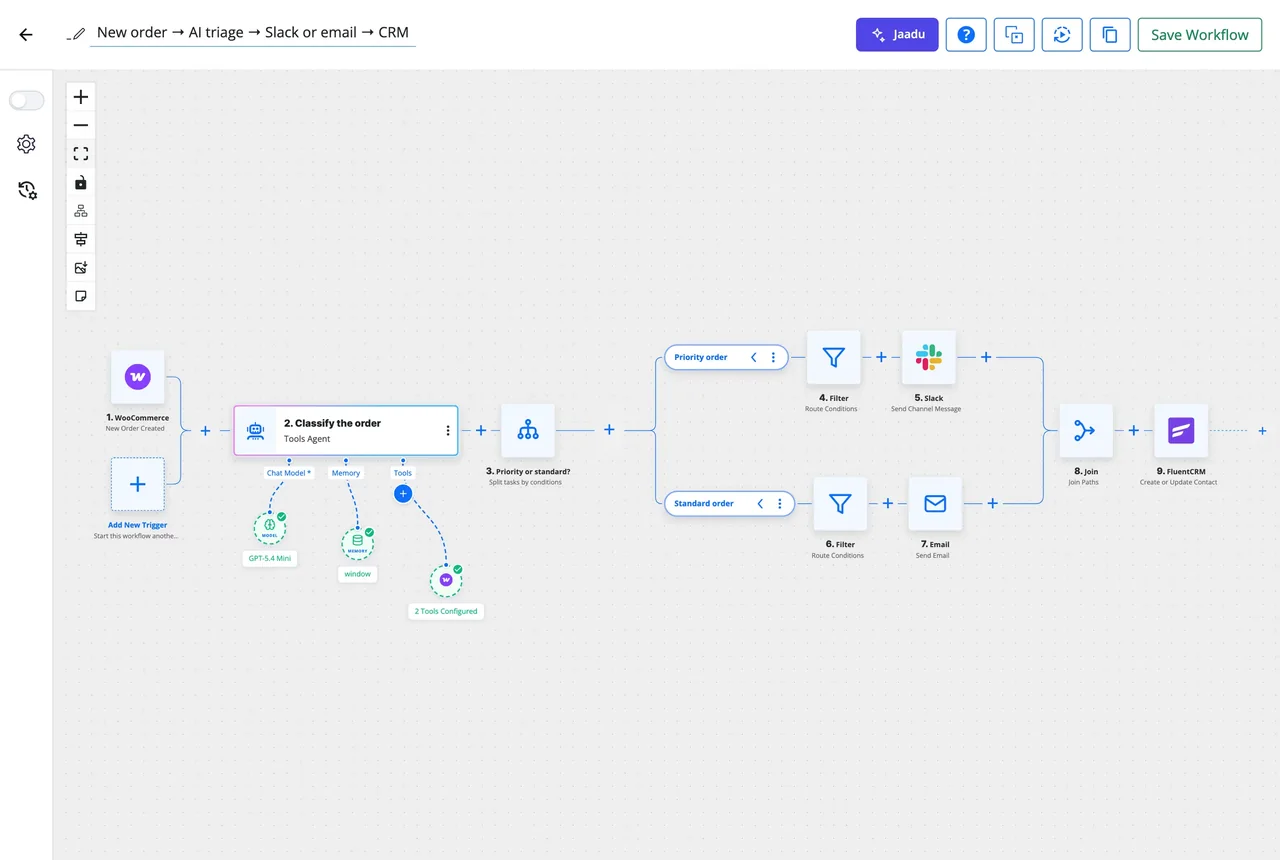
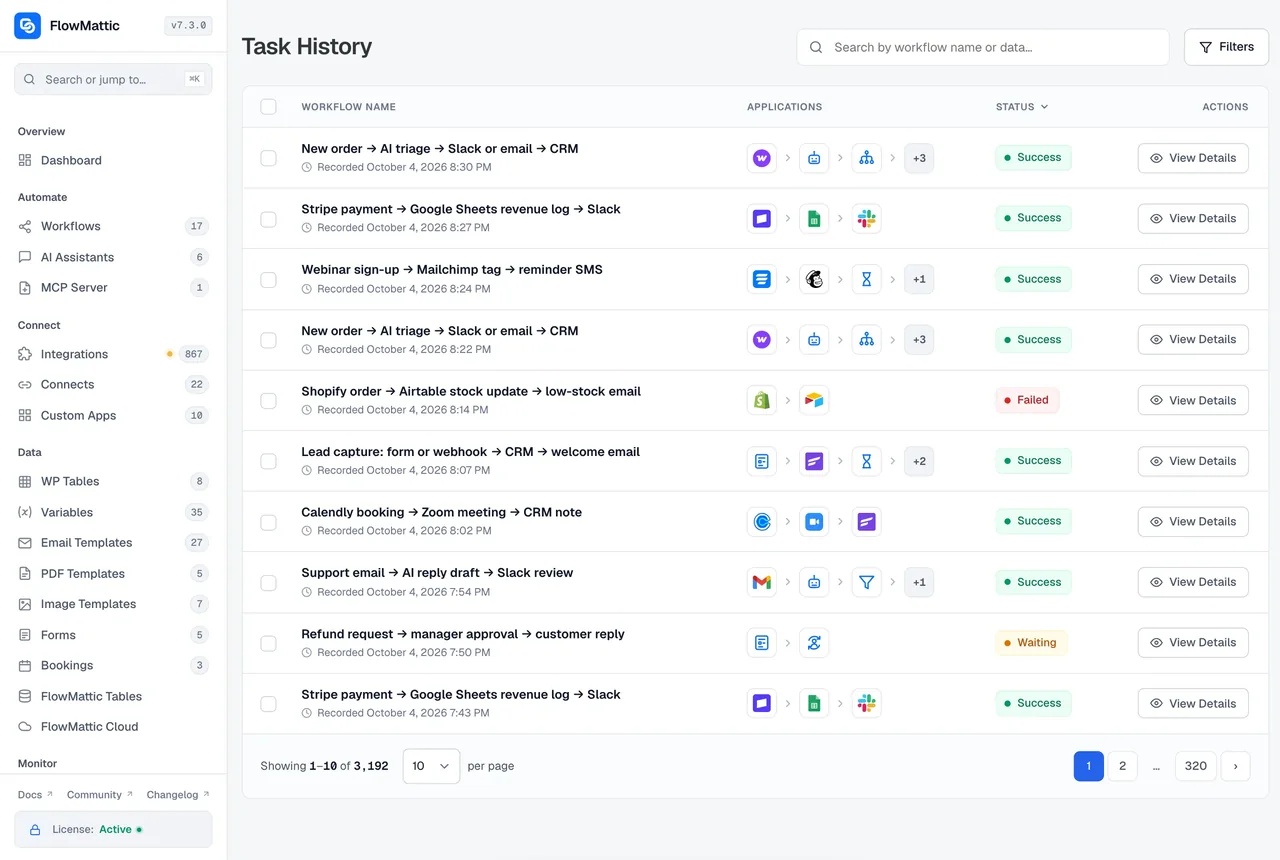
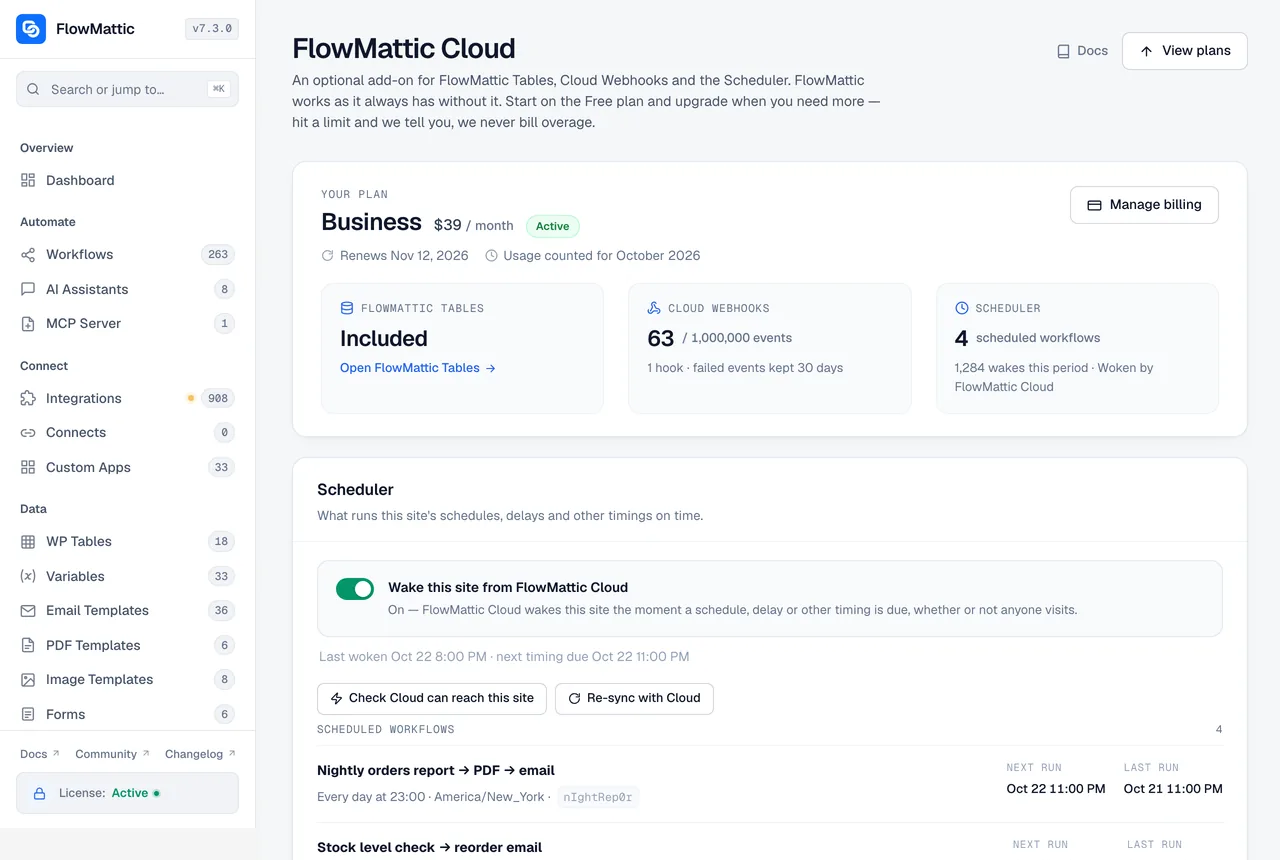
A hosted service receives a copy of each event, runs the steps in its cloud and calls back into your site. FlowMattic is installed on the site, so a WordPress or WooCommerce event starts the workflow at once, the steps run there, and credentials are stored encrypted in your own database. Only the requests you configure, such as a call to Slack or an AI provider, leave the server. Task History keeps every run, with secrets masked, on the same site.
- Native hooks for posts, users, comments, media, plugins, orders and carts
- Data residency decided by your hosting, not by a vendor's region list
- Every run logged with inputs and outputs, re-executable with original or edited data
A flat price, so you stop counting tasks
Hosted services meter usage: each task or operation a workflow performs counts against a monthly allowance, and a busy month means a bigger plan. FlowMattic is licensed per site, paid yearly or once for life, with unlimited workflows and unlimited runs on every plan. A store that processes a thousand orders a day and a blog that publishes twice a week pay for the number of sites, not the number of runs.
- Every feature on every plan, including AI agents and the builders
- AI requests go straight to the provider with your key, with no markup on tokens
- 30-day money-back guarantee
Cloud only for the parts a server cannot do alone
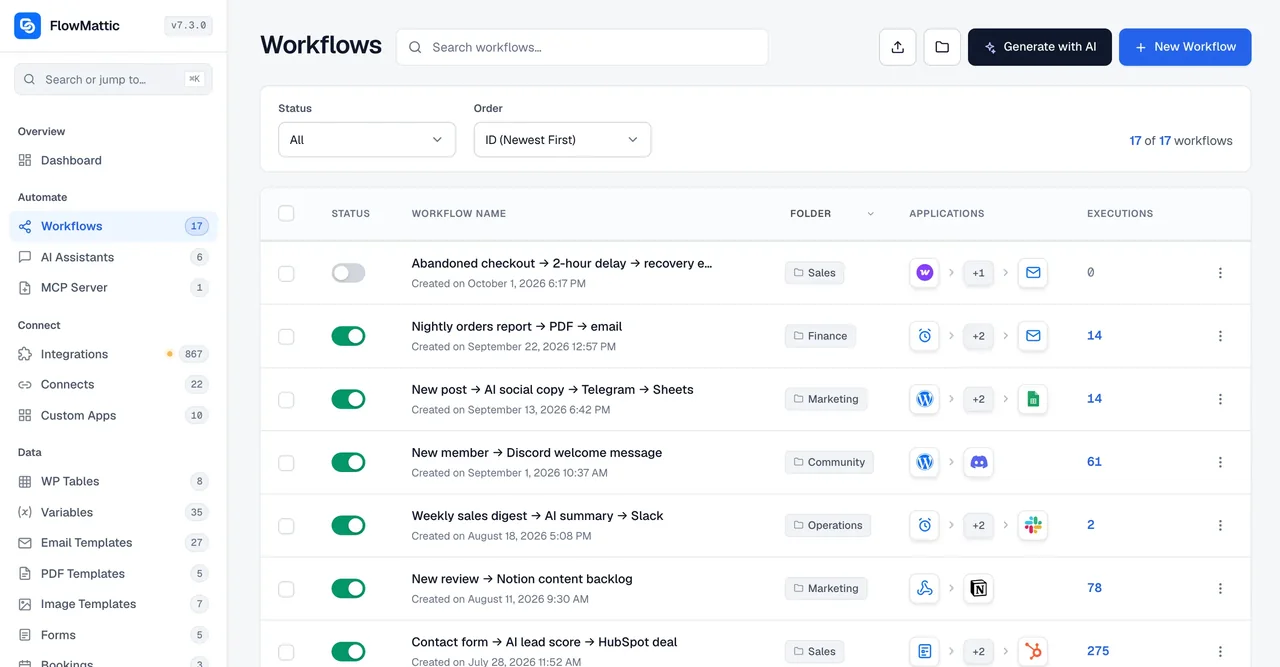
Self-hosting has two gaps: a webhook sent while the site is down is lost, and a schedule on a quiet site waits for a visitor. FlowMattic Cloud closes both. Deliver via FlowMattic Cloud gives a webhook a hooks.flowmattic.com address with retries for about five days and replay of failed events; Wake this site from FlowMattic Cloud wakes the site the moment a schedule is due. Workflows still run on your server, and a free Cloud account comes with every licence.
What you get that a hosted connector does not include
Each of these is a feature page of its own, and each ships on every plan.
AI agents with your key
An agent step reasons through a goal with the tools you allow, on 11 providers or a local model.
MCP server on your domain
Claude, ChatGPT, Codex CLI and Cursor call your workflows as tools, authorised by your site.
Forms, PDFs, images, emails
Four template builders whose output is a trigger or a step, with nothing else to subscribe to.
Tables
Relational tables in your own database, and a managed database when you outgrow it.
Bookings
Availability and booking pages on the site, with every booking as a trigger.
WordPress-native triggers
34 WordPress and 40+ WooCommerce triggers from the site's own hooks, with no connector plugin.
Questions about switching
Is FlowMattic a Zapier alternative for sites that are not on WordPress?
No. FlowMattic is a WordPress plugin, so it needs a WordPress site to run on. For a WordPress or WooCommerce site it replaces a hosted connector for most jobs; for a stack with no WordPress in it, a hosted service is the better fit.
Can I keep Zapier, Make or Pabbly running alongside FlowMattic?
Yes. FlowMattic can receive a webhook from any of them as a trigger and send one back with the Webhook Outgoing step, so you can move workflows across one at a time. Many sites keep a hosted tool for apps that have no WordPress presence and run everything site-related in FlowMattic.
What if an app I use has no FlowMattic integration?
The integrations library has hundreds of apps and grows most weeks. For anything else, the API module calls any REST endpoint with its own method, headers, auth and body, and a Custom App built from an OpenAPI, Swagger or Postman definition gives you reusable triggers and actions without plugin code.
Does running workflows on my server slow the site down?
Each step is typically a single API call or a WordPress function, run on the hosting you already have. Long-running work can use Delay and Iterator steps with a wait between items, FlowMattic Cloud can wake the site the moment a schedule is due, and Task History shows every run so you can see what the site is doing.
How is FlowMattic priced?
By the number of sites, paid yearly or once for life, with unlimited workflows and runs and every feature on every plan. There is no per-task or per-operation metering, and a 30-day money-back guarantee applies to every purchase.
Where does my data go?
Workflows, credentials and run history live in your WordPress database, and secrets are masked in Task History. Only the requests you configure leave the server, such as a message to Slack or a prompt to your AI provider. FlowMattic Cloud, if you use it, relays webhooks and schedule timings and does not run your workflows.
Did not find your answer? You can browse the help center or ask us directly.
Run your automation where your site already runs
Try FlowMattic on a live demo site, or install it on your own WordPress and move one workflow over this week.
30-day money-back guarantee Unlimited workflows and runs Self-hosted