FlowMattic 7.2.2: See Where Every Run Stands
Live run status in Task History — Ongoing, Waiting, Interrupted — plus MCP clients that can read run results and manage WP…



FlowMattic 7.3 is about timing and trust. Schedules and delays can now run on time whether or not anyone visits your site, webhooks can be held and retried when your site is down, and a run’s every input is there to inspect when something goes wrong. Around that, this release adds new ways to publish FlowMattic Tables, smarter booking forms, a WordPress Abilities bridge for AI clients, and AI agents that can run on a model you host yourself.
Here are the nine biggest changes in FlowMattic 7.3, what each one does, and where to find it. The full list is in the changelog.
FlowMattic Cloud is a new, optional add-on that powers three services from one account: the Scheduler, Cloud Webhooks and FlowMattic Tables. You connect it in one click under FlowMattic → FlowMattic Cloud and start on the Free plan, with no card needed. Each service stays off until you turn it on, and without Cloud, FlowMattic works exactly as it always has.
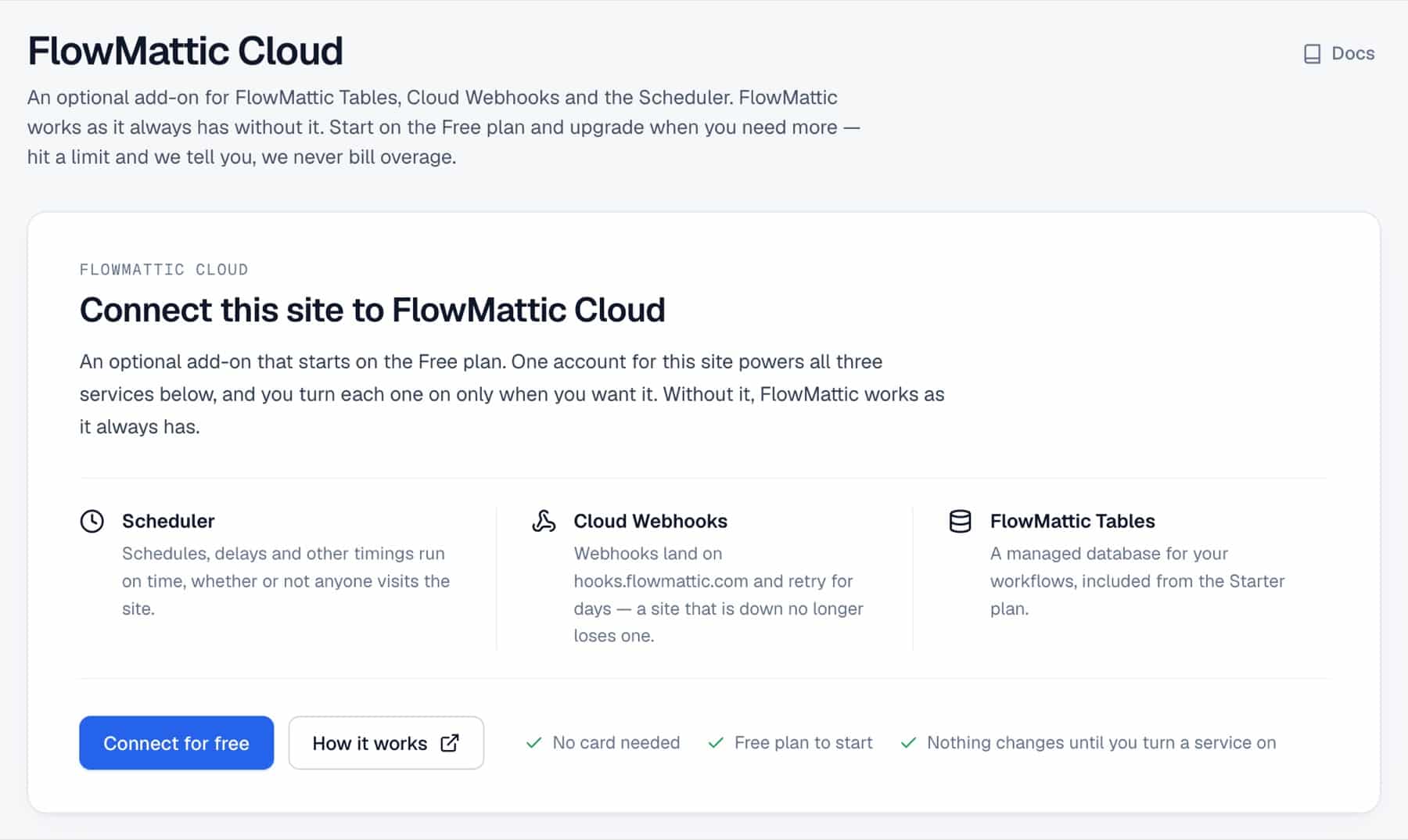
The same screen shows your plan and usage, and it is where you pick a paid plan, upgrade and manage billing for all three services together. Every paid plan starts with a 7-day free trial.
Every FlowMattic timing, including schedules, Delays, API Polling, booking reminders and approval timeouts, now runs from FlowMattic’s own job table instead of WordPress’s single cron list. Each job is claimed before it runs, so it never runs twice, and a Delay that was already waiting when you update resumes at its original time.
Connect FlowMattic Cloud and the Scheduler wakes your site the moment the next timing is due, whether or not anyone visits: on the minute on the Free plan, to the second on paid plans, with no limit on schedules. Weekly and monthly schedules fire on the day you chose, Every X Hours works for any number of hours, and times follow your site’s time zone across daylight-saving changes. If Cloud stops waking the site for 10 minutes, you get a notice and an email, and your timings keep running through WordPress cron in the meantime.
A webhook trigger has a new Deliver via setting. Choose FlowMattic Cloud and senders post to a hooks.flowmattic.com address instead of your site. Cloud stores each event and delivers it to your site, retrying for about five days if the site is slow or down, and a failed event can be replayed from the Cloud screen. The Free plan covers 1,000 events a month.
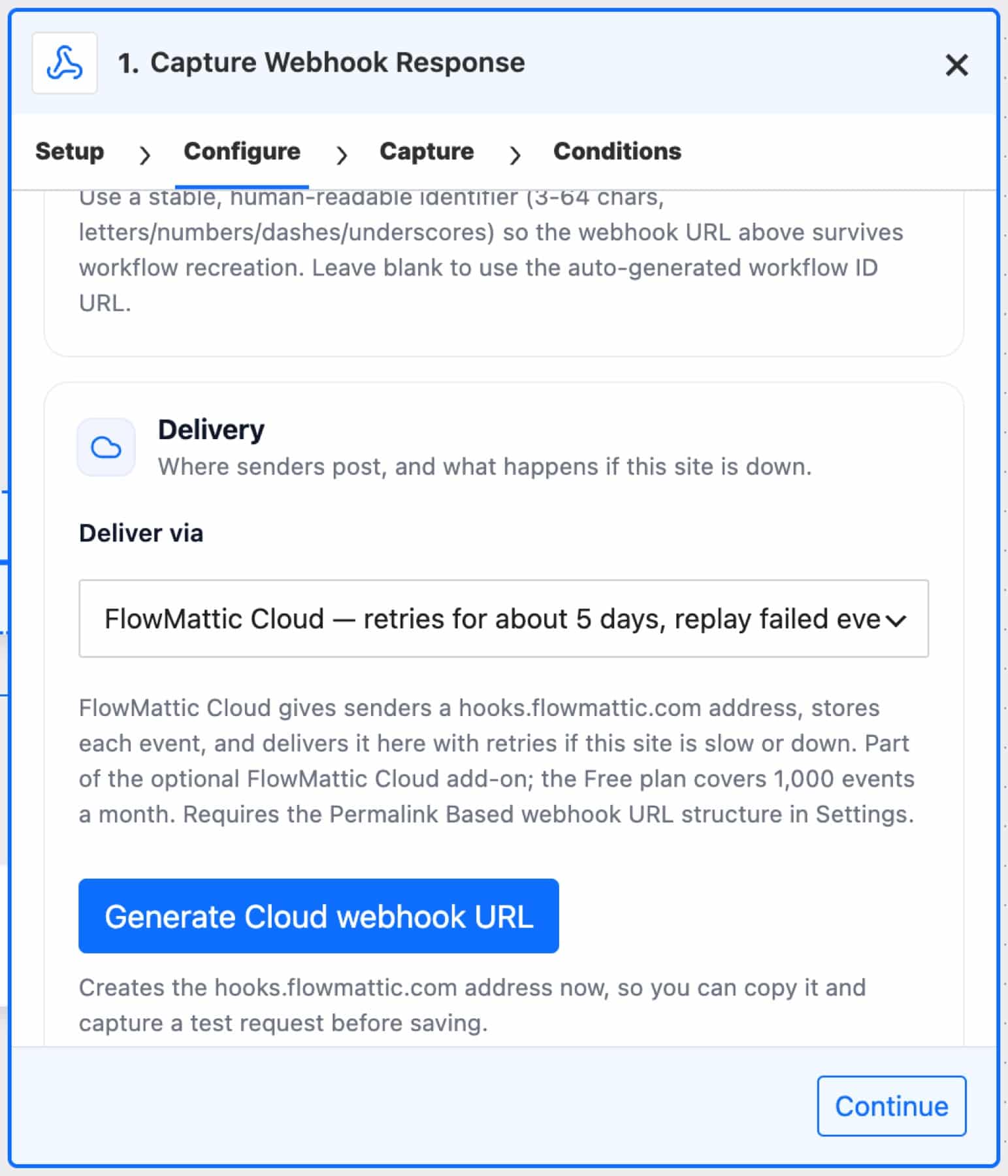
You can generate the Cloud address right in the trigger before you save, so you can capture a test request straight away. Senders’ own signatures (Stripe, Slack, Paddle) are checked against the time the webhook first arrived, so a delayed delivery still passes their replay window. If Cloud can’t reach your site for 30 minutes, it emails you, reminds you once a day for up to four days, and tells you when deliveries go through again.
FlowMattic Tables gains four ways to shape and publish your data:
{{field_name}} filled from that row.[flowmattic_table_view id="N"], with date, currency, percent, yes/no and tag formats. A template can also be shared at a secret link that opens without a login and can be revoked at any time.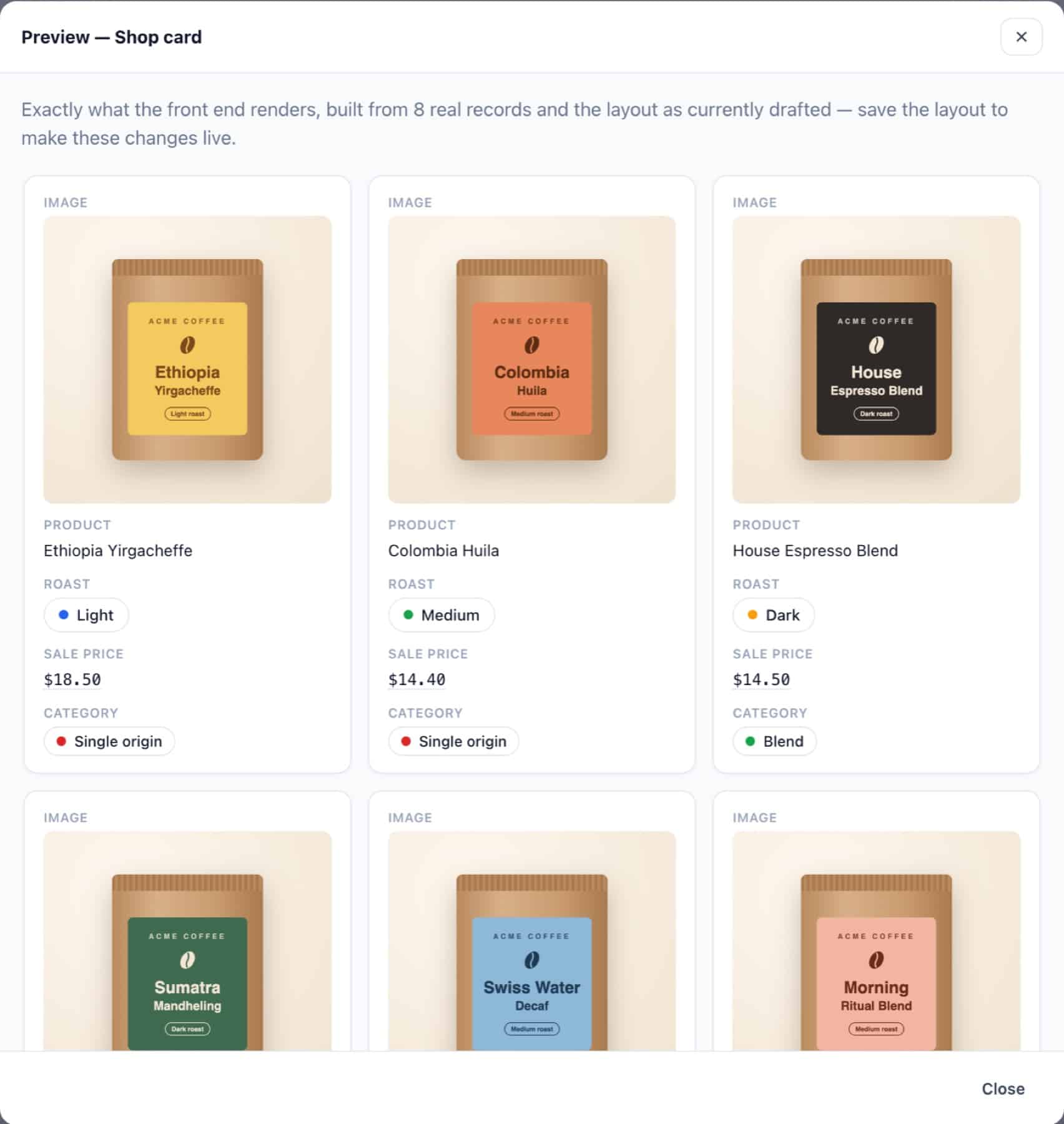
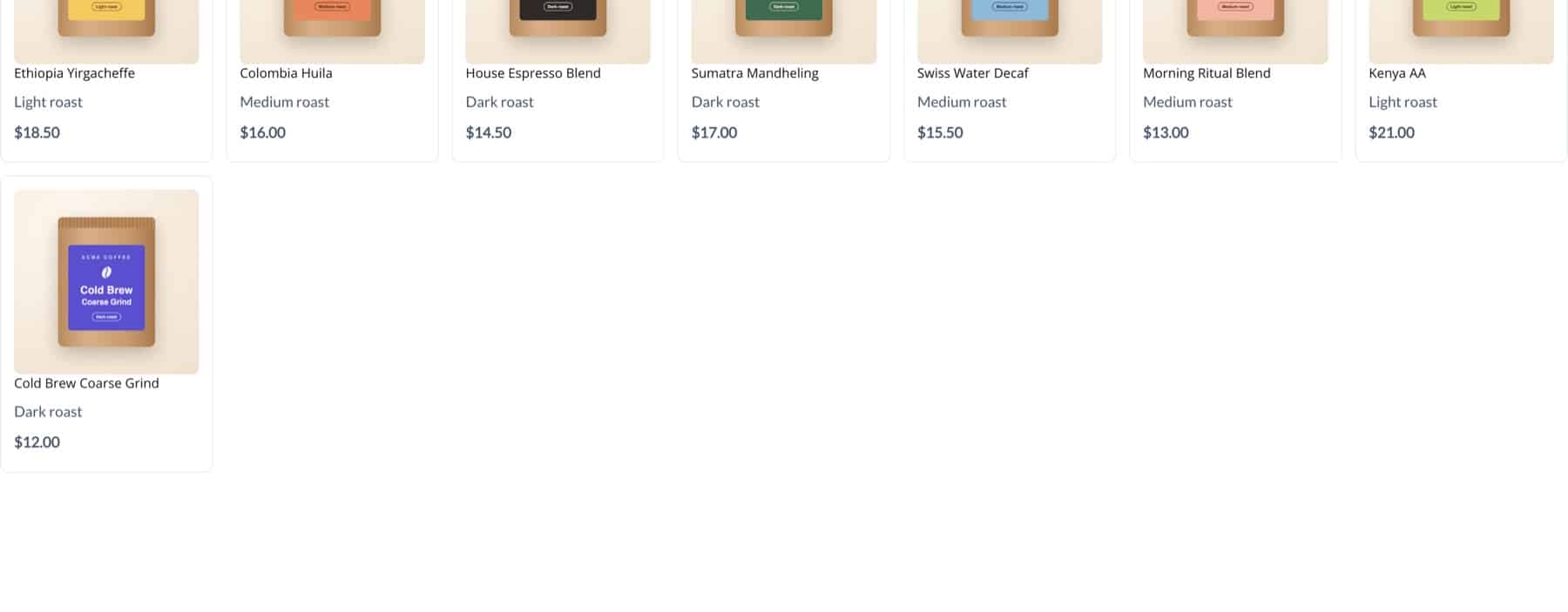
Watch the 12-minute walkthrough on YouTube: it builds a coffee shop’s product table from a CSV import through to a published card grid.

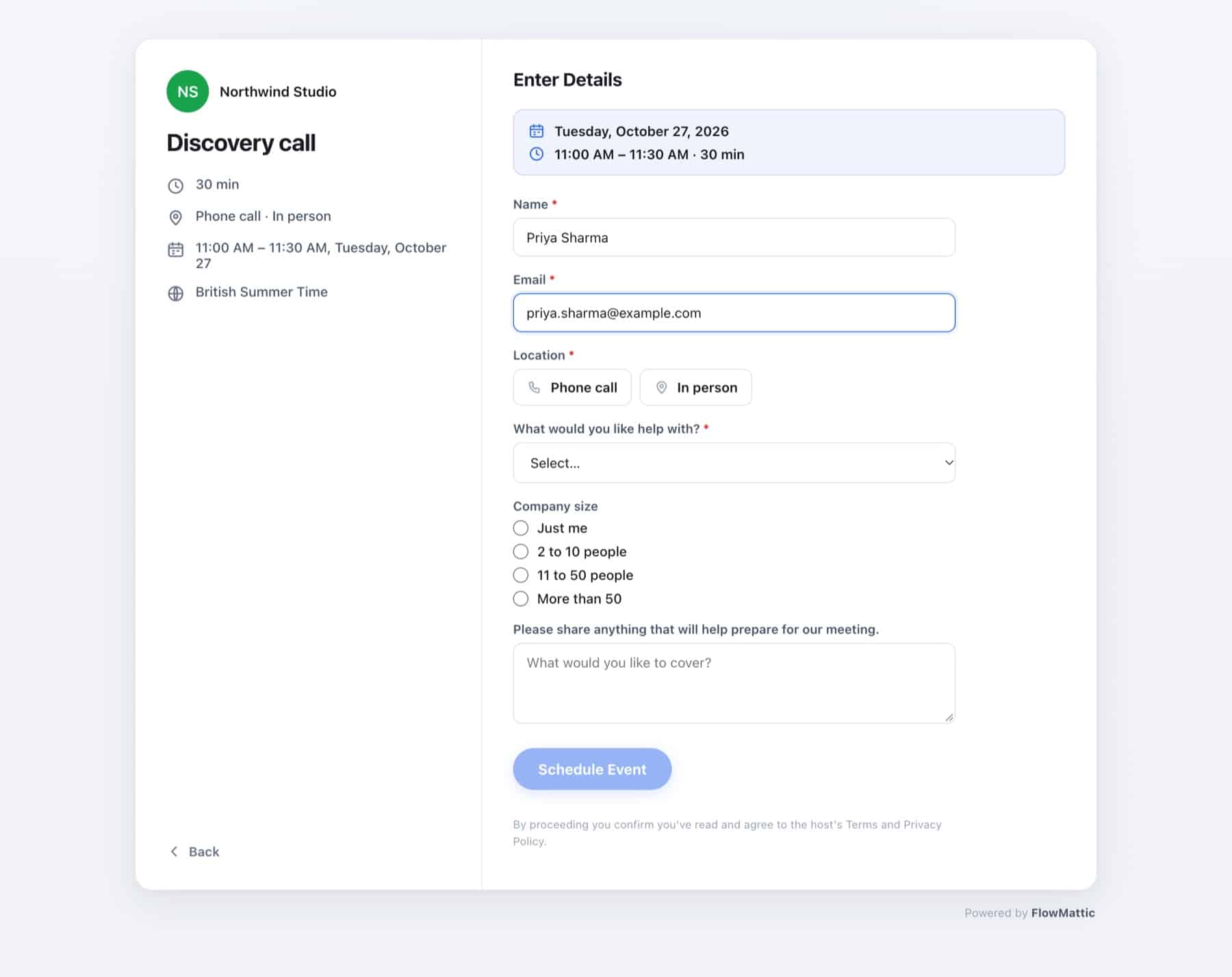
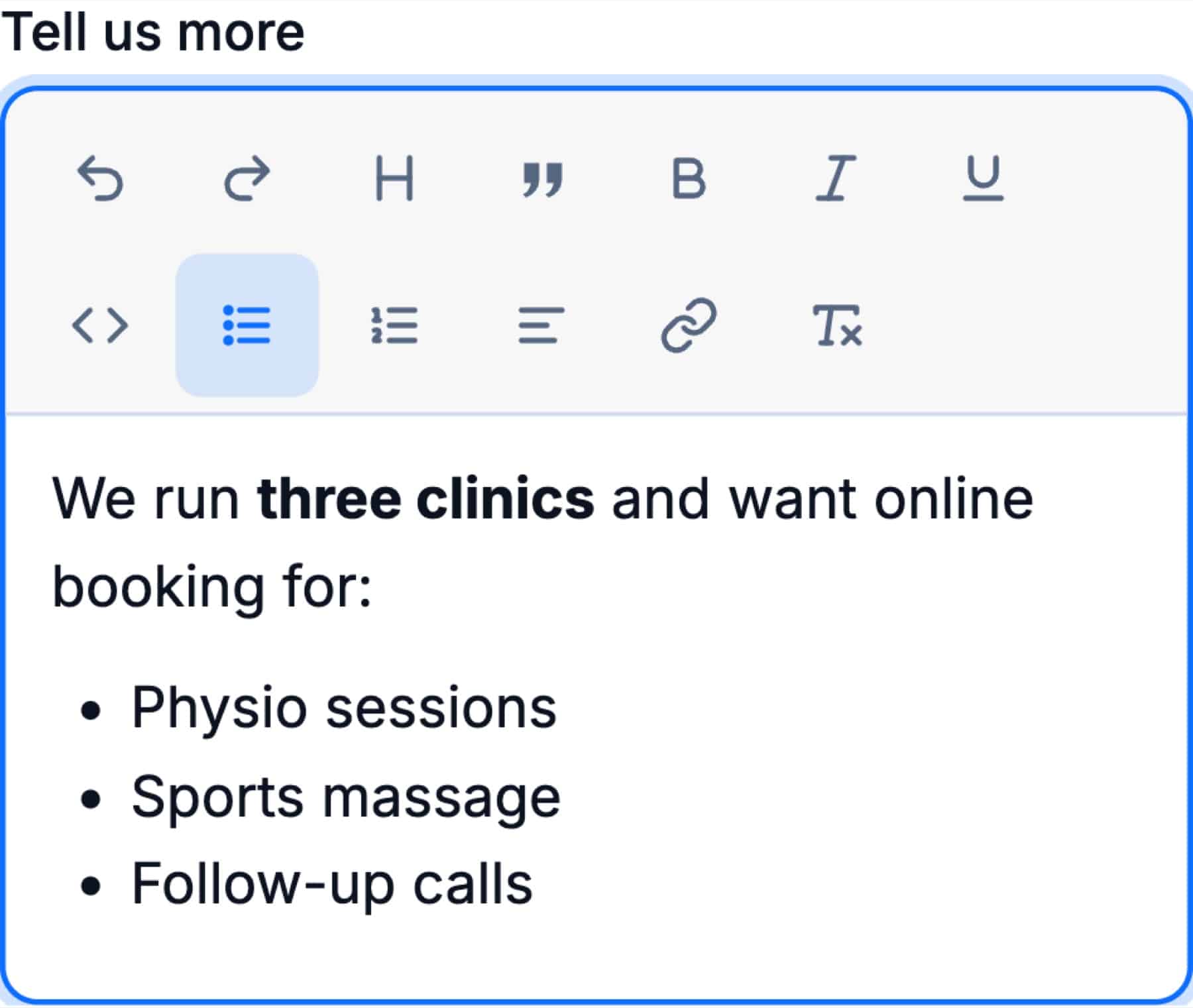
FlowMattic Bookings can now qualify a lead before the call. Add text, paragraph, dropdown, single-choice or multiple-choice questions to a calendar, each required or optional. The answers show on the booking, in the New booking alert email and in your workflow’s trigger data, so a workflow can route a call by budget, service or company size.
A calendar can also offer several locations at once (Phone call, Zoom, Google Meet and In person), and the invitee picks one while booking. Each option keeps its own address, number or call direction, and every booking keeps the location it was made with, even if you change the calendar later.
The AI Agent has a new OpenAI-Compatible provider. Point it at any compatible Base URL, such as LM Studio, Ollama, vLLM or Azure OpenAI, add an API key connection only if the server needs one, and load the model list from the server. Requests wait up to five minutes, because a local model on an ordinary processor can take that long to answer.
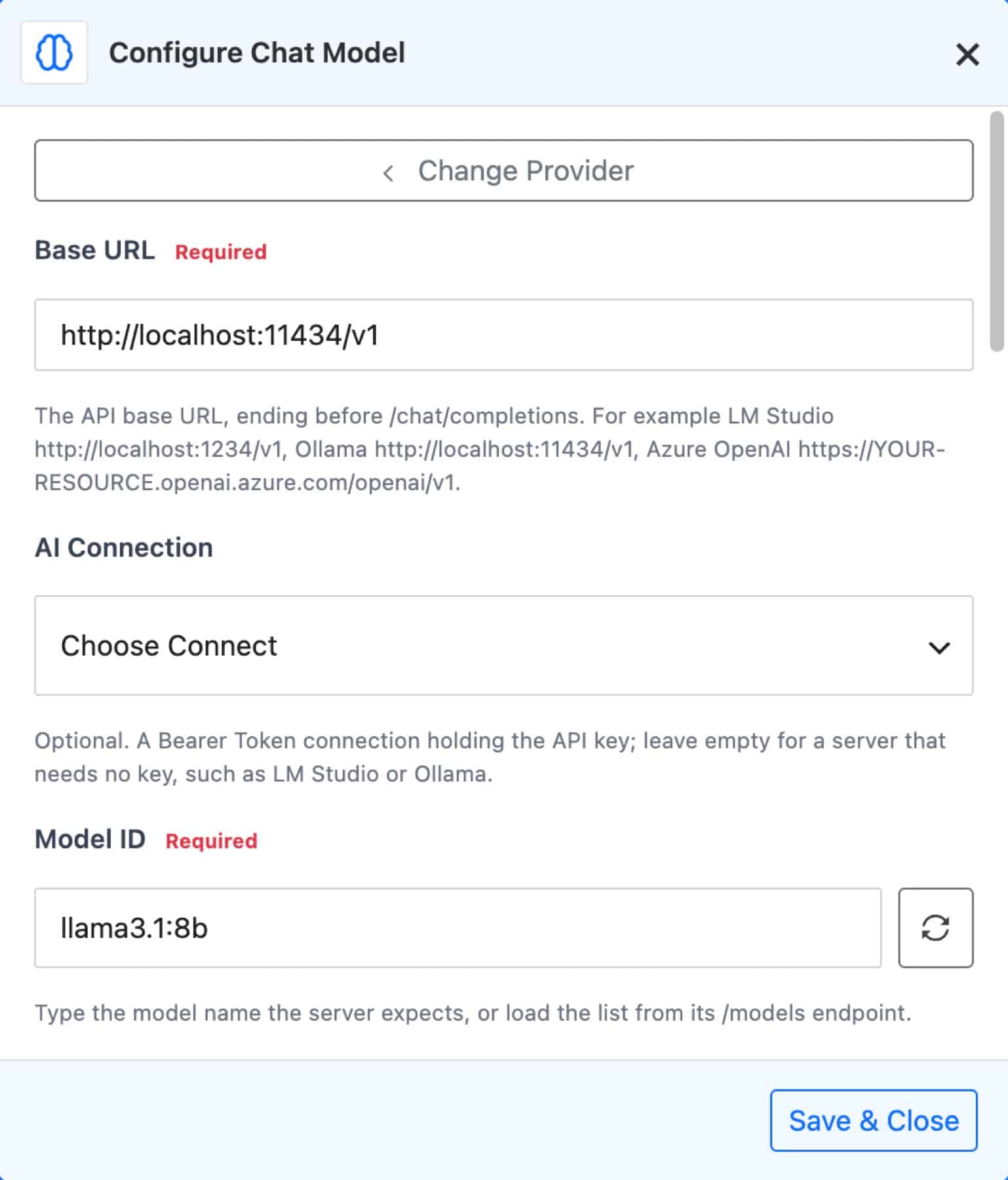
Every provider also gets an Additional Parameters box for settings the form doesn’t cover (JSON merged into the request), and Agent Limits: Max Iterations (1 to 100) and a Tool Output Limit that trims long tool results before they go back to the model. Developers can adjust any outgoing request with the flowmattic_ai_agent_request_body filter.
FlowMattic now publishes its MCP tools as WordPress abilities, such as flowmattic/list-workflows and flowmattic/get-table-rows, 21 in all. Other plugins, the WordPress MCP Adapter and the wp-abilities REST API can use them. Nothing is published until an administrator turns on the master switch in Settings → WordPress Abilities. After that, each ability can be switched on or off, grouped as read-only, changes data, and overwrites or deletes. Running one needs the Manage Workflows permission.
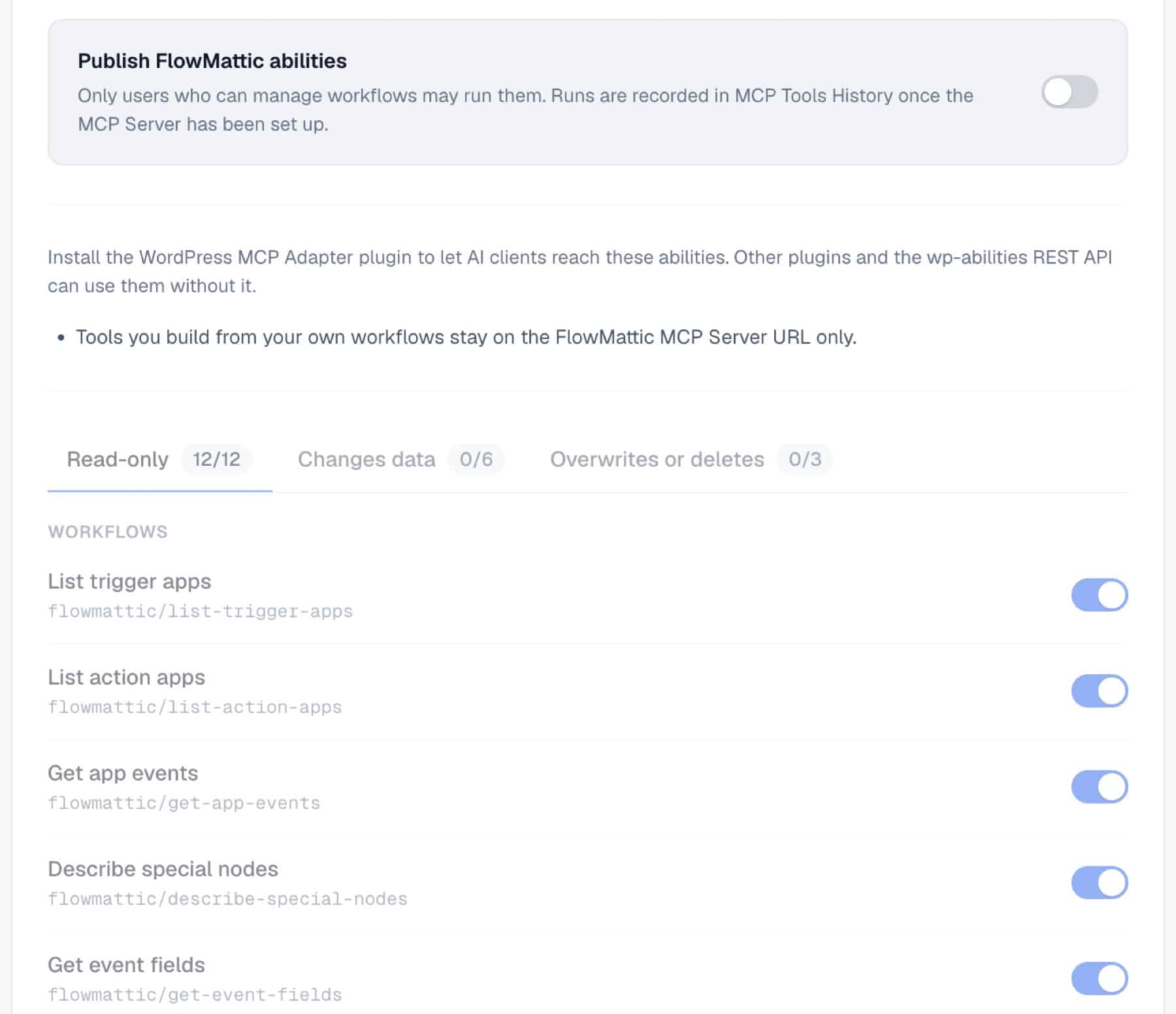
The same screen has a Copy Claude Desktop config button. A new wf_get_event_fields tool lists the fields each action takes, so a connected AI client builds workflows with every step filled in. Every tool reply also names the site it came from, for clients that manage several sites. WordPress Abilities needs WordPress 6.9 or later.
Building workflows for a client who holds the API keys? When you create a connect in Connects, choose Ask someone for them. FlowMattic makes a private link, and can email it with your message. You pick an expiry of 1, 3 or 7 days, and the link works once.
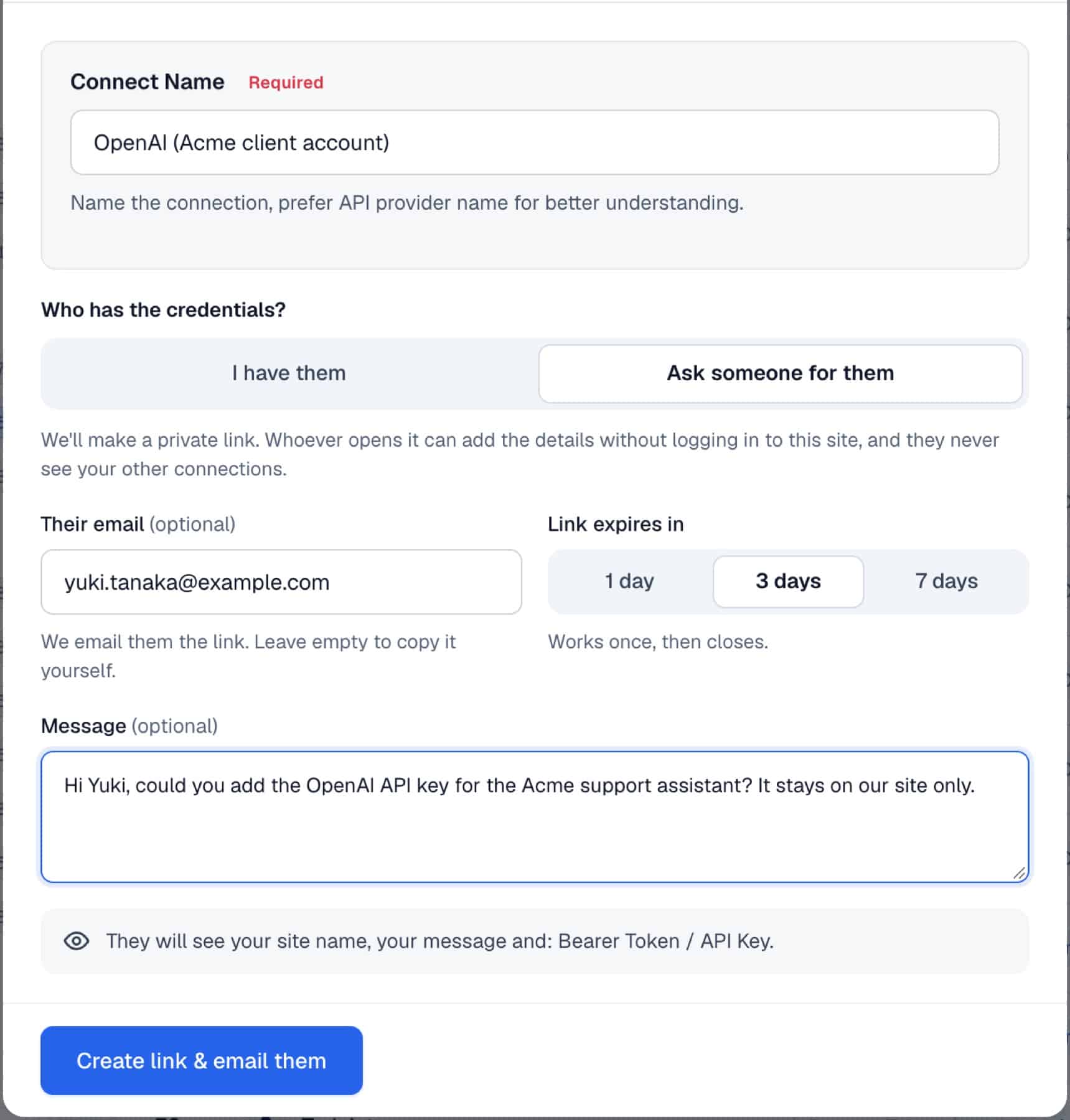
The person you ask opens a page that needs no login and shows only the fields still missing, or a sign-in button for OAuth apps. They never see your other connections, and the values are never shown again. The connect can be used in workflows straight away, its row shows the request status, and you get an email when it’s connected. Request links need your site to use HTTPS.
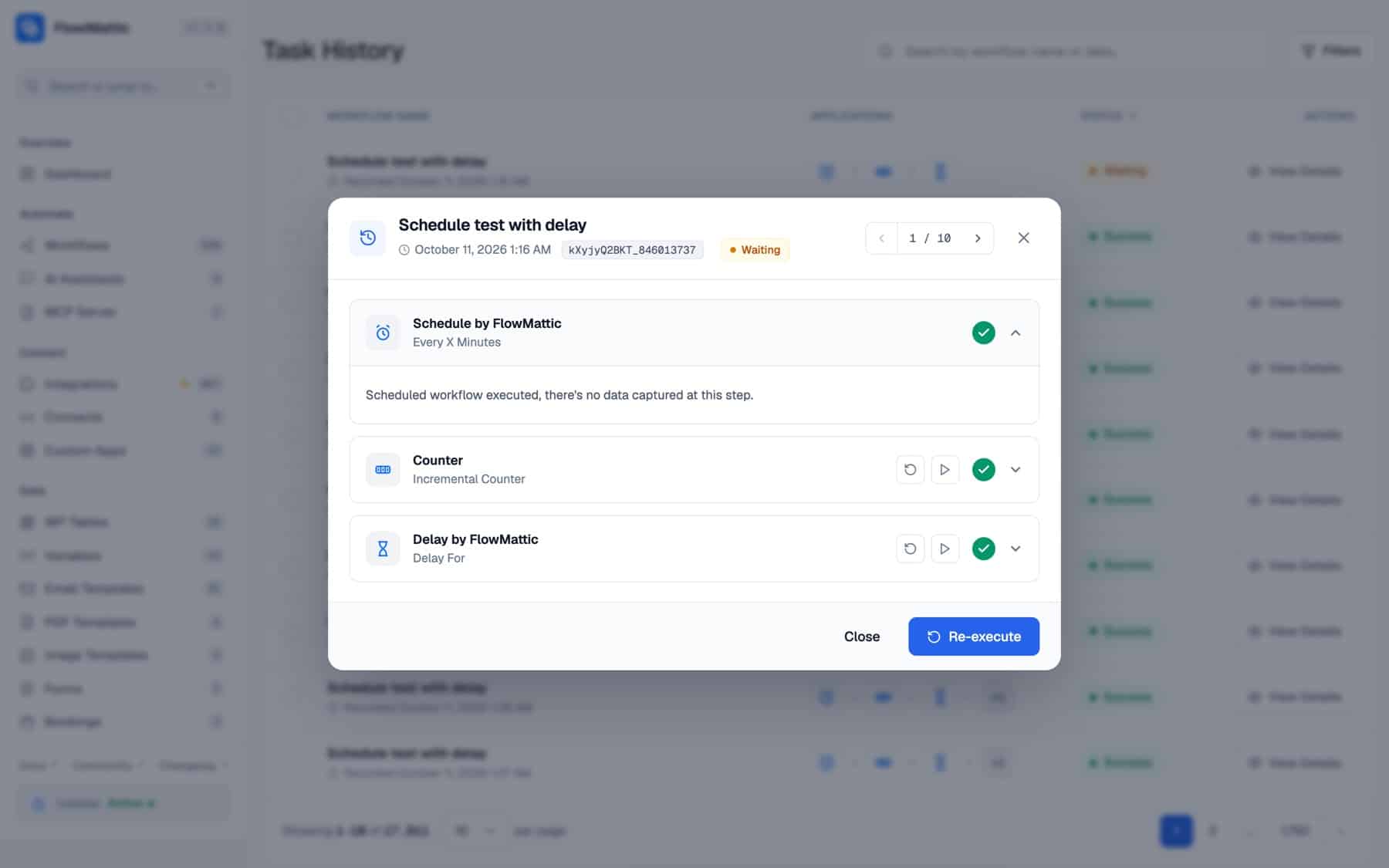
Several builder and Task History additions in FlowMattic 7.3 cut down the guesswork:
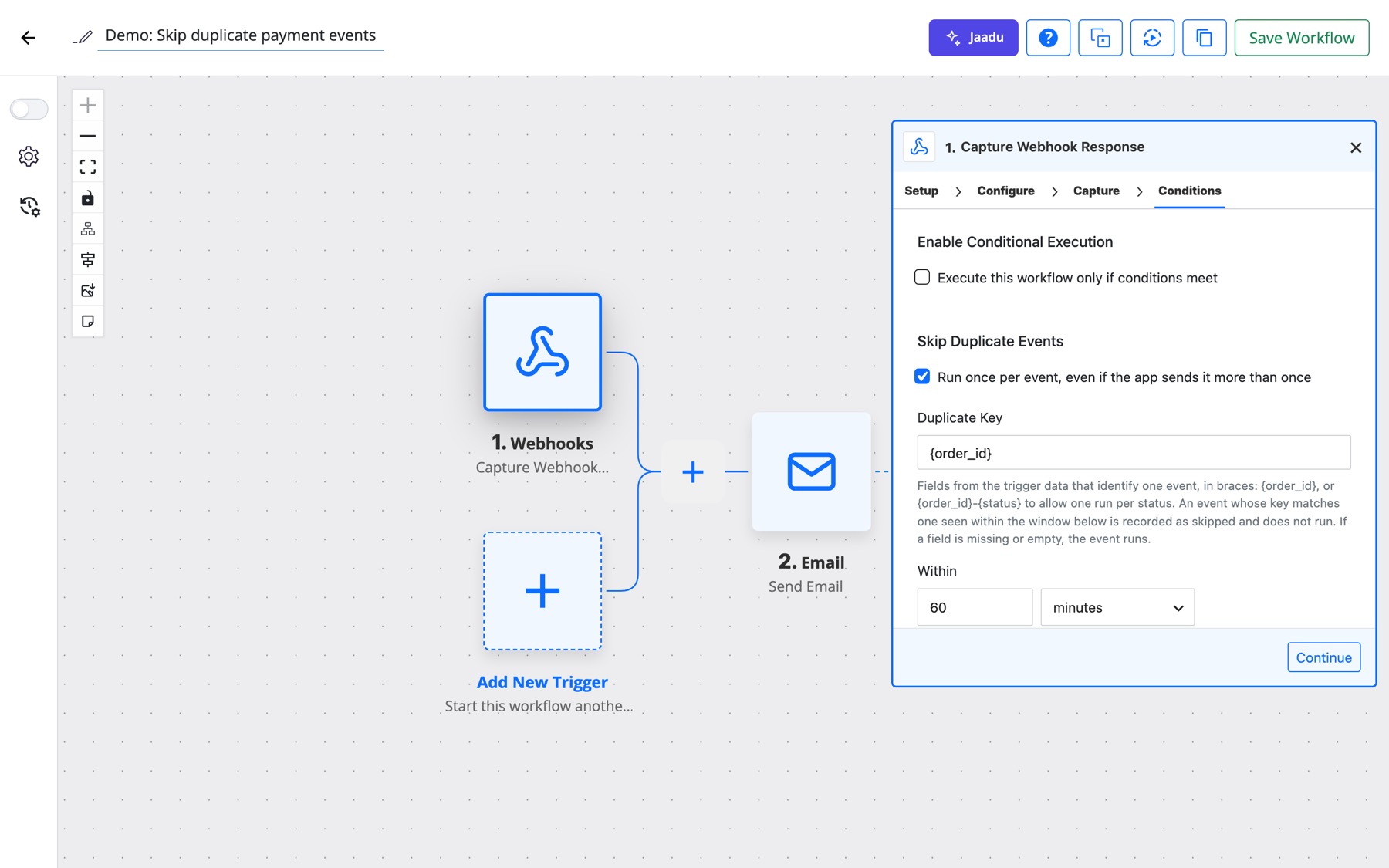
{order_id}) and a time window, and a repeat event is recorded as skipped instead of running again.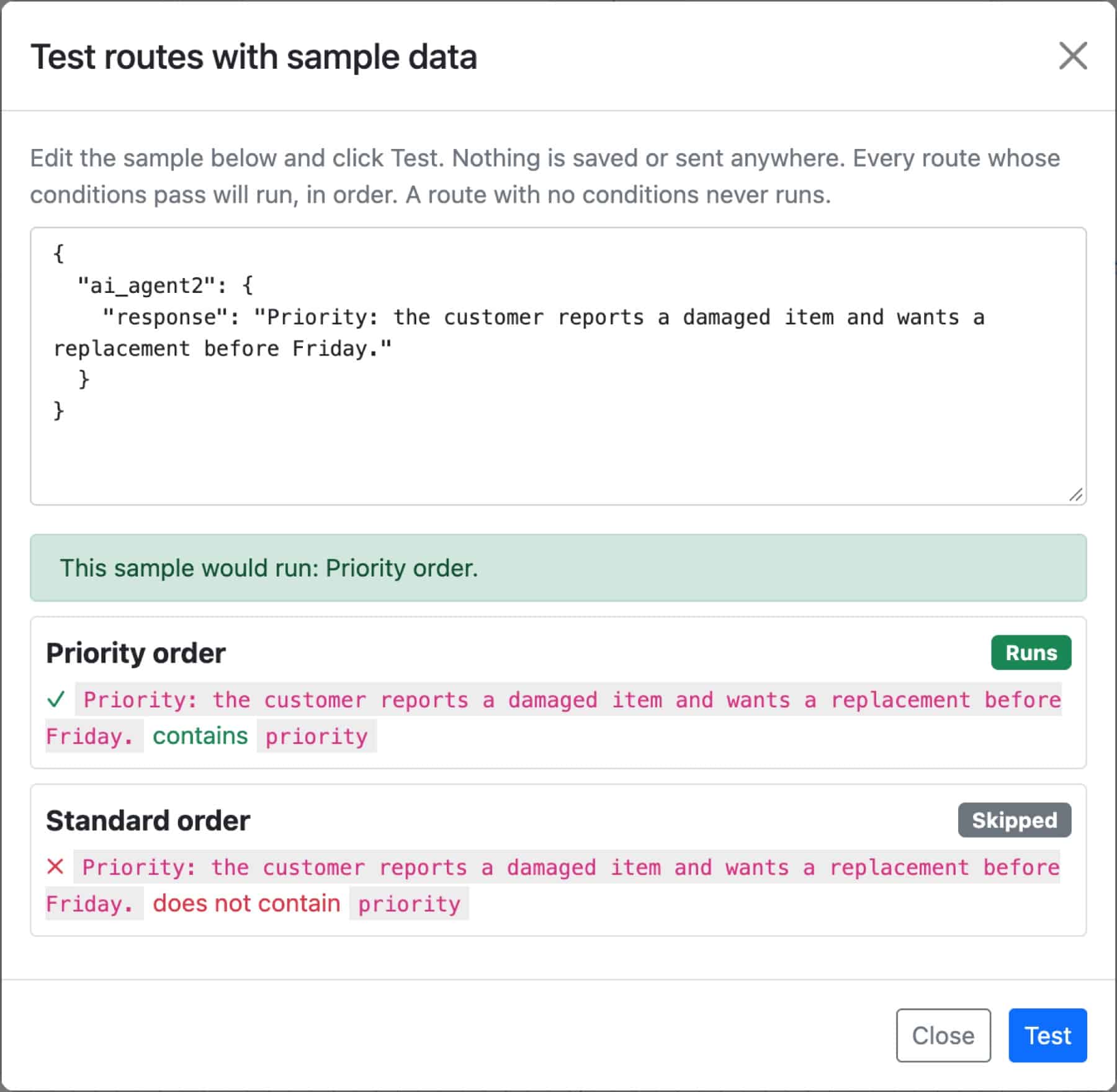
[flowmattic_table] and [flowmattic_table_view] now render only in posts whose author can manage that kind of table: administrators for FlowMattic Tables, users who can manage workflows for WP Tables. Theme templates and widgets are not affected.No. FlowMattic Cloud is optional, and FlowMattic works as before without it. Schedules and delays still run through WordPress cron, now from FlowMattic’s own job table. Connect Cloud only if you want on-time schedules without visitors, Cloud Webhooks or FlowMattic Tables.
There is a Free plan that needs no card. It runs schedules on the minute and covers 1,000 Cloud Webhook events a month. Paid plans add capacity, to-the-second timing and FlowMattic Tables, and each starts with a 7-day free trial. See the FlowMattic Cloud page for the plans.
Yes. Choose the OpenAI-Compatible provider and enter the server’s Base URL, for example http://localhost:11434/v1 for Ollama or http://localhost:1234/v1 for LM Studio. An API key connection is optional for servers that don’t need one.
Yes. On the first load after the update, FlowMattic moves its timings into the new job table, and a Delay that was already waiting resumes at its original time. Nothing needs to be set up again.
FlowMattic 7.3 is available now from your WordPress dashboard. Update the plugin, take the tour on the What’s New page that opens after the update, and connect FlowMattic Cloud when you’re ready. New to FlowMattic? See the plans and start automating your WordPress site.
Live run status in Task History — Ongoing, Waiting, Interrupted — plus MCP clients that can read run results and manage WP…
Multi-trigger workflows, the new Join step, AI that builds workflows over MCP — plus PDF Parser, webhook signature verification, barcodes and HTML-to-PDF,…
FlowMattic 7.1 is here: v7 modules now ship off by default with a new What's New page to manage them, your tables…