
FlowMattic 6.0: AI Agents, MCP Client, and 6 New Core Modules and a lot more…
FlowMattic 6.0 is here. And honestly? This isn’t just another update — it’s a leap forward for what’s possible with WordPress automation.
We’ve been heads-down for weeks, burning midnight oil and pushing boundaries to bring you the most ambitious FlowMattic release to date. Version 6.0 introduces AI Agents, a full-blown MCP Client, and a suite of powerful new core modules that turn your WordPress site into an automation powerhouse — no external tools required.
Before we dive in, a heartfelt thank you to every single one of you who waited patiently while we worked on this update. Your support, your feedback, and your trust in FlowMattic kept us motivated through long nights and countless iterations. This one’s for you. 🎉
Now, let’s walk through everything that v6.0 brings to the table.
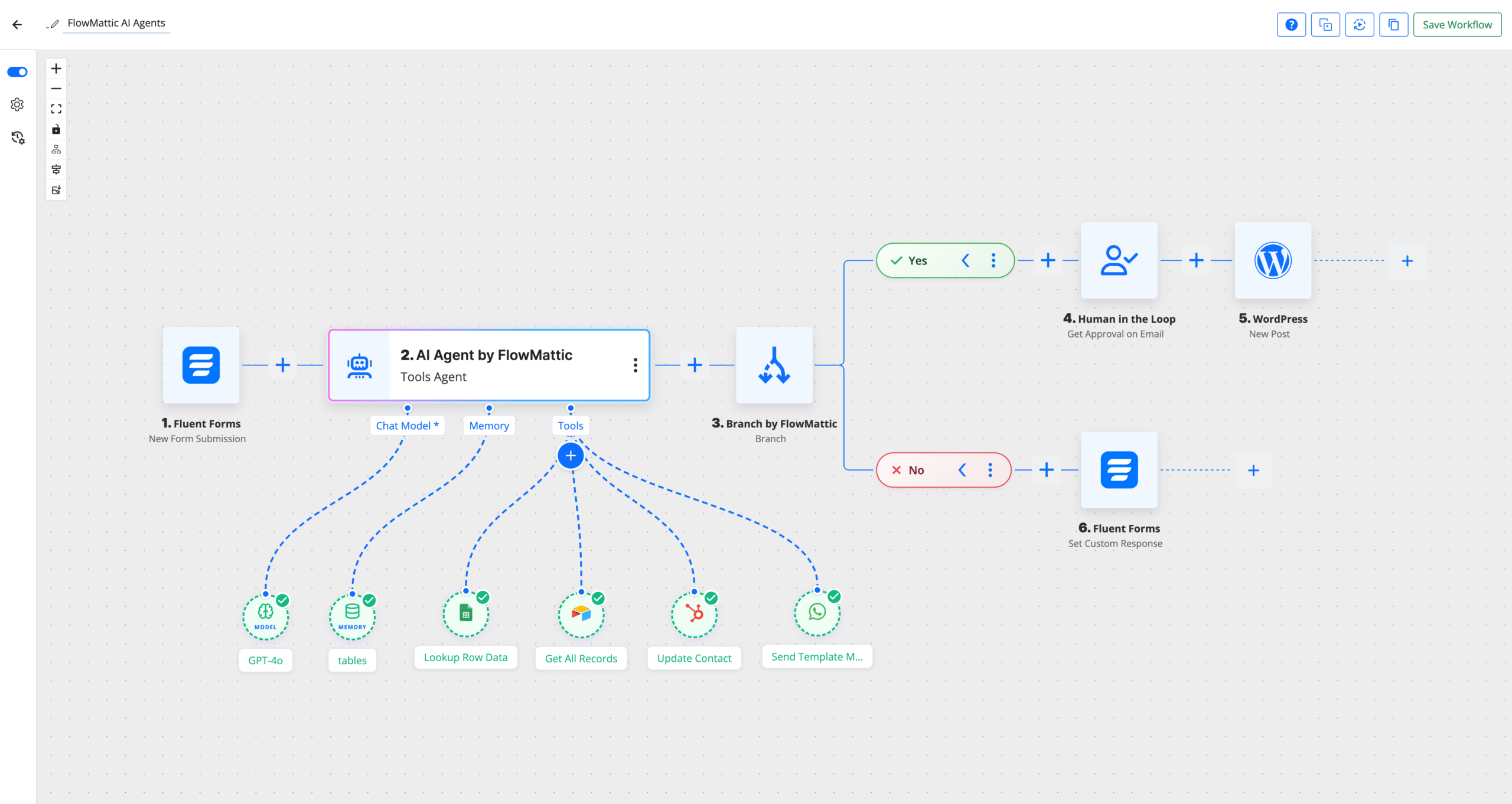
AI Agents — Your Intelligent Workflow Co-Pilots
This is the headline feature, and for good reason. AI Agents bring autonomous decision-making into your workflows.
Instead of you manually mapping out every single step, AI Agents can analyze a task, choose the right tools from your workflow, execute them in the correct order, and even iterate on the results until they get it right. Think of it as giving your workflow a brain.
Whether you’re processing incoming support tickets, categorizing content, enriching lead data, or orchestrating multi-step tasks across different services — AI Agents handle the complexity so you don’t have to. Just define the tools available and the goal, and the agent figures out the rest.
This is a massive shift from traditional “if this, then that” automation. With AI Agents, your workflows become adaptive and intelligent.
👉 Explore AI Agents integration →
MCP Client — Connect to the Entire MCP Ecosystem
The MCP Client is the other game-changer in this release. With it, FlowMattic can now connect to any external MCP (Model Context Protocol) server, discover the tools it exposes, and execute them directly from within your workflows.
If you’ve been following the MCP ecosystem — tools are popping up everywhere. Databases, APIs, AI services, developer tools — the list grows daily. Now, instead of waiting for a dedicated FlowMattic integration for each one, you can connect to their MCP server and start using their tools immediately.
Discover available tools, pass parameters dynamically, and chain MCP tool calls together with the rest of your workflow steps. It’s like giving FlowMattic a universal adapter for the modern AI tooling landscape.
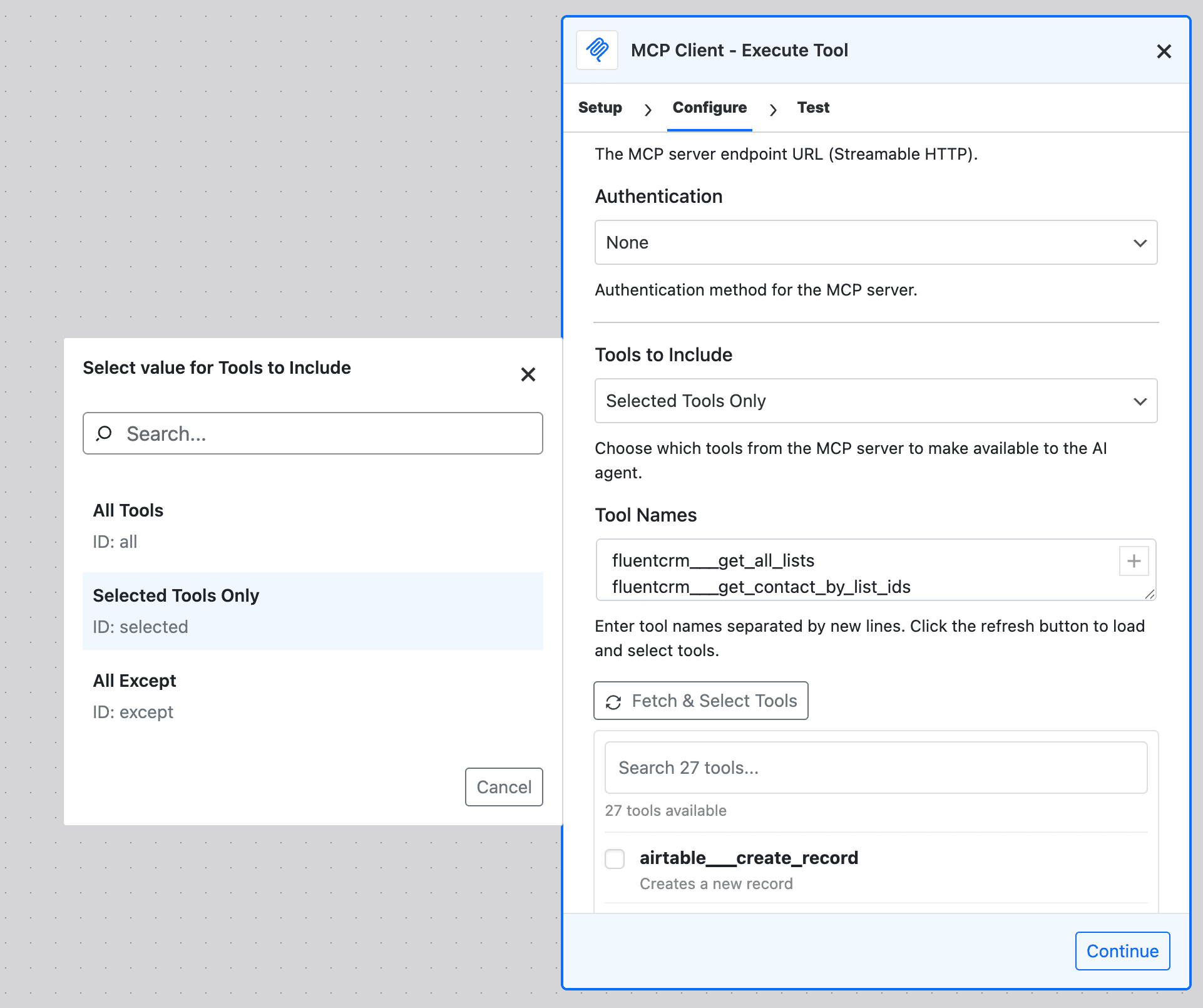
👉 Explore MCP Client integration →
New Core Modules — Power Tools Built Right In
Beyond AI and MCP, we’ve packed v6.0 with new core modules that solve real, everyday automation challenges without relying on external services.
JSON Parser
If you work with APIs, webhooks, or any data-heavy automation, the JSON Parser module is about to become your best friend. It gives you 8 dedicated actions to handle JSON data: Parse, Validate, Stringify, Minify, Prettify, Get Value by Path, Merge Objects, and convert JSON to Query Strings. No more clunky workarounds for data manipulation — it’s all built in now.
FTP / SFTP Integration
Full file management over FTP and SFTP is finally here. List files, upload, download, delete, rename, create directories, read and write files — all from your workflows. And here’s the cherry on top: a poll-based trigger that detects new files on your FTP server and kicks off a workflow automatically. Perfect for processing incoming data files, syncing media assets, or monitoring remote directories.
ZIP Archive
The ZIP Archive module lets you create, extract, and manage ZIP files directly from file URLs. Create archives from multiple files, extract contents, list what’s inside, add or remove files — all with seamless WordPress media library integration. Ideal for backup workflows, bulk file processing, or packaging deliverables.
DNS / Domain Tools
Need to verify an email domain, check SSL certificates, inspect HTTP headers, or run DNS lookups? The DNS / Domain Tools module handles it all with pure PHP — no external dependencies. DNS lookups, reverse DNS, MX records, email domain verification, SSL certificate info, HTTP headers, and port checking are all at your fingertips. Great for lead validation, domain monitoring, and security-focused workflows.
MCP Server Gets Smarter
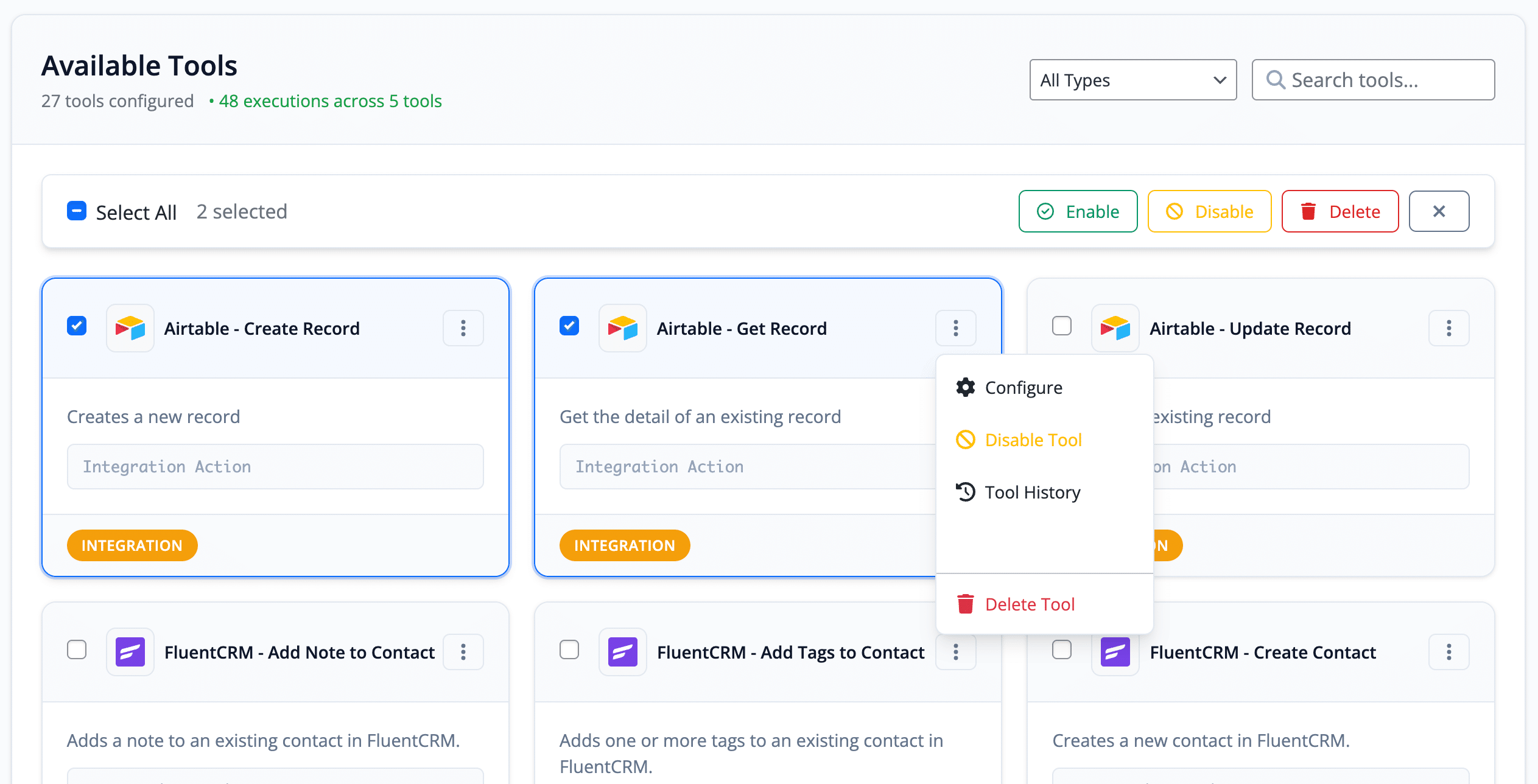
Your FlowMattic MCP Server has received a significant upgrade too. You can now manage tools in bulk with Enable, Disable, and Delete actions. Individual tools have quick status toggles right from the actions menu. And the new Configure Tool feature lets you set default parameter values — including common settings like Connect Account, Base, Table, and more — that automatically apply as fallbacks during execution. Less configuration per call, more consistent results.
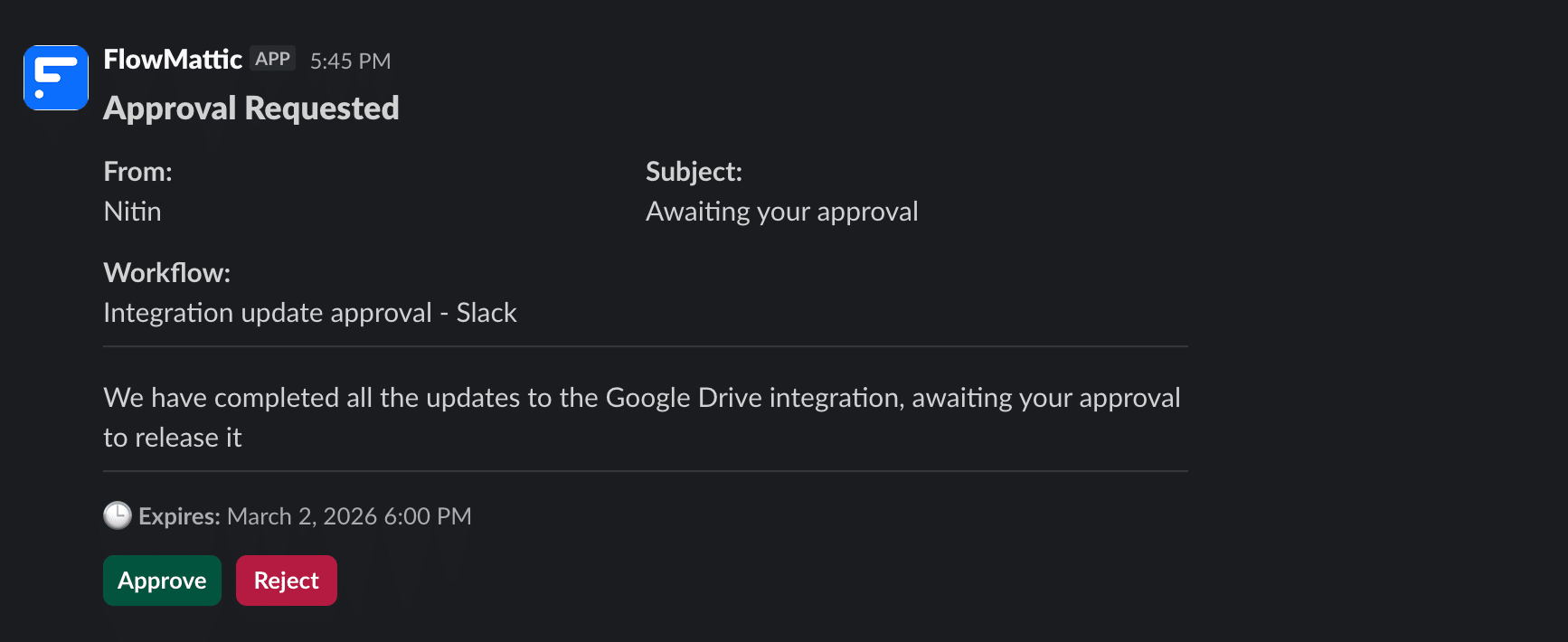
HITL — Slack Approval
Human-in-the-loop just got practical. The new Slack Approval action sends approval requests via Slack with interactive Approve/Reject buttons. When someone responds, the message updates inline, and your workflow continues accordingly. Timeout handling ensures nothing gets stuck waiting forever. Perfect for content approvals, purchase authorizations, or any workflow that needs a human sign-off.
Workflow Builder Improvements
We’ve made the day-to-day workflow building experience noticeably smoother with several quality-of-life improvements.
Bulk actions on workflows — Turn ON, Turn OFF, and Delete multiple workflows at once from the workflows screen. No more one-by-one toggling.
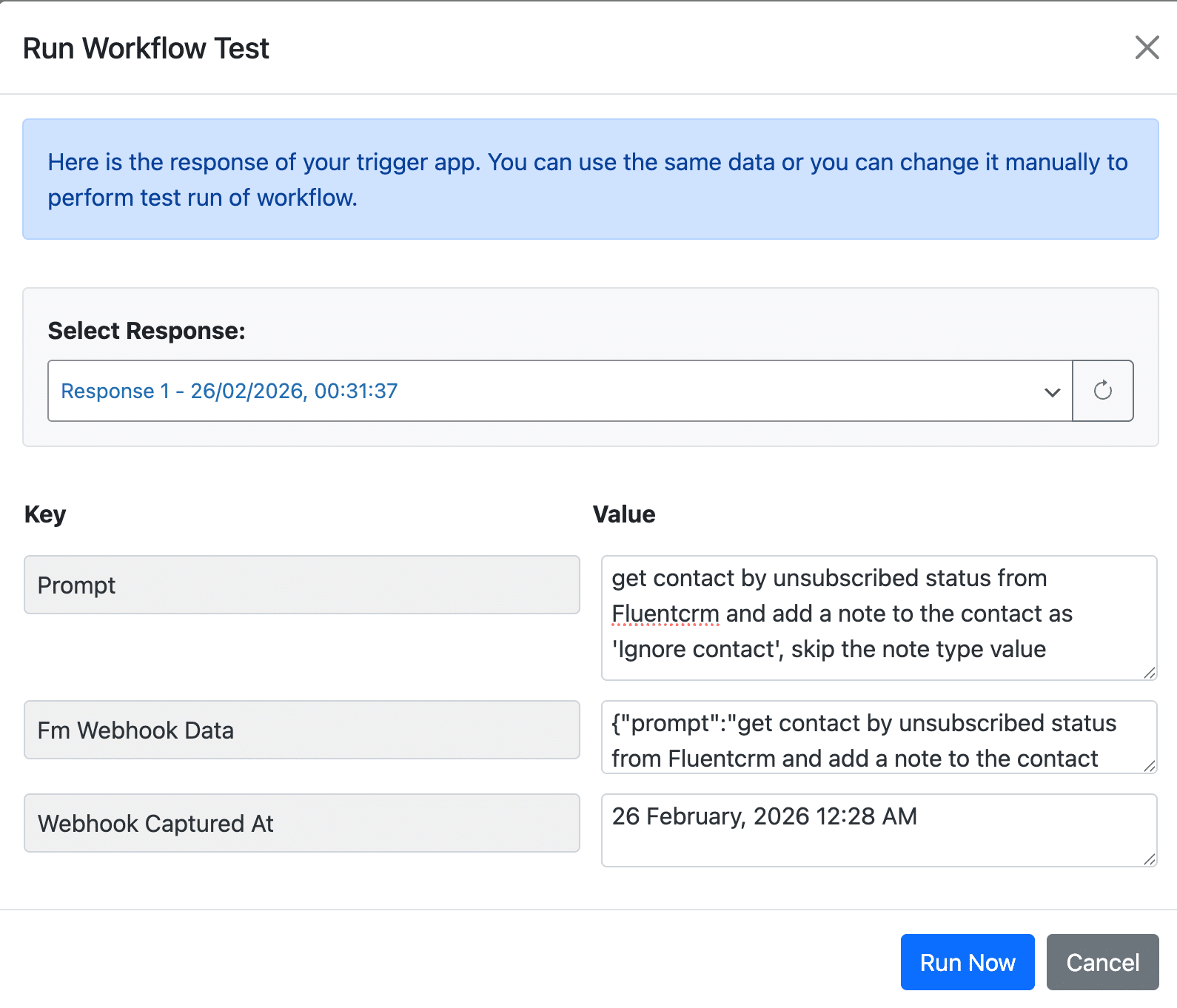
Response selector in Test Run — When testing a trigger, you can now choose from all captured trigger responses and watch the dynamic fields update accordingly. Debugging just got way easier.
Copy Workflow JSON — One click to copy your entire workflow configuration to clipboard. Share workflows, back them up, or move them between sites effortlessly.
Preserved node placements — Your carefully arranged workflow nodes now stay where you put them when you reload. And the auto-fix toolbar button is there when you need to tidy things up.
Tables, WordPress Actions, and More
The Tables module gets new actions including Get Row, Get Rows, Get Row Count, and an improved Update Record with a “Trigger Workflow on Update” option to prevent those pesky infinite loops when your trigger and action target the same table.
The WordPress module has been massively expanded with actions for managing media folders, post meta, user meta, comments, post status, thumbnails, duplicate posts, taxonomies, options, user queries by meta, and password reset emails. That’s over 20 new WordPress actions giving you fine-grained control over your site without writing a line of code.
We’ve also added powerful new PHP Array Actions for searching, filtering, sorting, and deduplicating arrays — including recursive search up to 4 levels deep. And the Text Formatter gets new actions for joining lines, converting between HTML and Markdown, and generating URL slugs.
Task History — Re-Execute With Precision
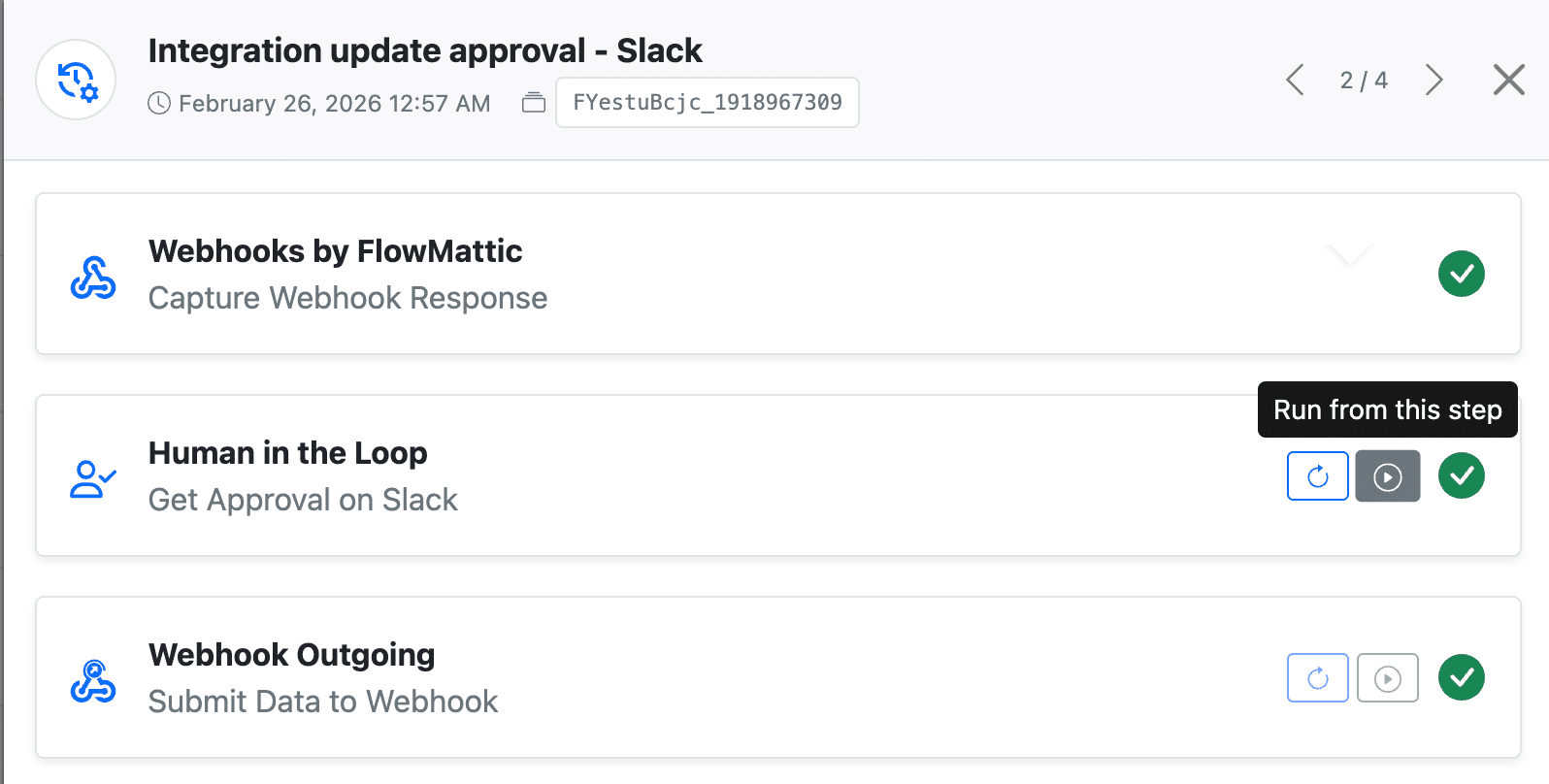
One of the most requested features — you can now re-execute individual steps from task history using historical data. Even better, you can re-execute a workflow from a specific step onward, continuing with all remaining steps. Combined with the new Next/Previous navigation in the task details modal, debugging and recovery workflows has never been faster.
Integration Management Made Easy
Managing integrations just became a breeze with three new features. The Update All button on the Integrations page lets you update every installed integration in one click. Auto-Update can be enabled from Settings for daily automatic updates. And for those of you managing multiple sites, WP CLI commands for listing and updating integrations make it easy to script updates via MainWP or server-level cron jobs.
The Patcher — Stay Current Between Releases
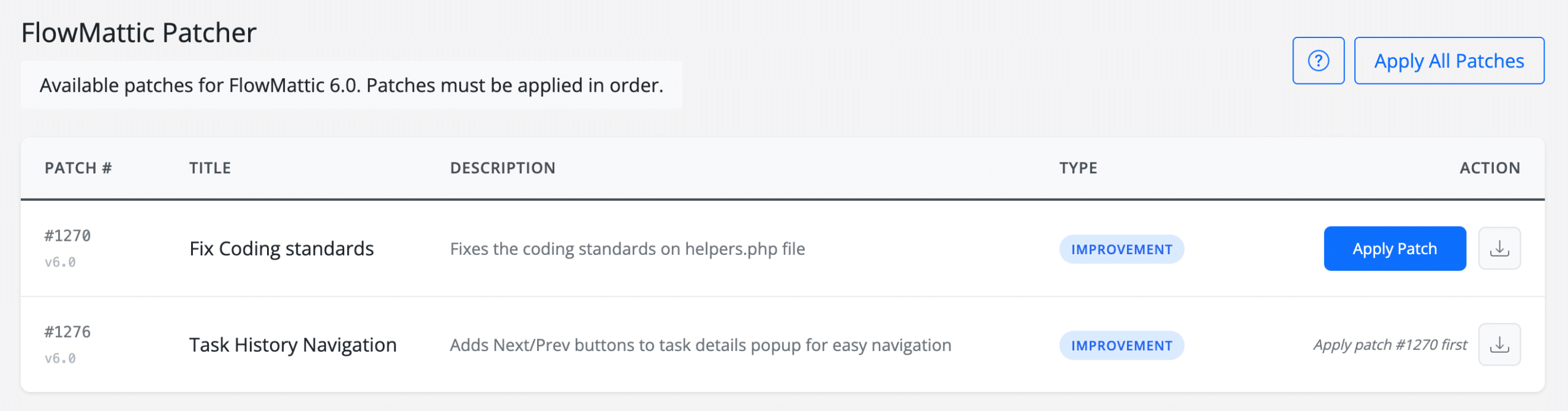
No more waiting for the next major release to get critical fixes. The new Patcher system lets us push incremental patches between major versions. One-click installation, sequential patch management, and a manual FTP download option for those who prefer full control.
Key Improvements Worth Highlighting
We’ve polished dozens of things across the entire plugin. Here are some highlights:
The license page has been redesigned with a modern, clean card layout. Connect dropdowns now auto-filter to show only relevant connections for the current action, with an “Add New Connect” shortcut when none are found. Filter conditions now display “AND” text between conditions for better clarity and support new checks like “Is Valid URL Format” and “Is Numeric.”
Google Sheets and other Google integrations now refresh tokens directly with Google instead of routing through an intermediary — faster and more reliable. All dates and times across the plugin now follow your WordPress format settings. Custom Apps now support a “File” field type for binary uploads. And translations have been completely revamped with remote language packs and a new community translation portal at translate.flowmattic.com.
Bug Fixes
We’ve squashed a significant number of bugs in this release to make your experience as smooth as possible. Some of the important fixes include: dynamic tags in Filter conditions not updating correctly when inserting or deleting steps, task history page memory exhaustion on servers with large task volumes, scheduled workflow triggers creating duplicate cron jobs on shared hosting, WordPress triggers not firing for dynamically created post types (ACF, JetEngine), and the MCP Server response issue that caused OpenWebUI and VSCode agents to hang.
For the complete list of every new feature, improvement, and bug fix, check out the full v6.0 changelog.
Upgrade Now
FlowMattic 6.0 is available now. If you’re on an active license, head to your WordPress dashboard and update. New to FlowMattic? There’s never been a better time to get started.
We’re incredibly proud of what we’ve built with this release, and we can’t wait to see the workflows you create with AI Agents, MCP Client, and all the new tools at your disposal. As always, if you have questions or feedback, we’re all ears.
Here’s to smarter, faster, and more powerful WordPress automation. 🚀
— The FlowMattic Team

Thanks for the detailed rundown! MCP Client will make connecting external tools so much easier.