

When a GMass email bounces, log it in Google Sheets and alert the team in Slack
Each time a GMass email bounces, FlowMattic records the bounce in a Google Sheets row and posts an alert to a Slack channel, so your team can fix or remove the address.
 GMass
GMass
 Google Sheets
 Slack
Slack3 steps Setup ~5 min Used on 2.1k sites Free to import
What this workflow does
A bounce means an address on your list didn't accept the email. If nobody notices, the same dead addresses get emailed again in the next campaign. This workflow keeps a record of every GMass bounce and tells the team about it as it happens.
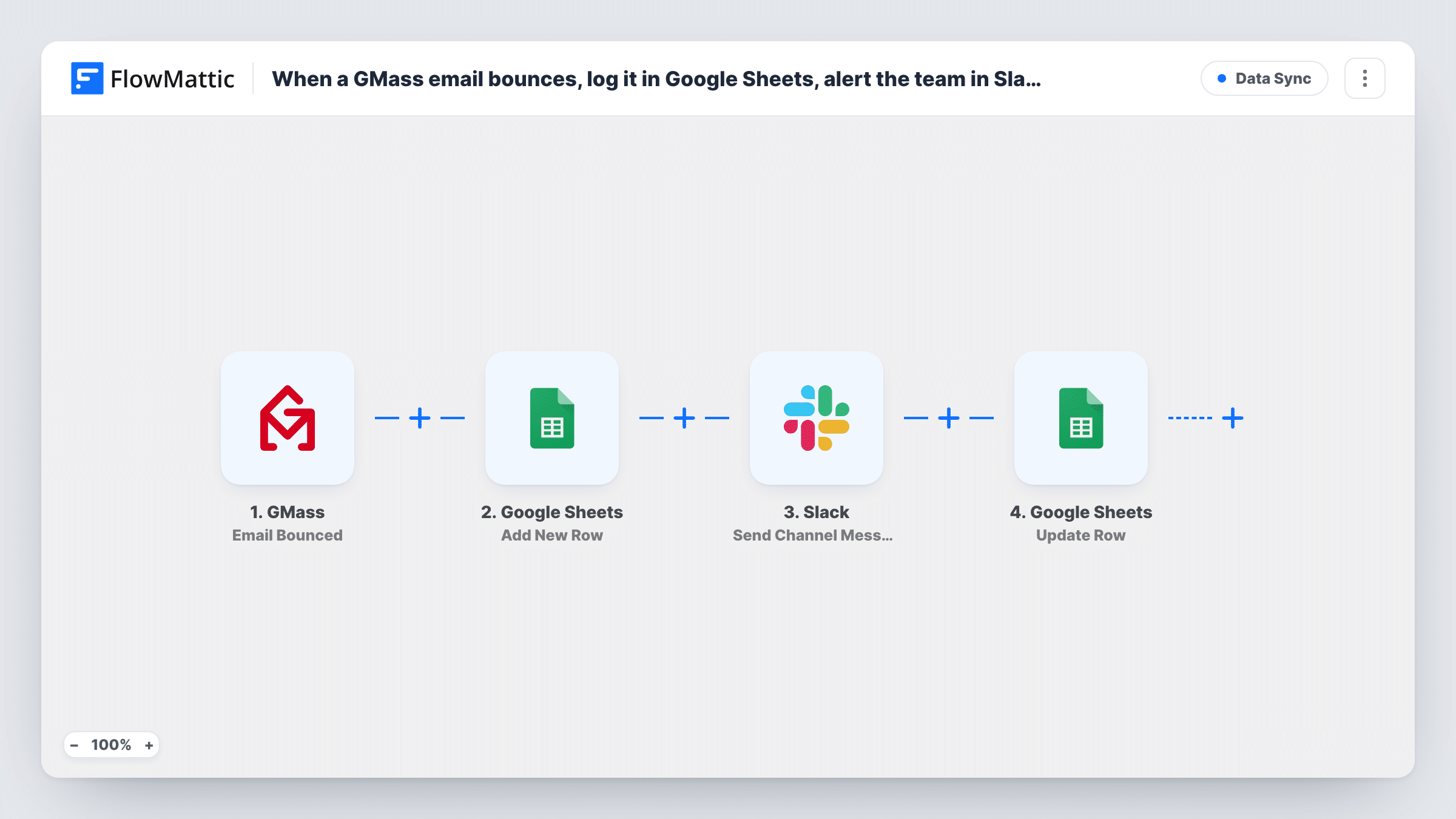
The GMass Email Bounced trigger fires when an email you sent bounces. The Google Sheets step writes a row for the bounce, and the Slack step posts a message about it to a channel.
Both actions ship unmapped. After import, connect Google, choose a bounce log spreadsheet and map the bounced address, the campaign and any reason GMass sends into its columns. Then connect Slack, pick the channel and write a short alert that includes the address. A test bounce, such as an email to an address you know doesn't exist, shows which fields GMass passes along.
Every bounce runs both steps, the row first and the Slack message second. The sheet becomes a list you can use to clean your contact lists later. Should a row or alert look wrong, open that run in Task History to see what GMass sent.
Cleaning an outreach list
A sales rep running cold campaigns in GMass reviews the bounce sheet each Friday and removes those addresses from the prospect list before the next send.
Spotting a bad import
A marketing team sees a burst of bounce alerts in Slack right after a campaign starts and pauses it to check the list they just uploaded.
CRM clean-up from the sheet
An operations assistant uses the bounce log to mark contacts as invalid in the CRM, working down the sheet row by row.
How this workflow runs
What happens at each step once the workflow is on, and what you need before you import it.
 GMass Email Bounced
Fires when an email sent through GMass bounces. The bounce details, such as the recipient's address and the campaign, are passed on; a test bounce shows the exact fields.
- Google Sheets Add New Row
Writes one row per bounce to the spreadsheet you choose. Columns aren't mapped in the template, so pick the sheet and map the bounced address and other details to your headers.
- Slack Send Channel Message
Posts a bounce alert to a public Slack channel. The step ships unmapped, so choose the channel after import and write the message with the bounced address mapped in.
What you need
- FlowMatticCore
- GMass AccountAccount
- Google Sheets AccountAccount
- Slack AccountAccount
After importing, map your own data. To keep the template universal, not every step is pre-filled. Open each step in the builder and connect your accounts and fields (channels, lists, sheets, recipients) before you switch the workflow on.
Make it yours
Changes worth making after you import it.
- Use Slack's Send Private Channel Message action instead if the alert should go to a private channel, such as one for the sales team.
- Add a column for the date of each bounce in Google Sheets, so you can see whether bounces cluster around one campaign.
- Use FlowMattic's GMass Email Unsubscribed trigger in a second workflow that writes to another tab, if you want unsubscribes logged as well.
Questions about this workflow
Does the GMass bounce workflow remove the address from my list?
No. It records the bounce in Google Sheets and posts a Slack alert. Removing or marking the address is up to you, using the sheet as your list of addresses to clean.
Which bounce details end up in the sheet and the Slack alert?
The fields you map. Both steps are empty in the template, so after a test bounce you choose which GMass fields fill each column and which appear in the message.
Will a busy campaign flood the Slack channel?
Each bounce posts one message, so a list with many bad addresses produces many alerts. Send them to a dedicated channel if that would bother the team.
More Data Sync workflows
Other ready-to-import templates from the same category.





Import this workflow into your WordPress site
Download the JSON, import it from the Workflows screen and connect your accounts. Every run stays on your server, with no per-task fees.
30-day money-back guarantee Unlimited workflows and runs Self-hosted