

Your Competitor Changed Their Pricing. Would You Know by Tomorrow Morning?
Ask anyone who runs a product how closely they watch their competitors and you’ll get the same slightly guilty answer: not as closely as I should. Not because it doesn’t matter — because it’s the kind of task that never makes it to the top of a Tuesday.
So the price change lands on a Tuesday afternoon, and you find out five weeks later when a prospect mentions it on a call.
Change detection isn’t the hard part
Plenty of tools will tell you a page changed. That’s the easy half, and on its own it’s close to useless — because pages change constantly. A rotated testimonial. A new badge in the footer. A tweaked headline. Get an alert for every one of those and you’ll mute the channel inside a week.
What you actually want to know is what changed, and whether it matters. That’s a judgment call, and judgment needs context: you can’t say “their entry plan went up ten dollars” unless you know what it used to be.
Give the agent a memory
This is where it gets interesting, and it’s the one idea worth taking away from the whole build.
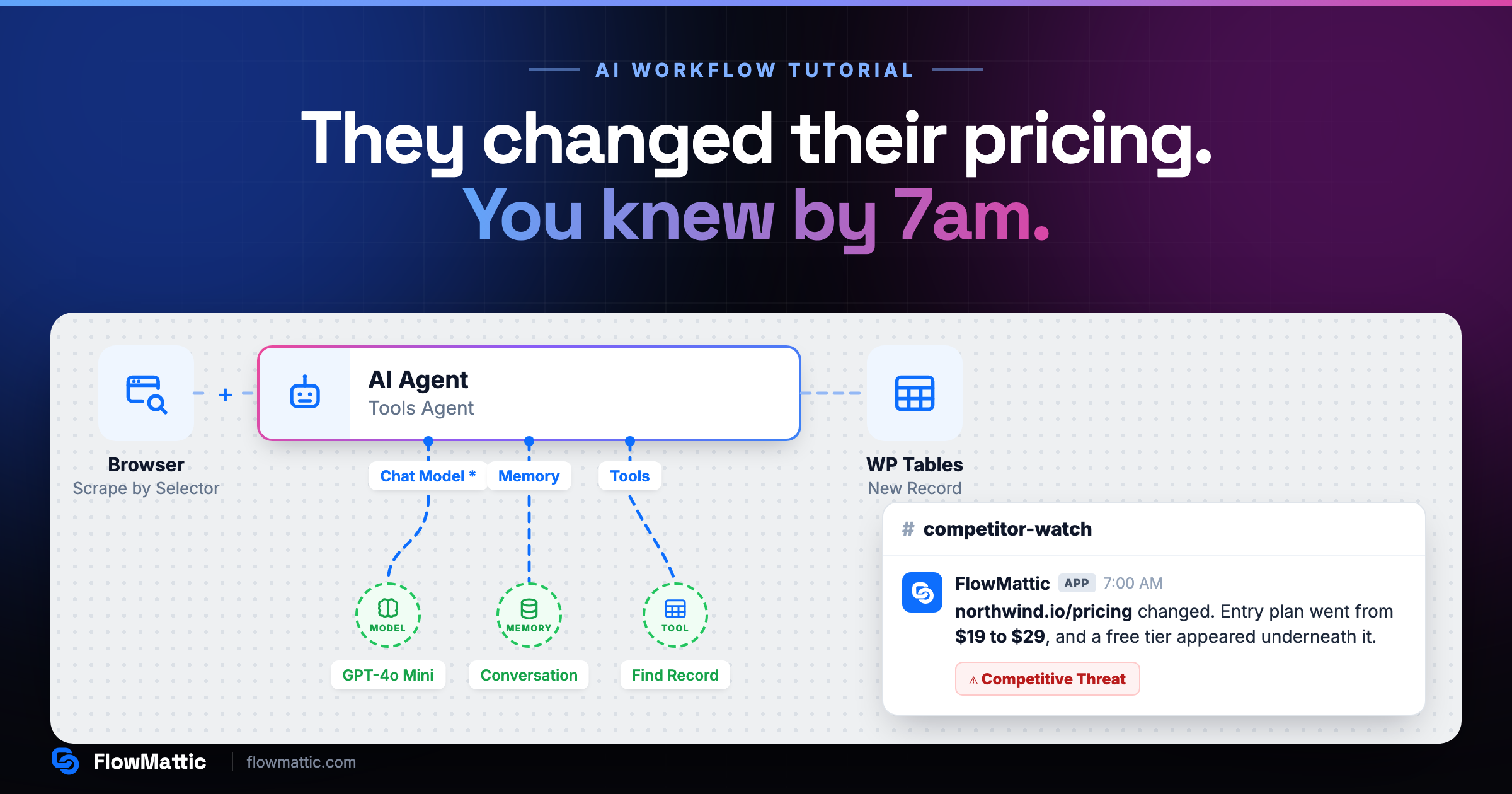
An AI Agent step in FlowMattic isn’t a plain box on the canvas. It has three connection points of its own — Chat Model, Memory and Tools — and under Tools you can attach WP Tables → Find Record.
That single attachment changes what the agent is. It’s no longer summarising a page in isolation. It can go and fetch what that page looked like the last time you checked, hold both versions at once, and tell you what moved between them. The comparison becomes the agent’s job, not yours.
The design decision that keeps it working
Here’s a trap worth naming, because it fails silently.
The obvious instinct is to append a row every day and have the agent look up “yesterday’s record”. Don’t. If you only write a row when something actually changed, “yesterday” may not exist — and a lookup that isn’t sorted will happily hand back the oldest row it finds. Your agent then compares today against a snapshot from March and reports a mountain of nonsense. Nothing errors. It just quietly goes wrong.
The fix is to stop thinking in dates. Keep one row per page in a competitor_pages table — the URL, when you last saw it, and the snapshot — and update that row in place. The agent looks up the page, never a date, so the comparison holds whether the last change was yesterday or last spring.
It self-seeds too. On the very first run there’s nothing to find, the agent calls that a first observation, and the row gets created.
Ask for JSON, not prose
The System Prompt tells the agent its job: compare the two versions, say what changed and why a competitor would do it, and be honest when nothing meaningful happened. Then set Output Format to JSON.
That last setting is what makes the rest of the workflow possible. A paragraph is something a human reads; { changed, summary, category } is something a workflow can act on. A Filter reads changed and stops the run when it’s false — so quiet days cost you nothing, which is exactly what makes a daily watch practical instead of expensive.
Watch it built
The whole thing — both tables, the scrape, the agent and its tool, the filter and the alert — in under five minutes:
Two tables, two jobs
When something has genuinely changed, the workflow writes twice, and the two writes do different things:
- Update Record on
competitor_pages— refreshes the snapshot. This is tomorrow’s baseline. - New Record on
competitor_changes— appends the date, page, category and summary. This is the history.
The second table is the one that quietly becomes valuable. Any single alert is mildly interesting. Six months of them, in a table you can sort, is a picture of how your market actually moves — when your competitors ship, how often they touch pricing, whether that “limited time” offer has been running since spring.
And it lives in your own WordPress database. No third-party service holding your market research, no seat-based pricing on the thing that watches your seat-based pricing.
Send the summary, not the diff
The last step posts to Slack. Not a wall of changed HTML — the agent’s plain-English summary, with its category attached:
northwind.io/pricing changed. Entry plan went from $19 to $29, and a free tier appeared underneath it. Competitive Threat.
That’s a message someone will actually read at 7am, and act on before the first call of the day.
Start with one competitor and one page
Pick the competitor you think about most and the single page that would change your day — usually pricing. Point the scraper at one CSS selector so you’re capturing the pricing table and not the navigation and the cookie banner. Run it for a week.
You’ll learn quickly what the agent thinks is worth telling you, and you can tighten the prompt from there. Then add the second competitor, which costs you nothing but a URL.
Competitive research has always been the work everyone agrees is important and nobody has time for. This is the version that happens whether you have time or not.
New to FlowMattic? It’s the AI-native automation platform for WordPress — visual workflows, 800+ integrations, AI agents and a full builder suite, self-hosted inside your own dashboard. Get FlowMattic.