Custom Webhook Response: Send Your Own Status, Headers and Data
Reply to a webhook with data from the run: String, JSON or XML bodies, any HTTP status from 200 to 599, extra…


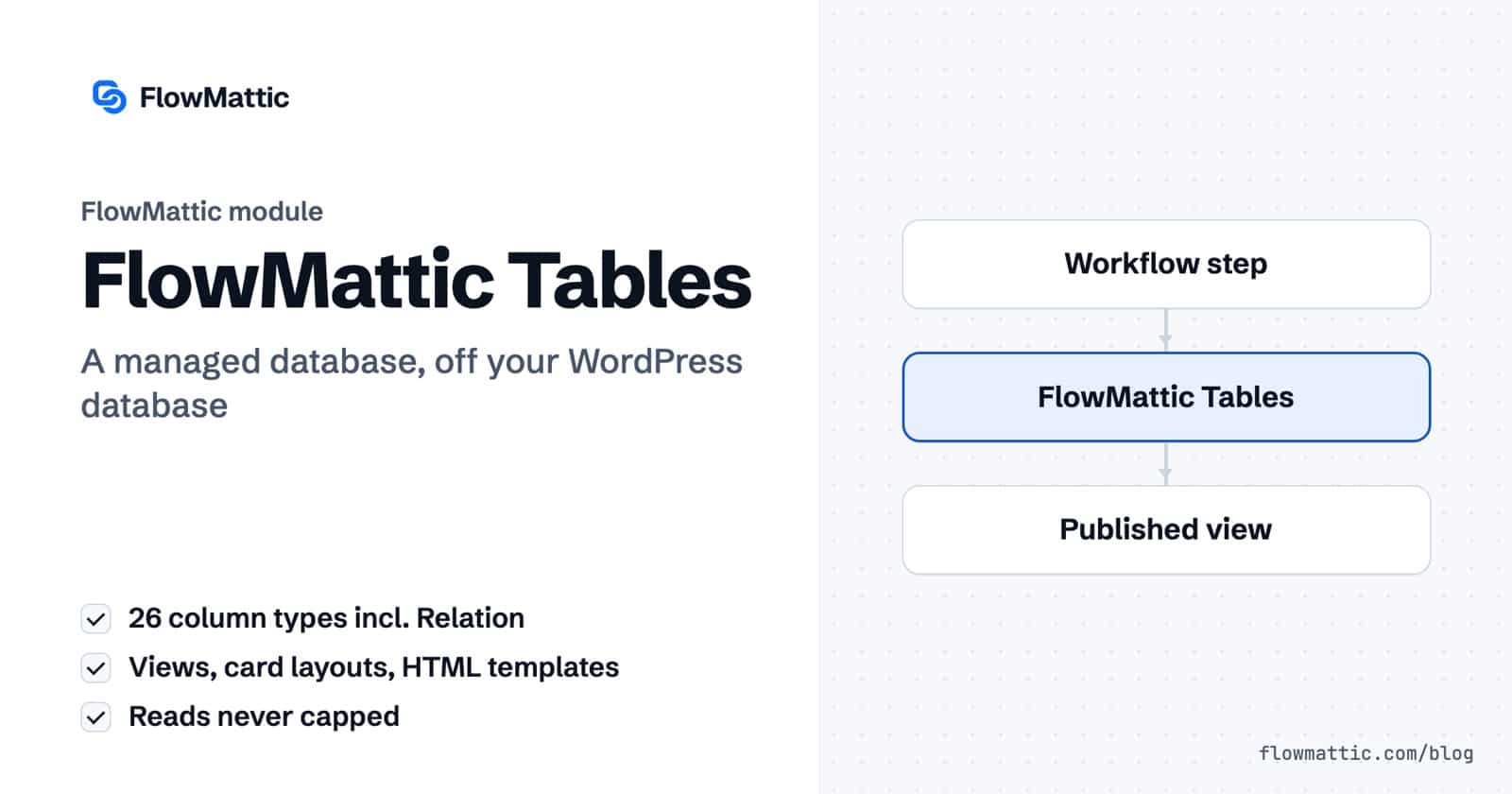
This guide shows you how to set up FlowMattic Tables, the managed database for WordPress that keeps your workflow data off the WordPress database. Each site gets its own database on our managed infrastructure, wired into the workflow builder with five triggers and eleven actions, and a grid with 26 column types, saved views, card layouts and HTML templates for publishing the data.
It is for sites that have outgrown storing data in WordPress: a host that caps database size, an order log that keeps growing, a directory you publish to visitors, or an AI agent that needs memory. This guide explains how it differs from WP Tables, how to connect and build tables, every workflow step, and seven use cases.
FlowMattic Tables is a database service FlowMattic runs for you. Your site gets a database of its own, separate from other customers and from your WordPress database, so heavy data does not slow the site or hit hosting limits. You manage it under FlowMattic → FlowMattic Tables, and workflows use it through the FlowMattic Tables app.
It sits beside WP Tables, not in place of it. WP Tables stays included and stores rows in your own database. FlowMattic Tables is an optional paid service, part of FlowMattic Cloud. Every license can start on the Free Cloud plan, and Tables is included from the Starter plan up, which you pick on the FlowMattic Cloud screen.
Open FlowMattic → FlowMattic Cloud and click Connect for free; the site starts on the Free plan. The Free plan does not include FlowMattic Tables, so pick Starter, Pro or Business on the same screen. When the site is eligible, a paid plan starts with a 7-day free trial, and at checkout you choose the Data region for your database: United States, Europe or India.
Your database is provisioned for you, and FlowMattic → FlowMattic Tables then shows your dashboard. Plans, upgrades and billing for Tables, Cloud Webhooks and the Scheduler all live on the FlowMattic Cloud screen. You can turn FlowMattic Tables off at any time under Settings → Core Modules; WP Tables and the rest of FlowMattic keep working.
Create a table with a name and at least one field, or import a CSV of up to 20 MB. On top of the 13 column types every table has, FlowMattic Tables adds 13 managed-only types: Currency, Person, Tags, Attachment, Calculate (formula), Relation, AI Text, Percent, Phone, URL, Color, Created By (WP user) and Modified By (WP user).
{column_key}, then click Generate on a cell to fill it with your FlowMattic AI connection.{{field_name}} filled from that row, such as an order button or a booking form. Each row can set its own shortcode is off by default; turn it on only for data you write yourself.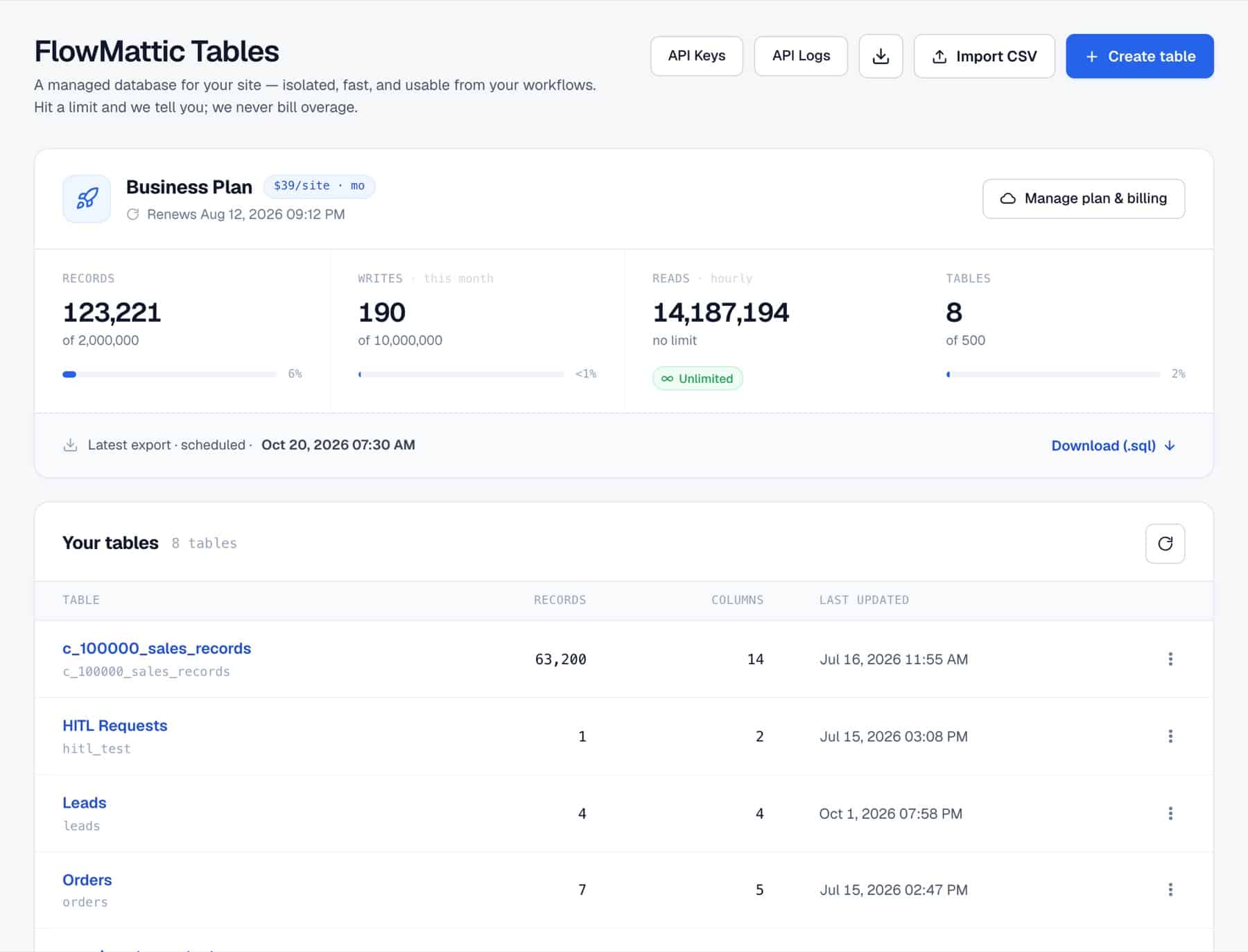
In the grid, Views save filters, sorting and visible columns under a name, with one set as the default. Mark a view public and visitors can switch to it on a shared table. Layout turns each row into a card with the fields and order you choose, and a Button column on a card shows to logged-in users who can manage workflows. To publish, the Share dialog builds a shortcode where you can pin a saved view or card layout, let logged-in users edit cells or add rows, choose who can write, and show each user only their own rows.
For full control, an HTML Template renders your own header, row, footer and empty-state HTML through , with formats for dates, currency, percent, yes/no and tags, and CSS scoped to the template. A template can also be shared at a secret link that opens without a login and can be revoked at any time.
In the builder, choose FlowMattic Tables, pick an event, then pick the Table. Fields load from the table so you can map values directly.
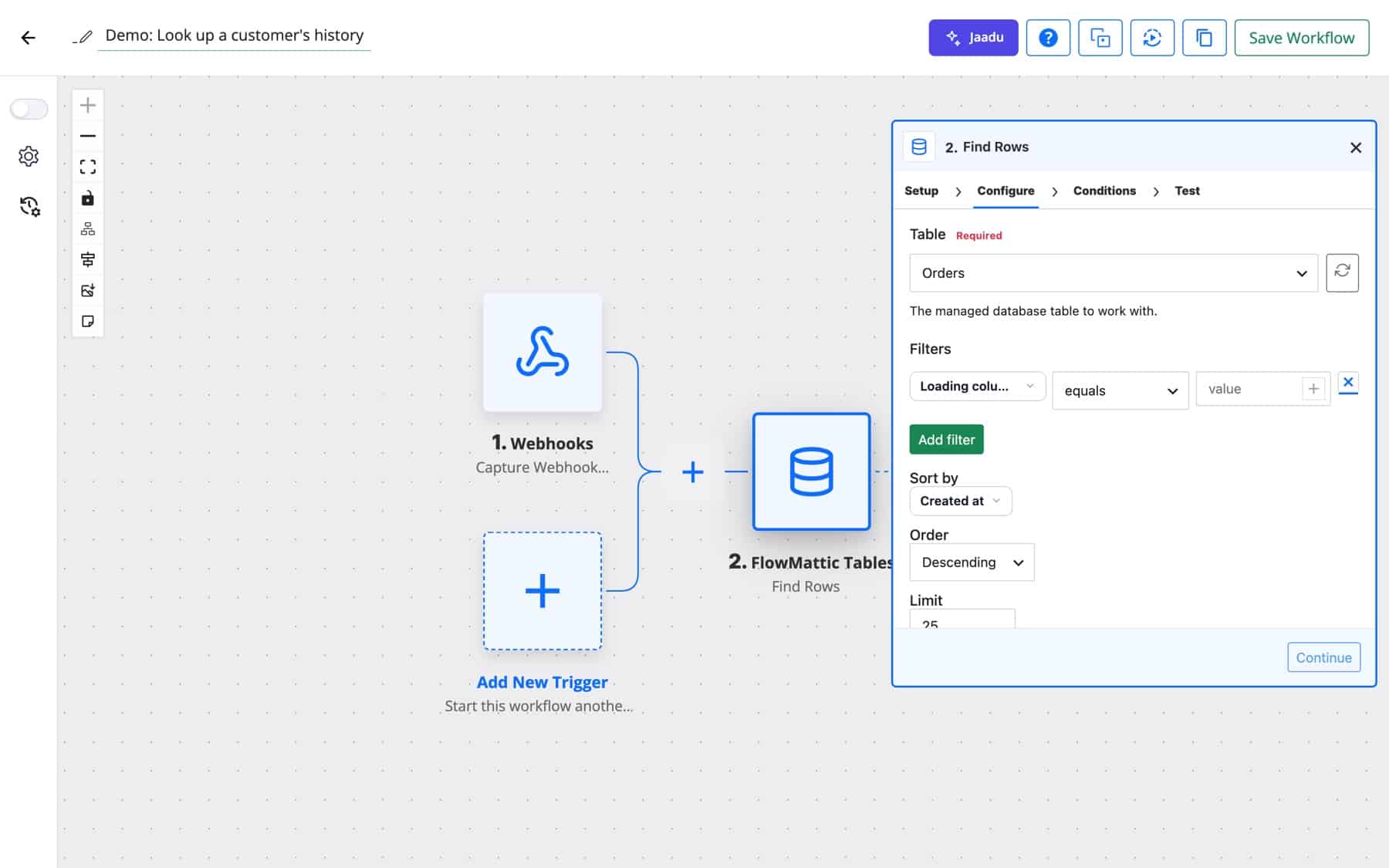
Triggers: New Row, Updated Row, Deleted Row, Updated Cell and Button Clicked.
| Action | What it does |
|---|---|
| Insert Row | Adds a row from Row values. Currency takes whole minor units (1999 = $19.99), dates use YYYY-MM-DD. |
| Insert or Update Row | Finds the first row where Match field equals Match value and updates it, or inserts a new row. |
| Update Row / Update Cell | Changes fields on a row, or one column, by Row id. |
| Delete Row | Permanently removes a row by id. |
| Find Row / Find Rows | Filters with equals, greater or equal, less or equal or contains, plus Sort by and, for Find Rows, a Limit of up to 500. |
| Get Row | Fetches a row by id with a found flag for later steps. |
| Get Row Count | Counts all rows, or only those matching filters. |
| Raw SQL Query | One parameterised statement with ? placeholders and a Parameters (JSON array). String literals are rejected. |
| Continue on Approve or Reject | Pauses the workflow and emails an Approver email Approve and Reject links, with a subject, headline, message, a Wait up to limit and an option to require login. |
A busy store writes every order and its fulfilment status to FlowMattic Tables instead of the site database, so WordPress stays lean while the log grows.
WooCommerce New Order Created → Insert or Update Row (match: order_id)
A professional association stores members with Tags and Person columns, and publishes them through an HTML Template as a card grid on the members page.
New Form Submission → Insert Row → on the directory page
An agency tracks deliverables in one table with a Created By column. The shared table shows each logged-in client only their own rows, and lets them update the status column.
Updated Cell (status) → Slack → Send Template Email
Purchase requests land as rows. Continue on Approve or Reject emails the finance lead, waits up to two days, and resumes down the right path, updating the row with the decision.
New Row → Continue on Approve or Reject → Router → Update Cell · Send Email
A SaaS team runs one parameterised query on the first of the month to total paid invoices by plan, then posts the summary to Slack.
Schedule → Raw SQL Query → AI Agent (summary) → Slack
A support agent stores a summary of each conversation and reads a customer’s past rows before replying. Because reads are not capped, looking things up all day costs nothing extra.
Webhook → Find Rows (customer email) → AI Agent → Insert Row
Marketing imports a lead list from Northwind’s event and adds an AI Text column that drafts a one-line opener from the company and role. A rep clicks Generate on the cells they want, reviews the text, then clicks the row’s button to send the lead to the CRM.
Button Clicked → FluentCRM → Update Cell (status: Sent)
flowmattic_table_shortcode_author_cap and flowmattic_table_shortcode_author_trusted filters.As a managed database for WordPress, it stores rows in a database for your site alone on our managed infrastructure, in the data region you pick at checkout (United States, Europe or India), separate from your WordPress database and from other customers. You can export a table whenever you like.
Your license covers software that runs on your own hosting. FlowMattic Tables is a service FlowMattic runs for you, with storage and backups that cost money to operate every day. It is included from the Cloud Starter plan; every license can start on the Free Cloud plan, and WP Tables remains included if you prefer to keep data in WordPress.
The dashboard tells you, and writes beyond the limit are refused rather than billed as overage. Reads keep working, so your workflows can still look data up.
Yes. Embed it with a shortcode, render an HTML Template with , or share a template at a secret link that opens without a login and can be revoked.
Yes. Export the WP Table as CSV and import it into FlowMattic Tables, then switch the workflow steps from the WP Tables app to the FlowMattic Tables app.
Set up FlowMattic Tables and get a managed database for WordPress without running a server. Read more on the FlowMattic Tables page and compare plans.
Reply to a webhook with data from the run: String, JSON or XML bodies, any HTTP status from 200 to 599, extra…
Post workflow data to any webhook URL as JSON, multipart form data or URL-encoded fields, with nested bracket keys and the receiver's…
Give any app a URL on your WordPress site and turn each request into a workflow run, with signature checks, sample payloads…