

When a Malcolm! workflow is completed, send a notification to Slack
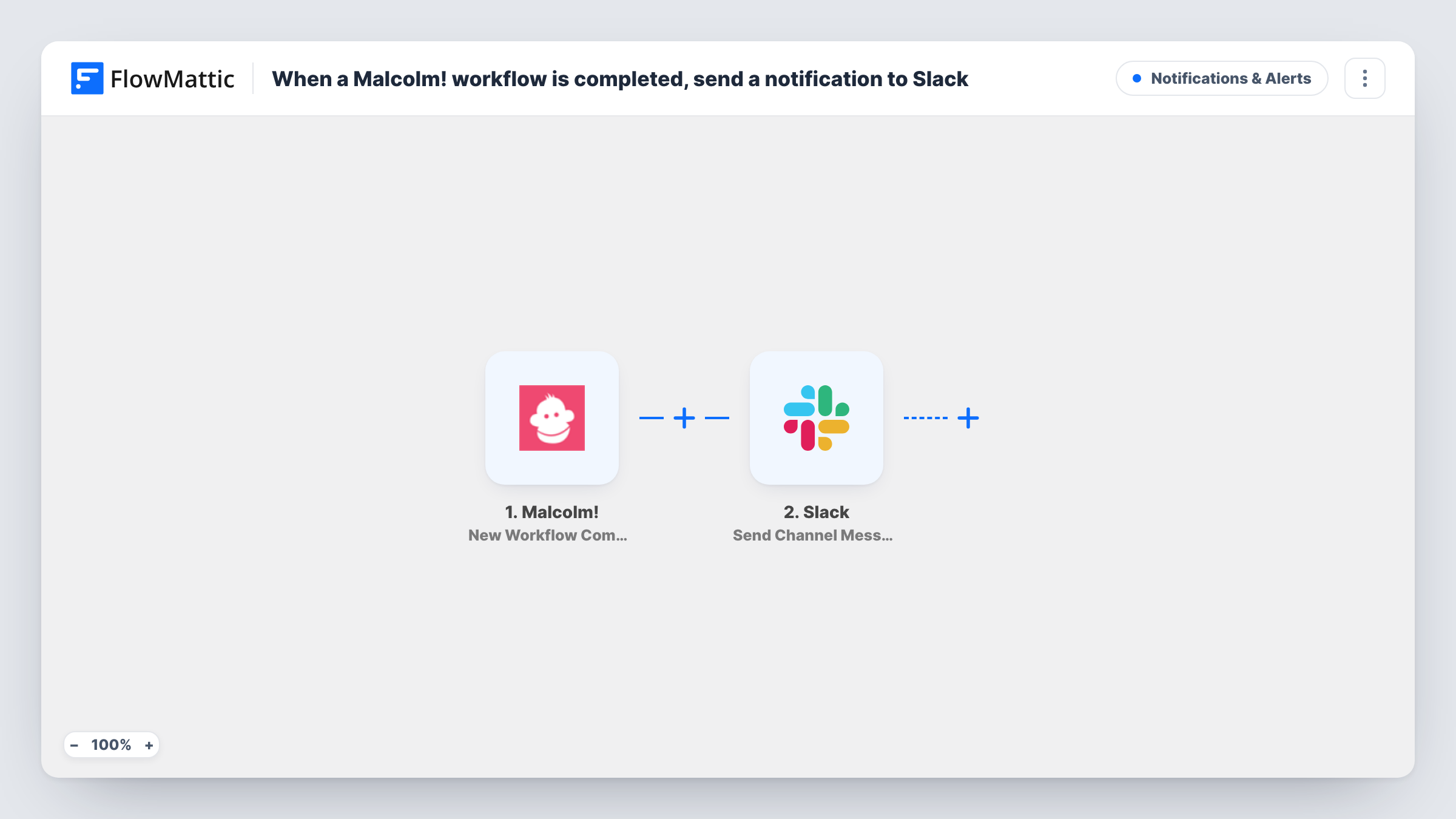
Every time someone completes a workflow in Malcolm!, this FlowMattic workflow posts a Slack message to a channel, so managers and teammates hear about finished onboarding or process steps where they already chat.
 Malcolm!
 Slack
Slack2 steps Setup ~5 min Used on 575 sites Free to import
What this workflow does
Malcolm! guides people through step-by-step workflows, such as onboarding a new hire or a client. When one of those is finished, the next person in line often needs to know: a manager signs off, IT sets up an account, an account manager books a call. This template puts that news in Slack.
The Malcolm! New Workflow Completion trigger fires when a workflow is completed. FlowMattic collects the details that come with the event and passes the ones you map to Slack. The Send Channel Message action posts a message you write to a public channel, with Malcolm! values filled in where you place them.
Every completion sends one message, whichever Malcolm! workflow it was. If several processes run in your account and only one matters to this channel, add a Filter on a value that names the workflow. Runs and their posted text are kept in Task History.
New hire onboarding sign-off
When a new starter finishes their onboarding workflow in Malcolm!, the #people-ops channel gets a message so HR can book the welcome meeting.
Client onboarding hand-off
A client completes the onboarding steps you set in the Malcolm! app. The account team's channel is told, and someone schedules the kickoff.
Compliance checklists
Staff work through a policy workflow in the Malcolm! app. Each completion is announced in a compliance channel, giving the lead a running record in Slack.
How this workflow runs
What happens at each step once the workflow is on, and what you need before you import it.
 Malcolm! New Workflow Completion
Fires when a workflow is completed in your Malcolm! account. The completion details, such as who finished which workflow, are passed on if Malcolm! includes them, so you can use them in Slack.
- Slack Send Channel Message
Sends your message to a public Slack channel in the workspace you connect. Type the message and insert the Malcolm! values a test run shows, such as the person's name and the workflow title.
What you need
- FlowMatticCore
- Malcolm! AccountAccount
- Slack AccountAccount
After importing, map your own data. To keep the template universal, not every step is pre-filled. Open each step in the builder and connect your accounts and fields (channels, lists, sheets, recipients) before you switch the workflow on.
Make it yours
Changes worth making after you import it.
- Add a Filter after the trigger on the workflow name, once a test run shows that value, so only the Malcolm! process this channel cares about posts there.
- Use a Router to send completions of different Malcolm! workflows to different channels, with one Slack step per route and a distinct workflow name in each condition.
- For a private HR channel, replace the step with Slack's Send Private Channel Message action, since Send Channel Message is meant for public ones.
Questions about this workflow
Does every completed Malcolm! workflow post to Slack?
Yes, as imported. Nothing narrows the trigger, so each completion in your account sends one Slack message. A Filter on the workflow name limits it.
Can the Malcolm! alert go to a person instead of a channel?
Yes. Swap Send Channel Message for Slack's Send Direct Message action and choose the recipient, for example the manager who signs off onboarding.
Will workflows completed before import be announced in Slack?
No. Only completions that happen after you turn this on start a run. Earlier ones stay in the Malcolm! app's own records.
Which Malcolm! details can I put in the Slack message?
Whatever the completion event carries. Complete a test workflow in Malcolm! after import, then pick the values that show up, such as names or titles, while writing the message.
More Notifications & Alerts workflows
Other ready-to-import templates from the same category.




Import this workflow into your WordPress site
Download the JSON, import it from the Workflows screen and connect your accounts. Every run stays on your server, with no per-task fees.
30-day money-back guarantee Unlimited workflows and runs Self-hosted