

When a Mixmax unsubscribe link is clicked, log the contact in Google Sheets, notify the team in Slack, then mark the row handled
When someone clicks your Mixmax unsubscribe link, FlowMattic logs the contact as a Google Sheets row, tells your team in Slack, and then updates that row to mark it handled once you map its row number.
 Mixmax
 Google Sheets
 Slack
4 steps Setup ~8 min Used on 2.4k sites Free to import
What this workflow does
An unsubscribe click is a request you need to respect everywhere, not only in Mixmax. If your team also emails people from a CRM or another tool, they need to know who opted out. This workflow keeps a list of unsubscribes in Google Sheets and tells the team in Slack each time one comes in.
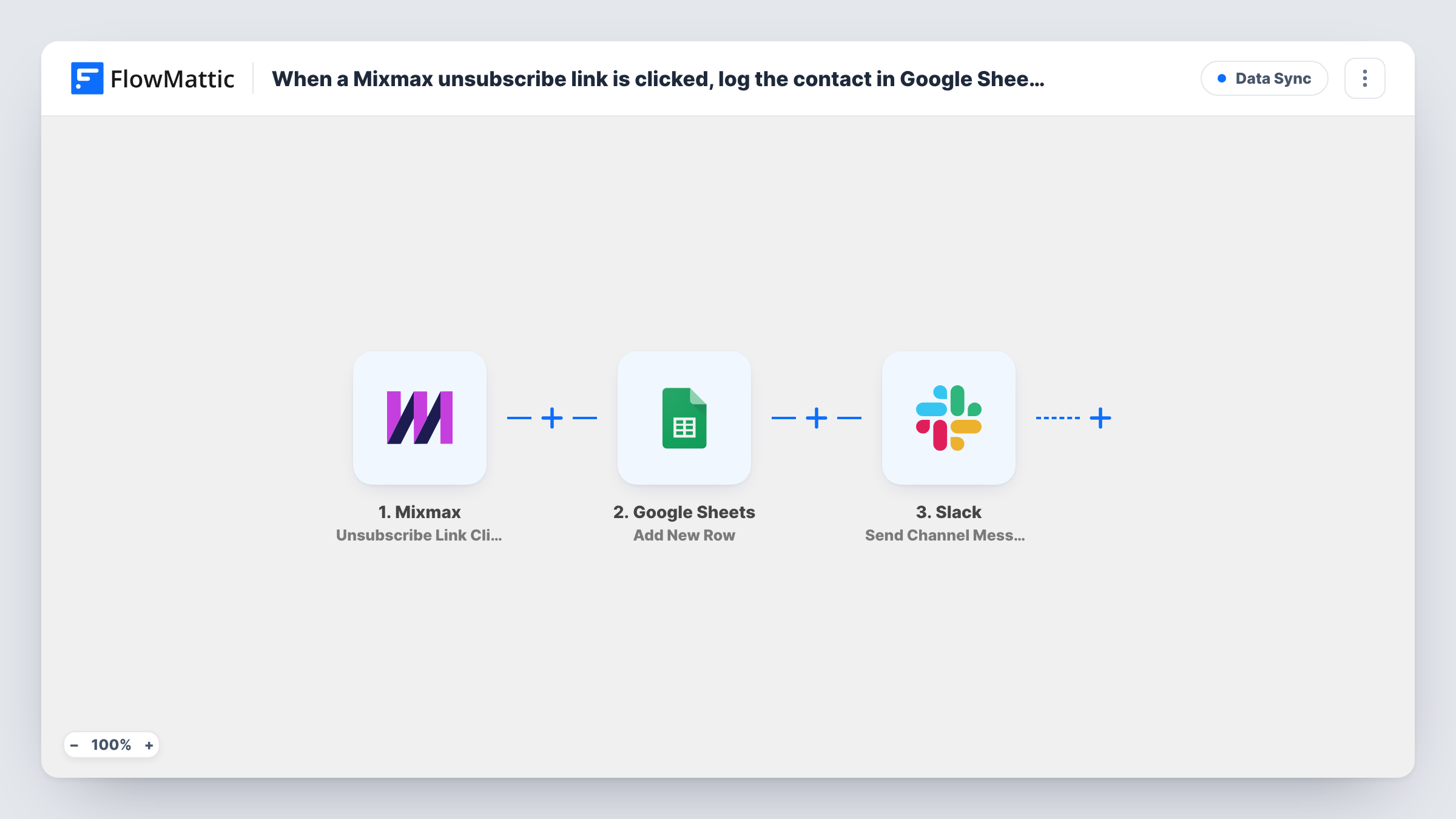
The Mixmax Unsubscribe Link Clicked trigger fires when someone clicks your unsubscribe link. Google Sheets Add New Row writes the contact to your sheet and returns the new row's number. A Slack message then goes to your channel. The last step, Update Row, is meant to change that same row.
In this template every action step ships unmapped, including Update Row. After import, map the row number from the Add New Row step, {google_spreadsheets2.row_number}, into Update Row's row number, and choose the same spreadsheet and sheet, so it edits the row just added. Then set a status column to Handled. Also map the contact fields Mixmax sends into Add New Row and write the Slack message.
The Handled value is set right after the Slack post, so it means the team was told, not that the address was removed from your other tools. Task History shows each click and how every step replied.
Opt-out list for the CRM team
A sales team that also emails from its CRM checks the Mixmax unsubscribe sheet each week and removes those addresses from upcoming sequences.
Instant heads-up for account owners
An account executive sees in #email-optouts on Slack that a prospect unsubscribed and stops planned follow-ups to them.
Audit trail for consent requests
A compliance lead keeps the sheet as a dated record of unsubscribe clicks coming from Mixmax emails.
How this workflow runs
What happens at each step once the workflow is on, and what you need before you import it.
 Mixmax Unsubscribe Link Clicked
Fires when someone clicks the unsubscribe link in a Mixmax email. The click data is passed on; a test run in Task History shows the contact fields you can map, such as the email address.
- Google Sheets Add New Row
Adds the unsubscribed contact as a new row in the spreadsheet and sheet you choose and returns the row's number. No columns are mapped, so match the Mixmax fields to your headers after import.
- Slack Send Channel Message
Lets your team know in a Slack channel that someone unsubscribed. Choose the channel and write the text, mapping in the contact's email from the Mixmax data.
- Google Sheets Update Row
Ships unmapped. Map {google_spreadsheets2.row_number}, the row number the Add New Row step returned, into this step's row number, select the same spreadsheet and sheet, and set the status column to Handled.
What you need
- FlowMatticCore
- Mixmax AccountAccount
- Google Sheets AccountAccount
- Slack AccountAccount
After importing, map your own data. To keep the template universal, not every step is pre-filled. Open each step in the builder and connect your accounts and fields (channels, lists, sheets, recipients) before you switch the workflow on.
Make it yours
Changes worth making after you import it.
- Map the row number in Update Row before you turn the workflow on, using the value from the Add New Row step, so the Handled mark goes on the row that was just added.
- Add a Removed elsewhere column that your team ticks by hand once the address is out of your other email tools, so the sheet tracks the full opt-out.
- Use Slack's Send Private Channel Message action if unsubscribe alerts belong in a private channel.
Questions about this workflow
Is the row number already mapped in Update Row on this Mixmax template?
No. Unlike similar templates, this Update Row step ships empty. Map {google_spreadsheets2.row_number} from Add New Row into its row number, and choose the same spreadsheet and sheet, so it updates the new row.
Does this remove the person from my other mailing tools?
No. It logs the unsubscribe in Google Sheets and posts to Slack. Removing the address from a CRM or newsletter tool is a separate action you'd add or do by hand.
What information about the contact is saved?
Whatever you map from the Mixmax trigger data into Add New Row. Run a test unsubscribe and check Task History to see the available fields.
More Data Sync workflows
Other ready-to-import templates from the same category.





Import this workflow into your WordPress site
Download the JSON, import it from the Workflows screen and connect your accounts. Every run stays on your server, with no per-task fees.
30-day money-back guarantee Unlimited workflows and runs Self-hosted