

When a new Epos Now customer rating arrives, log it in Google Sheets and notify the team in Slack
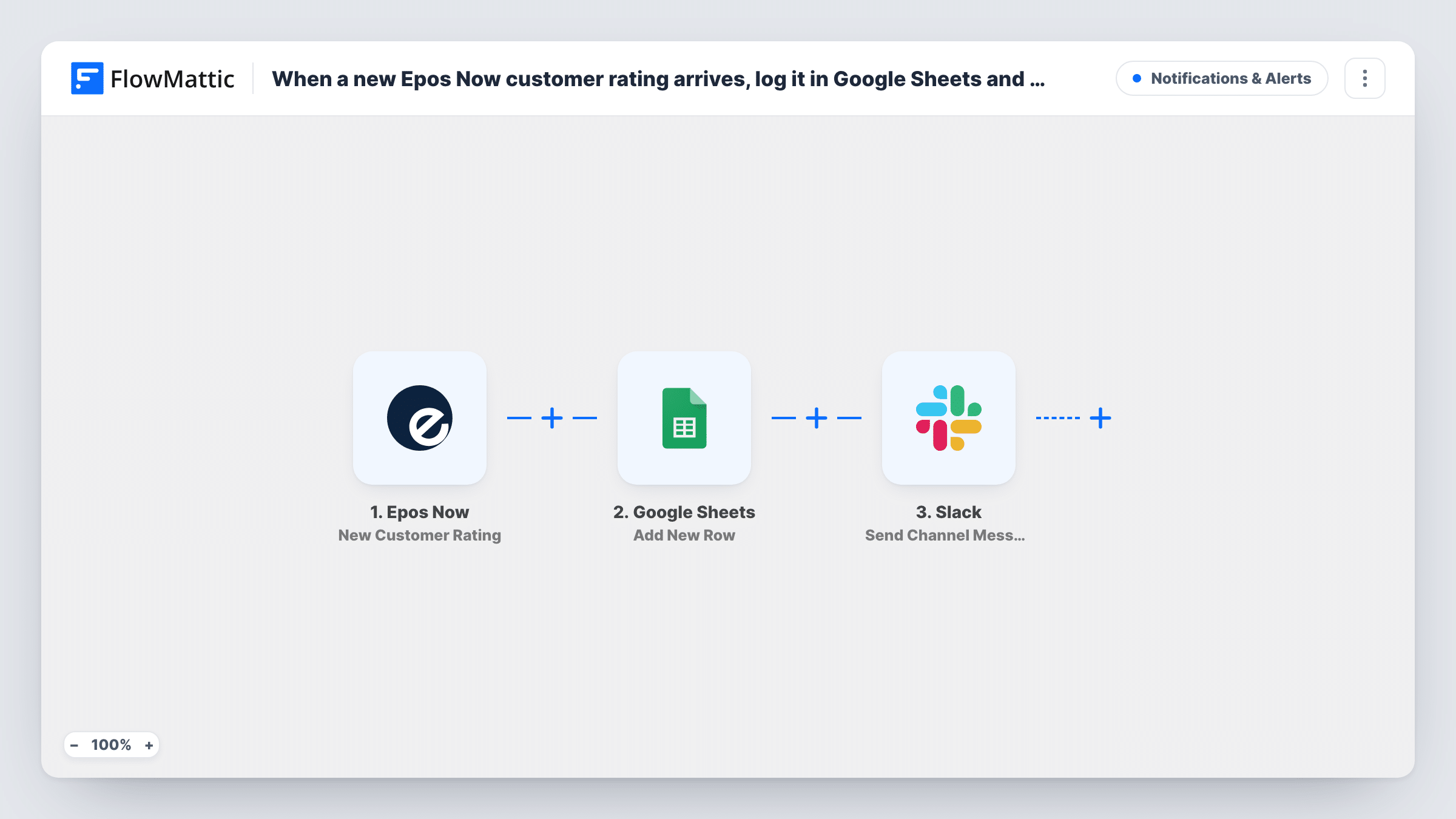
When a customer leaves a new rating in Epos Now, this workflow adds it to a Google Sheets spreadsheet and then posts a Slack message to your team, so feedback from the till is both recorded and seen.
 Epos Now
 Google Sheets
 Slack
3 steps Setup ~5 min Used on 1.1k sites Free to import
What this workflow does
Ratings that customers give through Epos Now tell you how a shift or a store is doing. Left in the point-of-sale system, they are easy to miss and hard to compare over time. This workflow keeps a record of every rating in a spreadsheet and puts each one in front of the team in Slack.
The Epos Now trigger fires when a customer gives you a new rating. FlowMattic first writes the rating data as a new row in Google Sheets, in the spreadsheet and columns you map. It then posts a message to the Slack channel you choose, with the rating details you add to the text.
The sheet becomes a running history you can sort and chart over time, while Slack gives the team a heads-up as ratings come in. Every rating takes both steps, good or bad. If the team only needs to hear about low scores, a Filter before the Slack step keeps the sheet complete and the channel quiet. You can review each rating's run in Task History.
Café manager tracking service
Each Epos Now rating is logged to a sheet the manager reviews weekly, and baristas see new ratings in the shop's Slack channel during the shift.
Multi-site retail feedback
A small chain logs ratings from every store in one Google Sheet and posts them to a regional Slack channel so area managers can compare locations.
Spotting poor experiences quickly
A restaurant adds a Filter before Slack so only low ratings reach the floor manager's channel, while the sheet still records every score.
How this workflow runs
What happens at each step once the workflow is on, and what you need before you import it.
 Epos Now New Customer Rating
Fires when a customer gives your business a new rating in Epos Now. The rating data is passed on for both the spreadsheet row and the Slack message.
- Google Sheets Add New Row
Adds a row to your chosen Google Sheets spreadsheet for each new rating. Connect your Google account, pick the sheet, and map the Epos Now rating details into the columns.
- Slack Send Channel Message
Posts a message about the rating to a Slack channel. Connect your workspace, select the channel, and write the message using the Epos Now rating details you want the team to see.
What you need
- FlowMatticCore
- Epos Now AccountAccount
- Google Sheets AccountAccount
- Slack AccountAccount
After importing, map your own data. To keep the template universal, not every step is pre-filled. Open each step in the builder and connect your accounts and fields (channels, lists, sheets, recipients) before you switch the workflow on.
Make it yours
Changes worth making after you import it.
- Add a Filter before the Slack step that continues only when the rating is below a score you pick. Every rating still reaches the sheet, but Slack only hears about the low ones.
- If a manager should get the alert privately, switch the last step to Slack's Send Direct Message action instead of posting to a channel.
- Create a test rating in Epos Now after import, if you can, so FlowMattic captures the real fields before you map the sheet columns and the message.
Questions about this workflow
Does every Epos Now rating go to Slack?
Yes, as imported. Both steps run for every new rating. Add a Filter before the Slack step if only some ratings should be posted.
Does the Epos Now alert reach Slack when the spreadsheet row can't be written?
Yes. An error on one step doesn't end the run, so the rating still reaches the Slack channel. Task History shows the error on the Google Sheets step so you can fix it.
Are older Epos Now ratings added to the sheet?
No. Only ratings given after you turn the workflow on start a run.
Can I post Epos Now ratings to a private Slack channel?
Swap the last step for Slack's Send Private Channel Message action. The Send Channel Message step in this template posts to a channel you select.
More Notifications & Alerts workflows
Other ready-to-import templates from the same category.




Import this workflow into your WordPress site
Download the JSON, import it from the Workflows screen and connect your accounts. Every run stays on your server, with no per-task fees.
30-day money-back guarantee Unlimited workflows and runs Self-hosted