

When New Lead in Facebook Lead Ads, Add Groups to User in Acadle
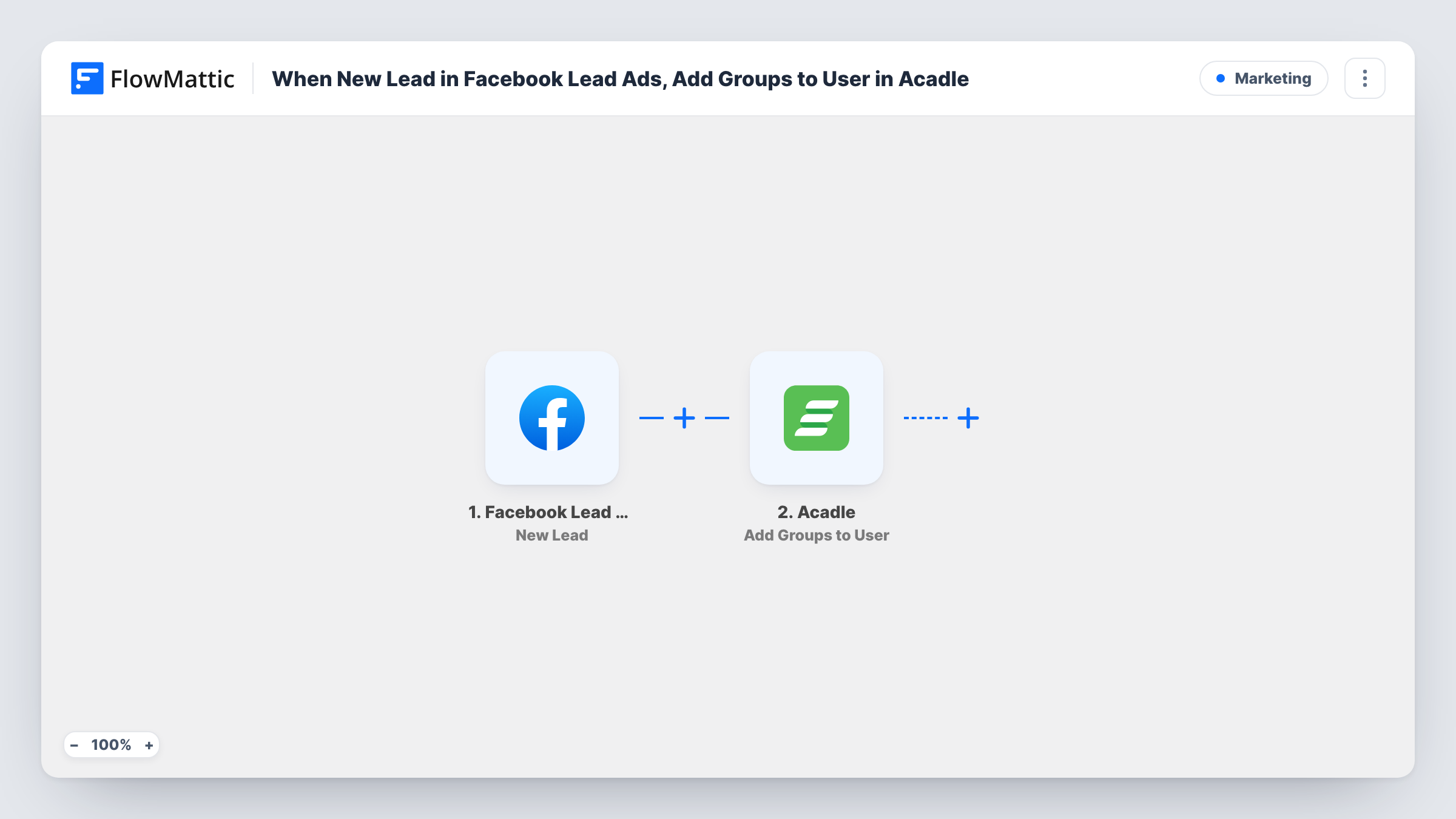
When a Facebook Lead Ads form brings in a new lead, FlowMattic assigns access groups in your Acadle academy to that person, for leads who already have an academy account.
 Facebook Lead Ads
 Acadle
2 steps Setup ~5 min Used on 1.8k sites Free to import
What this workflow does
A lead ad can promise access to a mini course or a members-only area. If your academy runs on Acadle, that access is controlled by groups. This workflow assigns those groups when the lead form is submitted, instead of you checking new leads and setting them up by hand.
The Facebook Lead Ads trigger New Lead fires when a new lead is created. FlowMattic receives the lead's form answers and passes them to Acadle, where Add Groups to User assigns access groups to the academy user. You map the lead's details to identify that user and choose the groups.
There is one catch to plan for. The action works on an academy user, and a new Facebook lead is often not one yet. As imported, nothing creates or invites the person first, so leads without an Acadle account will not get access, and Task History will show Acadle's response. The tips explain how to add an invite step.
Upsell ads for existing learners
You run lead ads at people already in your academy, offering an advanced module. Each lead who signs up gets the group for that module.
Webinar replays for current members
Members who register through a lead ad for a live session are added to the replay group in Acadle so they can watch it later.
Free course access after an invite step
With an Acadle Invite Users step added first, new prospects from a lead ad are invited and given the free starter course group.
How this workflow runs
What happens at each step once the workflow is on, and what you need before you import it.
 Facebook Lead Ads New Lead
Fires when someone submits your Facebook Lead Ads form and a new lead is created. Their form answers are passed on for the Acadle step.
- Acadle Add Groups to User
Assigns access groups to an Acadle academy user. Map the lead's details to identify the user and pick the groups. A test with a lead who already has an academy account shows how it behaves.
What you need
- FlowMatticCore
- Facebook Lead Ads AccountAccount
- Acadle AccountAccount
After importing, map your own data. To keep the template universal, not every step is pre-filled. Open each step in the builder and connect your accounts and fields (channels, lists, sheets, recipients) before you switch the workflow on.
Make it yours
Changes worth making after you import it.
- Test with a lead whose email already belongs to an Acadle user, then check Task History to confirm the groups were assigned to the right person.
- To cover brand-new leads, add Acadle's Invite Users action between the trigger and the groups step, then check with a test lead how invited users are handled.
- Running several lead ads for different courses? Add a Router with a route per form, each with its own Add Groups to User step and groups.
Questions about this workflow
Will a brand-new Facebook lead get access to my Acadle academy?
Not with the template as imported. Add Groups to User works on an existing academy user. Add an Invite Users step before it if your leads are new to Acadle.
How does Acadle know which user to give the groups to?
You map the lead's details into the Add Groups to User step. Check what the step asks for after import and run a test with a known academy user.
Can different Facebook lead forms assign different Acadle groups?
Yes, with a change. Either build one workflow per form, or add a Router that checks the form and sends each lead to a groups step set up for that course.
Does the lead also stay in Facebook Lead Ads?
Yes. The workflow only reads the new lead. Facebook keeps it as usual.
More Marketing workflows
Other ready-to-import templates from the same category.




Import this workflow into your WordPress site
Download the JSON, import it from the Workflows screen and connect your accounts. Every run stays on your server, with no per-task fees.
30-day money-back guarantee Unlimited workflows and runs Self-hosted