

When a new post is created in Fluent Community, send an Appilix push notification
Each new post (feed) created in your Fluent Community site triggers an Appilix push notification to your mobile app users, so members hear about new discussions on their phones.
 Fluent Community
 Appilix
2 steps Setup ~5 min Used on 3.2k sites Free to import
What this workflow does
A community is only lively if members notice new posts. If you've turned your WordPress site into a mobile app with Appilix, a push notification is often the quickest way to bring someone back to a fresh discussion. This workflow sends one each time a post appears in Fluent Community.
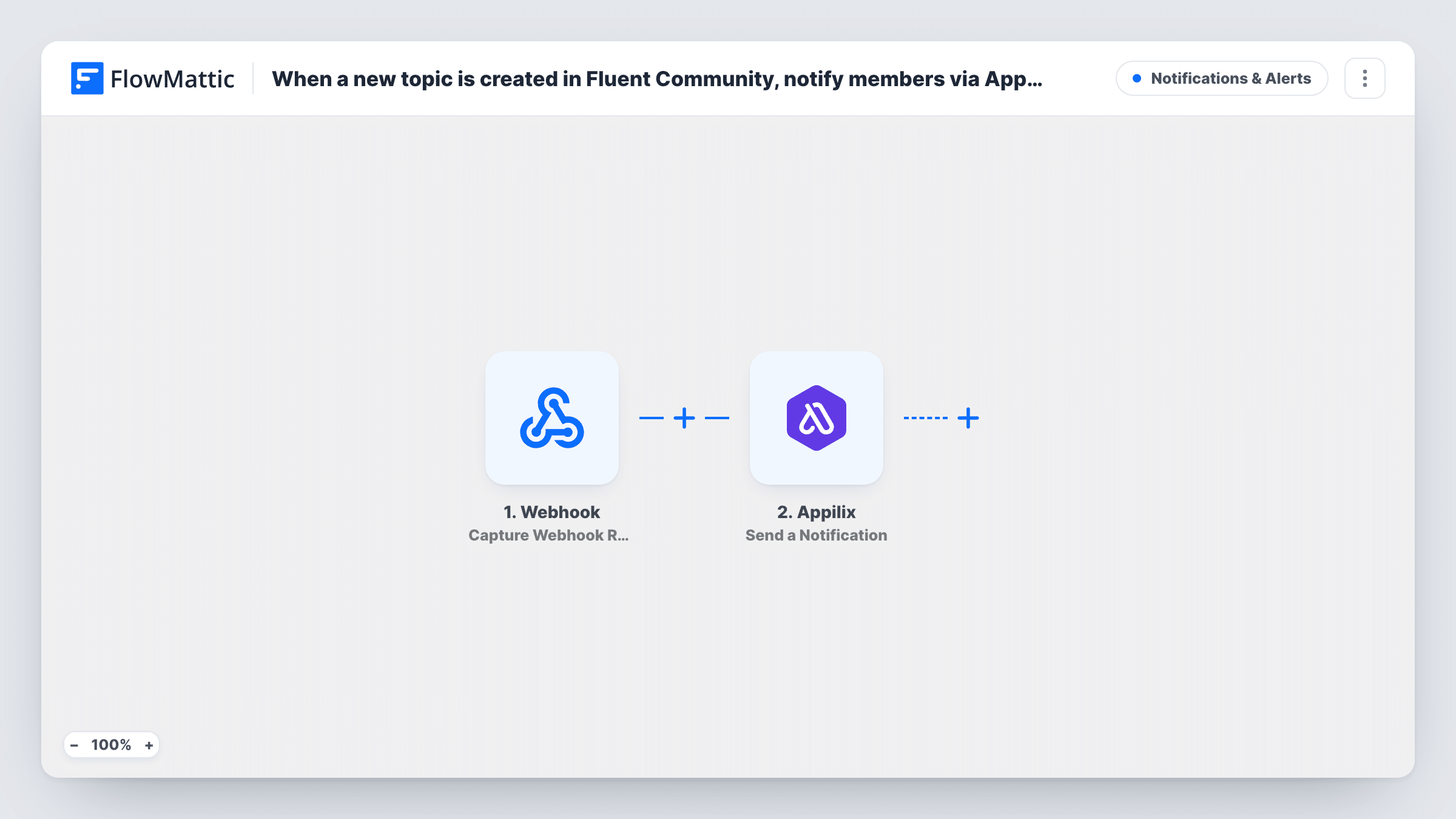
The Fluent Community trigger fires when a new feed is created, which is what Fluent Community calls a post. The post's details are passed on to the next step. FlowMattic's Fluent Community integration also has a separate New Space Feed Created trigger, so test with a post in the space you care about to confirm this one fires for it.
The Appilix step sends a push notification, either to all of your app users or to a specific user. It ships unmapped: after import you connect Appilix, choose who receives it and write the notification, mapping in values from the post such as its title.
Every new post starts a run, whoever writes it. On a busy community that can mean a lot of notifications, so think about narrowing it before you turn the workflow on. Task History shows each run and what Appilix returned.
Announcements for a course community
A course creator posts updates in Fluent Community and every student with the Appilix app gets a push notification with the post title.
Small club with an app
A local running club's members post meetups in the community, and the rest of the club gets a phone alert so nobody misses a session.
Paid membership engagement
A membership site sends a push when an admin posts new content, so app users know there is something new to read.
How this workflow runs
What happens at each step once the workflow is on, and what you need before you import it.
 Fluent Community New Feed Created
Starts when a new feed, Fluent Community's name for a post, is created. Each new post is one run, and its details become available to map into the Appilix notification.
- Appilix Send a Notification
Sends a push notification through Appilix to all app users or to one user. The step ships unmapped: connect Appilix, choose the audience and write the message with values from the post.
What you need
- FlowMatticCore
- FluentCommunity PluginPlugin
- Appilix AccountAccount
After importing, map your own data. To keep the template universal, not every step is pre-filled. Open each step in the builder and connect your accounts and fields (channels, lists, sheets, recipients) before you switch the workflow on.
Make it yours
Changes worth making after you import it.
- Keep the notification short: map the post title, or whichever post values a test run shows, so people can tell at a glance what's new.
- To notify only for posts from admins or moderators, put a Filter between the Fluent Community trigger and the Appilix step that checks the author value from a test run. Posts it stops send no push.
- If you only want alerts for one space, use FlowMattic's New Space Feed Created trigger instead, or add a Filter on the space value from a test run between the trigger and the Appilix step.
Questions about this workflow
Does every Fluent Community post send a push notification?
Yes, as imported. Each new feed starts a run, whoever posts it. Add a Filter between the trigger and the Appilix step if only some posts, such as admin announcements, should notify.
Do I need an Appilix app before importing this workflow?
Yes. The Send a Notification step pushes to users of your Appilix mobile app, so the app must exist and people must have it installed to receive anything.
Can the notification go to one member instead of everyone?
Yes. Appilix's Send a Notification action can target all users or a specific user. Choose which when you set up the step after import.
Do comments on Fluent Community posts trigger it?
No. The trigger is New Feed Created, so only new posts start a run. FlowMattic's Fluent Community integration has a separate New Comment Added trigger for comments.
More Notifications & Alerts workflows
Other ready-to-import templates from the same category.



Import this workflow into your WordPress site
Download the JSON, import it from the Workflows screen and connect your accounts. Every run stays on your server, with no per-task fees.
30-day money-back guarantee Unlimited workflows and runs Self-hosted