

Claim a Voxel listing when a Fluent Forms payment submission is received
When a Fluent Forms payment submission comes in, FlowMattic marks the Voxel listing or post named in the form as claimed, so business owners can pay to claim their listing through your own form.
 Fluent Forms
 Voxel
2 steps Setup ~5 min Used on 1.4k sites Free to import
What this workflow does
Directory sites built with Voxel often let business owners claim the listing that represents them. If you already take payments with Fluent Forms, this workflow connects the two: the claimer pays through your form and the listing is marked as claimed without you doing it by hand.
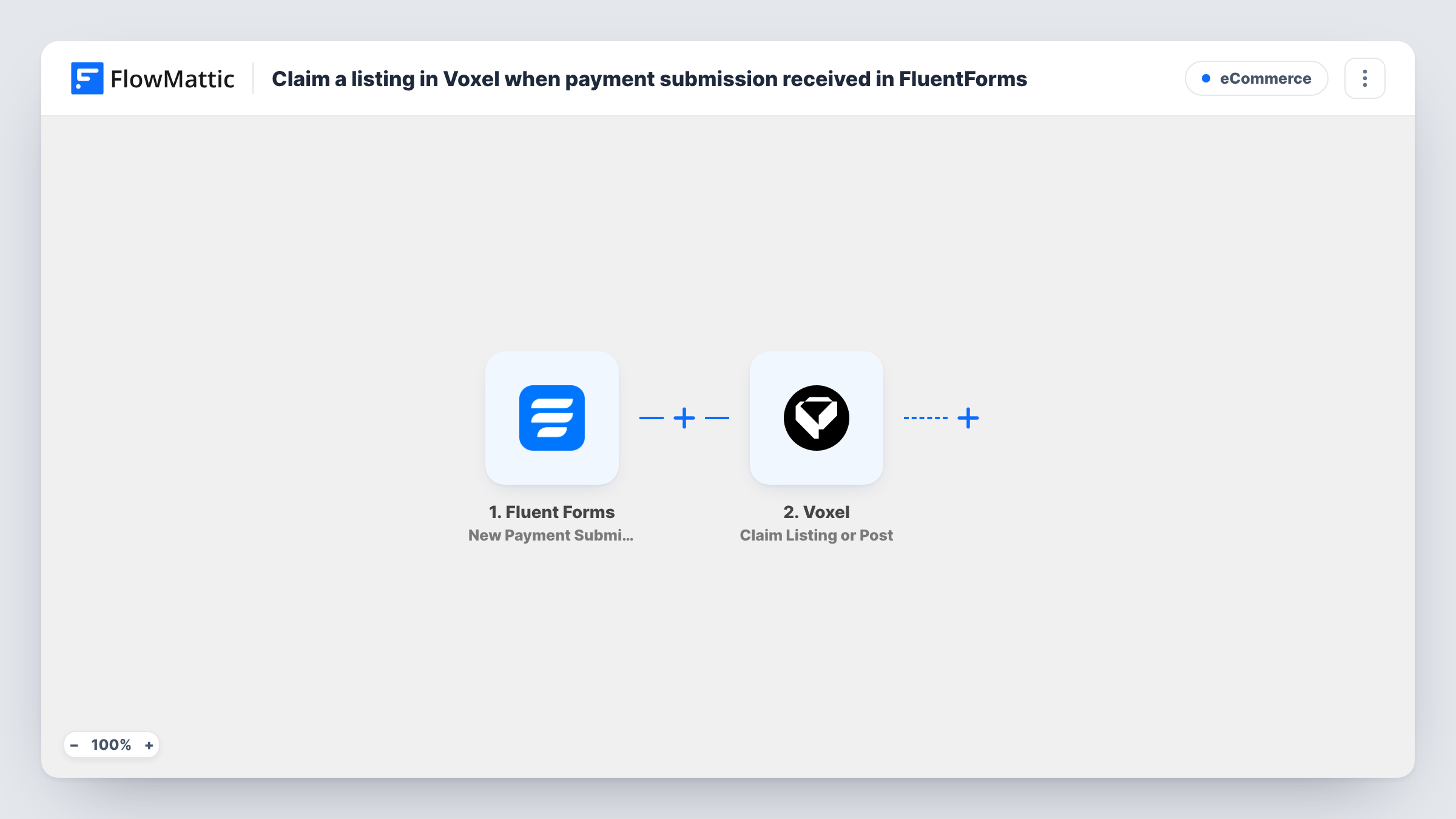
The Fluent Forms New Payment Submission trigger fires when a payment submission is received on the form you choose, and passes the form fields and payment details on. The Voxel Claim Listing or Post step then sets a listing or post as claimed.
The Voxel step ships unmapped, and it needs to know which listing to claim. The form has to carry that listing's post ID, for example in a hidden field filled with the ID of the listing page the form sits on. After import you map that field, plus any other details the step asks for, into the Claim Listing or Post step. Test with a known listing first.
Every payment submission on the form starts a run. Depending on your payment method, a submission can arrive before the payment is complete, so check the payment status in a test run and decide whether to add a Filter for it. Task History shows each run and what Voxel returned.
Paid claims on a local business directory
A city directory adds a Fluent Forms payment form to each listing page, and the listing is marked as claimed in Voxel once a business pays through it.
Venue listings for an events platform
An events site lets venue managers pay a claim fee through Fluent Forms, and the venue's Voxel listing is marked as claimed after the submission.
Professional profiles on a services marketplace
A marketplace pre-fills profiles for local tradespeople, who claim theirs by paying through the form on the profile page.
How this workflow runs
What happens at each step once the workflow is on, and what you need before you import it.
 Fluent Forms New Payment Submission
Starts when a payment submission is received on your chosen Fluent Forms form. The form fields, including the listing's post ID if your form carries it, and the payment details are passed on.
 Voxel Claim Listing or Post
Sets a Voxel listing or post as claimed. The step ships unmapped: map the listing's post ID from the form and any other details the step asks for, then test with a known listing.
What you need
- FlowMatticCore
- Fluent Forms PluginPlugin
- Voxel AccountAccount
After importing, map your own data. To keep the template universal, not every step is pre-filled. Open each step in the builder and connect your accounts and fields (channels, lists, sheets, recipients) before you switch the workflow on.
Make it yours
Changes worth making after you import it.
- Place the payment form on each listing page and add a hidden field filled with that page's post ID, so every submission tells the workflow which listing to claim.
- Put a Filter between the Fluent Forms trigger and the Voxel step that continues only when the payment status from a test run shows the payment is complete. Unpaid submissions then stop before the claim.
- Ask for the claimer's email in the form and map it into the Voxel step if it asks for the person claiming, so the claim is tied to them.
Questions about this workflow
How does the workflow know which Voxel listing to claim?
From your form. The Claim Listing or Post step needs the listing's post ID, so the Fluent Forms form must send it, for example through a hidden field on the listing page. Map that field into the step after import.
Does the Voxel listing get claimed before the payment succeeds?
It can, depending on your payment method, because the trigger fires when the payment submission is received. Check the payment status in a test run and add a Filter on it between the trigger and the Voxel step.
Is this the same as a claim request made inside Voxel?
No. Here the payment goes through Fluent Forms, and FlowMattic's Voxel action sets the listing as claimed. FlowMattic's Voxel integration also has a separate Create Claim Order action if you prefer to work with Voxel's claim orders.
More E-Commerce workflows
Other ready-to-import templates from the same category.








Import this workflow into your WordPress site
Download the JSON, import it from the Workflows screen and connect your accounts. Every run stays on your server, with no per-task fees.
30-day money-back guarantee Unlimited workflows and runs Self-hosted