

Get Twilio SMS messages with new Facebook Lead Ads leads
When a new lead comes in from your Facebook Lead Ads form, this workflow texts you the details through Twilio, so you see who signed up on your phone without logging in to Facebook.
 Facebook Lead Ads
 Twilio
2 steps Setup ~5 min Used on 3.4k sites Free to import
What this workflow does
Leads from Facebook Lead Ads sit in Meta's tools until someone downloads them, and a lead who filled in a form an hour ago may already be talking to a competitor. If you or a salesperson are away from a desk, a text message is the notice you are most likely to see. This workflow sends one for each new lead.
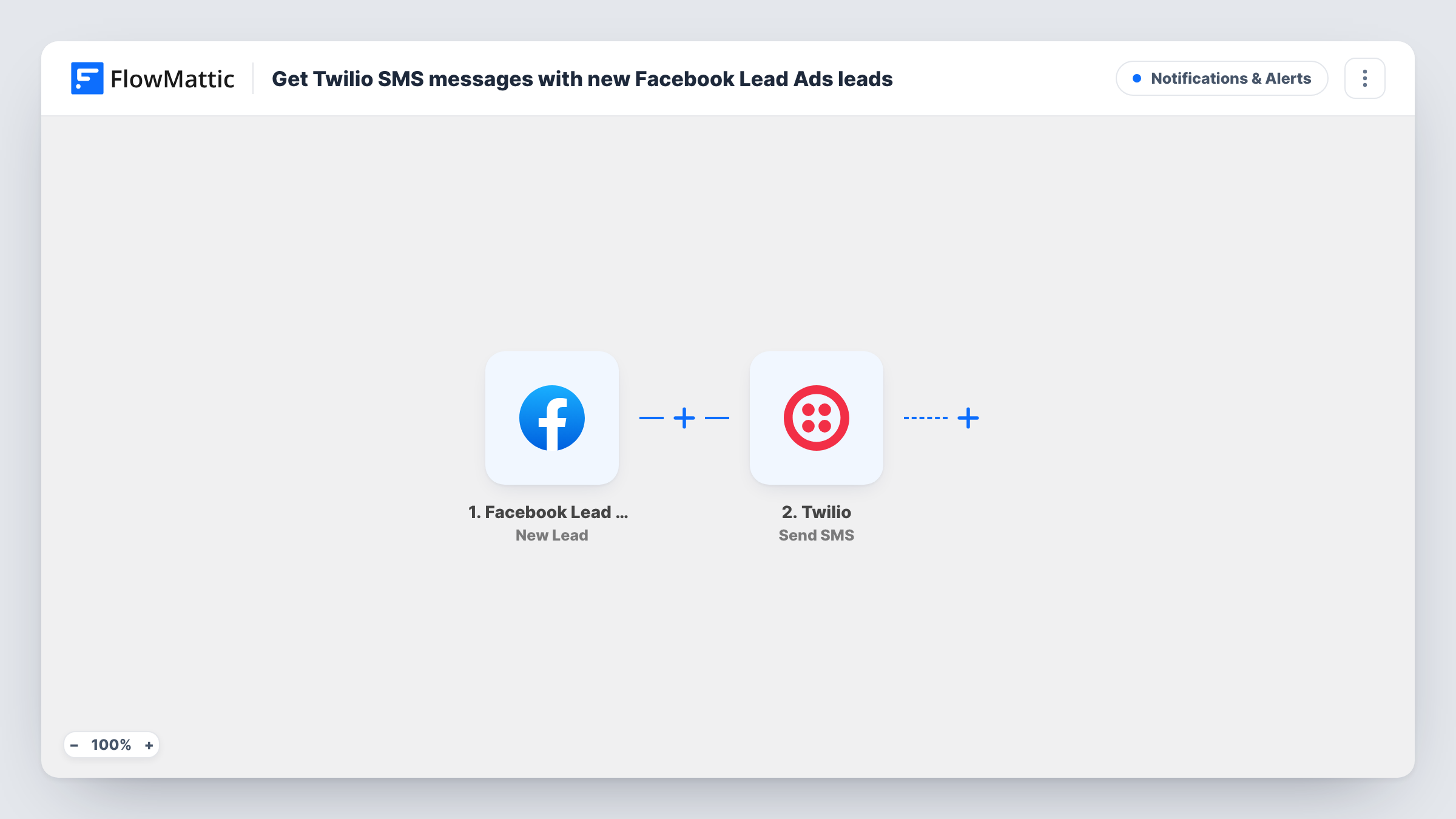
The Facebook Lead Ads trigger, New Lead, fires when a new lead is created from your lead form. FlowMattic receives the lead's answers and passes them to Twilio, where Send SMS sends a text to the phone number you enter. You write the message and drop in the lead's name, phone, email or any other answer from the form.
Every lead the trigger receives produces one text. The message goes to your number, not to the lead. After import, connect both accounts, submit a test lead, and check the text that arrives. Task History keeps a record of each run and what Twilio returned.
Home services calling back fast
A plumber runs a lead ad for emergency call-outs. Each lead's name and number arrive by text, so they can ring back from the van.
Real estate agents between viewings
An agent gets a text with the name and preferred area of every person who fills in the valuation lead form, without opening Facebook between appointments.
Small sales team on the move
The sales manager's phone receives every new lead, so someone can be assigned to call while the person still remembers the ad.
How this workflow runs
What happens at each step once the workflow is on, and what you need before you import it.
 Facebook Lead Ads New Lead
Picks up each lead your Facebook lead form collects. Connect your Facebook account. The lead's form answers become available to map into the text message.
- Twilio Send SMS
Texts the lead's details from your Twilio account to the mobile number set in this step. Use your own or a teammate's mobile as the recipient, and write a short message that includes the lead's name, phone and any answers you need.
What you need
- FlowMatticCore
- Facebook Lead Ads AccountAccount
- Twilio AccountAccount
After importing, map your own data. To keep the template universal, not every step is pre-filled. Open each step in the builder and connect your accounts and fields (channels, lists, sheets, recipients) before you switch the workflow on.
Make it yours
Changes worth making after you import it.
- Keep the text short and put the lead's phone number first, so you can tap it to call straight from the message.
- Add a Router with routes on a form answer, such as the region or service chosen, and a Twilio step on each route that texts the right salesperson.
- Add a Google Sheets or CRM step after Twilio so every lead is also stored somewhere your team can search later.
Questions about this workflow
Does the Facebook lead receive a text?
No, not as imported. The SMS goes to the number you set in the Twilio step. You can map the lead's phone as the recipient instead, if they agreed to receive texts from you.
Which number do the Facebook lead texts come from?
They come from a number on your Twilio account. You connect that account to FlowMattic when you set up the step.
Are Facebook leads from before I import this sent?
No. Only leads created after the workflow is turned on trigger a text. Download older leads from Meta's tools.
Can more than one person get the lead text?
Add a second Twilio Send SMS step after the first with another number, and both people receive the message for each lead.
More Notifications & Alerts workflows
Other ready-to-import templates from the same category.





Import this workflow into your WordPress site
Download the JSON, import it from the Workflows screen and connect your accounts. Every run stays on your server, with no per-task fees.
30-day money-back guarantee Unlimited workflows and runs Self-hosted