

Append texts to Google Docs for new messages posted to Discord channels
Every new message posted in a Discord channel you pick is added to the end of a Google Docs document, building a running record of the conversation that you can read, search or share outside Discord.
 Discord
 Google Docs
2 steps Setup ~5 min Used on 2.0k sites Free to import
What this workflow does
Discord is good for quick talk, but scrolling back through a busy channel to find what was decided is tedious, and people outside your server cannot see it at all. A plain document is easier to search, quote and hand to someone else. This workflow copies each new channel message into one Google Doc as it is posted.
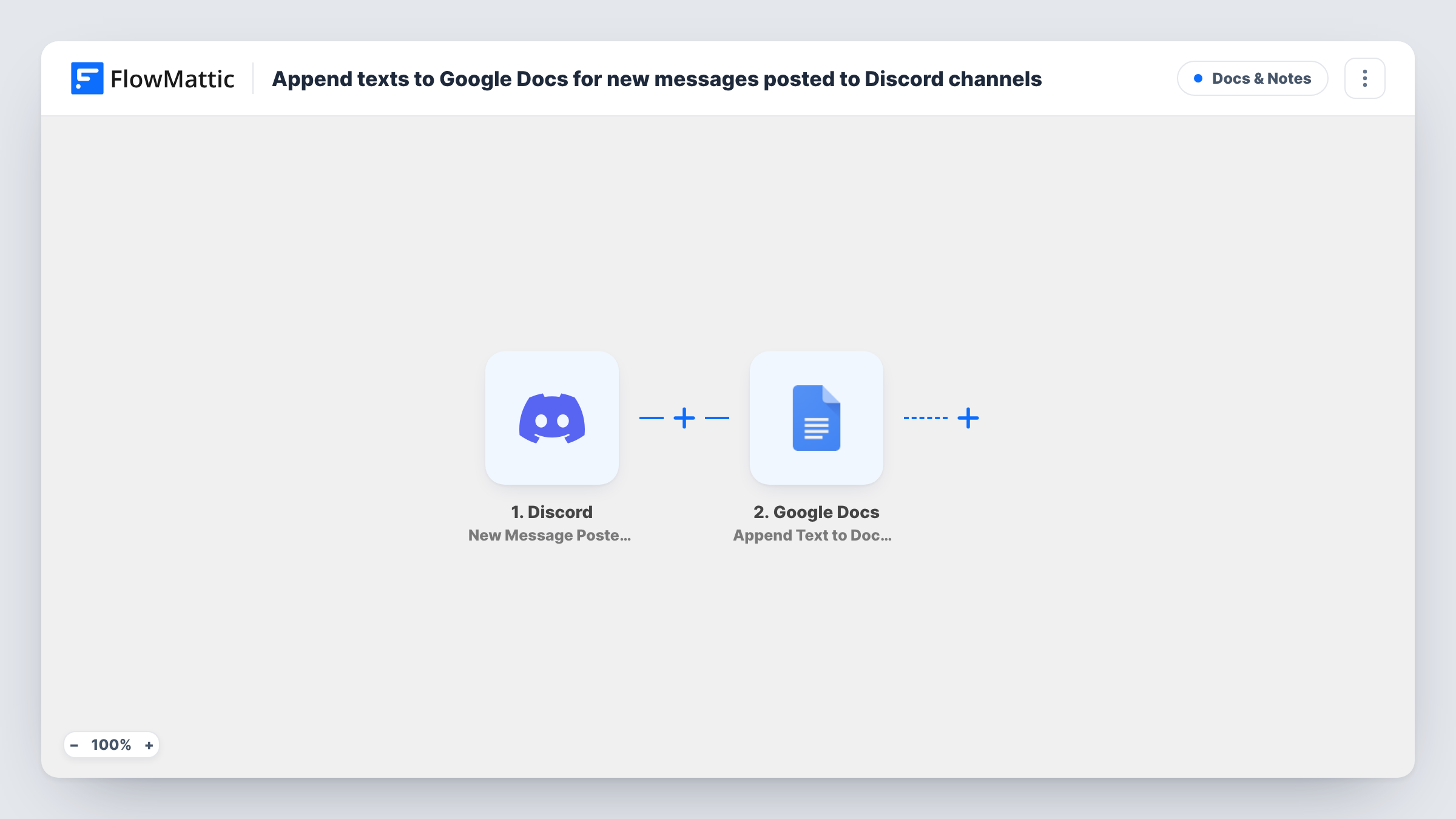
The Discord trigger fires when a new message is posted to the text channel you set. The message's data becomes available to map. FlowMattic then runs Append Text to Document in Google Docs, which adds text to the end of an existing document. You decide what each entry contains, for example the author, the time and the message text.
Each message adds its own entry, so the document grows with the channel. The workflow does not change Discord. It does not copy older messages or later edits and deletions, only new posts. Task History shows each message that was sent to the document.
Decision log for a project channel
Your team discusses a project in a dedicated Discord channel. The Google Doc becomes a log you can scan later to find when and why something was agreed.
Announcements archive
Point the trigger at your announcements channel. Every post is kept in a document you can share with people who are not on your server.
Collecting community feedback
A feedback channel on your community server feeds one document, which you review each week with your product team.
How this workflow runs
What happens at each step once the workflow is on, and what you need before you import it.
 Discord New Message Posted to Channel
Runs when a new message is posted to the Discord text channel you choose. The message's data is passed on so you can build the text added to the document.
- Google Docs Append Text to Document
Adds text to the end of an existing Google Docs document. Map the Discord values you want, such as author and message text, into the appended text and pick the document to write to.
What you need
- FlowMatticCore
- Discord AccountAccount
- Google Docs AccountAccount
After importing, map your own data. To keep the template universal, not every step is pre-filled. Open each step in the builder and connect your accounts and fields (channels, lists, sheets, recipients) before you switch the workflow on.
Make it yours
Changes worth making after you import it.
- Start each appended entry with the author and a timestamp, then a line break, so the document reads like a transcript rather than one long paragraph.
- If automated posts clutter the channel, add a Filter after the Discord trigger that skips them, using a value in the message data that marks a bot or a known author.
- Want messages from several channels? Import the workflow once per channel and point each copy at its own document, or at the same one with the channel name in each entry.
Questions about this workflow
Are older Discord messages added to the Google Doc?
No. Only messages posted after you turn the workflow on are appended. Earlier channel history stays in Discord.
What happens in the Google Doc if a Discord message is edited or deleted?
Nothing. The trigger reacts to new messages only, so the text already appended stays as it was first posted.
Does the Google Docs document have to exist already?
Yes. Append Text to Document adds to the end of an existing document, so create it first and select it in the step.
Can I copy more than one Discord channel into Google Docs?
The trigger watches one text channel. Use a separate copy of the workflow for each further channel you want recorded.
More Docs & Notes workflows
Other ready-to-import templates from the same category.



Import this workflow into your WordPress site
Download the JSON, import it from the Workflows screen and connect your accounts. Every run stays on your server, with no per-task fees.
30-day money-back guarantee Unlimited workflows and runs Self-hosted