

Create a OneSignal user for every new WPForms submission
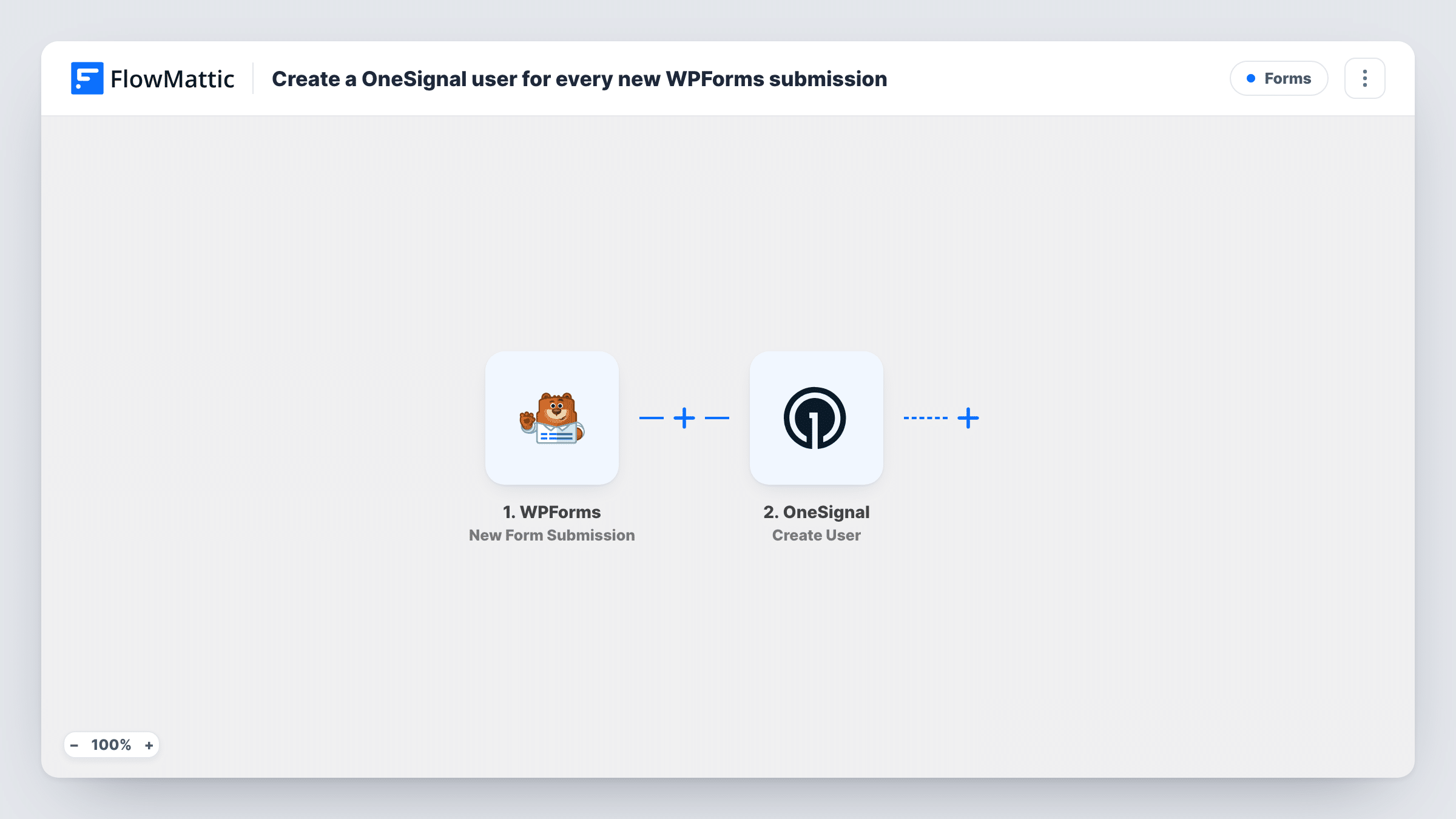
Every WPForms submission on your site creates a user in OneSignal from the details the person entered, so the people who fill in your forms are ready for the messages you send through OneSignal.
 WPForms
 OneSignal
2 steps Setup ~5 min Used on 3.4k sites Free to import
What this workflow does
If you send messages through OneSignal, the people who fill in your WordPress forms are an obvious audience. Exporting form entries and importing them into OneSignal is slow and easy to forget. Here, each new entrant reaches OneSignal the moment their form goes through.
The WPForms trigger fires on each new form submission and makes every field available to map. FlowMattic then runs the OneSignal Create User action, which creates a user with aliases, tags and subscriptions. You map form answers into it, for example the email address as a subscription and a form answer as a tag.
What OneSignal does when the same person submits again depends on how OneSignal treats the identifiers you map, so test with a repeat entry before you go live. WPForms keeps its own entry handling and notifications as before. Task History shows each run and OneSignal's response.
Newsletter sign-ups for email via OneSignal
A WPForms sign-up form on your blog creates a OneSignal user with the email address, ready for the email messages you send from OneSignal.
Event registrations with SMS reminders
Registrants give a phone number in WPForms. Mapping it into the OneSignal user lets you send SMS reminders from OneSignal before the event.
Segmenting by interest
A form asks which topics a visitor cares about. Map the answer into a OneSignal tag so you can target messages by topic later.
How this workflow runs
What happens at each step once the workflow is on, and what you need before you import it.
 WPForms New Form Submission
Starts a run whenever a WPForms form is submitted on your WordPress site. All the form's fields are passed on, ready to map into OneSignal.
- OneSignal Create User
Creates a user in your OneSignal app with aliases, tags and subscriptions. Map the form's email or phone field and any answers you want stored as tags, then confirm the result in a test run.
What you need
- FlowMatticCore
- WPForms PluginPlugin
- OneSignal AccountAccount
After importing, map your own data. To keep the template universal, not every step is pre-filled. Open each step in the builder and connect your accounts and fields (channels, lists, sheets, recipients) before you switch the workflow on.
Make it yours
Changes worth making after you import it.
- Add a Filter after the WPForms trigger so only entries with a ticked consent checkbox create a OneSignal user.
- Make the email or phone field required in WPForms so every submission has a value to map into the OneSignal user.
- Send a test submission after import, then check the new user in OneSignal to confirm aliases and tags landed as you mapped them.
Questions about this workflow
Do I need OneSignal set up for email or SMS before importing?
You need a OneSignal app to create users in. To send email or SMS to those users later, that channel has to be set up in OneSignal itself; this workflow only creates the user record.
What happens when someone submits the WPForms form twice?
Each submission runs Create User again. How OneSignal handles an identifier it already has is decided by OneSignal, so submit twice with the same details in a test and read its response in Task History.
Does this send a push notification to the person?
No. The workflow only creates the user in OneSignal. Messages are sent from OneSignal, or from another step you add to the workflow.
Can a WPForms user also get web push from OneSignal?
Web push needs the visitor to opt in through OneSignal on your site. A form submission gives you an email or phone to map, not a browser subscription.
More Forms workflows
Other ready-to-import templates from the same category.






Import this workflow into your WordPress site
Download the JSON, import it from the Workflows screen and connect your accounts. Every run stays on your server, with no per-task fees.
30-day money-back guarantee Unlimited workflows and runs Self-hosted