

When new webhook response received, add post to Nuelink
Send post content to a FlowMattic webhook URL from any app or script, and this workflow adds it as a new social media post in your Nuelink collection, ready for Nuelink to publish on its schedule.
 Webhook
 Nuelink
2 steps Setup ~5 min Used on 3.0k sites Free to import
What this workflow does
Nuelink publishes posts from collections, but filling a collection by hand means copying text and links out of wherever your content starts. If another tool or a script already produces that content, it can hand it to Nuelink through a webhook instead.
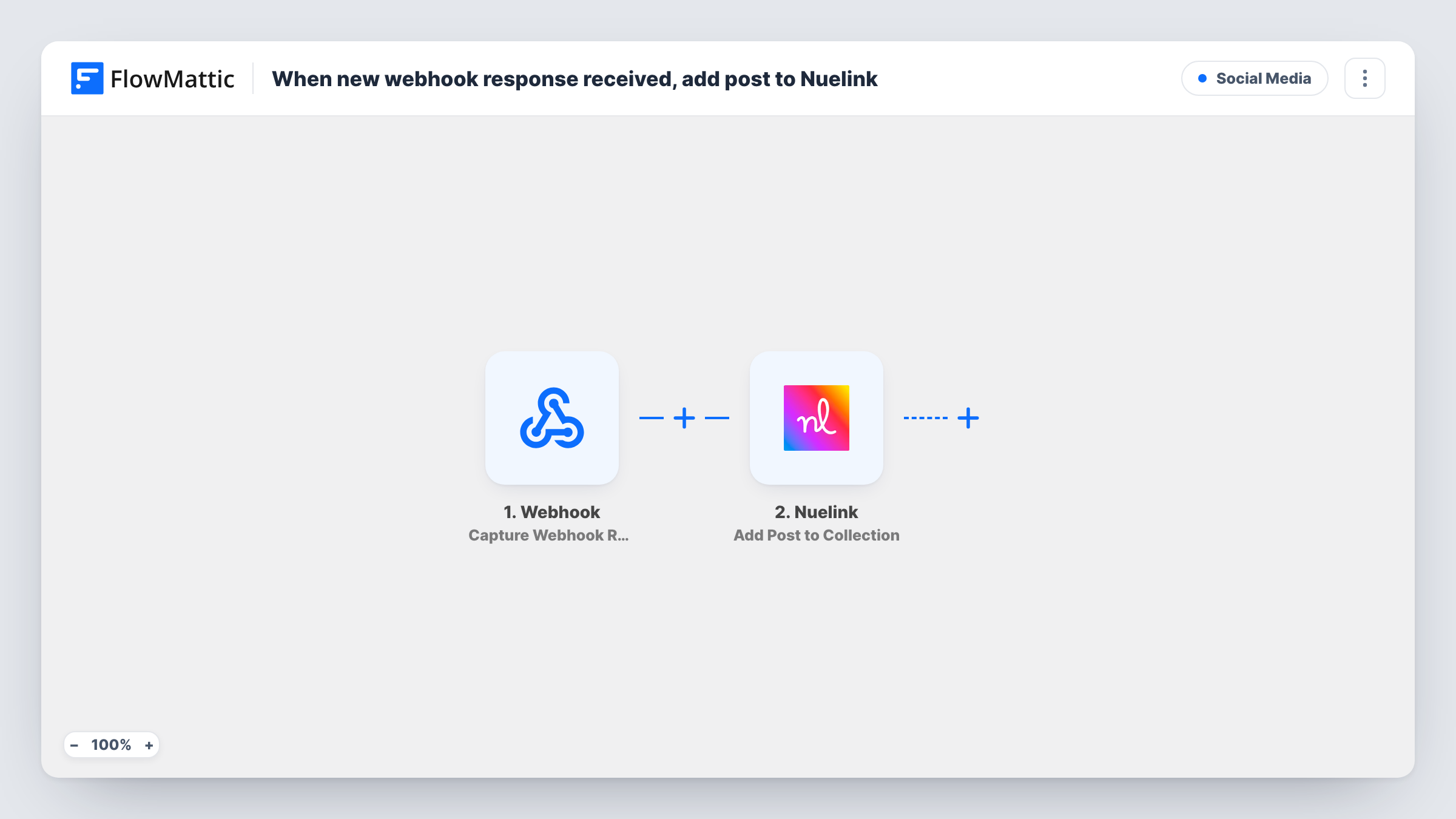
The Webhook trigger creates an address of its own for this workflow. Whatever system you point at it sends a request, and FlowMattic reads the data in that request. The Nuelink step, Add Post to Collection, then adds a new social media post to your collection. You map the incoming values that hold the post content into it.
Every request that reaches the URL creates a post, so only the sender you set up should know it. You can also turn on the trigger's option to require authentication on incoming requests. Task History records each request with the data received and Nuelink's response.
Posts drafted in an internal tool
Your team writes social copy in a custom dashboard. A button there sends the text to the webhook, and the post lands in the right Nuelink collection.
Sharing new items from another platform
A store or job board that can send webhooks posts each new listing's title and link, which becomes a Nuelink post for your followers.
Content from a spreadsheet script
A script you run over a content calendar sends each planned post to the webhook, filling the Nuelink collection in one go.
How this workflow runs
What happens at each step once the workflow is on, and what you need before you import it.
 Webhook Capture Webhook Response
Gives you a unique URL and starts a run whenever a request reaches it. The data in the request becomes fields you can map into the Nuelink post.
- Nuelink Add Post to Collection
Places a new post in whichever Nuelink collection you choose. Map the post content from the webhook data and connect your Nuelink account on import.
What you need
- FlowMatticCore
- Nuelink AccountAccount
After importing, map your own data. To keep the template universal, not every step is pre-filled. Open each step in the builder and connect your accounts and fields (channels, lists, sheets, recipients) before you switch the workflow on.
Make it yours
Changes worth making after you import it.
- Send one sample request to the webhook URL after import so FlowMattic captures the field names, then map them into the Nuelink step.
- Turn on Require authentication on incoming requests in the Webhook trigger, and give the key only to the system that sends your posts.
- Add a Filter that continues only when the post text field is not empty, so a malformed request doesn't create a blank post.
Questions about this workflow
What format should the request to the webhook use?
Send the post data as fields in the request body, for example JSON. Send a sample first so FlowMattic shows the fields it received, then map them in the Nuelink step.
Does adding a post to the Nuelink collection publish it straight away?
The workflow only adds the post to the collection. When and where it is published is up to how you have that collection set up in Nuelink.
Can someone else post to my Nuelink collection through this webhook?
Anyone holding the URL can start a run unless authentication is on. Turn on the trigger's authentication setting so only senders with your key are accepted.
Can one webhook feed more than one Nuelink collection?
Not as imported. Add a Router with a route per collection, each with its own Nuelink step and a condition on a field your sender includes.
More Social Media workflows
Other ready-to-import templates from the same category.




Import this workflow into your WordPress site
Download the JSON, import it from the Workflows screen and connect your accounts. Every run stays on your server, with no per-task fees.
30-day money-back guarantee Unlimited workflows and runs Self-hosted