

Log every new carrot lead capture in a Google Sheets spreadsheet
Each time a carrot form captures a new lead, FlowMattic adds the lead’s details to a new row in Google Sheets, so your real estate leads build up in one sheet your team can work from.
 carrot
 Google Sheets
2 steps Setup ~5 min Used on 1.1k sites Free to import
What this workflow does
carrot sites are built to bring in motivated sellers and buyers through forms. The leads land in carrot, but your acquisitions team, a virtual assistant or a partner may work from a spreadsheet instead. This workflow copies each captured lead into Google Sheets so they can.
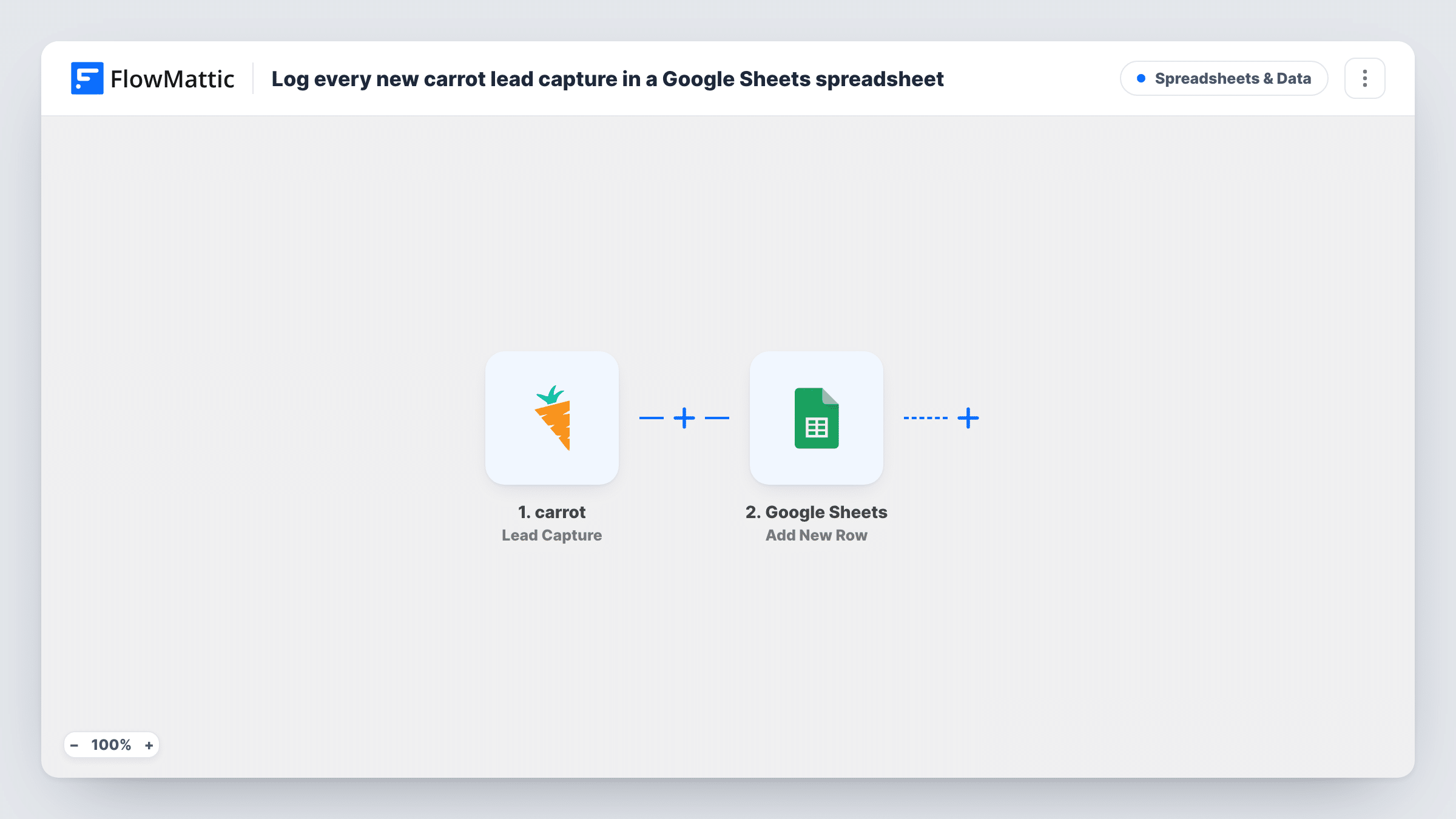
The carrot trigger, Lead Capture, fires when a new lead is captured through a form submission. The lead data carrot sends becomes values you can map. Google Sheets then adds a row to the spreadsheet you choose with Add New Row, putting each value in the column you mapped it to.
Every captured lead gets a row, with no filtering in the template. If the same person submits twice, you get two rows, because the step adds rather than looks for an existing one. Task History shows each run, so you can check that leads arrive with the fields you expect.
Call list for a virtual assistant
A VA who makes first-contact calls to sellers works from a shared sheet of carrot leads, adding notes in spare columns as they go.
Weekly lead review for an investor team
The team sorts the sheet by date each Monday to see how many carrot leads came in and which still need an offer.
Combining leads from several carrot sites
If you run separate carrot sites for sellers and buyers and both report to this trigger, one spreadsheet holds them all. Test each site to see what tells their leads apart.
How this workflow runs
What happens at each step once the workflow is on, and what you need before you import it.
 carrot Lead Capture
Runs when carrot captures a new lead through a form submission. The lead's submitted details are passed on for mapping into the sheet.
- Google Sheets Add New Row
Writes each carrot lead into a fresh row of the spreadsheet and tab you set. Connect your Google account, then map the lead values your carrot form collects, such as a name and phone number, to your columns.
What you need
- FlowMatticCore
- carrot AccountAccount
- Google Sheets AccountAccount
After importing, map your own data. To keep the template universal, not every step is pre-filled. Open each step in the builder and connect your accounts and fields (channels, lists, sheets, recipients) before you switch the workflow on.
Make it yours
Changes worth making after you import it.
- Submit a test lead on your carrot site after import so FlowMattic captures real data. You'll see which values carrot sends before you map the sheet's columns.
- Add a spare Status column that the workflow doesn't fill. Your team can mark each lead as called, offered or closed without the next run overwriting it.
- Want a ping as well as a row? Add a Slack or email step after Google Sheets so someone knows a new seller lead just arrived.
Questions about this workflow
Which carrot lead details end up in the spreadsheet?
The values carrot sends with the Lead Capture event, which depend on the fields in your carrot forms. A test submission shows the full list in the trigger step.
Does a repeat carrot submission update the existing row?
No. The step only adds rows, so a second submission from the same person creates a second row. Sort or use a duplicate check in Google Sheets if you need one row per person.
Are carrot leads captured before import copied over?
No. A carrot lead starts a run only if it arrives while the workflow is switched on, so earlier leads have to be added to the sheet by hand.
Can carrot leads go to a CRM instead of Google Sheets?
Yes. Replace the Google Sheets step with your CRM's contact action in FlowMattic, or add it after the sheet step so leads go to both.
More Spreadsheets & Data workflows
Other ready-to-import templates from the same category.



Import this workflow into your WordPress site
Download the JSON, import it from the Workflows screen and connect your accounts. Every run stays on your server, with no per-task fees.
30-day money-back guarantee Unlimited workflows and runs Self-hosted