

Email the team a summary via Gmail when a MetaSurvey is completed
Each time a respondent completes a MetaSurvey, this workflow sends your team a Gmail message built from the survey results, so people see new feedback without logging in to MetaSurvey.
 MetaSurvey
 Gmail
2 steps Setup ~5 min Used on 2.0k sites Free to import
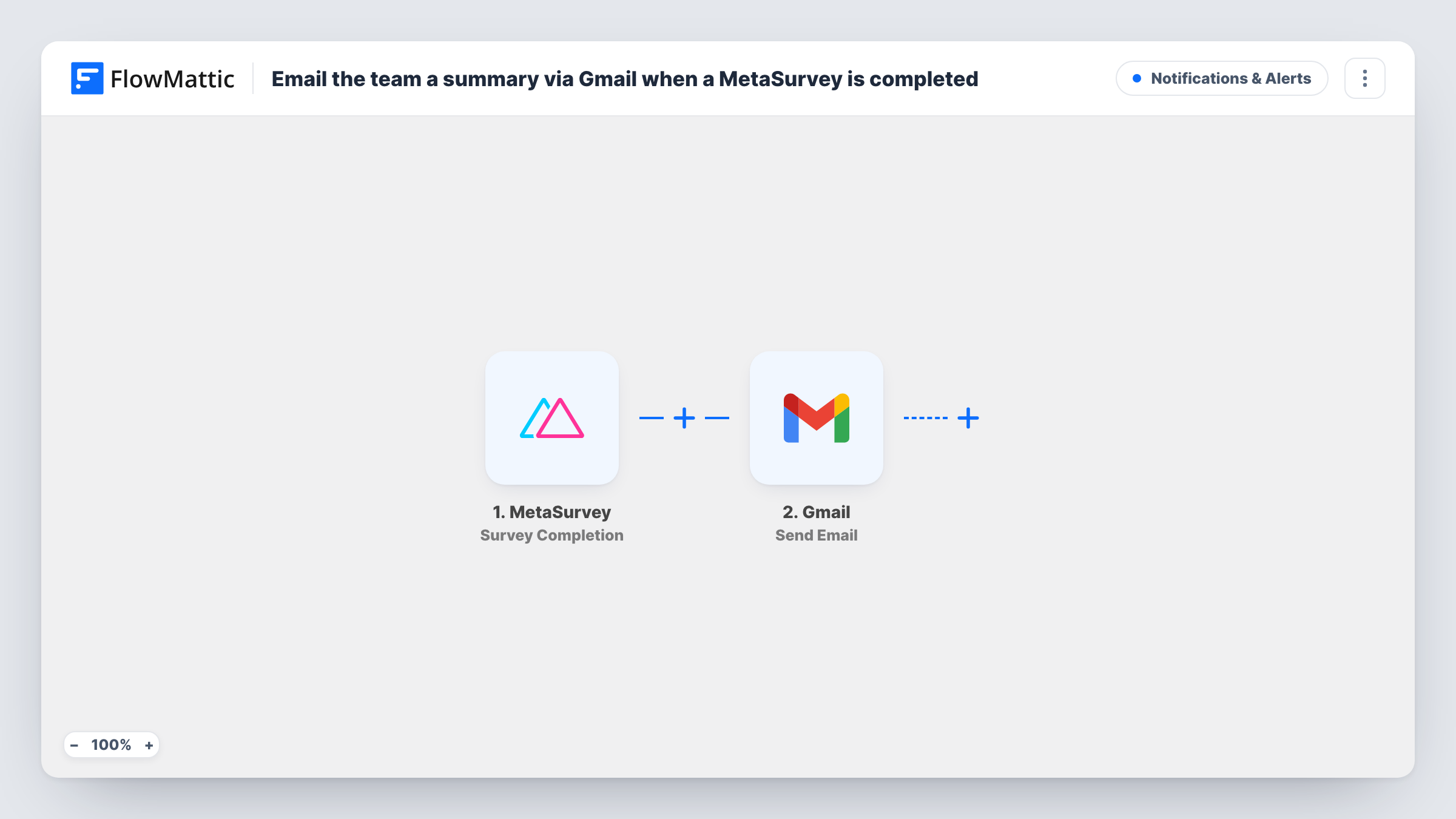
What this workflow does
Survey answers are only useful once someone reads them. If MetaSurvey results sit in the survey tool until somebody remembers to look, feedback waits days for a reply. This workflow puts each completed MetaSurvey response in your team's inbox through Gmail.
The MetaSurvey trigger fires on the survey results MetaSurvey sends when a respondent completes a survey. FlowMattic makes those results available to map. Next, the Gmail step mails those results out through the Google account you link. You choose the recipients, write the subject, and build the body from the answers you want the team to see.
The summary is what you put in the email body. FlowMattic doesn't shorten or rewrite the answers, so pick the questions that matter and lay them out in the message. Every completed survey sends one email. Task History lists each run, so you can check what was sent.
Customer feedback for a support lead
A post-ticket MetaSurvey asks how the support went. Each completed survey lands in the support lead's inbox with the rating and comment in the body.
Product team reads feature requests
A MetaSurvey on your pricing page asks what feature is missing. The answers reach the product team's shared Gmail address as they come in.
Event feedback after a workshop
Attendees complete a short MetaSurvey after the session. The organiser gets each response by email and can follow up while the event is fresh.
How this workflow runs
What happens at each step once the workflow is on, and what you need before you import it.
 MetaSurvey Survey Completion
Fires when a respondent completes one of your MetaSurvey surveys. The survey results come into FlowMattic so you can place the answers in the email.
- Gmail Send Email
Mails the survey summary through Gmail. Set the team's address as the recipient, add a subject, and map the MetaSurvey answers into the body to form the summary.
What you need
- FlowMatticCore
- MetaSurvey AccountAccount
- Gmail AccountAccount
After importing, map your own data. To keep the template universal, not every step is pre-filled. Open each step in the builder and connect your accounts and fields (channels, lists, sheets, recipients) before you switch the workflow on.
Make it yours
Changes worth making after you import it.
- Add a Filter after the trigger so only certain responses send an email, for example a satisfaction score below a number you choose. Check a test run first to see how MetaSurvey returns the score.
- Put a key answer in the Gmail subject line, such as a rating or score, so the team can sort survey emails in the inbox at a glance.
- Complete one test survey after import so FlowMattic captures the MetaSurvey result fields, then map them into the Gmail body before you turn the workflow on.
Questions about this workflow
Does the Gmail email include every MetaSurvey answer?
Only the answers you map into the body. The template doesn't pick fields for you, so you decide which results make up the summary.
Can the MetaSurvey summary go to more than one person?
Yes. Point the Gmail step at a shared team address or a Google group, and everyone on it gets the same summary.
Will MetaSurvey responses from before the import be emailed?
No. The trigger only reacts to surveys completed after the workflow is turned on, so older results stay in MetaSurvey.
Which account sends the MetaSurvey summary email?
Whichever Google account you link when you set up the Gmail step. The summary appears in that account's Sent folder like any message you send yourself.
More Notifications & Alerts workflows
Other ready-to-import templates from the same category.





Import this workflow into your WordPress site
Download the JSON, import it from the Workflows screen and connect your accounts. Every run stays on your server, with no per-task fees.
30-day money-back guarantee Unlimited workflows and runs Self-hosted