

When a new ticket is created in Tawk.to, check if the email is valid with Emailable, and add a new subscriber in Campaign Monitor
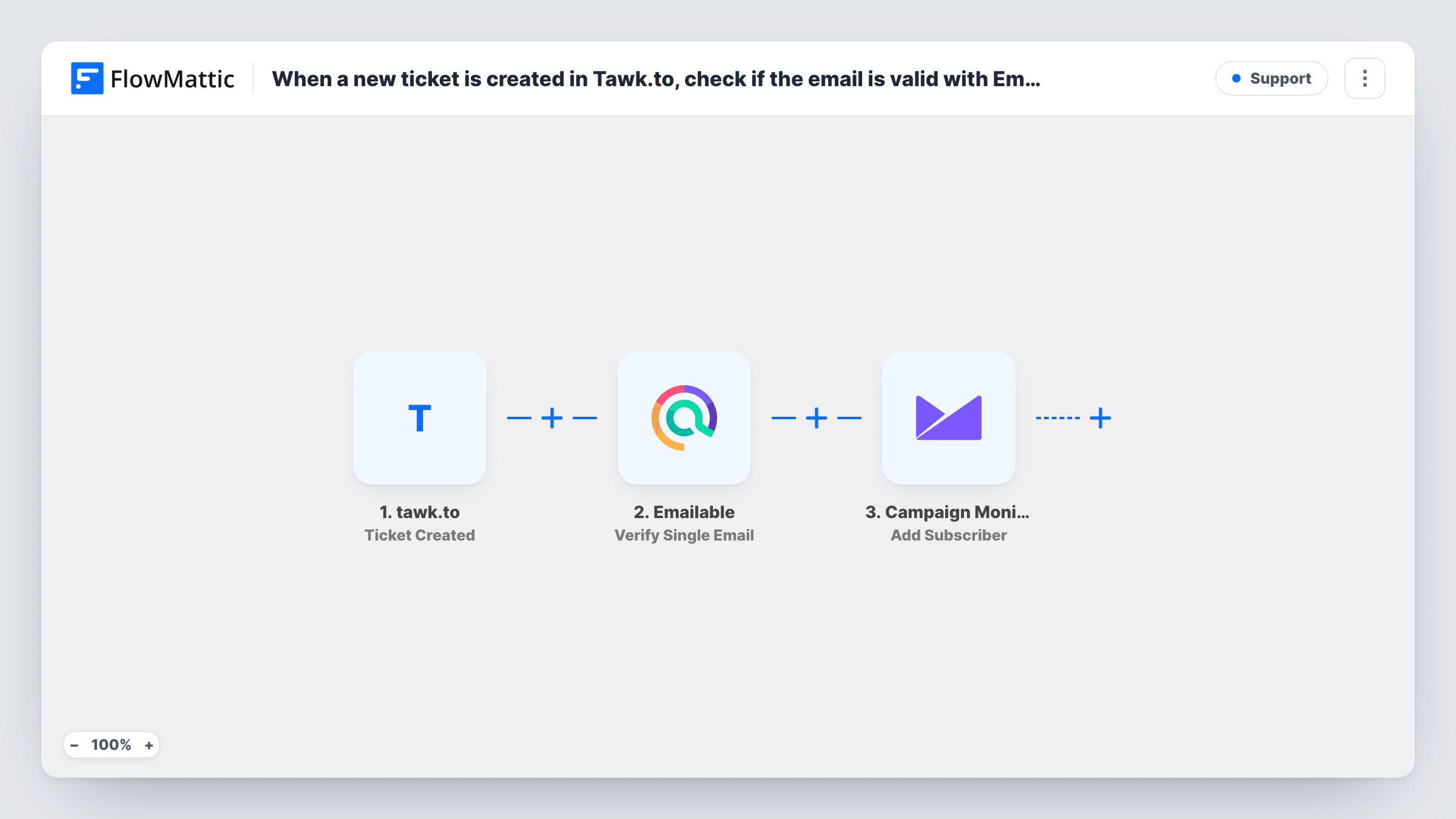
Each new tawk.to ticket has its email address checked by Emailable, then the person is added as a subscriber in Campaign Monitor, with the check result available to map alongside them.
 tawk.to
 Emailable
 Campaign Monitor
3 steps Setup ~5 min Used on 3.1k sites Free to import
What this workflow does
People who open support tickets are customers or close to it, and some of them want your product news. Copying their addresses into Campaign Monitor by hand is slow, and support addresses often contain typos. This workflow checks each address with Emailable and then adds the person to your Campaign Monitor list.
When a ticket is created in tawk.to, FlowMattic sends the requester's email to Emailable with its Verify Single Email action. Emailable's answer becomes data you can map. The last step adds a subscriber to the list you choose in Campaign Monitor, using the details from the ticket.
As imported there is no condition between the check and the list. Every ticket's requester is added whatever Emailable says, so a bad address still reaches Campaign Monitor. Add a Filter after Emailable to keep those out. Also make sure the people you add have agreed to marketing email, since a support ticket alone is not that agreement.
Product updates for support users
Customers who contact support through tawk.to and opted in during the chat are added to a Campaign Monitor list for release notes.
Spot typos in support addresses
The Emailable result shows which tickets came with an address that won't work, so your team knows to confirm it in the conversation.
Separate list for support contacts
Ticket requesters go to their own Campaign Monitor list, so you can send them service notices without mixing them with newsletter subscribers.
How this workflow runs
What happens at each step once the workflow is on, and what you need before you import it.
 tawk.to Ticket Created
Starts a run each time someone opens a ticket in tawk.to. The ticket data, including the requester's details, is passed on to the next two steps.
- Emailable Verify Single Email
Sends the requester's email to Emailable to verify it. Map the email from the ticket and connect your Emailable account. The result is then available to the Campaign Monitor step.
- Campaign Monitor Add Subscriber
Adds a subscriber to your chosen Campaign Monitor list from the ticket data. Map the email and name from the ticket, then run a test to confirm the subscriber appears.
What you need
- FlowMatticCore
- Tawk.to AccountAccount
- Emailable AccountAccount
- Campaign Monitor AccountAccount
After importing, map your own data. To keep the template universal, not every step is pre-filled. Open each step in the builder and connect your accounts and fields (channels, lists, sheets, recipients) before you switch the workflow on.
Make it yours
Changes worth making after you import it.
- Add a Filter between Emailable and Campaign Monitor that continues only when the result is the value Emailable returns for a deliverable address. Check a test run for that value.
- If your tawk.to ticket form has a marketing consent question, add a Filter on it after the trigger so only people who said yes are subscribed.
- Send yourself one ticket with a real address and one with a made-up address, then compare Emailable's two responses in Task History before you build the Filter.
Questions about this workflow
Does this tawk.to workflow keep invalid emails out of Campaign Monitor?
Not as imported. Emailable checks the address, but no step reads its result, so every requester is added. Add a Filter after the Emailable step to stop bad addresses.
What if the tawk.to requester is already a Campaign Monitor subscriber?
The step asks Campaign Monitor to add the address to the list. Check a test with an existing subscriber to see how your list handles it, and Task History shows the response.
Do I need my own Emailable account to check tawk.to addresses?
Yes. The check runs through your Emailable account, which you connect when you import the workflow.
Can I add chat visitors, not only ticket requesters?
Not with this trigger. It fires on new tickets only. tawk.to in FlowMattic also has Chat Start, Chat End and Chat Transcript Created triggers if you want to start from chats.
More Support workflows
Other ready-to-import templates from the same category.






Import this workflow into your WordPress site
Download the JSON, import it from the Workflows screen and connect your accounts. Every run stays on your server, with no per-task fees.
30-day money-back guarantee Unlimited workflows and runs Self-hosted