

When a new chat session starts in Tawk.to, create a new customer in Desku.io and add details to Google Spreadsheet
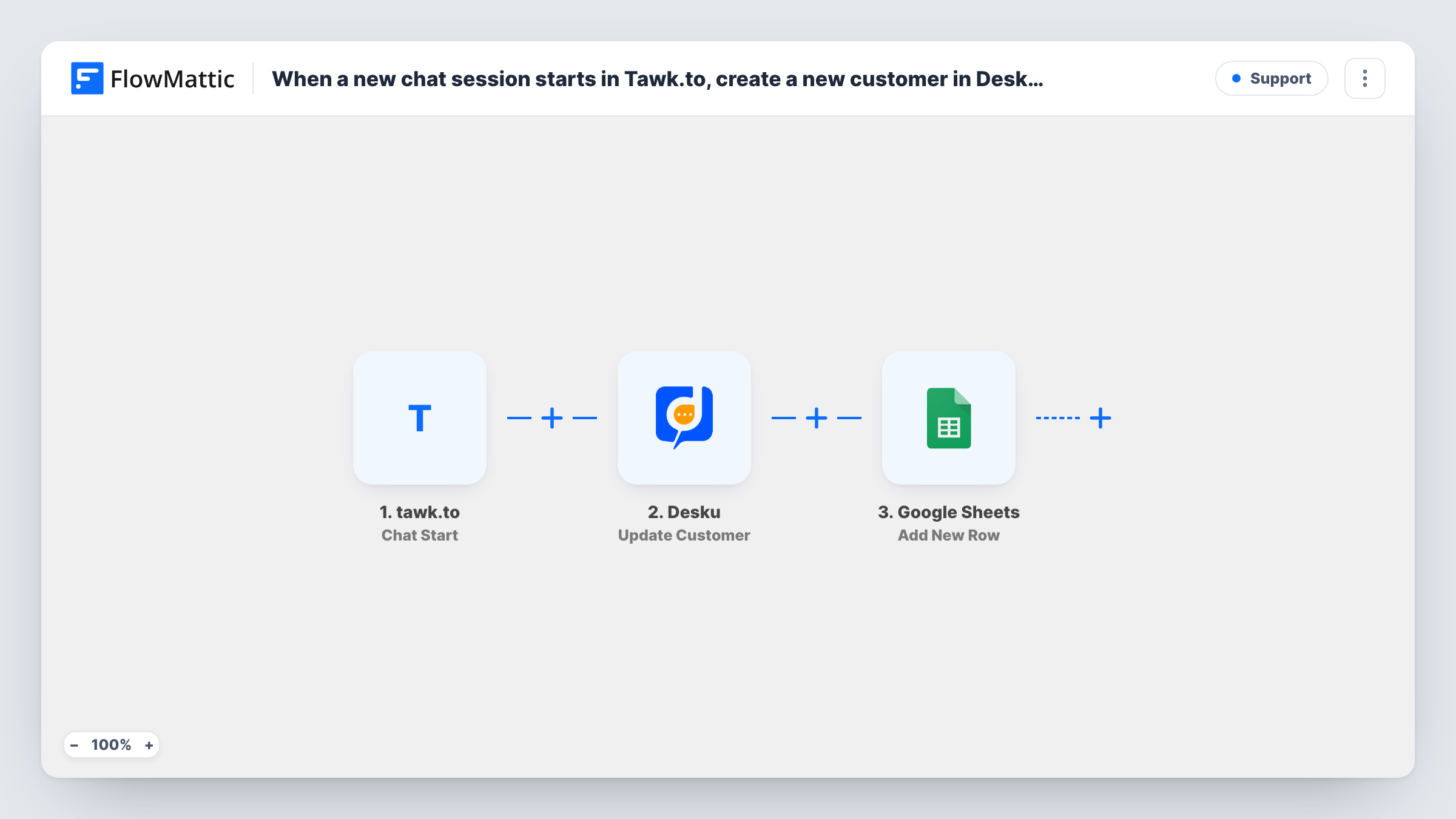
When a new tawk.to chat starts, FlowMattic creates the visitor as a customer in Desku and adds a row with the chat details to Google Sheets, giving you a support record and a running chat log.
 tawk.to
 Desku
 Google Sheets
3 steps Setup ~5 min Used on 906 sites Free to import
What this workflow does
Live chat brings in people who may never fill in a form or open a ticket. This workflow captures them at the start of the conversation: the visitor goes into Desku as a customer for your support team, and a row goes into a Google Sheet you can sort, share or report on.
The tawk.to trigger, Chat Start, fires when the first message in a chat is sent, whether the visitor writes first or an agent does. The chat's details, including whatever tawk.to knows about the visitor, pass to the next steps. How much that includes depends on your widget: a pre-chat form that asks for name and email gives the later steps much more to work with.
The Desku step creates a new customer from those details. Then the Google Sheets step adds one row to the sheet you pick. Both steps arrive unmapped, so after import you connect each account, map the visitor's details into the customer, and choose which chat values go into which columns.
Every chat start means a run, so a returning visitor who chats again reaches Desku again and gets a new row. Desku decides how to treat an email it already holds. Start a test chat and check Task History for what each step returned.
Chat visitors ready for follow-up
A software company's agents chat with prospects on the pricing page, and each visitor is already a Desku customer if they later email the support address.
Daily chat volume in a spreadsheet
A support manager filters the Google Sheet by date each morning to count how many tawk.to chats started the day before.
Shared record for a small team
A two-person online shop keeps every chat start in a sheet both founders can open, while Desku holds the customer records for later tickets.
How this workflow runs
What happens at each step once the workflow is on, and what you need before you import it.
 tawk.to Chat Start
Fires when the first message in a tawk.to chat is sent, by either the visitor or an agent. The chat and visitor details tawk.to provides pass to the Desku and Google Sheets steps.
- Desku Create Customer
Creates a new customer in Desku from the chat visitor's details. The step ships unmapped: connect Desku and map the visitor's name and email, if your widget collects them.
- Google Sheets Add New Row
Adds one row to the Google Sheet you choose for each chat start. Pick the spreadsheet and sheet after import, then map chat values such as the visitor's name, email and the time into your columns.
What you need
- FlowMatticCore
- Tawk.to AccountAccount
- Desku.io AccountAccount
- Google Sheets AccountAccount
After importing, map your own data. To keep the template universal, not every step is pre-filled. Open each step in the builder and connect your accounts and fields (channels, lists, sheets, recipients) before you switch the workflow on.
Make it yours
Changes worth making after you import it.
- Turn on a pre-chat form in your tawk.to widget that asks for name and email, so the Desku customer and the sheet row have contact details to map.
- To log every chat but create Desku customers only for visitors who gave an email, move the Google Sheets step to sit straight after the trigger, then put a Filter that checks the email is not empty between it and the Desku step.
- Give the sheet a header row that matches the values you map, such as Date, Name and Email, so each tawk.to chat lands in the right columns.
Questions about this workflow
Does a chat an agent starts in tawk.to trigger the workflow?
Yes. The Chat Start trigger fires on the first message of a chat, whether the visitor or an agent sends it.
What if the tawk.to visitor didn't give a name or email?
Those values arrive blank, so the Desku customer and the sheet row lack them. Desku may reject a customer that lacks details it requires, and the run's Task History entry will show that reply. A pre-chat form helps.
Will a returning visitor become a second Desku customer?
Each new chat starts a run and asks Desku to create a customer, and Desku decides how to handle an email it already has. Test with a known visitor's email and check the response.
Does the Google Sheets row hold the whole chat transcript?
No. The workflow runs when the chat starts, so the row holds the details available at that moment, not the messages sent later in the conversation.
More Support workflows
Other ready-to-import templates from the same category.






Import this workflow into your WordPress site
Download the JSON, import it from the Workflows screen and connect your accounts. Every run stays on your server, with no per-task fees.
30-day money-back guarantee Unlimited workflows and runs Self-hosted