

When a form submission received in TypeBot, Create Speaker in HeySummit
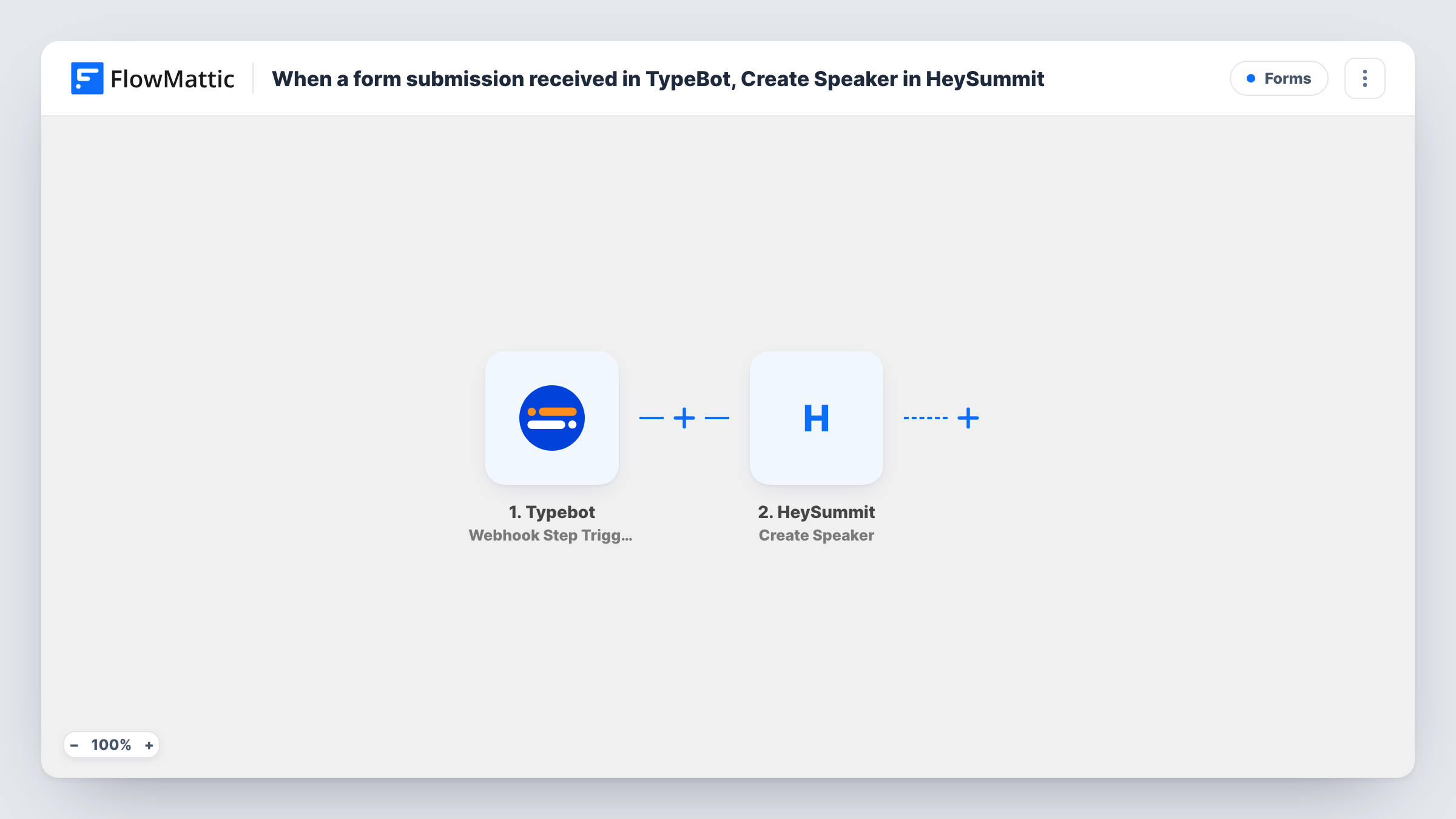
When someone completes the speaker part of your Typebot chat and reaches its Webhook block, FlowMattic creates them as a speaker for your HeySummit event using the answers they gave.
 Typebot
 HeySummit
2 steps Setup ~5 min Used on 2.2k sites Free to import
What this workflow does
A chatbot is a friendly way to collect speaker details for a virtual summit: name, talk title, short bio. The tedious part is copying each person into HeySummit afterwards. This workflow takes the answers from your Typebot flow and creates the speaker in HeySummit for you.
The Typebot trigger, Webhook Step Triggered, fires when a visitor reaches the Webhook block you placed in your Typebot flow for FlowMattic. The variables the bot collected up to that point arrive as data. The HeySummit step then runs Create Speaker, which adds a new speaker to a specific event, and you map the bot's answers into it.
Every run creates a speaker. There is no review step or Filter in the template, and nothing checks whether that person is already a speaker. Place the Webhook block after the questions you need, so the answers exist when the run starts. Task History shows each run and what HeySummit returned.
Call for speakers on a summit site
A Typebot chat on your landing page asks prospective speakers for their name, email, topic and bio. Each completed chat adds them as a speaker in your HeySummit event.
Onboarding confirmed speakers
You send accepted speakers a link to a Typebot flow that gathers their headshot link and bio. Finishing it creates their HeySummit speaker entry without anyone retyping it.
Recurring monthly webinars
One Typebot flow collects guest details for each month's session, and the HeySummit step adds the guest to that month's event.
How this workflow runs
What happens at each step once the workflow is on, and what you need before you import it.
 Typebot Webhook Step Triggered
Starts the workflow when a visitor's Typebot conversation reaches the Webhook block linked to FlowMattic. The answers held in the bot's variables are passed on for mapping.
- HeySummit Create Speaker
Creates a new speaker for the HeySummit event you choose. Map the bot's answers, such as name, email and bio, into the speaker, and connect your HeySummit account.
What you need
- FlowMatticCore
- Typebot AccountAccount
- HeySummit AccountAccount
After importing, map your own data. To keep the template universal, not every step is pre-filled. Open each step in the builder and connect your accounts and fields (channels, lists, sheets, recipients) before you switch the workflow on.
Make it yours
Changes worth making after you import it.
- To vet applications first, add a Human in the Loop step before HeySummit. A rejection ends the run; set its timeout action to End Workflow so unanswered requests don't add a speaker either.
- Add a Filter after the trigger that continues only when the bot's email variable is not empty, so half-finished chats don't create blank speakers.
- Send a test conversation through your bot after import so FlowMattic receives the variables, then map them in the HeySummit step before you activate the workflow.
- Add an Email step after HeySummit to send yourself a note with each new speaker's name and talk title.
Questions about this workflow
Where in my Typebot flow should the Webhook block go?
After the last question whose answer you want in HeySummit. The trigger only receives the variables that have values when the bot reaches that block.
Does this work with any HeySummit event?
Create Speaker adds the speaker to a specific event, which you pick when you set up the step. To feed several events, duplicate the workflow or add a Router based on a bot answer.
What happens if the same person goes through the Typebot chat twice?
The workflow runs twice and asks HeySummit to create a speaker both times. The template doesn't look for an existing speaker first, so check Task History for HeySummit's response.
Do people who abandon the Typebot chat early become speakers?
Only if they reach the Webhook block. Visitors who leave before it never start a run.
More Forms workflows
Other ready-to-import templates from the same category.




Import this workflow into your WordPress site
Download the JSON, import it from the Workflows screen and connect your accounts. Every run stays on your server, with no per-task fees.
30-day money-back guarantee Unlimited workflows and runs Self-hosted