

When a form submission received in Typeform, find an email of a person using Tomba, and add details to Google Spreadsheet
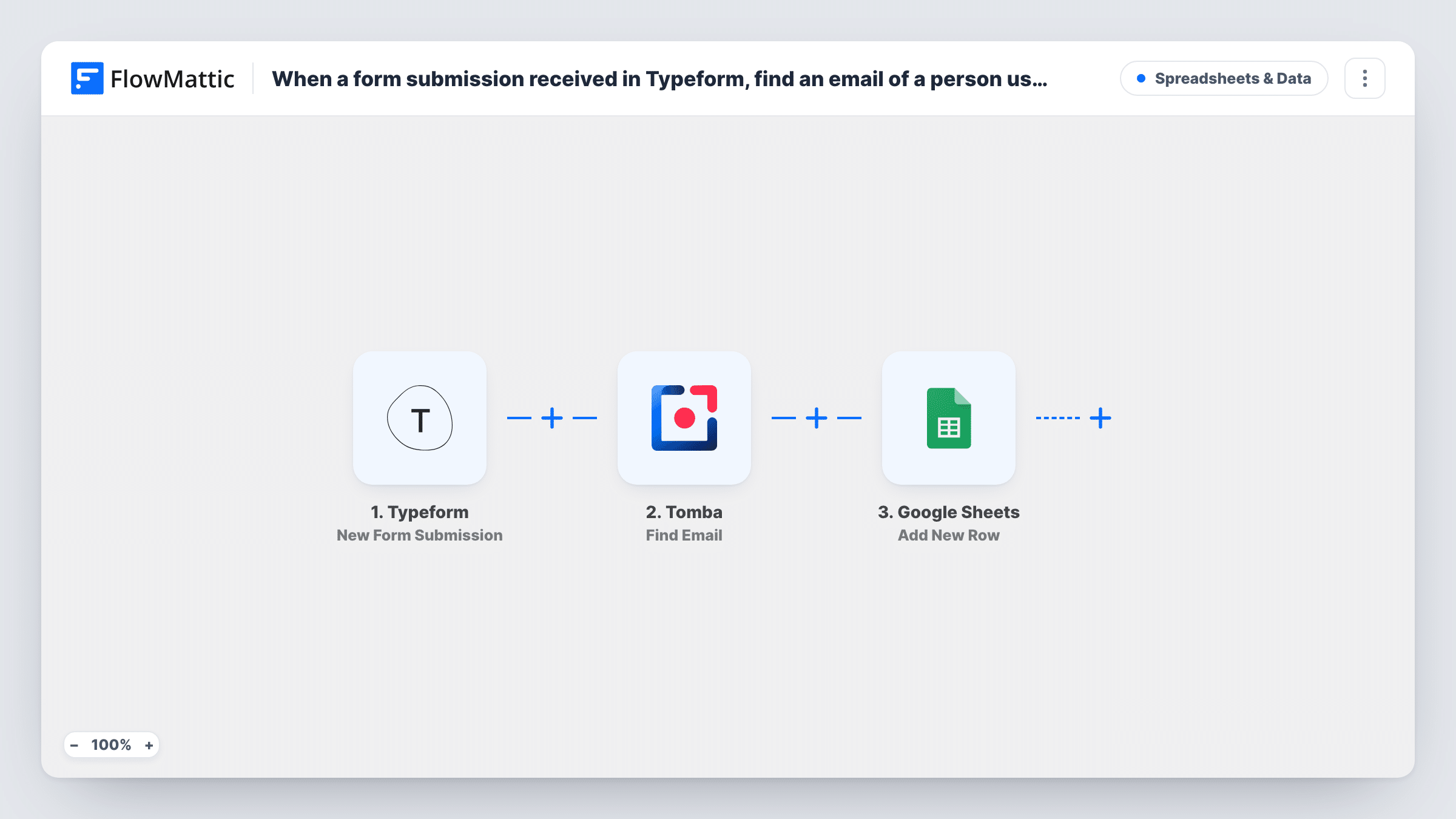
When a Typeform response comes in, Tomba looks up the most likely email address from the name and company domain given, and the answers plus the result land in a new Google Sheets row.
 Typeform
 Tomba
Tomba
 Google Sheets
3 steps Setup ~5 min Used on 2.2k sites Free to import
What this workflow does
Some forms ask for a name and a company but not an email, either to keep the form short or because the person filling it in is suggesting someone else. Finding the right address afterwards is slow, one search at a time. This workflow runs that lookup for each response and records it next to the answers.
Every new response to your form starts a run through the Typeform trigger. FlowMattic passes the answers to Tomba, whose Find Email action works from a domain name, a first name and a last name and returns the most likely address. The final step writes a new row in Google Sheets, where you map the Typeform answers and the Tomba result to columns.
Your form needs questions that give Tomba what it works from: the person's first and last name and a company website or domain. Every response gets a row, including ones where Tomba finds nothing, so you can see which lookups came back empty. Task History shows the Tomba response for each run.
Referral forms that name a contact
A partner fills in a Typeform with the name and company of someone you should talk to. The sheet gets the referral plus the address Tomba suggests for that person.
Event lead capture without email
Staff at a trade show use a short Typeform to note each visitor's name and company. Afterwards the sheet holds a likely email for each one, ready for follow-up.
Building a prospect list from research
A sales assistant enters target buyers into a Typeform as they research accounts, and the spreadsheet fills with names, domains and Tomba's best address.
How this workflow runs
What happens at each step once the workflow is on, and what you need before you import it.
 Typeform New Form Submission
Starts the run whenever someone completes and submits your Typeform. Each answer becomes a value you can map in the Tomba and Google Sheets steps.
- Tomba Find Email
Asks Tomba for the most likely email address based on a domain, a first name and a last name. Map those from the Typeform answers and connect your Tomba account.
- Google Sheets Add New Row
Writes one new row per response into your Google Sheets spreadsheet. Map the Typeform answers and the address Tomba returned to the columns you want filled.
What you need
- FlowMatticCore
- Typeform AccountAccount
- Tomba AccountAccount
- Google Sheets AccountAccount
After importing, map your own data. To keep the template universal, not every step is pre-filled. Open each step in the builder and connect your accounts and fields (channels, lists, sheets, recipients) before you switch the workflow on.
Make it yours
Changes worth making after you import it.
- Make the name and company domain questions required in Typeform, so Tomba always gets the three inputs it needs for a lookup.
- Add a Filter between Tomba and Google Sheets that continues only when the returned email is not empty, if you want the sheet to hold found addresses only.
- Map Tomba's verification or score fields to their own columns if a test run shows them, so you can sort the sheet by how sure the match is.
Questions about this workflow
What does Tomba need from the Typeform response?
A domain name, a first name and a last name. If your form asks for a full website URL, check a test run to make sure the value Tomba receives works as a domain.
What happens when Tomba can't find an email?
The run still goes on to Google Sheets, so the row is added with the email column empty. Task History shows what Tomba returned for that response.
Do I need a Tomba account for this workflow?
Yes. The lookup runs through your own Tomba account, connected in the Find Email step.
Are older Typeform responses looked up too?
No. The trigger fires for submissions made after the workflow is on. Earlier responses stay in Typeform and are not sent to Tomba.
More Spreadsheets & Data workflows
Other ready-to-import templates from the same category.




Import this workflow into your WordPress site
Download the JSON, import it from the Workflows screen and connect your accounts. Every run stays on your server, with no per-task fees.
30-day money-back guarantee Unlimited workflows and runs Self-hosted