

Send a Slack alert for each new inbound DIDWW voice call
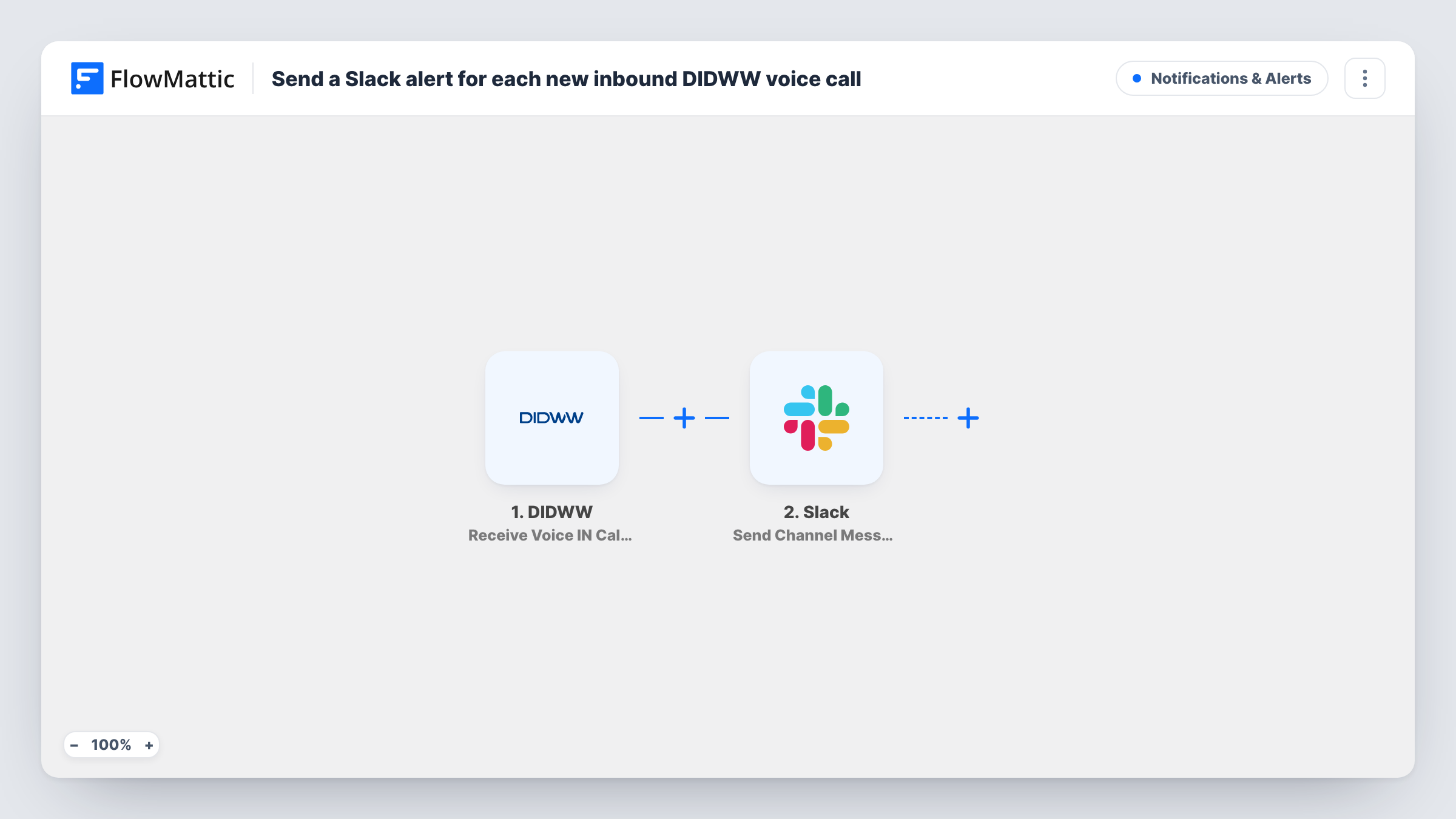
Each time a voice call comes in on one of your DIDWW numbers, this workflow posts a message to a Slack channel you choose, so your team sees the call without watching the DIDWW dashboard.
 DIDWW
 Slack
2 steps Setup ~5 min Used on 948 sites Free to import
What this workflow does
Calls to a DIDWW number are easy to miss when nobody is watching the account. If your team already works in Slack, a message there for every incoming call is the quickest way to make sure someone notices and calls back. This two-step workflow does exactly that.
The DIDWW trigger, Receive Voice IN Call Event, fires when a voice call is received on a DIDWW number. FlowMattic captures the event data DIDWW sends and passes it to the Slack step. Send Channel Message then posts to the channel you pick, using the text you write and the call details you map into it.
The workflow only reports the call. It does not answer, record or route it, and it posts for every inbound call event DIDWW sends. Task History in FlowMattic keeps a record of each run, so you can check what DIDWW sent if a message looks wrong.
Missed-call awareness for a small sales team
Your sales line rings while reps are on other calls. A Slack post with the caller's number lets whoever is free call back from the channel.
Out-of-hours call log for support
Calls that arrive overnight show up in a support channel, so the morning shift sees who rang before they start on the ticket queue.
Watching a new campaign number
You put a fresh DIDWW number on a flyer or ad. Each call posts to a marketing channel, giving the team a live view of response to that number.
How this workflow runs
What happens at each step once the workflow is on, and what you need before you import it.
 DIDWW Receive Voice IN Call Event
Runs when a voice call is received on your DIDWW number. FlowMattic captures the call event data DIDWW sends, which you can map into the Slack message.
- Slack Send Channel Message
Sends your alert text to a Slack channel of your choice. Write the alert text and map in the call details from the DIDWW step, then connect your Slack workspace.
What you need
- FlowMatticCore
- DIDWW AccountAccount
- Slack AccountAccount
After importing, map your own data. To keep the template universal, not every step is pre-filled. Open each step in the builder and connect your accounts and fields (channels, lists, sheets, recipients) before you switch the workflow on.
Make it yours
Changes worth making after you import it.
- For a private channel, replace this step with Slack's Send Private Channel Message action. To alert a single teammate, Send Direct Message fits better.
- Add a Filter after the trigger on the called number, so only calls to one DIDWW number post here. For a channel per number, swap the Slack step for a Router whose routes each match one number and hold their own Slack step.
- Place one test call after import and check Task History. The captured event shows which DIDWW fields hold the caller and the called number, so you can map them into the message.
Questions about this workflow
Does the Slack alert include the caller's number?
It can. Map the caller field from the DIDWW event into the message text. Check a test call in Task History to see which fields DIDWW sends for your number.
Will outgoing DIDWW calls post to Slack too?
No. The trigger is the inbound voice event. DIDWW outbound calls use a separate trigger in FlowMattic, Receive Voice OUT Call Event, which you could add as a second workflow.
Can the DIDWW call alert go to a private Slack channel?
The shipped Send Channel Message step isn't meant for that. Swap in Slack's Send Private Channel Message action and pick the private channel there.
Do text messages to my DIDWW number trigger this?
No. Incoming SMS has its own DIDWW trigger, Receive SMS IN. Build a similar workflow on that trigger if you want SMS alerts in Slack.
More Notifications & Alerts workflows
Other ready-to-import templates from the same category.




Import this workflow into your WordPress site
Download the JSON, import it from the Workflows screen and connect your accounts. Every run stays on your server, with no per-task fees.
30-day money-back guarantee Unlimited workflows and runs Self-hosted