

When a new Wisepops survey response is collected, log it in Google Sheets and alert the team in Slack
Each time a visitor answers a Wisepops survey popup, the response is added as a new Google Sheets row and a message is posted to a Slack channel, so you keep a record and the team sees it right away.
 Wisepops
 Google Sheets
 Slack
3 steps Setup ~5 min Used on 1.8k sites Free to import
What this workflow does
Survey popups on your site collect quick opinions: why a visitor came, what stopped them buying, how they found you. Those answers are only useful if someone reads them. This workflow stores each one in a spreadsheet and puts it in front of your team in Slack.
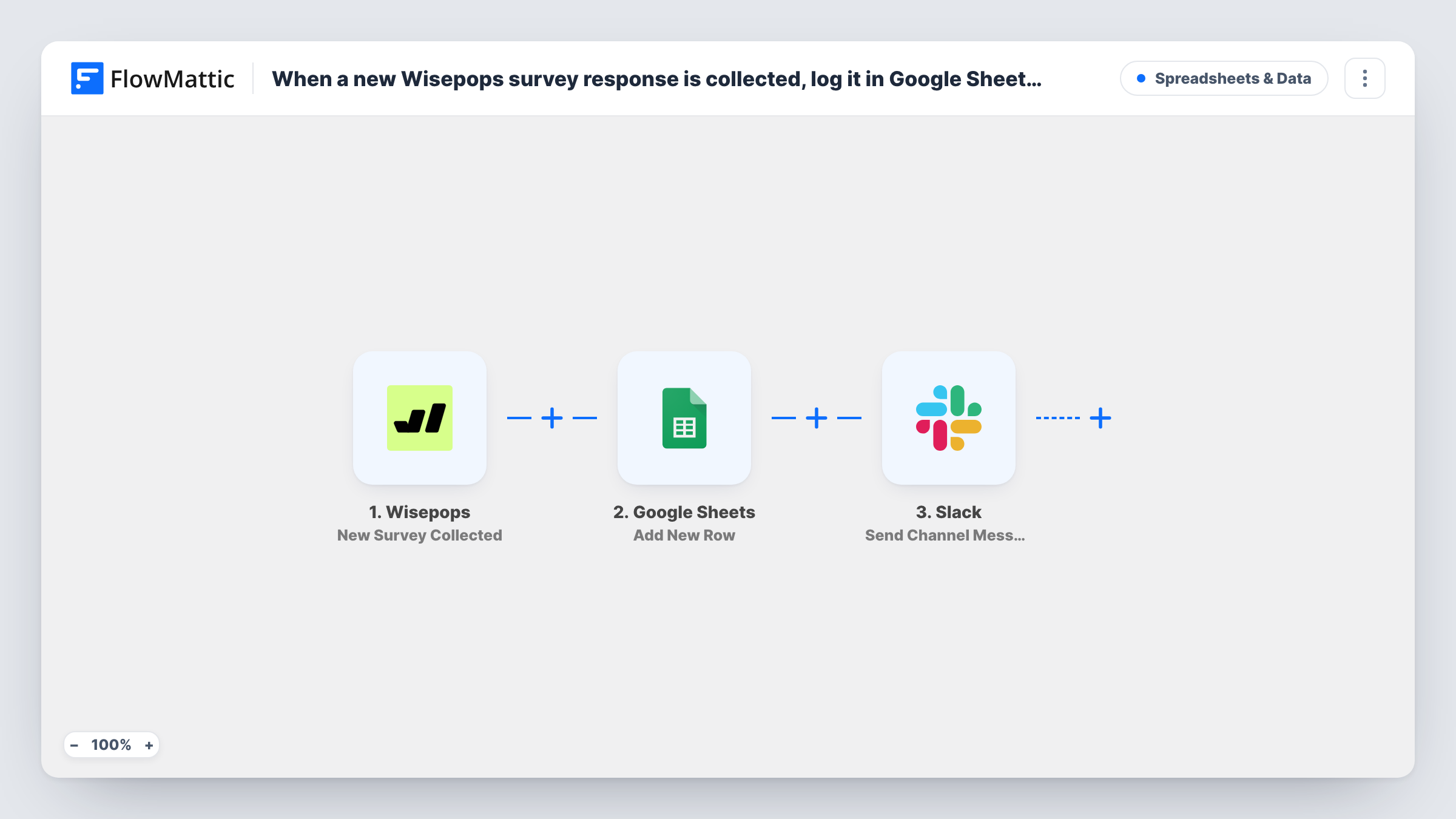
The Wisepops trigger, New Survey Collected, fires when a new survey response is collected. FlowMattic captures the answers Wisepops sends. The Google Sheets step then adds a row to the spreadsheet you pick, with each answer mapped to a column. Last, the Slack step posts to a channel with the text you write and the answers you map in.
Both actions run for every response. The sheet becomes the full archive, while Slack shows each one as it comes in, which can be busy on a high-traffic site. Sign-ups and phone numbers collected by Wisepops use other triggers, so they don't start this workflow.
Exit-intent feedback on a store
A popup asks leaving shoppers what held them back. The product team reads each reason in Slack, and the sheet lets them count the common answers at the end of the month.
How-did-you-hear-about-us surveys
Marketing asks new visitors where they found the site. Each answer is logged for reporting, and the channel shows the mix of sources day by day.
Content ideas from readers
A blog asks readers which topic they want next. Editors see suggestions in Slack and keep the full list in Google Sheets for planning.
How this workflow runs
What happens at each step once the workflow is on, and what you need before you import it.
 Wisepops New Survey Collected
Runs when Wisepops collects a new survey response from one of your popups. The answers it sends are available to map into the sheet and the Slack message.
- Google Sheets Add New Row
Appends the survey response to the Google Sheets spreadsheet you select. Map each Wisepops answer to a column, adding a date column if you want to sort by when it arrived.
- Slack Send Channel Message
Shares the response in the Slack channel you pick. Write a short intro line and map in the answers, then connect your Slack workspace.
What you need
- FlowMatticCore
- Wisepops AccountAccount
- Google Sheets AccountAccount
- Slack AccountAccount
After importing, map your own data. To keep the template universal, not every step is pre-filled. Open each step in the builder and connect your accounts and fields (channels, lists, sheets, recipients) before you switch the workflow on.
Make it yours
Changes worth making after you import it.
- Running several surveys? Add a Filter before the Slack step on the survey or popup name, if Wisepops sends one, so only the survey your team cares about is posted while every response still reaches the sheet.
- For a private feedback channel, swap the Slack step for Send Private Channel Message, which is the Slack action for private channels.
- Answer your own survey once after import and check Task History. The captured data shows how Wisepops labels each answer, which makes column mapping quicker.
Questions about this workflow
Do Wisepops email sign-ups also go to the sheet?
No. Wisepops sign-ups have their own trigger, New Sign-Up Collected. This workflow only runs on survey responses.
Will every Wisepops survey answer post to Slack?
Yes, as imported. Each response adds a row and posts a message. Add a Filter before the Slack step if only some responses should be posted.
Can I send Wisepops survey responses to more than one Slack channel?
Add a second Slack step after the first and point it at another channel. Both posts then go out for each response.
Are earlier Wisepops responses imported?
No. Only responses collected after the workflow is on reach Google Sheets and Slack.
More Spreadsheets & Data workflows
Other ready-to-import templates from the same category.





Import this workflow into your WordPress site
Download the JSON, import it from the Workflows screen and connect your accounts. Every run stays on your server, with no per-task fees.
30-day money-back guarantee Unlimited workflows and runs Self-hosted