

Save Cognito Forms file uploads to a Google Drive folder
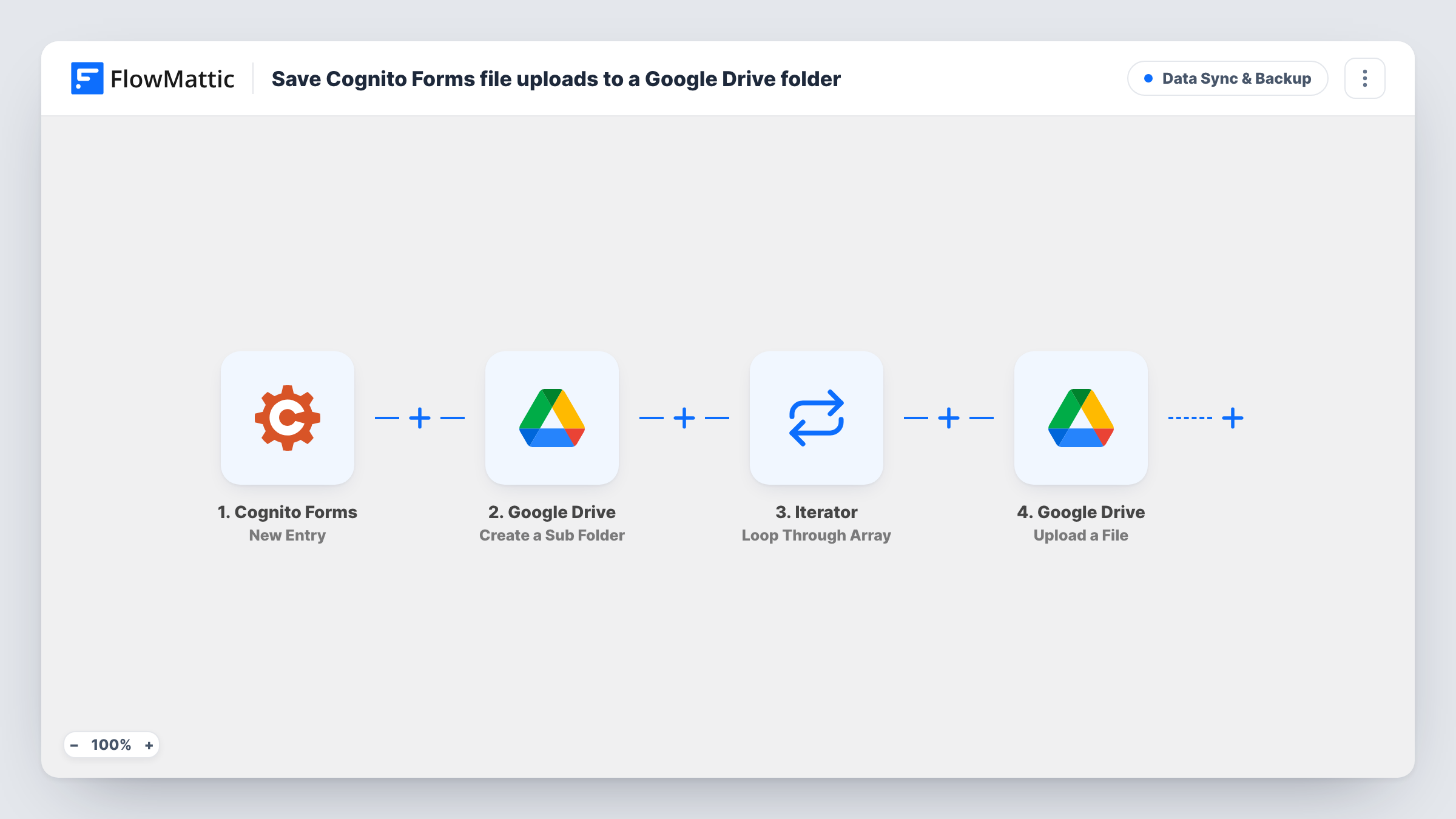
For each new Cognito Forms entry, FlowMattic creates a Google Drive folder named after the person and entry number, then uploads every attached file into it. HR teams, schools and agencies get applications and documents filed the moment they arrive. After import, connect Google Drive, choose the parent folder and rename Resume to your own file upload field.
 Cognito Forms
 Google Drive
 Iterator
4 steps Setup ~8 min Used on 785 sites Data Ops Free to import
How this workflow runs
What happens at each step once the workflow is on, and what you need before you import it.
 Cognito Forms New Entry
The workflow starts automatically when a new entry is received on form submission in Cognito Forms. FlowMattic captures that data for the steps below.
- Google Drive Create a Sub Folder
Google Drive — create an empty sub folder. Data is mapped from earlier steps; connect your Google Drive account on import.
- Iterator Loop Through Array
The Iterator loops over the list from the previous step and runs the following actions once for every item in it.
- Google Drive Upload a File
Google Drive — upload file to your Google Drive selected folder. Data is mapped from earlier steps; connect your Google Drive account on import.
What you need
- FlowMatticCore
- Cognito Forms AccountAccount
- Google Drive AccountAccount
After importing, map your own data. To keep the template universal, not every step is pre-filled. Open each step in the builder and connect your accounts and fields (channels, lists, sheets, recipients) before you switch the workflow on.
More Data Sync & Backup workflows
Other ready-to-import templates from the same category.





Import this workflow into your WordPress site
Download the JSON, import it from the Workflows screen and connect your accounts. Every run stays on your server, with no per-task fees.
30-day money-back guarantee Unlimited workflows and runs Self-hosted