

Log form submissions to Sheets and create a Google Drive folder for each
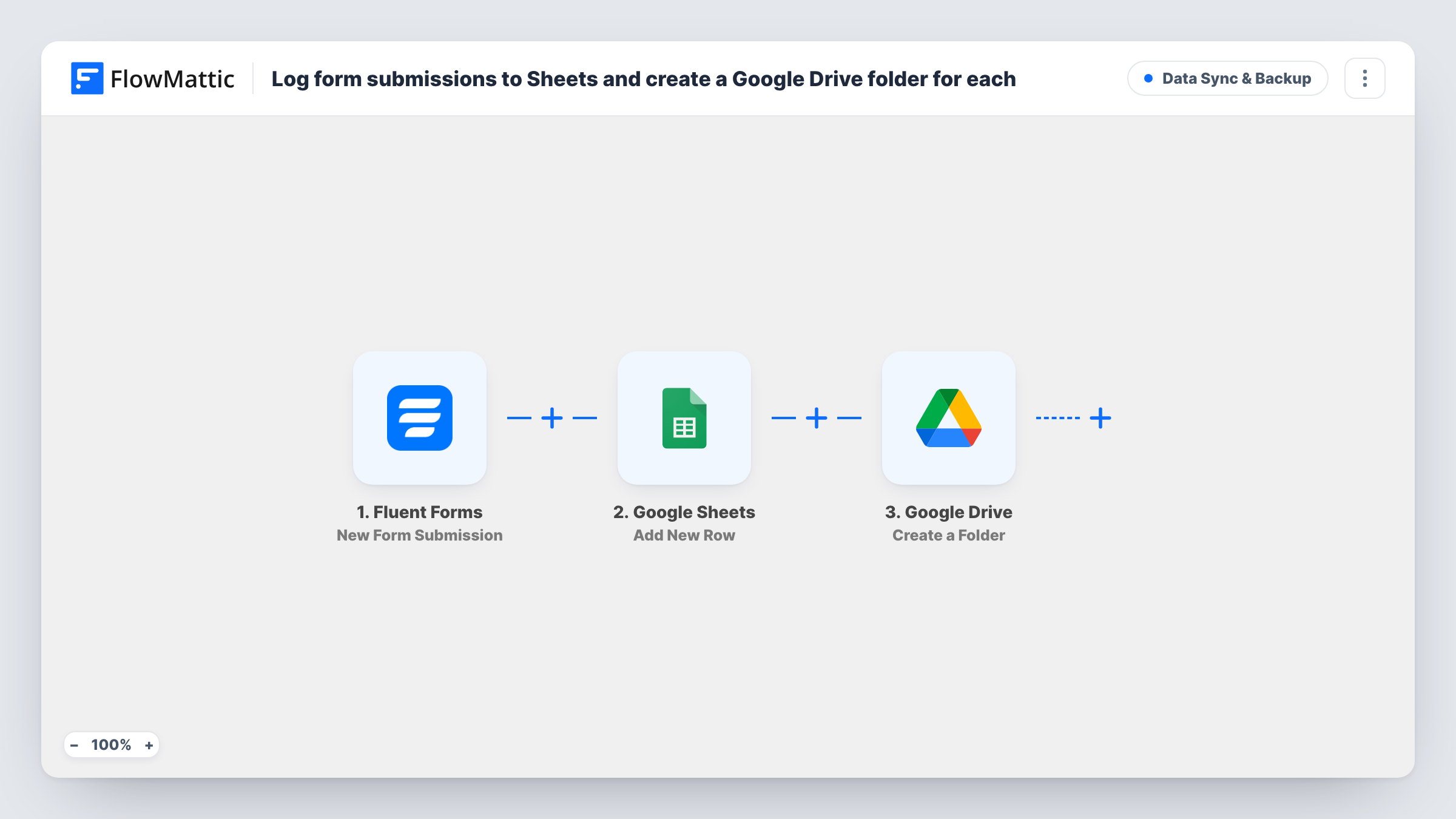
Each Fluent Forms submission is logged as a Google Sheets row, then a Google Drive folder named after the person is created, ready for the files you collect from them.
 Fluent Forms
 Google Sheets
 Google Drive
3 steps Setup ~5 min Used on 1.4k sites Data Ops Free to import
What this workflow does
When a new client or applicant contacts you, two bits of admin usually follow: noting them down somewhere and making a folder for their documents. This workflow handles both from a single Fluent Forms submission, so the record and the folder exist before you start the conversation.
A visitor submits a Fluent Forms form on your site and the run begins. FlowMattic first writes the answers you map into a new row in Google Sheets. It then calls Google Drive and creates a folder whose name is the value of the form's name field.
The sheet row is written before the folder exists, so the row does not hold a link to the folder as imported. The folder is created on every run, one per submission. Run a test entry after import to see where in your Drive the folder appears and what it is called, then adjust the name or location to suit how you organise client files.
Onboarding new bookkeeping clients
A sign-up form puts each new client in your client sheet and creates a Drive folder in their name, ready for receipts and statements.
Collecting portfolio material from applicants
Applicants submit the form, you see them in the sheet, and the folder named after them is where your team saves their portfolio and interview notes.
Photography or design bookings
Each booking request is logged in a sheet you check daily, and the matching Drive folder later holds the proofs and final files for that client.
How this workflow runs
What happens at each step once the workflow is on, and what you need before you import it.
 Fluent Forms New Form Submission
Starts when a visitor submits a Fluent Forms form on your site. The answers, including the name field used for the folder, are passed on to the next two steps.
- Google Sheets Add New Row
Adds a row to the Google Sheets spreadsheet you choose. Connect your Google account and map each column to a form answer, such as name, email and the reason they got in touch.
- Google Drive Create a Folder
Creates a folder in Google Drive named after the submitter, using the form's name field. Connect your Google account here too, and check the result of a test run to confirm where the folder lands.
What you need
- FlowMatticCore
- Fluent Forms PluginPlugin
- Google Sheets AccountAccount
- Google Drive AccountAccount
After importing, map your own data. To keep the template universal, not every step is pre-filled. Open each step in the builder and connect your accounts and fields (channels, lists, sheets, recipients) before you switch the workflow on.
Make it yours
Changes worth making after you import it.
- Make the folder name easier to sort by mapping more than the name, for example the name followed by the submission date or a company field from your form.
- Add a Filter after the trigger so only submissions that need a folder create one, such as entries where a Service dropdown equals a paid package.
- If you want the folder recorded in your sheet, move the Drive step ahead of the Sheets step, then look at a test run to see which folder details the Drive step returns for mapping into a column.
Questions about this workflow
Does Fluent Forms need a field called name for the Drive folder?
The template names the folder from a field called name. If your form uses a different field, such as full_name, remap it in the Google Drive step.
Will the Google Sheets row link to the new Drive folder?
Not as imported, because the row is added before the folder is created. Swap the order of the two steps, then check a test run for folder data you can map into the row.
What happens when the same person submits the form twice?
The workflow has no check for earlier entries, so a second submission adds another row and runs the folder step again. Look in Drive after a repeat test entry to see the result.
Are files uploaded through the form saved into the Google Drive folder?
No. As imported, the workflow creates an empty folder. FlowMattic's Google Drive integration includes upload actions, so you can add one after the folder step and test it with a sample entry.
More Data Sync & Backup workflows
Other ready-to-import templates from the same category.




Import this workflow into your WordPress site
Download the JSON, import it from the Workflows screen and connect your accounts. Every run stays on your server, with no per-task fees.
30-day money-back guarantee Unlimited workflows and runs Self-hosted