

AI agent that writes win-back campaigns for lapsed customers
Submit a lapsed customer’s details through Fluent Forms and an AI agent writes them a win-back email with an offer that fits what they used to buy, and can add them to Mailchimp as a subscribed member.
 Fluent Forms
 AI Agent
 Email
Email
 Mailchimp
4 steps Setup ~8 min Used on 3.0k sites Marketing Free to import
What this workflow does
Customers who stop buying rarely come back on their own, and a one-size discount email is easy to ignore. A note that mentions what they used to order, and how long it has been, has a better chance. This workflow drafts and sends that note for each customer you submit.
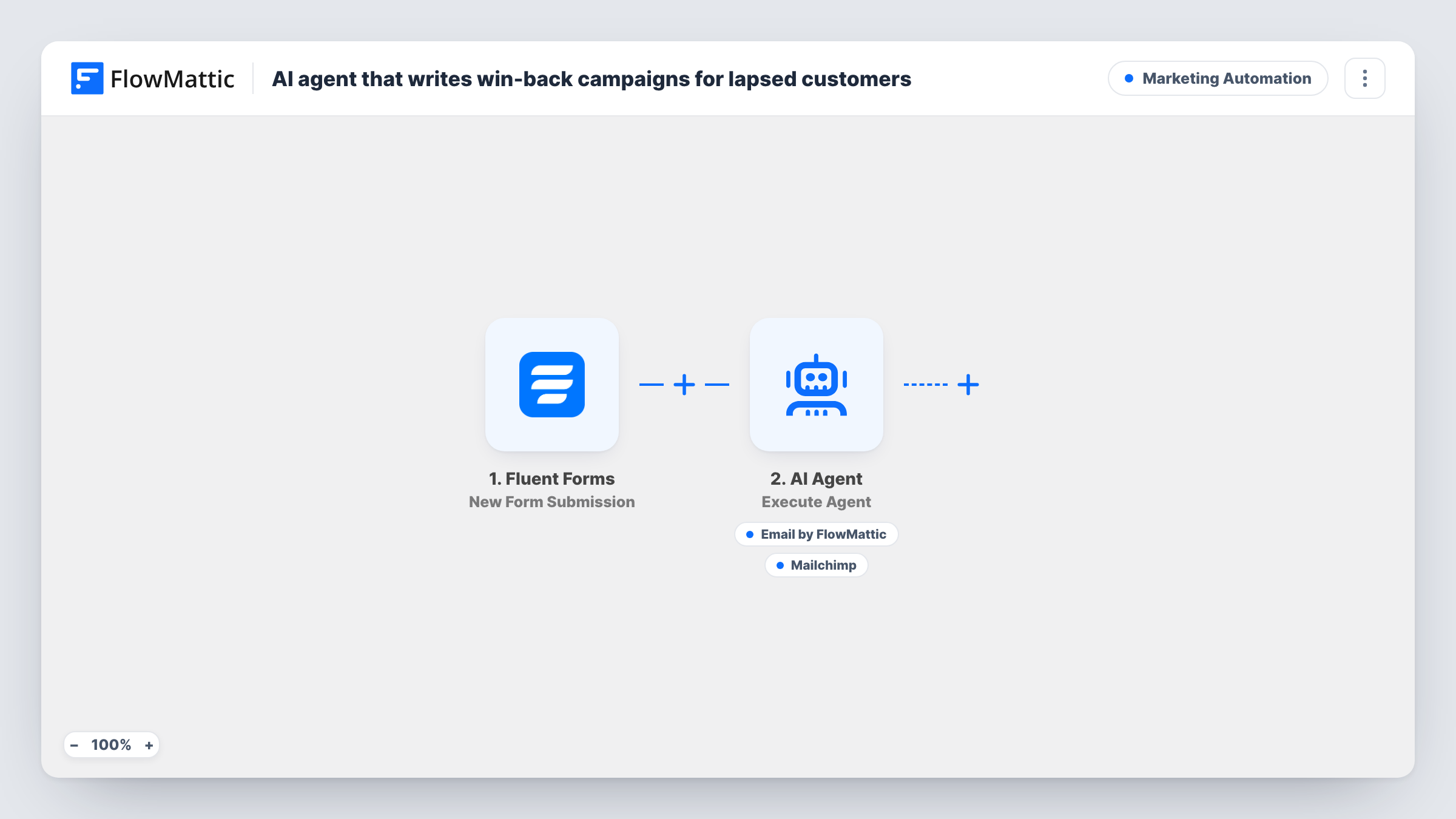
You or a teammate submit a Fluent Forms entry with the customer's name, email, days since their last order and their top category. FlowMattic passes the name, days and category to an AI Agent on OpenAI GPT-4o. Its instructions ask for a win-back email with an offer that suits the customer's history, and for the customer to be added to a re-engagement segment.
The agent has two tools. One sends an email to the address from the form, with a subject and body the agent writes. The other is Mailchimp Add New Member, which adds that email with the status subscribed. The template does not set a segment or tag in that tool, and it has no tool for logging, even though the instructions mention both. Check a test run to see where the member lands, and add a logging step if you want a record.
Monthly lapsed-customer list from your shop
You pull customers who haven't ordered in 90 days and submit each one. Every person gets an email that names their usual category instead of a generic sale blast.
Subscription box cancellations
Support submits the form when a subscriber cancels. The agent writes a come-back offer based on the box category they liked and can add them to your Mailchimp audience for later campaigns.
Service businesses with repeat clients
A salon or repair shop submits clients who haven't booked in months. The agent can mention how long it has been and suggest the service they used most.
How this workflow runs
What happens at each step once the workflow is on, and what you need before you import it.
 Fluent Forms New Form Submission
Starts on each Fluent Forms submission. The workflow reads fields named name, email, last_order_days and top_category, so use those names in the form or remap them in the later steps.
- AI Agent Execute Agent
Runs an AI agent on OpenAI GPT-4o with the customer's name, days since last order and top category. It is told to write a win-back email with a relevant offer and add the person to re-engagement.
 Email Send Email
Agent tool that emails the customer at the address from the form. The agent writes both the subject and the body, including whatever offer it decides to make.
- Mailchimp Add New Member
Agent tool that adds the customer's email to Mailchimp as a new member with status subscribed. No segment or tag is set in the template, so confirm the result with a test run.
What you need
- FlowMatticCore
- Fluent Forms PluginPlugin
- AI ProviderAccount
- Mailchimp AccountAccount
After importing, map your own data. To keep the template universal, not every step is pre-filled. Open each step in the builder and connect your accounts and fields (channels, lists, sheets, recipients) before you switch the workflow on.
Make it yours
Changes worth making after you import it.
- Tell the agent which offers it is allowed to make, for example a fixed discount code or free shipping, so it doesn't invent a deal you can't honour.
- Add a Google Sheets or WP Tables step after the agent to log each win-back attempt, since the template has no logging tool.
- Put a Filter after the trigger that continues only when last_order_days is greater than your cut-off. A blank value counts as 0, so it will not pass.
- Only add customers to Mailchimp as subscribed if they agreed to marketing email. Remove the Mailchimp tool if you can't confirm that consent.
Questions about this workflow
Will the AI agent invent discounts or promo codes?
It might. The instructions ask for an offer but don't say which ones are allowed. Add the exact offers and any code to the agent's instructions before you send real emails.
Does this put customers into a Mailchimp segment?
Not as imported. The Mailchimp tool adds the email as a subscribed member and sets no segment or tag. Run a test to see the result in your audience, then adjust the tool.
How do lapsed customers get into the Fluent Forms form?
The workflow starts on a form submission, so someone has to submit it for each customer you want to win back. Nothing in the template finds lapsed customers for you.
Which address sends the win-back email?
The email tool sends through the SMTP connection you set up in FlowMattic. Mailchimp is only used to add the member, not to send this message.
More Marketing Automation workflows
Other ready-to-import templates from the same category.







Import this workflow into your WordPress site
Download the JSON, import it from the Workflows screen and connect your accounts. Every run stays on your server, with no per-task fees.
30-day money-back guarantee Unlimited workflows and runs Self-hosted