

Detect billing complaints in tickets and fast-track them to finance
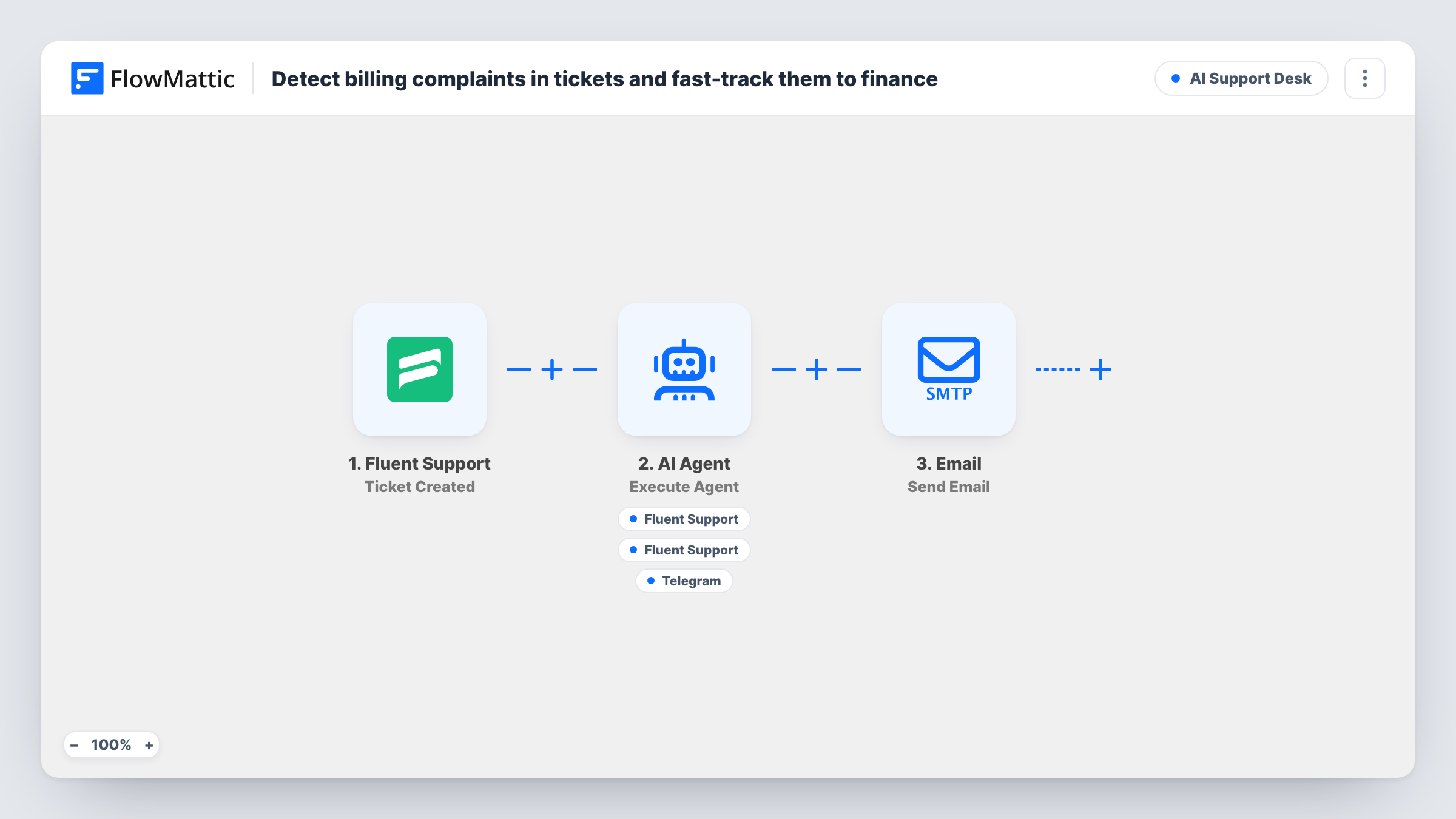
Each new Fluent Support ticket is read by an AI agent that looks for refund, invoice and payment complaints. For billing issues it can tag the ticket, reply to the customer and alert finance on Telegram.
 Fluent Support
 AI Agent
 Telegram
5 steps Setup ~8 min Used on 2.1k sites Agentic Support Free to import
What this workflow does
Billing complaints sit in the same support queue as how-to questions, but they often need someone from finance to act, and customers waiting on a refund notice delays quickly. This workflow has an AI agent read each new ticket, pick out the billing ones and pull finance in on Telegram, while the customer gets an acknowledgement.
The Fluent Support Ticket Created trigger fires for every new ticket, whether a customer or an agent opens it. The AI Agent step, on OpenAI GPT-4o, receives the subject and message. It is told to detect refund, invoice or payment complaints, tag them, reply acknowledging the issue, and notify finance on Telegram when the ticket is billing-related.
It has three tools. Add Tag to Ticket (Pro) and Reply to Ticket both act on the ticket that started the run, with the agent choosing the tag and the reply. Send a Text Message posts to Telegram with text the agent writes. The agent decides which tools to call for each ticket, so non-billing tickets should get no action, but review a few runs in Task History to see what it does.
The tagging tool is a Fluent Support Pro action. The agent has to choose a tag, so tell it in the system prompt which billing tag to use. Choose where the Telegram alert goes when you connect your bot.
Refund requests reaching finance the same day
A software shop's finance lead gets a Telegram message for each new refund ticket and can approve it before the support team even opens the queue.
A billing view in Fluent Support
Billing tickets carry their own tag, so the support manager filters them out of the general queue and checks their response times separately.
Instant acknowledgement for invoice problems
A customer who reports a wrong invoice gets a reply saying the issue has been passed on, instead of waiting for the next agent shift.
How this workflow runs
What happens at each step once the workflow is on, and what you need before you import it.
 Fluent Support Ticket Created
Fires whenever a ticket is created in Fluent Support, by a customer or by an agent. The ticket ID, subject and message are passed to the AI agent.
- AI Agent Execute Agent
Runs an AI agent on OpenAI GPT-4o that reads the ticket's subject and message, decides whether it's a refund, invoice or payment complaint, and is told to tag, reply and alert finance for billing tickets.
- Fluent Support Add Tag to Ticket (Pro)
Agent tool that adds a tag to the ticket that started the run, with the agent choosing which tag. This is a Fluent Support Pro action, so you need Pro for it to work.
- Fluent Support Reply to Ticket
Agent tool that replies to the same ticket so the customer knows their billing issue has been seen. The agent fills in the reply; run a test ticket to see what is posted.
- Telegram Send a Text Message
Agent tool that sends a Telegram text message to alert finance, written by the agent. Connect your Telegram bot and set where the message goes after import.
What you need
- FlowMatticCore
- Fluent Support PluginPlugin
- AI ProviderAccount
- Telegram AccountAccount
After importing, map your own data. To keep the template universal, not every step is pre-filled. Open each step in the builder and connect your accounts and fields (channels, lists, sheets, recipients) before you switch the workflow on.
Make it yours
Changes worth making after you import it.
- Name the exact Fluent Support tag for billing tickets in the system prompt, so the agent doesn't have to guess which tag to add.
- Tell the agent in the prompt what the Telegram alert must include, such as the ticket ID, the customer's request and the amount if stated, so finance can act without opening the ticket.
- Write the tone and promises you allow into the prompt, for example that the reply must not confirm a refund, only that finance is reviewing it.
Questions about this workflow
Do I need Fluent Support Pro for this workflow?
For tagging, yes. Add Tag to Ticket is marked as a Pro action. The reply and Telegram tools don't carry that label.
Will the AI agent reply to tickets that aren't about billing?
It is told to act on billing-related tickets, so other tickets should be left alone. The agent makes that decision itself, so check Task History for a few days and tighten the prompt if it replies where it shouldn't.
Do tickets opened by support agents also go through the AI?
Yes. FlowMattic describes the Ticket Created trigger as firing for tickets created by either a customer or an agent, so internal tickets are read too.
Where does the finance alert go in Telegram?
To the chat you set up for the Send a Text Message tool after import, such as a finance group your bot belongs to. The agent composes that alert too.
More AI Support Desk workflows
Other ready-to-import templates from the same category.




Import this workflow into your WordPress site
Download the JSON, import it from the Workflows screen and connect your accounts. Every run stays on your server, with no per-task fees.
30-day money-back guarantee Unlimited workflows and runs Self-hosted