

Add a Google Calendar event when an FG Funnels appointment is confirmed
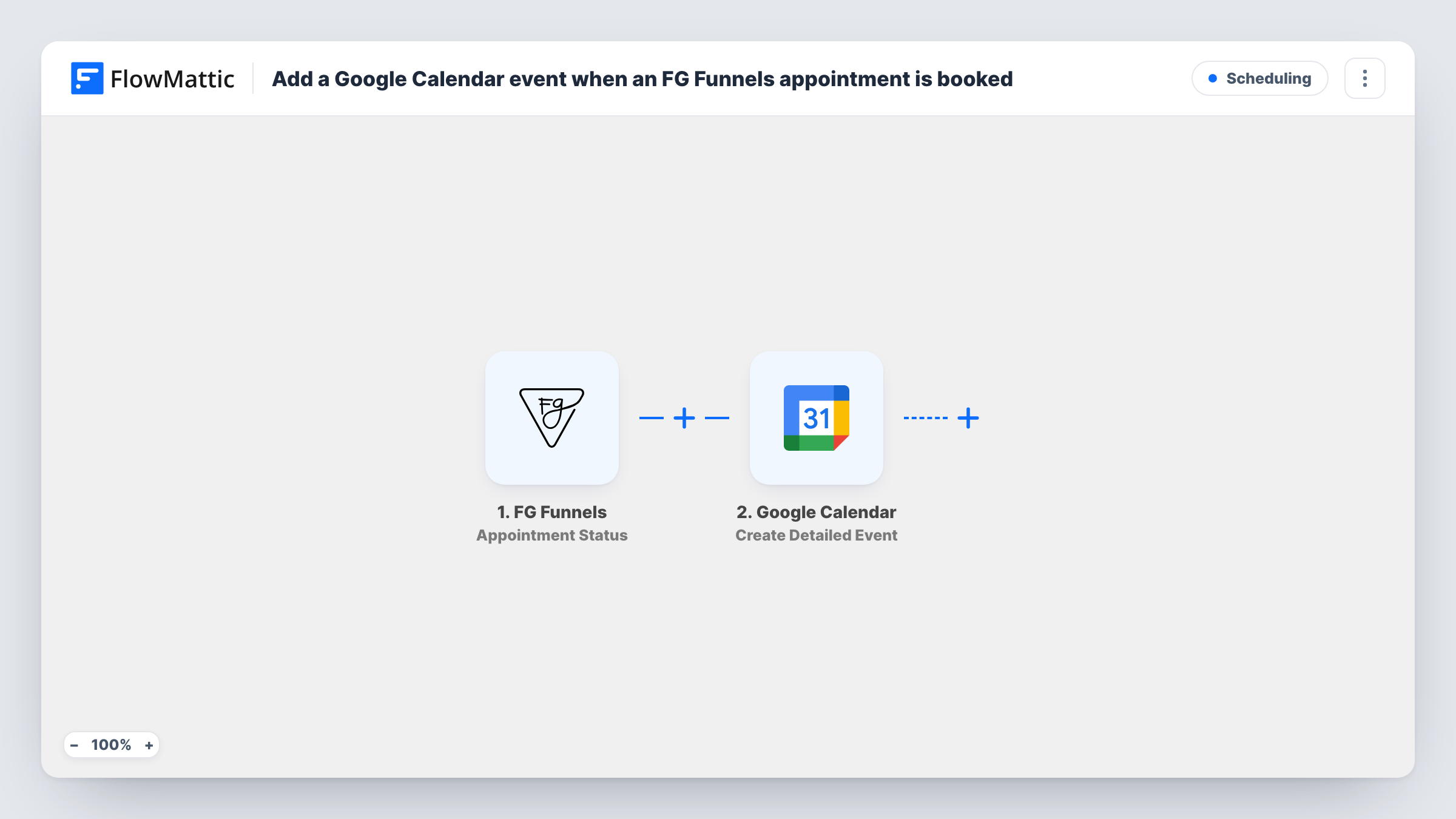
When an FG Funnels appointment gets a new status, a Filter lets the run continue only if that status is confirmed, and FlowMattic then creates a detailed event for it in your Google Calendar.
 FG Funnels
 Filter
 Google Calendar
3 steps Setup ~5 min Used on 448 sites Free to import
What this workflow does
Appointments booked through FG Funnels often go through several states before they happen. Putting every booking straight into your calendar would fill it with requests that later fall through. This workflow waits for the confirmation and only then adds the appointment to Google Calendar, so the calendar shows meetings that are actually going ahead.
The FG Funnels trigger, Appointment Status, fires for each new appointment status and passes the appointment's details on. The Filters step then checks the status field and continues only when it exactly matches confirmed. The check ignores upper and lower case, so Confirmed passes too. Any other status, such as a cancellation, stops the run there and nothing reaches the calendar.
The last step, Google Calendar's Create Detailed Event, ships unmapped. After import you pick the calendar and map the appointment's title, start and end time, and the contact's details into the event. Book a test appointment and confirm it to see which values FG Funnels sends and whether its status is spelled confirmed.
If an appointment is confirmed a second time after another status change, it runs again and creates a second event. Runs that stop at the Filter still appear in Task History, so you can see every status FG Funnels sent.
Consultant's calendar without tentative bookings
A coach reviews booking requests in FG Funnels and confirms the ones that suit. Only those confirmed sessions appear in Google Calendar, so the week view stays reliable.
Shared team calendar for sales calls
A sales team sends confirmed discovery calls from FG Funnels to a shared Google Calendar, so everyone can see which slots are taken.
Calendar invites for confirmed clients
A clinic maps the client's email into the event's guest details, so people get a calendar entry once their appointment is confirmed.
How this workflow runs
What happens at each step once the workflow is on, and what you need before you import it.
 FG Funnels Appointment Status
Starts each time an FG Funnels appointment gets a new status. The appointment's details, including the status, start time and contact, are passed to the Filter and the calendar step.
- Filter Continue If Condition Meet
Continues only when the appointment's status exactly matches confirmed, ignoring upper and lower case. Any other status ends the run here, so no calendar event is created for it.
- Google Calendar Create Detailed Event
Creates a detailed event in Google Calendar for the confirmed appointment. The step ships unmapped: choose the calendar and map the title, start and end time and any guest details from FG Funnels.
What you need
- FlowMatticCore
- FG Funnels AccountAccount
- Google Calendar AccountAccount
After importing, map your own data. To keep the template universal, not every step is pre-filled. Open each step in the builder and connect your accounts and fields (channels, lists, sheets, recipients) before you switch the workflow on.
Make it yours
Changes worth making after you import it.
- Check a test run for the exact status text FG Funnels sends for a confirmed booking. If it uses another word, change the value in the Filter to match it.
- Map the end time from FG Funnels too, or the event length won't match the booked slot. Check the test run for the field that holds it.
- Put the contact's phone number and email from FG Funnels in the event description, so whoever takes the meeting can reach the client without opening FG Funnels.
Questions about this workflow
What happens when an FG Funnels appointment is cancelled?
The trigger fires, but the Filter stops the run because the status isn't confirmed. No event is created, and any event made earlier stays in the calendar.
Does the Filter care whether FG Funnels sends Confirmed or confirmed?
No. The Filter ignores upper and lower case. It does need the same word, so if FG Funnels uses a different term, edit the Filter value.
Can one appointment create two Google Calendar events?
Yes, if its status becomes confirmed more than once, for example after being rescheduled and confirmed again. Each confirmed status is a separate run.
Do I need Google Calendar set up before importing?
You need a Google account to connect in the Create Detailed Event step and a calendar to pick. You can use your main calendar or one made for these appointments.
More Scheduling workflows
Other ready-to-import templates from the same category.




Import this workflow into your WordPress site
Download the JSON, import it from the Workflows screen and connect your accounts. Every run stays on your server, with no per-task fees.
30-day money-back guarantee Unlimited workflows and runs Self-hosted