

Create Modern Event Calendar events from new Eventin events
Each new event created in Eventin is copied as a new event in Modern Event Calendar, using the details you map, so a site running both plugins doesn’t need the same event entered twice.
 Eventin
 Modern Event Calendar
2 steps Setup ~5 min Used on 1.1k sites Free to import
What this workflow does
Some WordPress sites end up with two event plugins: Eventin for tickets and attendees, and Modern Event Calendar for the calendar visitors browse. Keeping both in step means typing every event twice. This workflow creates the Modern Event Calendar copy for you when an Eventin event is created.
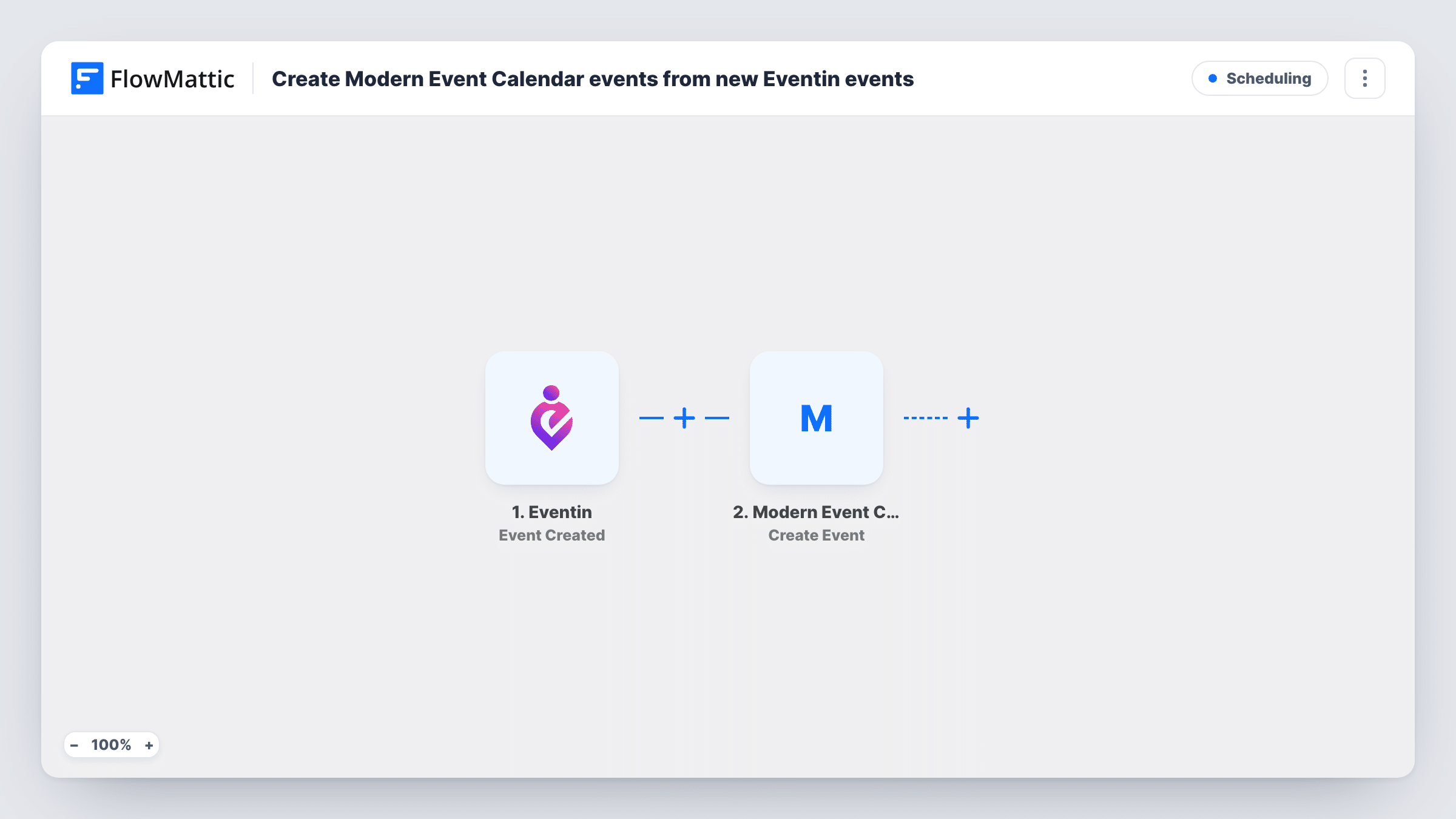
The Eventin trigger fires when a new event is created in Eventin, and the event's details are captured. The Modern Event Calendar step then runs Create Event, and you map the captured Eventin values into the new calendar event.
The copy happens once, when the Eventin event is first created, and only in one direction. If you later edit or delete the Eventin event, the Modern Event Calendar event is not changed. Both plugins run on your own WordPress site, so the event data stays there. Task History records each run with the result of the Create Event step.
Ticketed workshops on a public calendar
You sell workshop tickets through Eventin, while the site's main events page uses Modern Event Calendar. New workshops appear on that calendar as soon as you create them.
Moving from one events plugin to another
While you switch to Modern Event Calendar, new events created in Eventin are copied across, so the new calendar fills up during the change.
Community or church event listings
Volunteers create events in Eventin, and the Modern Event Calendar view that members check gets the same events.
How this workflow runs
What happens at each step once the workflow is on, and what you need before you import it.
 Eventin Event Created
Fires when a new event is created in Eventin on your WordPress site. The event's details are passed to the Modern Event Calendar step.
- Modern Event Calendar Create Event
Creates a new event in Modern Event Calendar. Map the Eventin details into it, then create a test event in Eventin to check that the dates and times come out right.
What you need
- FlowMatticCore
- Eventin PluginPlugin
- Modern Event Calendar PluginPlugin
After importing, map your own data. To keep the template universal, not every step is pre-filled. Open each step in the builder and connect your accounts and fields (channels, lists, sheets, recipients) before you switch the workflow on.
Make it yours
Changes worth making after you import it.
- Create a test event in Eventin after import so FlowMattic captures real values, then map each one into the Create Event step and compare the two events.
- Add a Google Sheets Add New Row step after Create Event to log the Eventin event ID beside the ID of the new calendar event, so you can match the pair later.
- If only some Eventin events belong on the calendar, add a Filter after the trigger that checks a field the captured Eventin event shows.
Questions about this workflow
Do changes to an Eventin event update the Modern Event Calendar copy?
No. This workflow only runs when an event is created. Edits and deletions in Eventin don't reach the calendar event.
Are my existing Eventin events copied to Modern Event Calendar?
No. Only events created after the workflow is on are copied. Older events need to be added by hand or by another workflow.
Do Eventin tickets and attendees move to Modern Event Calendar?
No. The template copies the event only. Ticket sales and attendees stay in Eventin.
Do both plugins need to be on the same WordPress site?
Yes. The Eventin trigger and the Modern Event Calendar action both work on the WordPress site where FlowMattic is installed.
More Scheduling workflows
Other ready-to-import templates from the same category.




Import this workflow into your WordPress site
Download the JSON, import it from the Workflows screen and connect your accounts. Every run stays on your server, with no per-task fees.
30-day money-back guarantee Unlimited workflows and runs Self-hosted