

Add new Eventbrite events to Google Calendar
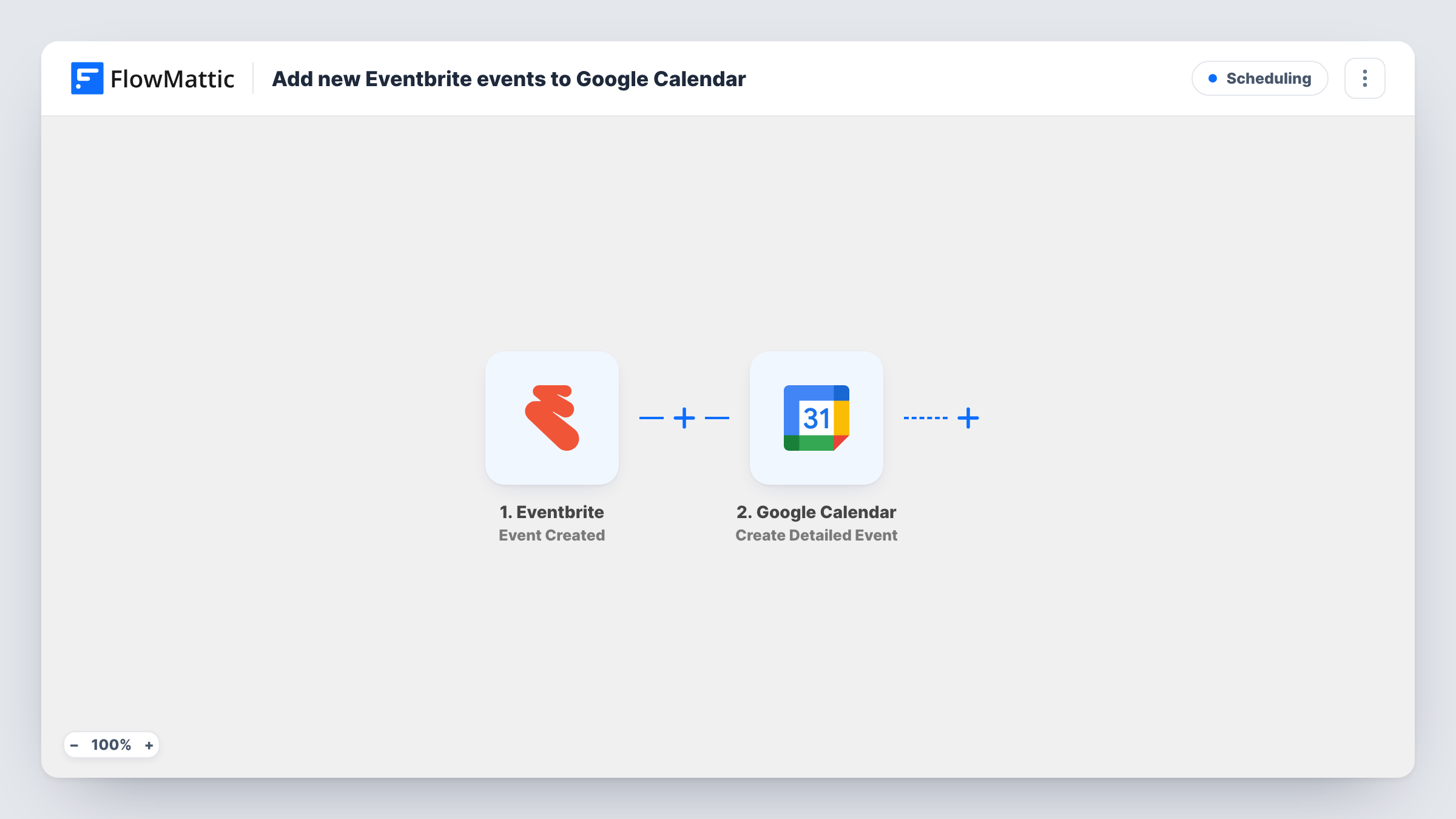
Each time you create an event in Eventbrite, this workflow puts a matching event on your Google Calendar, so the dates you sell tickets for sit next to the rest of your schedule.
 Eventbrite
 Google Calendar
2 steps Setup ~5 min Used on 1.9k sites Free to import
What this workflow does
Eventbrite holds your ticketed events, but your working week lives in Google Calendar. When the two are kept apart, you end up double-booking a venue or forgetting a session you set up weeks ago. This workflow copies each new Eventbrite event into your calendar the moment you create it.
Whenever you add an event in Eventbrite, the trigger picks it up. FlowMattic receives the event data and passes it to Google Calendar, where the Create Detailed Event action adds a new event. You map the Eventbrite values into the calendar entry, so it carries the event's own name and timing.
The flow has two steps and no conditions, so every event you create in Eventbrite becomes one calendar event. It only adds entries: later edits to the Eventbrite event are not copied across. Each run appears in Task History, so you can check what reached the calendar.
Workshop host planning the month
You list a series of paid workshops on Eventbrite. Each one appears in your Google Calendar as you publish it, so you plan prep time around real dates.
Freelance trainer with a busy client diary
Your client sessions already live in Google Calendar. Public courses you create on Eventbrite join them there, so you stop accepting client work on course days.
Venue manager avoiding clashes
Events created in Eventbrite show up in the calendar you already use for room bookings, so a clash is easy to spot before you sell tickets.
How this workflow runs
What happens at each step once the workflow is on, and what you need before you import it.
 Eventbrite Event Created
Fires when a new event is created in your connected Eventbrite account. The event's details become data you can map in the Google Calendar step.
- Google Calendar Create Detailed Event
Creates a new event in Google Calendar. Connect your Google account, map the Eventbrite event data into the step, then run a test to confirm the calendar entry looks right.
What you need
- FlowMatticCore
- Eventbrite AccountAccount
- Google Calendar AccountAccount
After importing, map your own data. To keep the template universal, not every step is pre-filled. Open each step in the builder and connect your accounts and fields (channels, lists, sheets, recipients) before you switch the workflow on.
Make it yours
Changes worth making after you import it.
- Create a test event in Eventbrite after import. FlowMattic then captures real event data, which makes mapping the calendar step easier.
- Running two kinds of events? Add a Router with one route per kind, each with its own Google Calendar step, so the entries are created with different settings.
- Include the Eventbrite listing link somewhere in the calendar entry when you map the step, so you can open the event page straight from your calendar.
Questions about this workflow
Does changing an Eventbrite event update the Google Calendar entry?
No. The trigger fires when an event is created, and the action only creates calendar events. Edits made later in Eventbrite stay in Eventbrite, so update the calendar entry by hand or build a separate workflow for changes.
Are my existing Eventbrite events copied to Google Calendar?
No. Only events created after you turn the workflow on reach your calendar. Add older ones by hand if you need them there.
Can I control which Eventbrite events reach Google Calendar?
As imported, every new event is copied. Add a Filter between the two steps with a condition on the event data, such as its name, to copy only the events you want.
Can Eventbrite ticket buyers be added to my calendar too?
Not with this workflow. Its trigger is Event Created, which carries the event, not orders. For buyers, build a second workflow on Eventbrite's Order Placed trigger.
More Scheduling workflows
Other ready-to-import templates from the same category.




Import this workflow into your WordPress site
Download the JSON, import it from the Workflows screen and connect your accounts. Every run stays on your server, with no per-task fees.
30-day money-back guarantee Unlimited workflows and runs Self-hosted