

Create Zoho Webinars from new course enrollments in Tutor LMS
Each time a student enrolls in a Tutor LMS course, this workflow creates a new webinar in Zoho Meeting, so a live session is set up in your Zoho account for every enrollment without opening Zoho by hand.
 Tutor LMS
 Zoho Meeting
2 steps Setup ~5 min Used on 1.1k sites Free to import
What this workflow does
Some courses come with a live session per learner: a kickoff call, an orientation or a private coaching slot. Setting each one up in Zoho Meeting by hand gets slow once enrollments pick up. This workflow creates the webinar for you as soon as the enrollment happens.
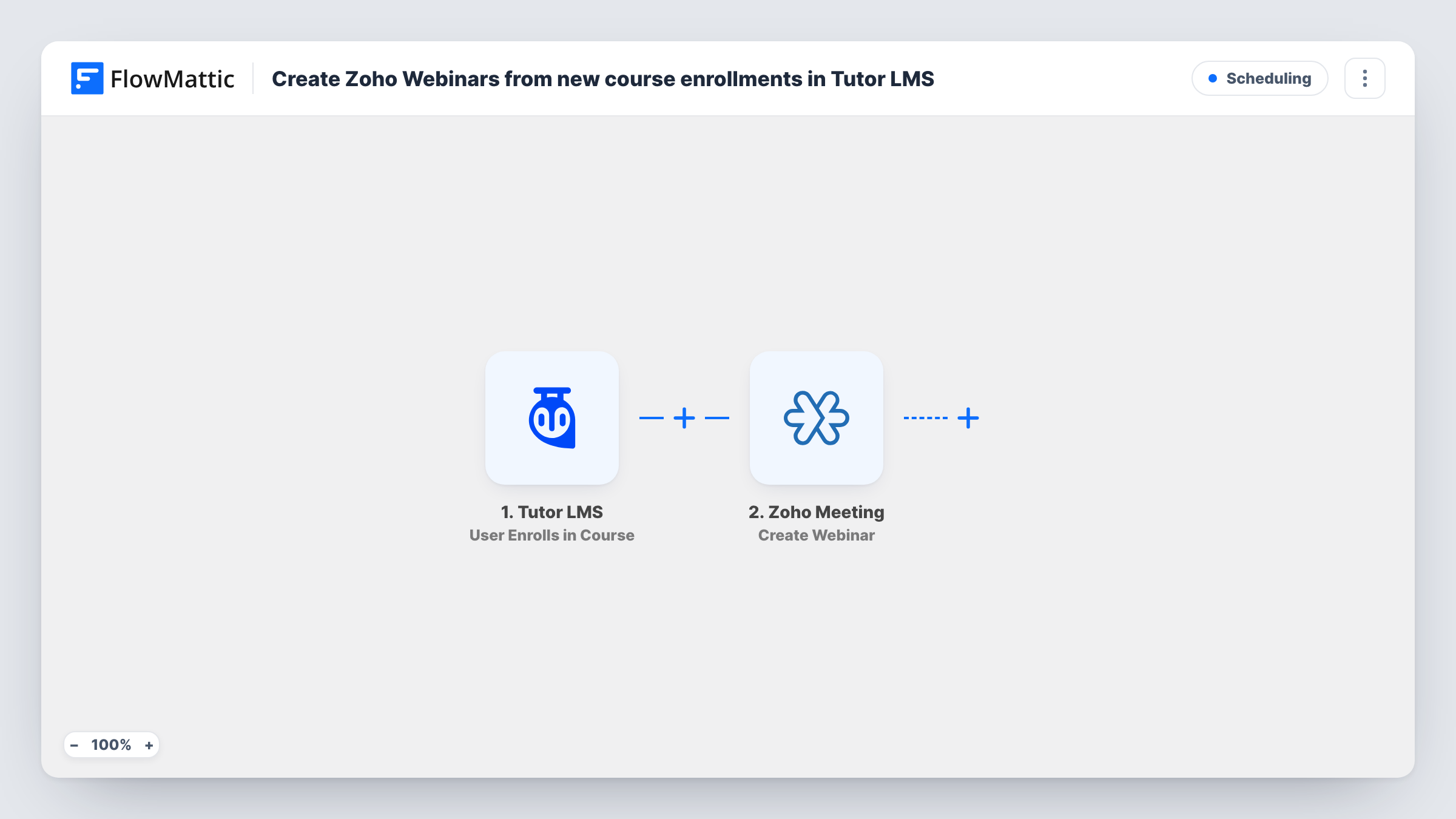
The Tutor LMS trigger starts the run the moment someone is enrolled in one of your courses. FlowMattic passes the enrollment data on to Zoho Meeting, whose Create Webinar action adds a new webinar to your Zoho account. You map course or student details into it, for example the course title as part of the webinar name.
Be clear about the scope before you import. One enrollment creates one webinar, so ten enrollments give you ten webinars, even for the same course. The step creates the webinar only; it does not register the student for it or send them a link. To tell the student, add a step after Zoho Meeting that emails them the details. As imported, every enrollment in every course runs the flow.
Kickoff call for a premium course
Each buyer of a high-ticket Tutor LMS course gets their own live kickoff session created in Zoho Meeting, ready for you to run with them.
Orientation sessions for corporate learners
When a staff member is enrolled in a compliance course, a Zoho webinar is set up for their orientation, and your trainer sees it in the Zoho account.
One-to-one coaching programmes
A coaching course where every enrollment includes a private live session creates that session automatically, instead of you scheduling each one.
How this workflow runs
What happens at each step once the workflow is on, and what you need before you import it.
 Tutor LMS User Enrolls in Course
Runs when a user enrolls in a Tutor LMS course on your site. The enrollment data, such as the course and the user, becomes available to map in the Zoho Meeting step.
- Zoho Meeting Create Webinar
Creates a new webinar in your Zoho Meeting account for that enrollment. Connect Zoho on import, fill in the webinar details the step asks for, and map course or student values into them. Run a test to confirm the result.
What you need
- FlowMatticCore
- Tutor LMS PluginPlugin
- Zoho Meeting AccountAccount
After importing, map your own data. To keep the template universal, not every step is pre-filled. Open each step in the builder and connect your accounts and fields (channels, lists, sheets, recipients) before you switch the workflow on.
Make it yours
Changes worth making after you import it.
- Add a Filter after the trigger that continues only for the course that includes a live session. Without it, enrollments in every Tutor LMS course create a webinar.
- Add an Email step after Zoho Meeting to send the student the webinar details from the Create Webinar response. Map the student's email only if a test run shows the trigger carries it.
- Put the course title and the student's name into the webinar name, so you can tell the sessions apart in Zoho Meeting when several are created in one day.
Questions about this workflow
Does the student get registered for the Zoho Meeting webinar?
No. The step creates a webinar in your Zoho account and stops there. To reach the student, add a step that emails them the details from the Zoho response.
Does every Tutor LMS enrollment create a separate webinar?
Yes. Each enrollment is one run, and each run creates one new webinar. If you want one shared session per course instead, create it once in Zoho Meeting and skip this flow for that course with a Filter.
Which Tutor LMS courses trigger the Zoho webinar?
As imported, all of them. The trigger fires for enrollments in any course on the site, so add a Filter on the course if only one should create webinars.
Can I remove the webinar if a student's enrollment is cancelled?
Not with this template. Zoho Meeting in FlowMattic has a Delete Webinar action, so you could build a separate workflow for that, as long as you keep the webinar ID from this run somewhere it can be found, such as a sheet.
More Scheduling workflows
Other ready-to-import templates from the same category.





Import this workflow into your WordPress site
Download the JSON, import it from the Workflows screen and connect your accounts. Every run stays on your server, with no per-task fees.
30-day money-back guarantee Unlimited workflows and runs Self-hosted