

Update Zoho Calendar events from updated Google Sheets rows
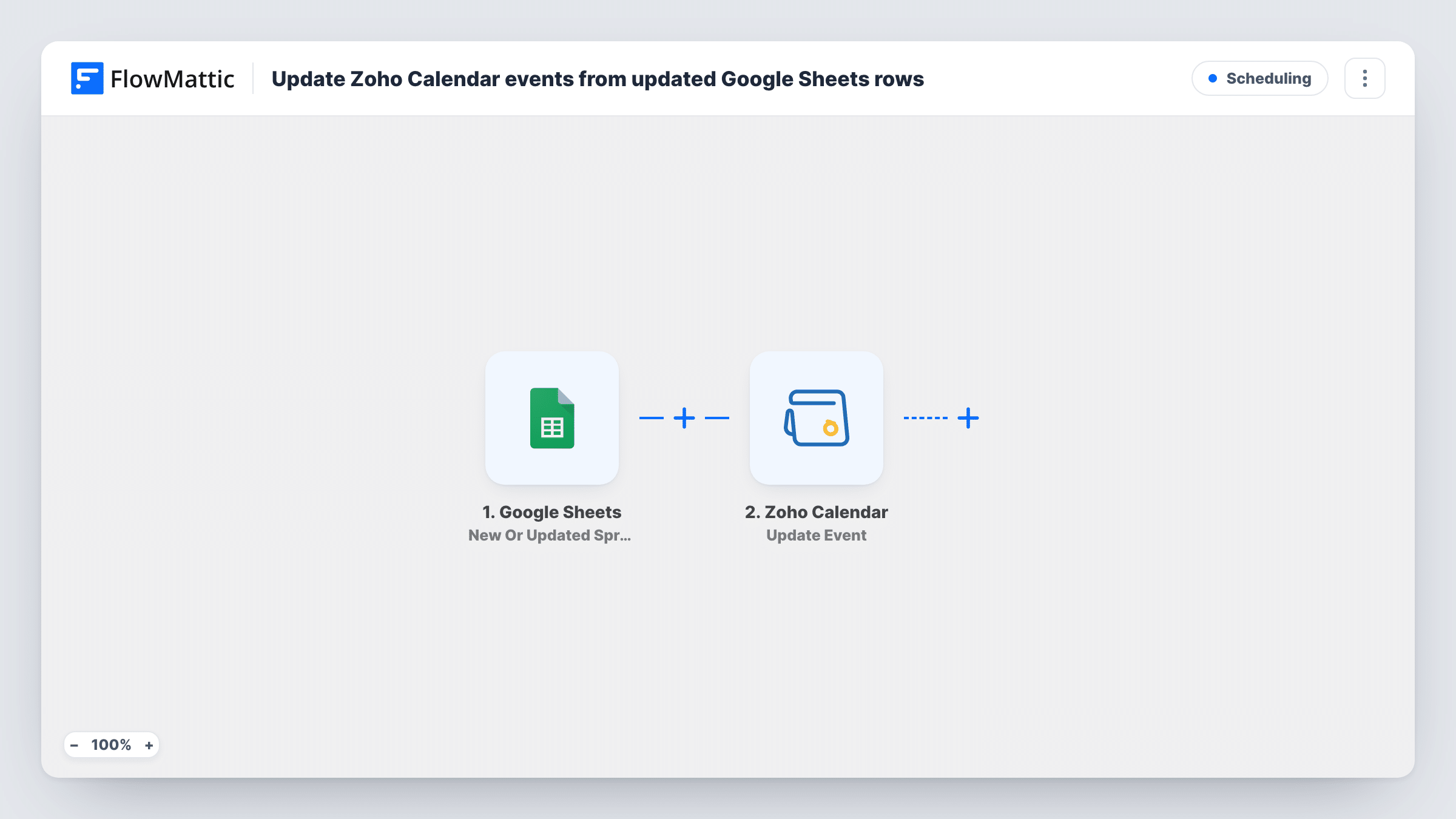
Change a row in your Google Sheets schedule and FlowMattic updates the matching Zoho Calendar event, found by an event ID you keep in the row, so a spreadsheet plan can drive your calendar.
 Google Sheets
 Zoho Calendar
2 steps Setup ~5 min Used on 2.3k sites Free to import
What this workflow does
Some schedules are easier to plan in a spreadsheet: a training rota, a content calendar, a list of site visits. If those plans already exist as events in Zoho Calendar, every change means editing two places. This workflow lets the sheet lead, sending each row edit to the event it belongs to.
The Google Sheets trigger, New Or Updated Spreadsheet Row, starts a run when a row in the spreadsheet you choose changes. That row's values become available to map. FlowMattic then runs Update Event in Zoho Calendar, which updates an event in the calendar you specify with the values you map from the row, such as a new date, time or title.
The Zoho step can only edit an event it can identify, so the sheet needs a column holding each event's Zoho Calendar ID. Rows without one, and new rows typed into the sheet, produce an error in Task History rather than a new event. Try one row tied to an event you know before switching the workflow on.
Rescheduling training sessions
A trainer keeps the session plan in a sheet with each event's ID. Moving a session's date in the row moves the matching Zoho Calendar event for everyone who relies on it.
Editorial calendar changes
Publication slots live in Zoho Calendar and the editorial team plans in Google Sheets. Changing a slot's title or day in the sheet updates the calendar entry.
Field visit schedules
Office staff update visit times in a shared sheet, and the visits in the field team's Zoho Calendar follow without anyone editing the calendar by hand.
How this workflow runs
What happens at each step once the workflow is on, and what you need before you import it.
 Google Sheets New Or Updated Spreadsheet Row
Starts a run when a row changes in the Google Sheets spreadsheet and worksheet you pick. Every cell in that row can be mapped into the Zoho Calendar update.
- Zoho Calendar Update Event
Updates an existing event in the Zoho Calendar you specify. Map the column holding the event's ID, plus the columns for the details you want changed, and test on a known event.
What you need
- FlowMatticCore
- Google Sheets AccountAccount
- Zoho Calendar AccountAccount
After importing, map your own data. To keep the template universal, not every step is pre-filled. Open each step in the builder and connect your accounts and fields (channels, lists, sheets, recipients) before you switch the workflow on.
Make it yours
Changes worth making after you import it.
- Get the event IDs into the sheet first. Zoho Calendar's Fetch Event or List Events actions, in a separate workflow, can return them for you to copy into an ID column.
- Add a Filter after the trigger that continues only when the event ID column isn't empty, so new rows without an ID end quietly instead of erroring.
- Keep dates and times in one consistent format in the sheet, and check the first test run to see that Zoho Calendar reads them the way you meant.
Questions about this workflow
Can a new Google Sheets row create a Zoho Calendar event?
Not with this template. Its only action is Update Event, which needs an existing event. Zoho Calendar's Create New Event action would be needed for new rows.
How does each Google Sheets row find its Zoho Calendar event?
Through the event ID you map from the row. The template doesn't search events by title or date, so a row needs that ID to update anything.
Do changes made in Zoho Calendar flow back into the sheet?
No. Updates only go from Google Sheets to Zoho Calendar. Editing the event in Zoho leaves the row as it was, and the next row edit can overwrite your calendar change.
What if I edit a cell that isn't mapped?
Any change to the row can start a run, and the mapped values are sent again even if they didn't change. Add a Filter on a column such as Ready if you want more control.
More Scheduling workflows
Other ready-to-import templates from the same category.






Import this workflow into your WordPress site
Download the JSON, import it from the Workflows screen and connect your accounts. Every run stays on your server, with no per-task fees.
30-day money-back guarantee Unlimited workflows and runs Self-hosted