

When an event is rescheduled in SavvyCal, notify the user via WhatsApp using WA.Team, add the data to Google Spreadsheet
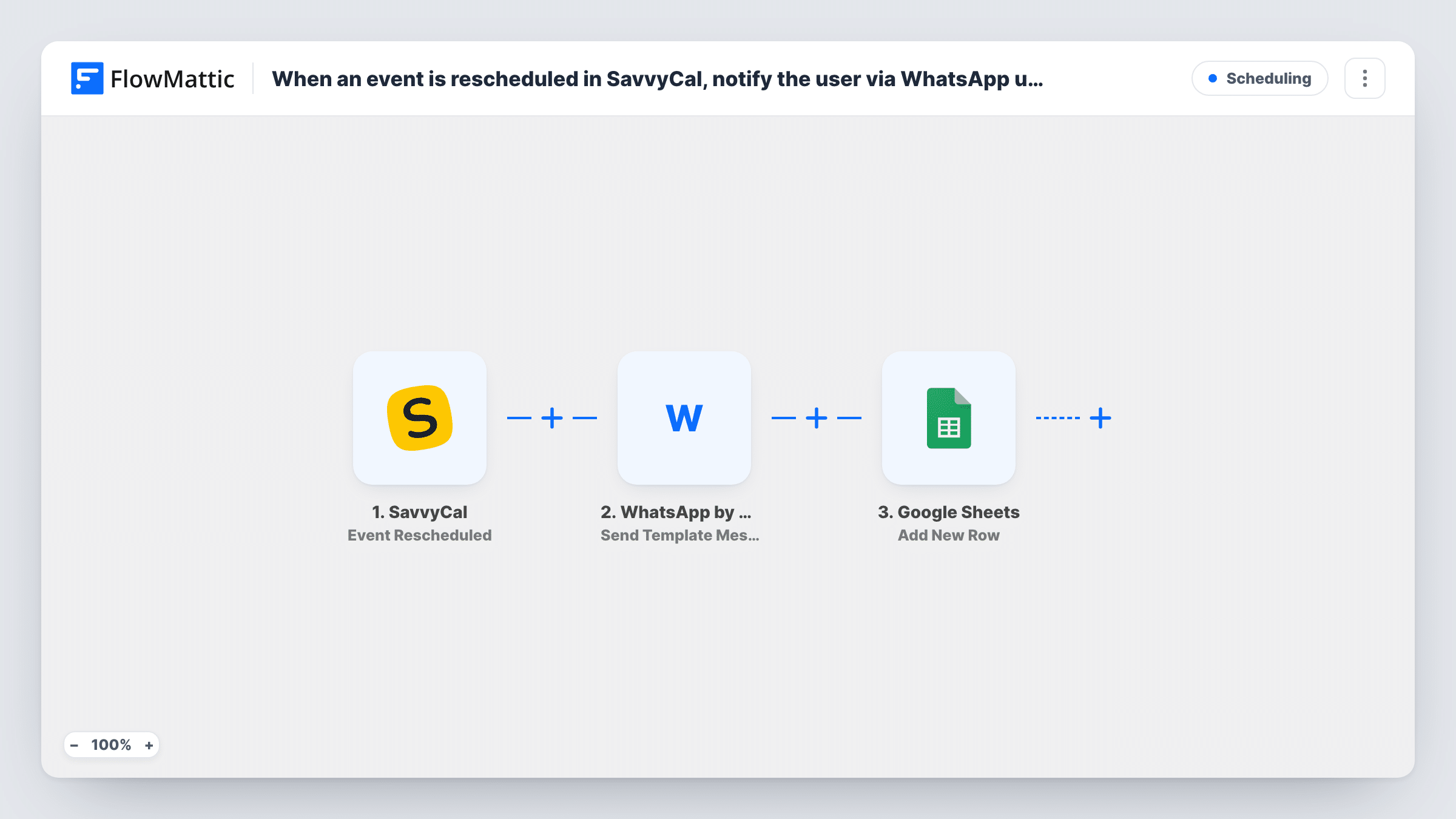
When a SavvyCal event is rescheduled, this workflow sends the attendee a WhatsApp template message through WA.Team and then logs the rescheduled event in a Google Sheets row.
 SavvyCal
 WhatsApp by WA.Team
 Google Sheets
3 steps Setup ~5 min Used on 3.1k sites Free to import
What this workflow does
A rescheduled meeting is easy to miss. The new time might sit in an email the attendee doesn't open until too late. A WhatsApp message is more likely to be seen on time, and a spreadsheet log helps you spot clients who move meetings often. This workflow does both each time a booking moves.
The SavvyCal trigger fires when an event is rescheduled. FlowMattic sends a message with the Send Template Message action of WhatsApp by WA.Team, using a WhatsApp template you have set up and values from the event. Then the run adds a row to Google Sheets with the event details you map.
The WhatsApp step needs the attendee's phone number. SavvyCal only has one if your booking form asks for it, so check a test run before you rely on it. If WhatsApp delivery fails, the sheet still gets its row, and Task History shows the error.
Consultants whose clients move calls
A client moves a call in SavvyCal. They receive a WhatsApp message confirming the change, and your sheet records that the call was moved.
Clinics confirming new appointment times
When a patient reschedules through SavvyCal, the WhatsApp template confirms the change, and the front desk has the moved booking in the sheet.
Tracking reschedule patterns
Over a few months, the sheet shows how often meetings move and with whom, which helps you set firmer booking rules.
How this workflow runs
What happens at each step once the workflow is on, and what you need before you import it.
 SavvyCal Event Rescheduled
Fires when an event is rescheduled in SavvyCal. The event details, including attendee data your booking form collects, are passed to the next two steps.
- WhatsApp by WA.Team Send Template Message
Sends a WhatsApp template message through WA.Team. Choose your approved template, map the attendee's phone number, and fill the template's values with event details.
- Google Sheets Add New Row
Adds a row to the Google Sheets spreadsheet you choose with the rescheduled event's details. Map columns such as attendee name and new time from the SavvyCal data.
What you need
- FlowMatticCore
- SavvyCal AccountAccount
- WhatsApp by WA.Team AccountAccount
- Google Sheets AccountAccount
After importing, map your own data. To keep the template universal, not every step is pre-filled. Open each step in the builder and connect your accounts and fields (channels, lists, sheets, recipients) before you switch the workflow on.
Make it yours
Changes worth making after you import it.
- Add a required phone number question to your SavvyCal booking form, since the trigger can only pass on a number the attendee gave.
- Map the phone number in full international format. If SavvyCal stores it differently, add a Text Formatter step before WA.Team to tidy it.
- SavvyCal also has Event Created and Event Cancelled triggers. Separate workflows on those can log new and cancelled bookings to other tabs of the same sheet.
Questions about this workflow
Why does this use a WhatsApp template message?
WhatsApp only allows free-form messages within 24 hours of the person writing to you. A template message can reach an attendee who hasn't messaged your business number recently.
What if the SavvyCal attendee gave no phone number?
The WA.Team step has no number to send to, so it fails for that run. The Google Sheets row is still added, and Task History shows the WhatsApp error.
Does this notify attendees about new or cancelled bookings?
No. It only reacts to rescheduled events. Use SavvyCal's Event Created or Event Cancelled triggers in other workflows for those.
What do I need to connect for this SavvyCal workflow?
A SavvyCal account, a WhatsApp by WA.Team account with an approved template, and a Google account with access to the spreadsheet.
More Scheduling workflows
Other ready-to-import templates from the same category.





Import this workflow into your WordPress site
Download the JSON, import it from the Workflows screen and connect your accounts. Every run stays on your server, with no per-task fees.
30-day money-back guarantee Unlimited workflows and runs Self-hosted