

When a new event is created in SavvyCal, create a new user in WordPress and email the login details to user
When someone books a SavvyCal event, FlowMattic creates a WordPress account for them and emails how to sign in, so clients can reach your members area or resources before the meeting.
 SavvyCal
 WordPress
 Email
Email3 steps Setup ~5 min Used on 2.3k sites Free to import
What this workflow does
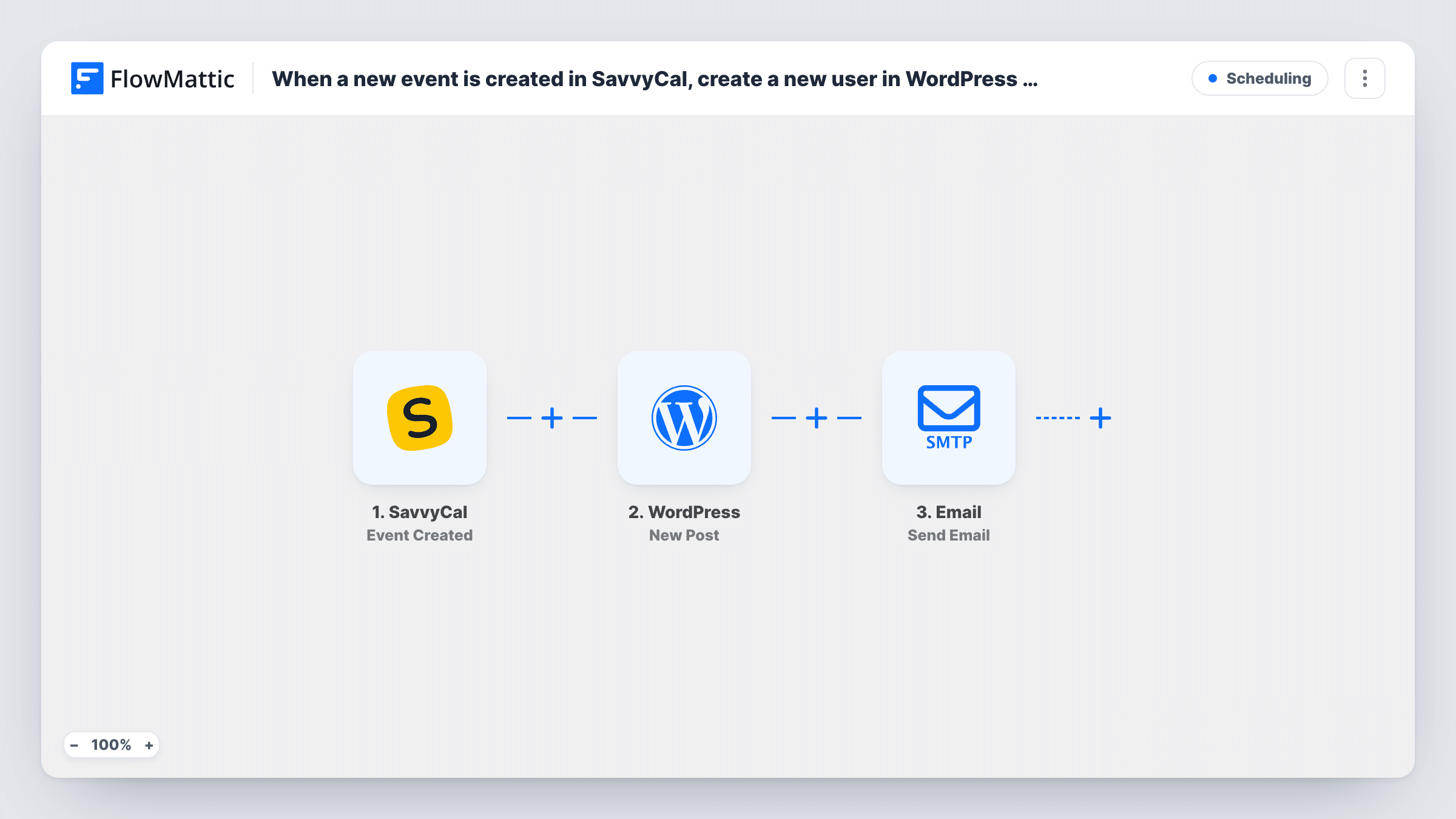
If a booked call comes with material on your WordPress site, such as a client portal, course lessons or a resource library, the person needs an account before the meeting. This workflow creates that account from the SavvyCal booking and sends them an email about logging in, so you don't add users by hand after each booking.
The SavvyCal trigger fires when a new event is created, which happens when someone schedules time with you. The booking data, including the attendee's name and email, is passed on. Check a test booking to see exactly which attendee fields arrive.
The WordPress New User step ships unmapped. Map the attendee's email and a username, and the name if you want it on the profile. The step reports back the new user ID rather than a password, so plan the email around that: send the username and a link to your site's password reset page, or check the step's options after import if you'd rather set the password yourself. If the attendee's email is already registered, WordPress doesn't make a duplicate account, and you can see the user ID the step came back with in Task History.
Finally, FlowMattic's Email module delivers the sign-in message, using WordPress mail or an SMTP account you add. Write the subject and body, and map the attendee's email as the recipient.
Client portal ready before the kickoff call
An agency gives every prospect who books a discovery call a login to a portal page with the questionnaire they should fill in first.
Coaching clients get their workbook
A coach's members area holds session worksheets, and each client who schedules through SavvyCal receives an account and instructions to sign in.
Course access after a consultation
A tutor who sells lessons on WordPress creates an account for each student who books an intro session, so they can browse the course pages.
How this workflow runs
What happens at each step once the workflow is on, and what you need before you import it.
 SavvyCal Event Created
Fires when a new event is created in SavvyCal, which is when someone books time with you. The event and attendee details are passed on for mapping.
- WordPress New User
Creates a WordPress user. Map the attendee's email and a username after import. If the email already has an account, WordPress keeps that one and the step returns its user ID instead of making another.
 Email Send Email
Sends the attendee an email through WordPress mail or your SMTP account. Write the sign-in instructions, map the username, and add your login and password reset links, since the user step doesn't return a password.
What you need
- FlowMatticCore
- SavvyCal AccountAccount
After importing, map your own data. To keep the template universal, not every step is pre-filled. Open each step in the builder and connect your accounts and fields (channels, lists, sheets, recipients) before you switch the workflow on.
Make it yours
Changes worth making after you import it.
- Point people to your site's lost password page in the email, so each new user picks their own password the first time they sign in.
- Set the new user's role in the WordPress step to one that can see your client pages, such as a membership role, rather than leaving every attendee as a plain subscriber.
- Put a Filter between the SavvyCal trigger and the WordPress step on the scheduling link or event title, so only bookings for the meeting types that come with an account create users.
Questions about this workflow
What happens when a returning client books another SavvyCal event?
Each booking starts a run. For an email that already belongs to a WordPress account, no new account is added; Task History lists the user ID that came back from the step. The sign-in email is still sent again unless you add a check before it.
Can the email include the WordPress password?
The New User step returns the user ID, not a password it generated. Send a password reset link instead, or look at the step's options after import if you want to set the password yourself and quote it.
Which SavvyCal attendee details can be used for the account?
Whatever the Event Created data contains, usually the attendee's name and email. Book a test event and look at the trigger's output in Task History before mapping the WordPress step.
Is a separate SMTP service needed for the login email?
No. Sending with your site's own WordPress mailer works too. Connecting an SMTP account in the step is optional, for when you want the mail to go through a provider you already use.
More Scheduling workflows
Other ready-to-import templates from the same category.








Import this workflow into your WordPress site
Download the JSON, import it from the Workflows screen and connect your accounts. Every run stays on your server, with no per-task fees.
30-day money-back guarantee Unlimited workflows and runs Self-hosted